The short answer: „Failed„ or „crashed" heads mean mechanical damage to an HDD’s read/write head — usually after an impact, a drop, ageing or a snag on the parking ramp. The drive clicks, buzzes, will not read, or is not visible in the BIOS at all. Recovery makes sense as long as the platters are not ground up — in that case replacing the head-stack assembly from a donor drive in a clean room recovers the data in 78–92 % of cases. If the heads repeatedly crashed onto the platter (the client powered it on 10 times), the platter is scratched and the odds drop below 40 %. That decision belongs in a laboratory, not in your living room.
In August 2023 a 3.5” Seagate, 2 TB, arrived. The client brought it in three days after the first click — straight out of the textbook. We opened the drive, saw bent heads and a few micro-scuffs on the platter. Recovery 96 %, the client left with the drive after five days. A year later a 1 TB external WD drive turned up. Same diagnosis — a faulty head-stack. The only difference was that the owner had previously opened it at home twice „just to take a look". Out of 1 TB we recovered 380 GB.
Same topic, same technicians, same equipment. The difference: how many times that drive ran after the fall and who reached inside it.
Out of our 160 tickets involving crashed heads from 2019–2025, we managed to recover the data for 83 % of clients on average. The spread is wide, though — for drives that arrived within 24 hours of the first click, the success rate is 94 %. For drives where the client „kept trying to restart it" for two weeks, we are down at 58 %. The difference is not better technicians, the difference is the condition of the platter, which can be preserved by a single behaviour: power it off.
This article explains the anatomy of the head-stack assembly, why heads „crash", how to tell whether this is your case, and what actually happens in a clean room. The point is not for you to manage it at home — quite the opposite, I hope that after reading it you will understand why opening the drive at home is the most expensive idea in the whole story.
1. HDD anatomy — what the „heads" are and how they crash
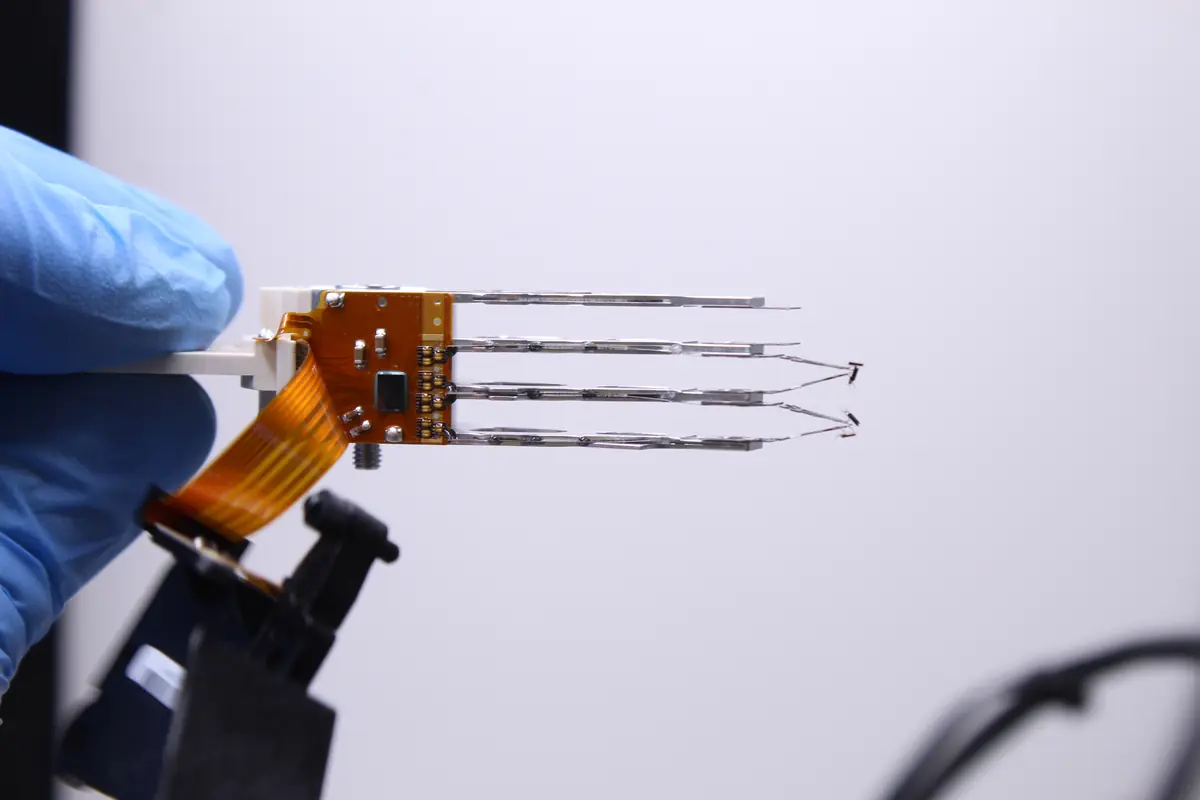
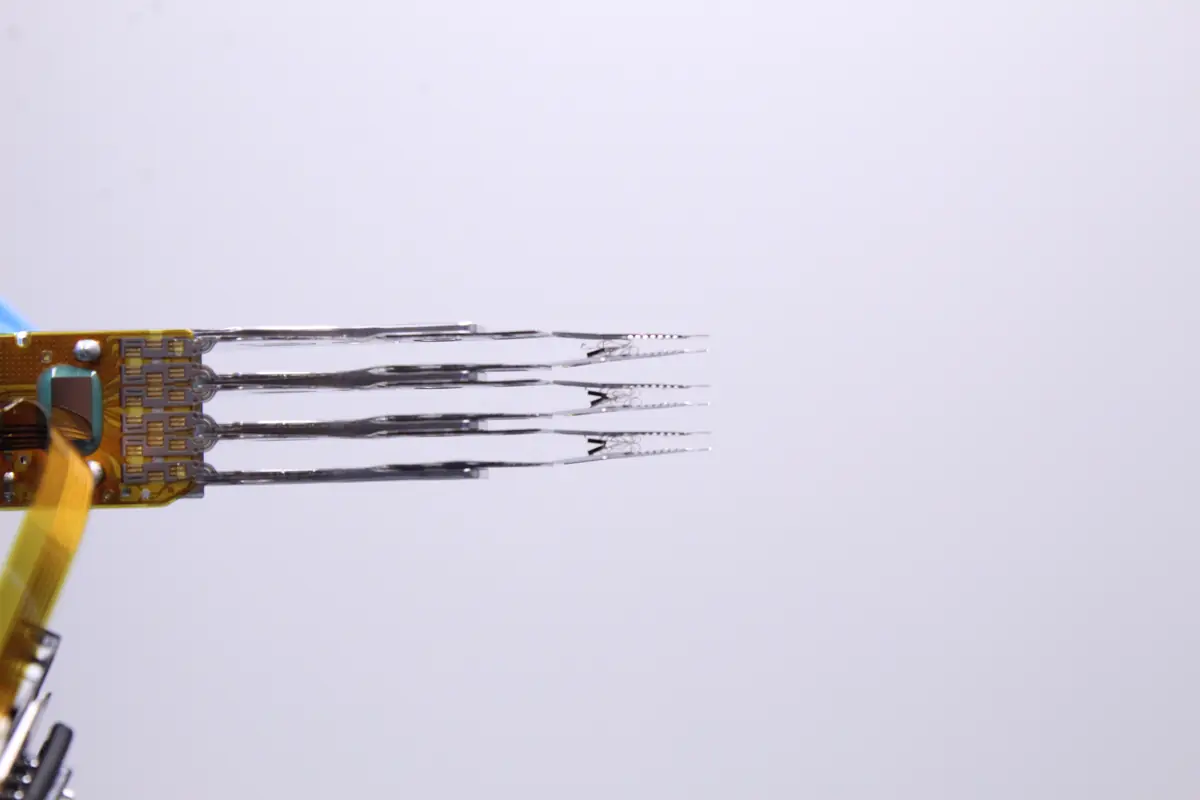
Head-stack assembly (HSA)
An HDD is a moving mechanical unit. Inside:
- Platters — circular discs with a magnetic coating, typically 2–10 per drive, 0.6 mm thick, made of aluminium or glass
- Spindle motor — spins at 5 400, 7 200, or 10 000–15 000 revolutions per minute
- Head-stack assembly — the „arm" with the read/write heads, one per side of each platter (so 8 heads in a 4-platter drive)
- Parking ramp — a plastic or ceramic „balcony" off the platter, where the heads wait while the drive is powered off
- Voice coil motor — the electromagnetic accelerator of the arm
- PCB + firmware ROM — the drive’s electronics and software
The heads fly above the platter at a height of 3–10 nanometres (for comparison, a human hair is 80 000 nm in diameter). They fly on an aerodynamic cushion from the stream of air the platter pushes ahead of itself. When that air cushion collapses, the head touches the platter. That is a „head crash" — and that is the moment when they crash.
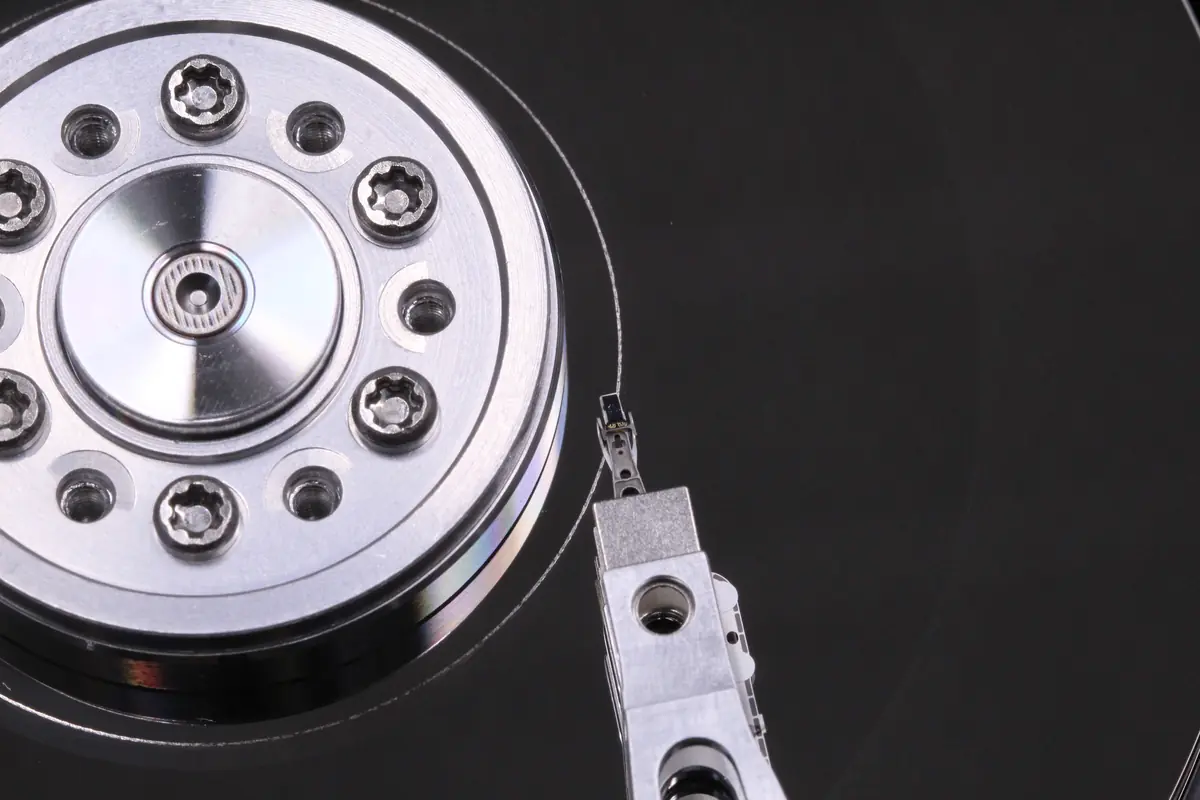
How heads physically fail
- A drop of the whole drive — the force flings the head from its parking position onto the platter. The slider (the nanoscale part at the end of the head that holds the magnetic sensor) snaps off or bends.
- A drop without parking — if the drive was powered on and the heads were flying above the platter, the impact causes contact. The platter gets a circular scratch, the head shatters.
- Parking-ramp failure — on older 2.5” WD and Seagate drives (WD10SDZW, WD20NMVW, ST1000LM024) the plastic ramp grows brittle over time. The heads then „slide off" the ramp onto the platter when powered down.
- A corroded head — a drive stored in damp conditions, oxidation on the read coil, the slider loses magnetic sensitivity
- A manufacturing defect — occasionally (around 0.3 % of drives) the slider leaves the factory incorrectly seated. It shows up within 3 months of installation.
- Contamination — particles inside the drive (dust, hair, swarf from machining) cause the head to contact the platter. That is why an HDD must never be opened outside a clean room.
Why the heads sit in nano-tolerances
The magnetic bit size on a modern platter is 0.015 μm² (15 000 nm²). A single bit is smaller than 1/5 000 of the diameter of a human hair. For the head to read and write such densities, it must fly:
- At a height of at most 10 nm (3 nm on the densest models)
- With vibrations smaller than ± 1 nm
- Without contact with any particle larger than 0.3 μm
This is what makes the HDD a marvel of engineering and also a source of failure. SSDs have no such tolerances (they are pure electronics), which is why an SSD survives a fall and an HDD does not.
2. How to tell that the heads have crashed
Sounds (the most reliable indicator)
Covered in detail in the article What to do when a drive clicks. The main patterns:
- Rhythmic clicking (click-click-click every 1–3 seconds) — the head tries to park but fails mechanically. The classic „click of death".
- A long whistle or high-pitched tone — the parking ramp has seized, the head does not release from its parking position during spin-up
- Grinding / rasping sounds — the head is touching the platter, scratching the magnetic layer
- Cyclic spindle restarts (spins up, silence, spins up) — the drive cannot initialise because the heads are not where they should be
A sound sample is in the article about clicking — a WD20SDRW-34VUUS0 2 TB from our laboratory.
Diagnostics via software
If the drive at least spins up and is visible in the BIOS:
- SMART may show a rising Hardware ECC recovered (attribute 0B) and Read error rate (attribute 01) — the head reads poorly, ECC corrects it
- CrystalDiskInfo reports „Caution„ (yellow) with the detail „faulty data read"
- A test read (HD Sentinel, Victoria) reports read errors spread across the surface, not concentrated in a single band (concentrated = one bad area, spread out = bad heads across the whole platter)
If the drive is not visible in the BIOS at all, the heads have probably failed completely or could not unpark — the drive never fully initialised.
Visual inspection — do not do it at home
The only way to confirm crashed heads with 100 % certainty is to open the drive in a clean room and look under a microscope. In 93 % of cases where clients opened the drive at home „just to take a look", dust got inside and damaged the platters. According to our statistics from 2019–2025, 40 % of drives opened this way were unrecoverable.
3. What happens in the clean room during a head swap
Intake diagnostics (day 1)
- Acoustic test — we listen to the sounds during spin-up and compare them with a reference of the same model
- SMART extract — if the drive reaches SATA initialisation, we read out the attributes
- Visual inspection of the casing — damage, impacts, oxidation, third-party tampering
- Decision: open, or can it be avoided — sometimes an electronic fault mimics a mechanical one, so first we measure the voltages on the PCB
Opening in the clean room (day 2)
In a class 100 clean room (ISO 5 — max. 100 particles > 0.5 μm per cubic foot) we put on:
- Antistatic clothing, gloves, a cap
- An antistatic underlay, filtered light
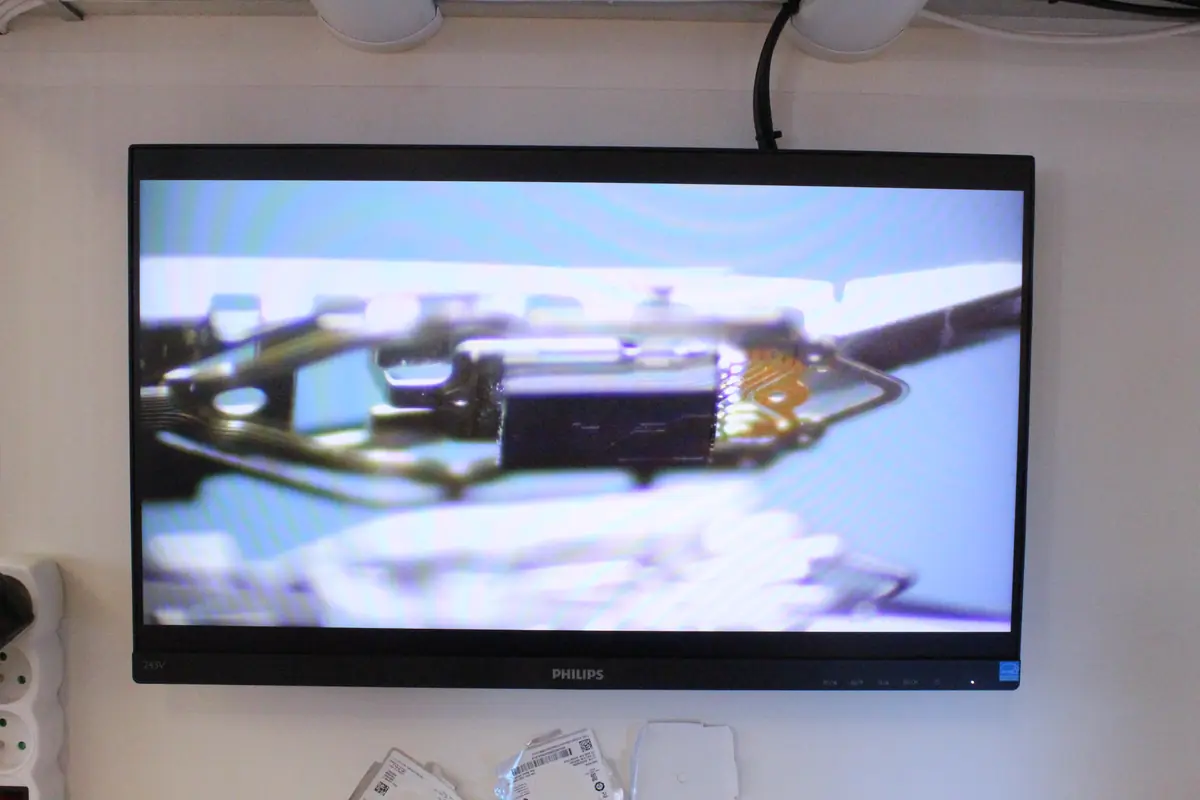
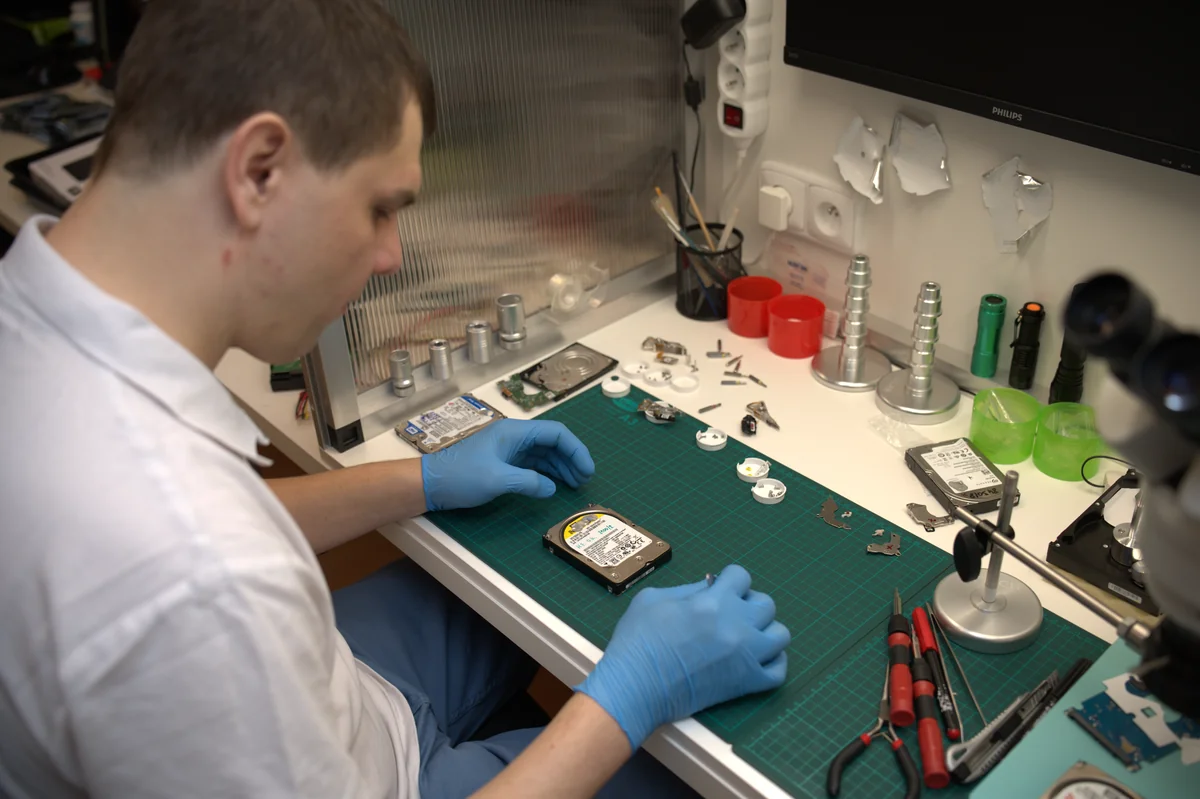
- A 20×–80× stereo microscope with image analysis
We unscrew the top cover (6–12 screws depending on the model), remove the magnets, extract the head-stack. Under the microscope we check:
- The state of the sliders — whether they are bent, snapped off, or merely oxidised
- The platter surface — a microscope under angled lighting reveals scratches
- The cleanliness of the cavities — is there dust? particles from earlier damage?
- The state of the shaft axis — whether the motor runs without vibration
The decision point
Based on the inspection we decide:
- Platters clean, heads broken → head swap, 78–92 % success rate
- Platters lightly scratched, heads broken → head swap + aggressive cloning with error tolerance, 45–70 %
- Platters ground up in circular lines → written off, < 20 % of data possibly recoverable
- Heads OK, a different problem → electronics / firmware path, not the clean room
The donor — why it is critical
A head swap requires a second physical drive of the same model and the same firmware revision. Heads are not interchangeable between models — each series has a different geometry, a different read-coil characteristic, different calibration data.
- The serial number alone is not enough — we need the Site Code and the Part Number
- The firmware revision matters — between FW rev B and FW rev C the read coil may be computed differently. The wrong donor = the drive spins up but does not read.
- The donor must be untouched — new, or tested but unopened
At ITHOPE we actively keep over 300 donor drives in stock for the most common models: WD Blue/Red/Passport, Seagate Barracuda/IronWolf/Expansion, Toshiba P300/N300/Canvio. For that August 2023 Seagate we had a suitable donor in the lab — which is why it took 5 days rather than a 3-week wait for delivery.
We buy new donors through official channels (Alza, Amazon), not from second-hand shops — recertified drives often have swapped firmware chips.
Transferring the heads (days 2–3)
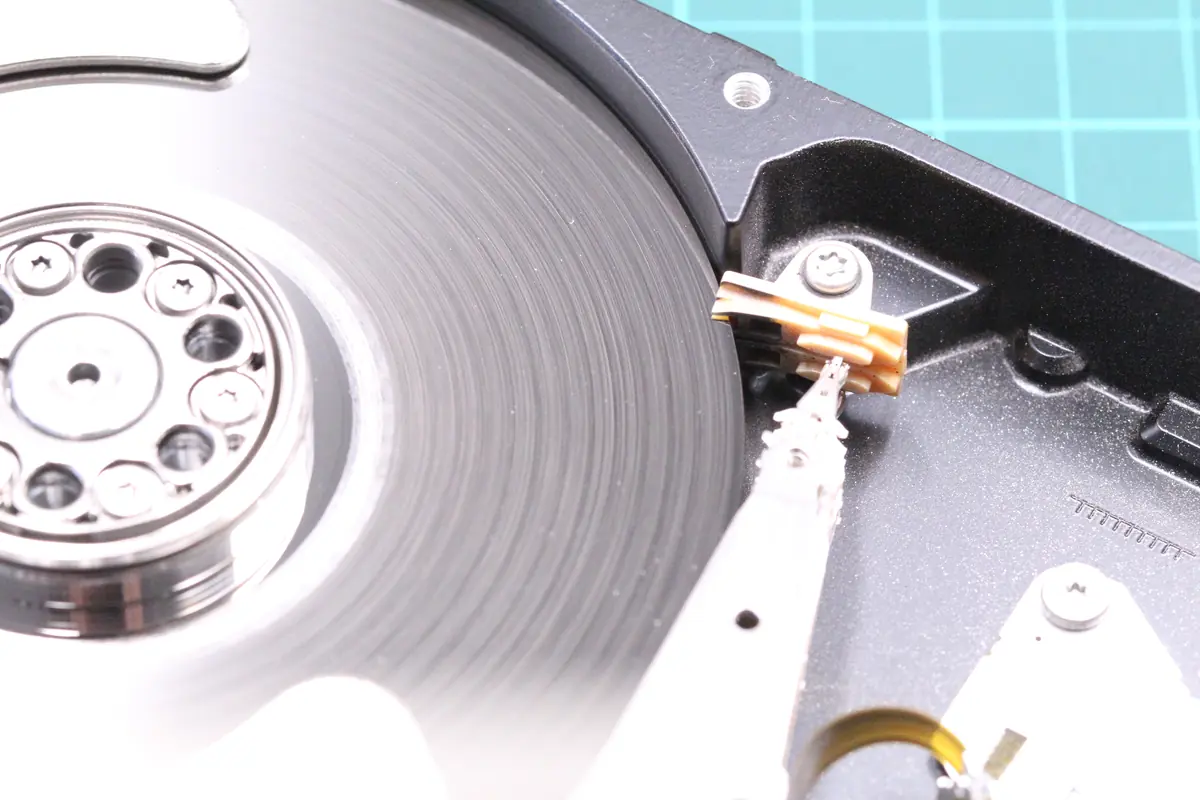
This is the most delicate operation in the whole process. The head-stack from the donor drive is transferred into the patient using a head comb — a special tool that holds the heads in their parking position during removal.
- The transfer takes 2–4 hours, working with tweezers under a microscope
- During the transfer the heads must not touch any surface (the platter, plastic, or each other)
- Contact = contamination + a bent slider = a new fault
After a successful transfer the cover is closed, the drive is taken out of the clean room and goes to the cloning station.
Cloning (days 3–5)
A new head on an old platter rarely „just works". Typically:
- 80 % of sectors read on the first attempt
- 15 % of sectors require retries (2–10×)
- 3–5 % of sectors are unreadable
We do the cloning via:
- PC-3000 by ACE Laboratory (a Ukrainian tool, the industry standard)
- DeepSpar Disk Imager (Canadian, more complete for aggressive scenarios)
Both devices can read sector by sector, ignore physical errors without crashing the OS, and switch between heads if one of them cannot read certain platters.
File extraction (days 4–6)
Once the image has been created (an image file of 500 GB–18 TB), the work is done offline — the image is on our NVMe drive, the original patient is no longer spinning. We reconstruct:
- The partition table (MBR/GPT)
- The file system (NTFS, exFAT, APFS, ext4)
- The files according to the known structure
If fragmented, we run PhotoRec / R-Studio / Reclaime on the image and reconstruct on the basis of header signatures (JPG, MP4, DOCX, PSD, CR2, NEF).
The end of the opening story: from the Seagate 2 TB, after the head swap and cloning, we read 96 % of sectors. The client took away a backup of family photos and the company accounts, roughly 1.3 TB of useful data in total. The cloning took 38 hours, file extraction the following day. Five days in total.
4. When recovery does NOT make sense
Destroyed platters
If the drive was repeatedly powered on after a fall, the heads travelled across the damaged surface many times. A circular scratch 1–3 mm wide forms on the platter, which cannot be read. The data in that band is gone forever, the rest of the platter may be OK — sometimes 30–50 % can be saved, but never 100 %.
A rule from practice: every power-on cycle on a drive with clicking heads = + 2–5 % loss. After 20 cycles the platter is unusable.
A seized spindle motor
If the drive does not spin even after a PCB swap, the motor is gone. There are advanced techniques (transferring the platters into a donor body), but:
- Success rate 15–30 %
- Price 45 000–80 000 Kč
- Time 3–6 weeks
It only makes sense for irreplaceable data (a wedding video, a thesis, a company archive with no backup). It is not worth it for everyday content.
A cracked platter
A fall from a height of > 1.5 m onto a hard surface can crack the aluminium platter. In the clean room we see the crack. A drive damaged this way is utterly lost — the platter cannot be repaired or transferred.
Water-destroyed chemistry
Condensation, rain, a flood — if moisture got inside, corrosion forms on the platter. The magnetic coating reacts with water, forming bumps. Only part of the data (typically 20–40 %) can be read using specific masking agents. Covered in detail in the flood cases.
5. Comparison: recovery from various states
From our database of 160 tickets involving crashed heads, 2019–2025:
| Intake state | Average success rate | Median price (Kč) | Median days |
|---|---|---|---|
| Drive clicks, 1 power-on, not opened by client | 94 % | 12 400 | 5 |
| Drive clicks, 2–5 power-ons | 87 % | 14 200 | 6 |
| Drive clicks, 6+ power-ons | 72 % | 16 800 | 7 |
| Drive opened by the client at home | 51 % | 21 500 | 9 |
| Drive opened in a non-professional lab, then with us | 44 % | 24 900 | 10 |
| Drive after a fall from > 1 m, not powered on | 83 % | 13 900 | 6 |
| Drive after a fall + repeated power-ons | 58 % | 18 700 | 8 |
The main pattern: the first power-on in a clean room (not at home) + zero amateur intervention = the highest odds and the lowest price. The Seagate from the intro fell into the first row. The WD from the middle of the article fell into the fourth.
6. Frequently asked questions
Why can’t I swap the heads myself if I have a donor drive?
Three reasons:
- The clean room — at home you have 10 000 – 1 000 000 particles larger than 0.5 μm per cubic foot. In a class 100 clean room only 100. Any particle above the platter that gets into the 3–10 nm gap means the destruction of data in a band up to 1 mm wide.
- The tools — a head comb, a microscope, antistatic equipment — without them you will bend the heads during the transfer, even if you had a clean room.
- Firmware calibration — the read parameters differ between revisions. Even if the mechanics work, after a swap the drive cannot read without uploading firmware modules from the original ROM.
How do I tell whether my donor is the right one?
Without laboratory equipment you cannot. The Site Code, Part Number and Firmware Revision must match. Sometimes a physically identical drive from a different region (Malaysia vs. Thailand) has different heads.
What if the drive had BitLocker / LUKS / APFS FileVault encryption written to it?
We recover the data in its encrypted state. If you have the recovery key, you read it normally after recovery. If not, the content is mathematically inaccessible (that is the point of encryption). See BitLocker recovery.
How much does a head swap cost and why is it not cheap?
The price is for 20–40 hours of specialist work in a clean room + the donor (2 500–15 000 Kč depending on the model) + years of experience with the precise technique. Our median is 12 000–18 000 Kč. Alternatives in the Czech Republic have similar prices — data recovery is not a commodity.
The drive is clicking. Should I take it to the shop where I bought it?
No. The retailer (Alza, CZC) provides a warranty for replacing the drive, not for recovering data. They will send you a new drive and you send the old one back. And with it you send all your data. For recovery, bring the drive to us first (initial HDD and SSD diagnostics are free), and only then deal with the warranty if relevant. In non-standard cases (the drive was opened by another service, overwriting/formatting, complex analysis) diagnostics cost 1 210 Kč including VAT (1 000 Kč excluding VAT) — we will tell you in advance.
7. Prevention — how heads crash only rarely
- Do not carry a drive while it is powered on — if you carry a laptop with an HDD, power it off or hibernate it
- Do not place a drive on a soft surface with a running fan beneath it — vibrations pass into the drive and accelerate bearing wear
- Do not let a drive drop — 30 cm is enough to snap the slider on a 2.5” drive in 40 % of cases
- Do not „transport the drive while it is working" — a laptop running in a backpack during a tram ride is a strain on an HDD. An SSD solves this.
- After a fall, even a light one, run a SMART check — Reallocated and Pending rise first, before the clicking
- Replace old 2.5” drives after 4 years — the parking ramp loses its springiness after 20 000 park cycles. Typically WD10SDZW, WD20NMVW, Seagate ST1000LM024.
8. Summary in points
- „Crashed heads" = mechanical damage to a read/write head, either after an impact, the ageing of the parking ramp, or contamination
- The heads fly at a height of 3–10 nm above the platter, on an air cushion at 5 400–15 000 rpm
- Out of 160 tickets, 2019–2025, we recover the data for 83 % of clients on average, and 94 % with a 24-hour triage
- Recovery = opening in a clean room + a donor + a head swap + cloning, 5–7 days, 12 000–18 000 Kč
- Opening the drive at home lowers the success rate to 51 % and extends the time to 9–10 days (the platter has to be cleaned)
- Every power-on of a clicking drive = –2–5 % of the data — after 20 power-ons there is nothing left to save
- Encrypted data is recovered encrypted — without the key no one can get at it, which is the whole point of encryption
Hearing clicking? Do not connect the drive again. Initial HDD and SSD diagnostics with us are free — the decision on whether recovery makes sense is made before you decide on the recovery. Contact the laboratory · +420 775 556 063 (24/7) · Initial HDD and SSD diagnostics free
See also: What to do when a drive clicks — 5 steps · Mechanical HDD faults · How to tell that a drive is dying — SMART · How to send a hard drive in for recovery · Case study: Seagate ST5000LM000 — head swap · Data recovery from HDDs — silo hub
About the author
Ing. Miroslav Jaroš is the owner and senior technician of ITHOPE s.r.o. He has worked in data recovery since 2008 — over 18 years more than 2 500 jobs have passed through the laboratory, of which 160 had crashed HDD heads as the primary diagnosis. The article was fact-checked on 2026-04-28 against ITHOPE’s extensive case database (2019–2026, 97.5 % closure rate). The drives mentioned (the 3.5” Seagate 2 TB from August 2023 and the 1 TB external WD from August 2024) are real jobs, with client identification removed.
Where to find us
ITHOPE is a company based in Brno, Czechia: we do data recovery from disks, RAID and NAS, PC and laptop service and IT for business, all in our own lab at Viniční 3587/216, 615 00 Brno.
Phone +420 775 556 063 (24/7 line). You can bring the device in person, or send it by courier (Zásilkovna, PPL).