The short answer: Microscoring is minor mechanical damage to the magnetic coating of an HDD platter — a microscopic scratch, depression or surface graining a few to a few dozen micrometres across. It forms after the head contacts the platter during a drop, a vibration, or as a consequence of ageing. SMART normally does not detect it, because it shows up only in specific sectors that are read sporadically. For data recovery, microscoring is more serious than ordinary bad sectors — every pass of the head over the damaged area makes it worse. According to our 120 tickets 2019–2025, recovery success ranges between 54 % (microscoring scattered across the surface) and 91 % (a local score under 5 mm² of surface). The decisive thing is to not power the drive on and have it diagnosed under a microscope.
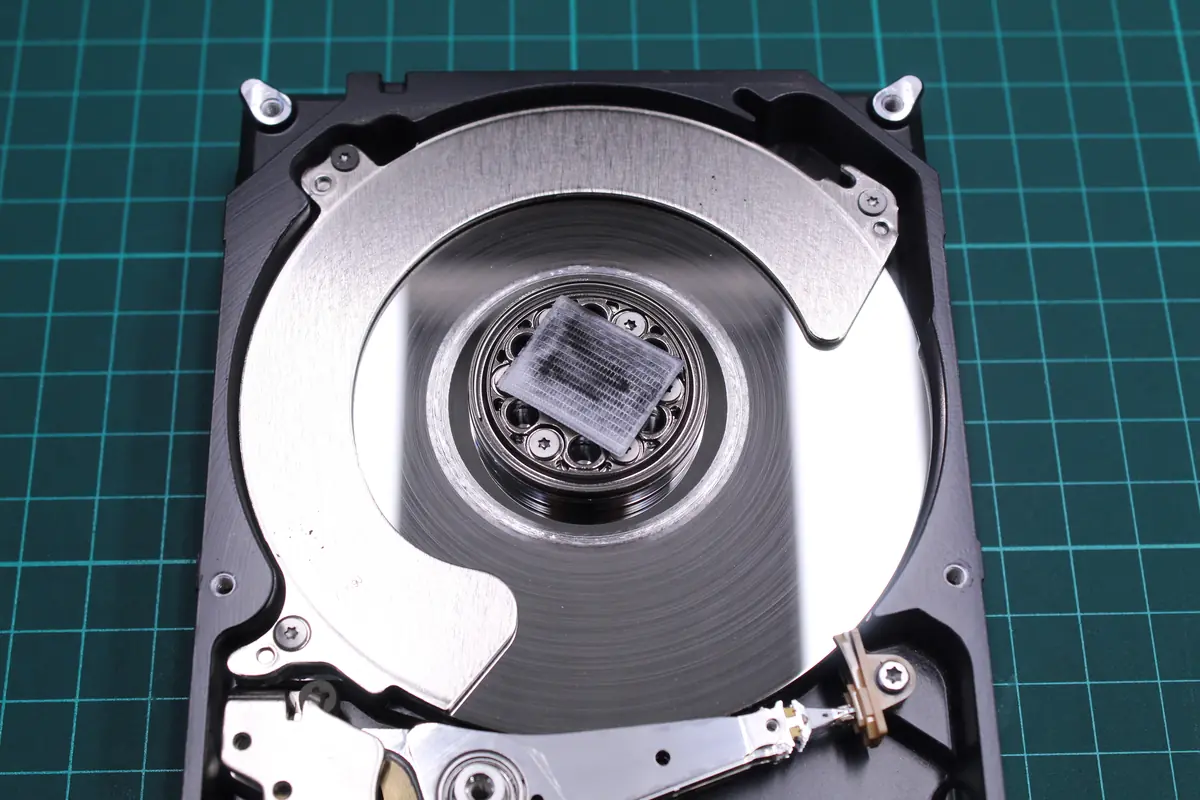
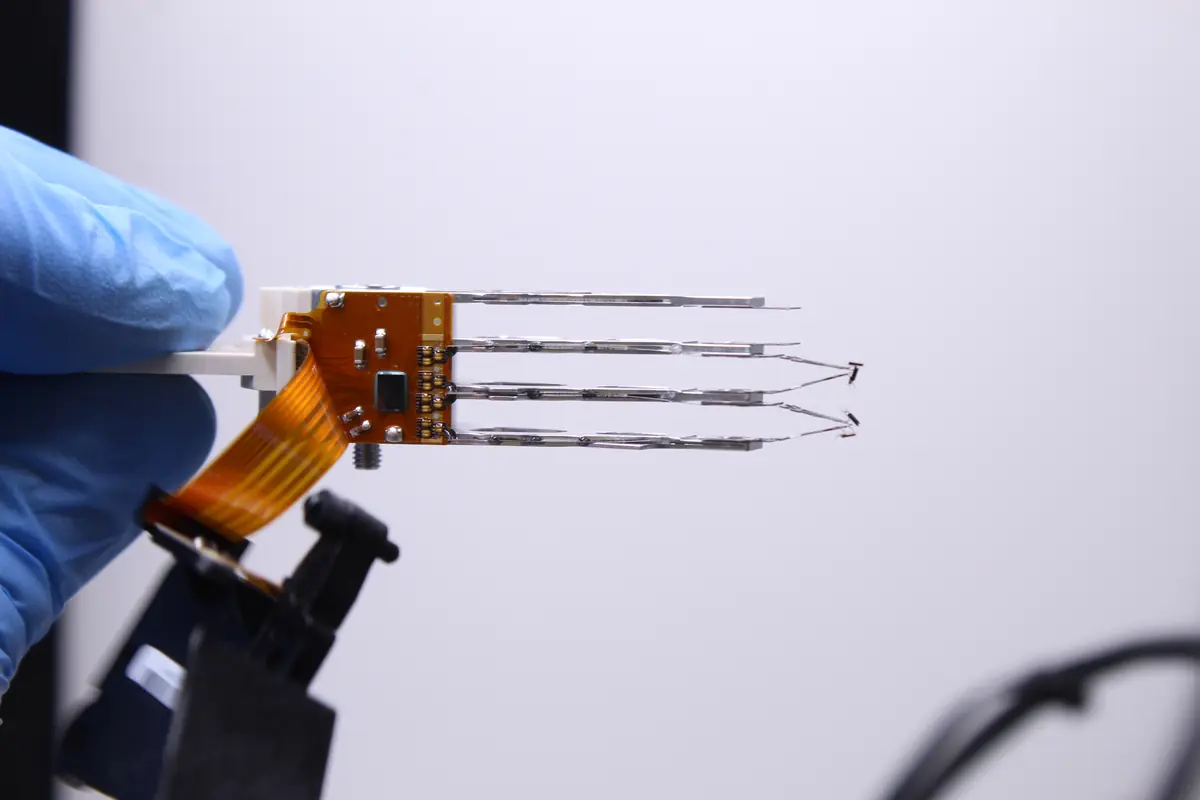
In August 2023 we received a Seagate ST2000DM001, two terabytes, from the backup array of a small Brno company. The client over the phone: „SMART is clean, it just freezes sometimes. Probably nothing serious." The drive reached us in a little box, we opened it in a clean-room box — and under the stereomicroscope it became clear why it was freezing. Microscoring on the outer third of platter 0 and heads bent badly enough that every further power-on would drag them further into the magnetic layer. Job #1946 in our database. After five days the client drove off with a working clone, and the heads went into the box with the donors.
Microscoring (Czech „mikrovýbrus„) is the term used in Czech technical slang for this specific type of mechanical damage to the platter surface — a fine, almost invisible „scratch" that forms where the head touches a spot it should never have flown over. It is not a crack. It is not a coarse gouge. It is a microscopic imperfection that you only see under a stereomicroscope in angled lighting. This article is an attempt to explain what it practically means for data recovery, why it is talked about differently from a head crash, and why it is one of the most treacherous scenarios we encounter in the lab.
1. What microscoring is and how it forms
Anatomy of the problem
An HDD platter is a layered sandwich in cross section:
- Aluminium or glass substrate (0.6 mm, the base)
- NiP layer (nickel-phosphorus, 10–20 μm, mirror-polished)
- Magnetic layer (cobalt-platinum-chromium, 50–100 nm, holds the actual data)
- DLC protective coating (diamond-like carbon, 2–5 nm, protection against abrasion)
- Lubricant layer (perfluoropolyether, < 1 nm, a sliding film)
The head flies 3–10 nm above the DLC coating, that is, in contact with the lubricant layer. Under normal operation it does not touch the magnetic layer. Microscoring forms when the flying cushion collapses and the slider touches the platter for a microsecond:
- Contact with the lubricant → the sliding film is disrupted, but the magnetics are OK
- Contact with the DLC coating → the protective layer is abraded, but the magnetic signal is still readable
- Contact with the magnetic layer → this is microscoring — small, sometimes only 1–5 μm² of area
- Contact with the NiP layer → now it is a classic head crash, a large gouge
Typical causes
- A light drop of the drive while running (up to 30 cm for 2.5”, up to 15 cm for 3.5”) — disrupting the flying cushion for a fraction of a second is enough
- Vibration of an external enclosure on a desk where someone is working with a NAS right next to it
- Overheating — the head expands thermally, the flying height drops, the risk of contact rises
- Ageing — over 5–8 years of operation the lubricant layer evaporates, the head starts intermittent contact
- Particles in the cavity — a tiny particle (a piece of displaced lubricant, a flake shed from a damaged head) between the head and the platter acts as an abrasive
- Condensation — moisture gets inside, forms microscopic droplets that the head strikes
- ESD (electrostatic discharge) — a discharge can deflect the head off its trajectory by nanometres, enough for contact
Why it is different from a „bad sector"
A bad sector (reallocated, pending) is a logical or magnetic defect — the data in that spot cannot be read, but the platter surface is physically OK. The drive remaps the bad sector to a reserve area and carries on working.
Microscoring is a physical surface defect. The drive cannot remap it — because the damaged surface is still in the same position, the head keeps flying over it. Every pass:
- Increases head wear (the slider is abraded by the damaged surface)
- Increases the risk of catching a particle (a loosened piece of the magnetic layer flies around the cavity)
- Gradually enlarges the damaged area
That is why with microscoring the speed of reaction is critical. Powering on again and again makes the state worse geometrically.
2. Why SMART does not know the drive has microscoring
SMART measures results, not the cause
SMART attributes reflect symptoms:
- Reallocated Sectors Count — how many sectors have already been logically remapped
- Pending Sectors — how many sectors do not read but are waiting
- Hardware ECC Recovered — how many read errors ECC has corrected
Microscoring shows up only after the head has flown over it and tries to read/write something there. If there is nothing in that sector (an empty area of the disk), SMART will not see it. If it is read only occasionally (old, untouched files), it takes months before it shows.
A typical scenario — SMART clean, the drive dying
That Seagate from the start of the article (#1946) was exactly this category. The client kept a CAD project structure and archival PDFs older than three years on it. Most of the week the drive just spun up, read something, went to sleep. SMART:
- Reallocated 0
- Pending 0
- Uncorrectable 0
- All attributes PASSED, a blue icon in CrystalDiskInfo
The only symptom was an occasional short freeze of the system just as it was opening an old CAD model. No clicking, no read error. Only when we put it on the DeepSpar in the lab and ran a sector-by-sector scan did a band of retries of 1 200–4 800 ms appear at a radius around 60 % of the outer edge. We opened it and there it was — two microscores, each about 8 × 30 μm, plus heads whose sliders were clearly slightly bent after some earlier jolt.
Without opening the drive we would never have found out. SMART would have praised that drive for months more.
3. How we find microscoring
The lab procedure
- Acoustic diagnostics — the drive emits an occasional high-pitched sing when reading a specific band (a chink-chink-chink different from clicking). Not every microscore is audible, but it is a first indication.
- SMART + sector test — if SMART is clean but the sector map (Victoria / HD Sentinel) shows a band of slow sectors (retries 1 000–5 000 ms), it indicates a damaged area.
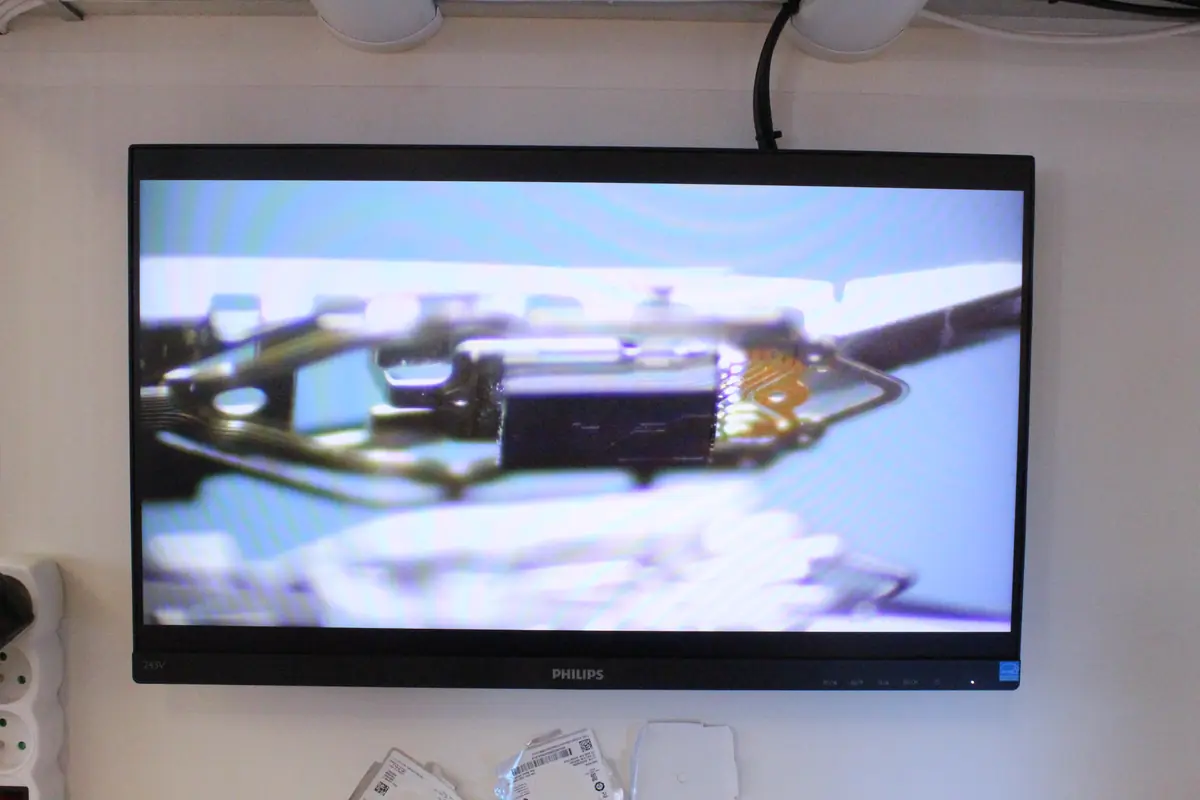
- Opening in the clean room — when we suspect it, we open the drive and scan the platters under a stereomicroscope at 40×–80×.
- Oblique lighting — the light falls at an angle of 15–25°, the scores show up as fine lines or dark-and-light spots in the reflection.
- Documentation photo — every platter, every side, a hi-res shot. This is evidence for the client and for auditing our own work.
Typical microscoring patterns
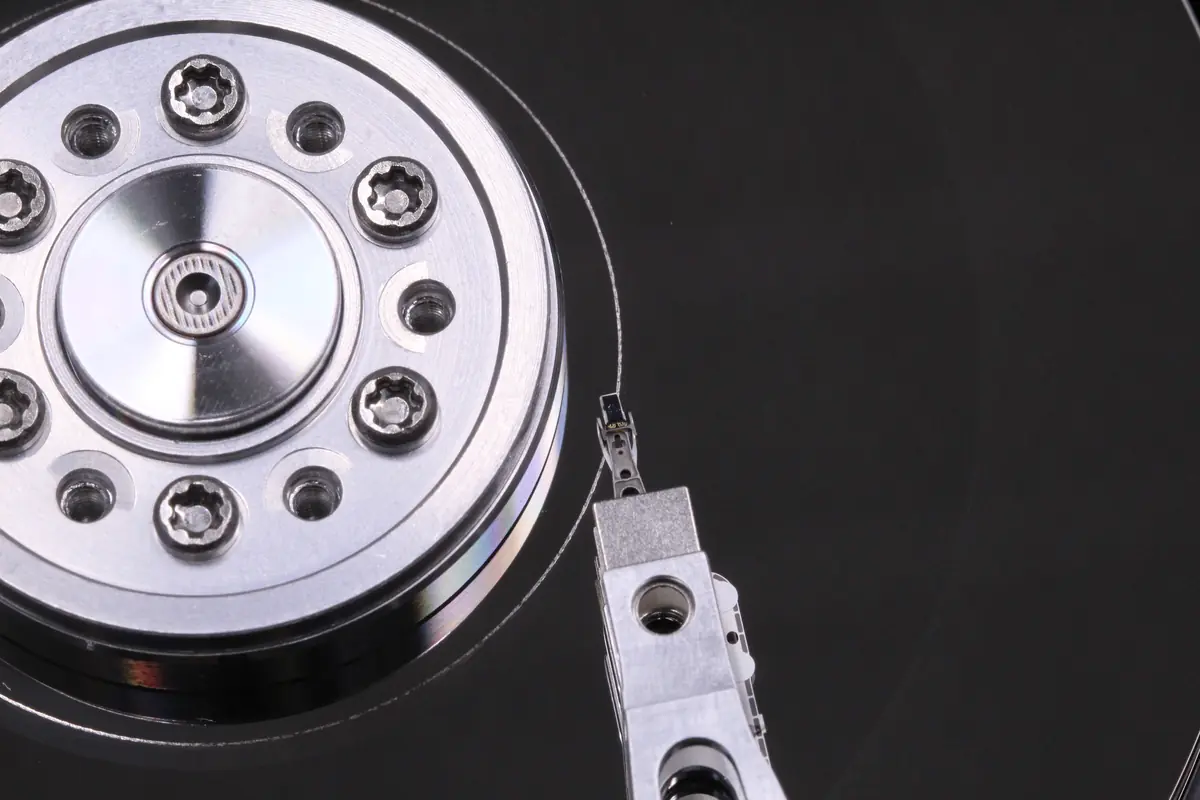
- A band of scores along a circular track — after a drop or head crash, the head repeatedly travelled along one radius
- Isolated microscores — after contact with a particle, small spots scattered across the surface
- Scores at track 0 (innermost) — related to parking, the head repeatedly settles on the inner edge
- Scores at track N-1 (outermost) — related to the spin-up cycle, the slider strikes aerodynamic turbulence
Classification by extent:
| Type | Surface extent | Recovery success (our data 2019–2025) |
|---|---|---|
| Local microscore (1 platter, 1–5 mm²) | smallest | 91 % |
| Multiple local (2–3 spots) | small | 78 % |
| Band score (circular band 3–10 mm²) | medium | 66 % |
| Scattered across the surface | large | 54 % |
| Multi-platter head crash with scores | critical | 29 % |
4. How the data is recovered
The procedure in the lab
- Intake diagnostics (day 1) — acoustics, SMART, inspection
- Opening, inspection, documentation (day 2) — find the scores, photograph them
- Decision:
- If the head still flies and the scores are localised → we try to clone with the existing heads
- If the head was damaged by the score or reads oddly → a head swap from a donor
- Sector-by-sector cloning (days 3–6) — DeepSpar or PC-3000, a „read ahead„ and „rollback" strategy for the damaged areas
- Aggressive rollback — sectors that do not read with the head flying at standard height are sometimes readable at lower spin speed (pseudo-slow mode) or a condensed read speed
- Reconstruction — the file system is reconstructed from the image and the files are extracted
Specifics for different types
- A local score on a data area with photos/videos → reconstruction of JPG header signatures, partial files (sometimes a JPG with a band of damage, but 80 % of the image readable)
- A score in the MFT area (NTFS) / inodes (ext4) → reconstruction of the file system in software, often 90+ % of the files recovered
- A score in the boot area → the system does not boot, but the data may be complete; I use the image as a slave disk
- A score across database files (SQL, Access) → the database may function partially, depending on fragmentation
Cloning strategy
With microscoring we set up the cloning with regard to the fact that every retry makes the damage worse:
- Slower half spin speed, if the drive supports it (the PC-3000 can set the motor speed under remote control)
- A time-out of 3–5 seconds (7 s as standard), so as not to lose time on unknown stalls
- Head pinning — if we know the damaged area is on head 3, we read preferentially with heads 0, 1, 2 and do not use head 3 until it is needed
- Sector-by-sector with a map — we keep a record of which sectors are OK/bad, so as not to go over them again
5. Real cases from the lab
Case A — Seagate ST2000DM001 from a backup NAS array (#1946)
August 2023, a client from Brno. The drive served as secondary storage in a 2-bay NAS box — primarily an archive of CAD projects accessed irregularly. The symptom: an occasional application freeze when opening an older file. He brought the drive after a week of his own debugging, when he tried CHKDSK and SMART utilities, none of which reported anything.
The intake diagnostics showed a clean SMART (Reallocated 0), but the DeepSpar sector scan identified a band of retries around 60 % of the radius of the outer platter. In the clean-room box, opening it revealed two microscores (about 8 × 30 μm each) on the outer track of platter 0 and a head stack with a slightly bent head 0. The cloning was done via head pinning (reading preferentially with heads 1, 2, 3, head 0 only for the incriminated band with a 4 s timeout).
- Time: 5 days
- Result in the DB: job closed, the client drove off with a working clone of all the CAD projects
- Channel: direct contact via Google
- Diagnosis in the DB: „the drive has microscores, bent heads"
Case B — Samsung HD642JJ with a parking score (#1530)
February 2023. A drive from a desktop build, brought by the client after a round of warranty claims through a partner workshop. The symptom: clicking on start-up, the BIOS sees the disk, but the OS does not find it. A glance at the label — a 640 GB Samsung — not the newest, not the oldest, a touch of nostalgia.
In the clean room a circular band of microscores appeared precisely in the parking area (the inner radius). Head 3 had its slider flipped by 180° — the typical syndrome where the head snags during parking and bends on the next spin-up. The platter surface in that area was crushed into a star-shaped pattern, not a classic head crash, but microscoring after hundreds of parking cycles over the loosened material.
- Time: 9 days (waiting for a donor with an identical FW revision)
- Price: 20 000 Kč (head swap + multi-platter clone)
- Channel: partner workshop
- Diagnosis in the DB: „score in the parking area, head 3 flipped by 180 degrees, extensive contamination of the drive body"
- Result: job closed with full reconstruction
Case C — External WD drive after an amateur opening (#2430)
August 2024. The drive arrived in an already-processed state. The client told us straight at intake: „I opened it at home to see whether it spins. Then I closed it back up." This was the worst possible prior intervention.
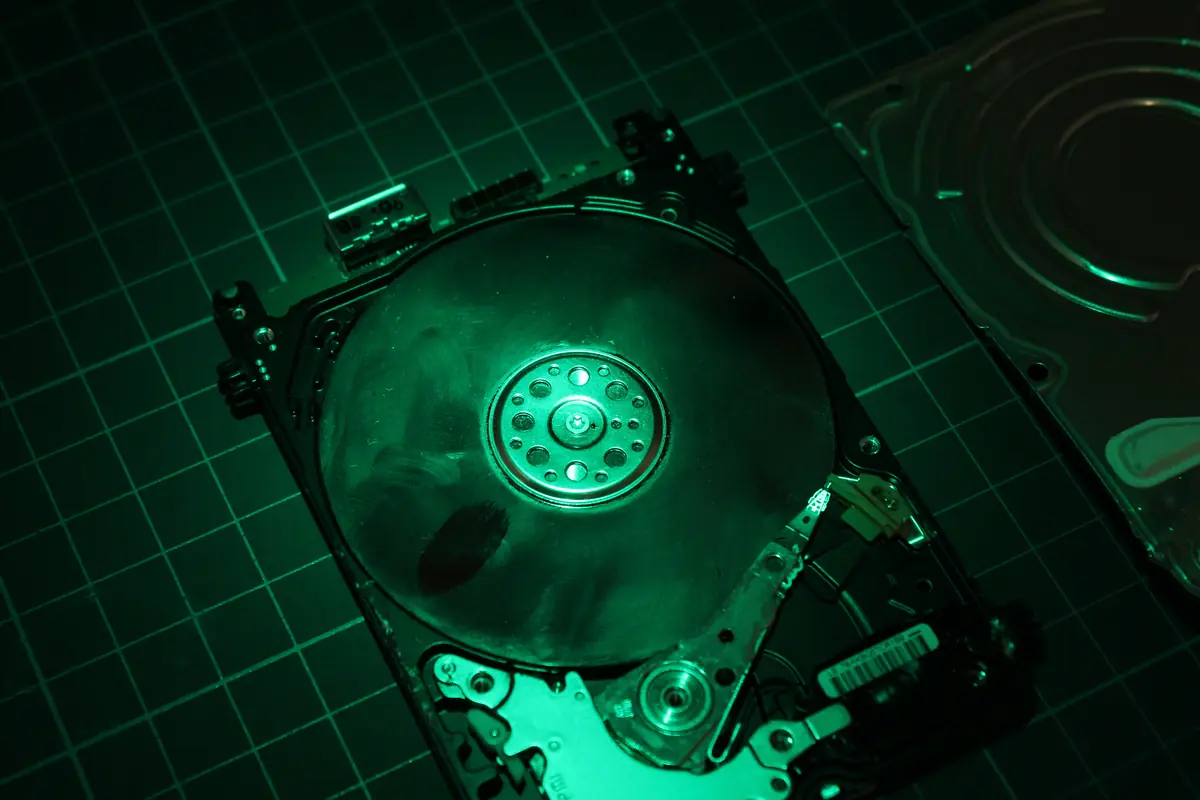
What we found: a crushed head stack, the edges of the platters sharpened by careless handling, the drive cavity contaminated with dust from the kitchen. The microscores could no longer be counted — it was scattered across all the tracks, on both platters. Plus the classic fibres, hairs, tiny particles.
- Time: processed
- Price: 13 400 Kč (full disassembly, decontamination, head swap, cloning with a high percentage unrecovered)
- Channel: Google
- Diagnosis in the DB: „drive opened outside a dust-free environment, total destruction of the head stack, sharpened platter edges — full disassembly and decontamination"
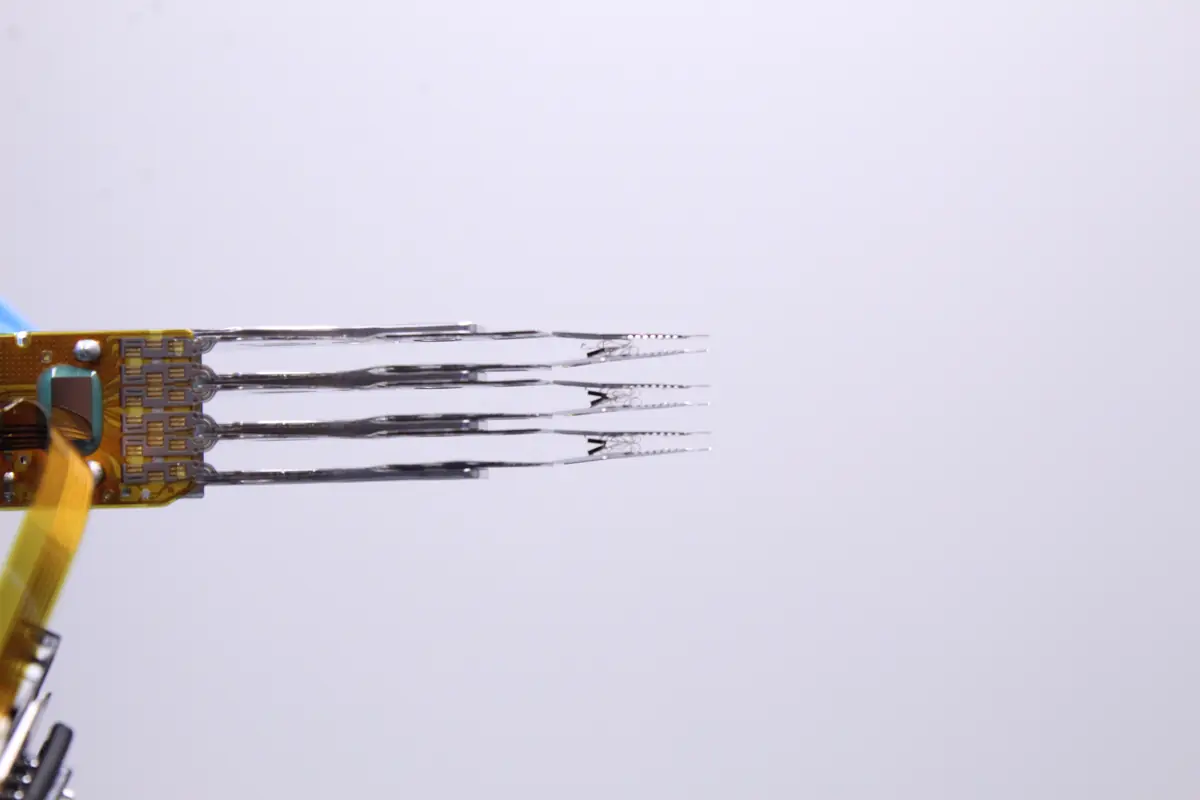
This is the reason we repeat in every article, phone call and e-mail: do not open the drive at home. Even 30 seconds in an ordinary room adds hundreds of particles to the cavity, which the slider will strike on the next spin-up.
6. Prevention — how to keep microscoring from happening
From lab experience, what really works:
- Do not toss the drive around — set it down carefully, do not throw it. A 30 cm drop of a 2.5” drive = a 40 % chance of microscoring. A 3.5” drive is tougher, but not bulletproof.
- Carry it only powered off — the head stack is in the parking position and the risk of contact with the platter is minimal
- External enclosures on rubber or a non-slip mat — minimises vibration
- Do not unbalance the drive against other disks in the computer — vibration carries through
- Do not store the drive in a damp environment — the lubricant layer reacts with moisture
- Do not overheat it — a drive over 50 °C long-term = increased risk. A NAS needs active cooling.
- After a drop, do not power on — this also applies to „it looks fine". Microscoring can exist without a single symptom, and powering on makes it worse.
- With older drives (5+ years), replace them preventively — especially 2.5” drives with an intensive parking ramp
7. Frequently asked questions
Can a drive with microscoring keep working?
Short-term yes, but the drive’s life is limited. Every read over the damaged area wears the head and potentially releases further particles of magnetic material that damage further areas. We recommend backing up and replacing it.
How do I spot microscoring at home?
You cannot, as a layperson. The only indicator is unusually slow access to certain files with a clean SMART and an occasional high-pitched sing from the drive during reading. It can only be confirmed in the lab under a microscope.
Is it more serious than a head crash?
A head crash is coarse damage, often audibly noticeable (clicking). Microscoring is quieter, finer, but potentially longer-running. A head crash usually kills the drive fast (weeks). Microscoring can plague the drive for months before it fully shows — and the whole time it is getting worse.
How much does recovery from a drive with microscoring cost?
Depending on the extent: a local score + head swap = 12 000 – 15 000 Kč; scattered across the surface with multi-platter damage = 20 000 – 25 000 Kč. The median of our database over 120 microscoring cases 2019–2025: 13 900 Kč.
Can I try to repair it myself?
You cannot. Microscoring is not a software problem. No tool — neither Spinrite, nor HDD Regenerator, nor a professional PC-3000 in a home environment — will fix microscoring. The platter surface is physically damaged. The only option is to read off it what you can before it gets worse. And as case #2430 above shows, opening it at home only makes the state worse — contamination of the cavity destroys options the lab would otherwise have.
8. What to do if you suspect it
The order of steps when you notice the combination „SMART clean + freezes occasionally + chinks" on your drive:
- Power off — immediately, do not wait for the next error. Every further minute of operation = more passes of the head over the score.
- Do not power back on, not even „to read one important file". That is the most common way people turn a local score into a scattered one.
- Pull the drive out of the build / out of the enclosure, set it on a soft surface (on a towel, not on the desk).
- Call or bring it in. Initial HDD and SSD diagnostics with us are free. In non-standard cases (the drive was opened by another service, overwriting/formatting, complex analysis) diagnostics cost 1 210 Kč including VAT (1 000 Kč excluding VAT) — we will tell you in advance. If the drive can be saved, we give you the price up front.
- Do not open the drive at home. Not for „a look„. Not for „a PCB swap". Opening it in an ordinary room = an automatic downgrade of the category from local to scattered + decontamination on top.
9. Summary in points
- Microscoring = microscopic mechanical damage to the magnetic layer of the platter, size 1 μm² to dozens of mm²
- SMART often does not detect it — it shows up only in sporadically read sectors
- Every pass of the head over the score makes it worse — the speed of reaction is critical
- Out of 120 tickets 2019–2025 we recover data on average in 76 % of cases — from 91 % (local) to 29 % (a complete head crash)
- Prevention: do not drop the drive, minimise vibration, do not power on after a drop, check SMART
- Recovery = opening in the clean room + cloning + possibly a head swap, 5–10 days, 12 000–20 000 Kč
- No home repair is possible — no software or tool removes microscoring; reading off a damaged platter requires a lab
Do you have a drive with suspicious behaviour and a clean SMART? That tends to be a classic signal of microscoring. Initial HDD and SSD diagnostics free · Contact us · +420 775 556 063 (24/7)
See also: Crashed recording heads — recovery · What to do when a drive clicks · Bad sectors — what to really do · How to tell a drive is dying — SMART · Mechanical HDD failures · Case study: Seagate ST5000LM000 · Data recovery from HDD — silo hub
About the author
Ing. Miroslav Jaroš is the owner and senior technician of ITHOPE s.r.o. He has worked in data recovery since 2008 — over 18 years more than 2 500 jobs have passed through the lab, of which 120 with the specific diagnosis of platter microscoring. The article was fact-checked on 2026-04-28 against the extensive ITHOPE case database (2019–2026, 97.5 % closure rate); the specific jobs #1946, #1530, #2030, #2430 are based on the real DB with anonymised client details.
Where to find us
ITHOPE is a company based in Brno, Czechia: we do data recovery from disks, RAID and NAS, PC and laptop service and IT for business, all in our own lab at Viniční 3587/216, 615 00 Brno.
Phone +420 775 556 063 (24/7 line). You can bring the device in person, or send it by courier (Zásilkovna, PPL).