Skip to content
Wi-Fi, Ethernet, Sharing

Home Computer Network

We connect PCs, laptops, printers, and other devices into a functional home network. Each user will have internet, file sharing, and printer access.

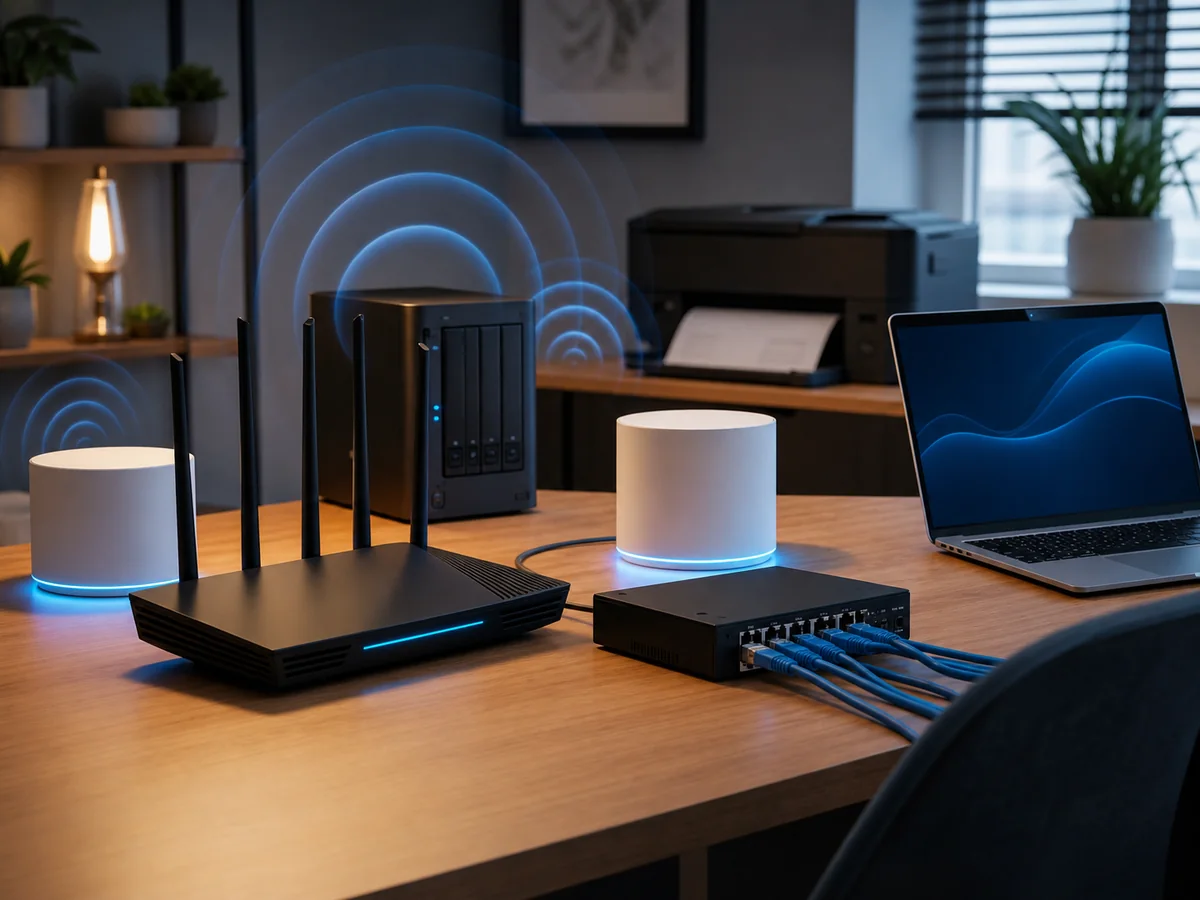
Home computer network: Wi-Fi router, mesh units, switch, Ethernet cables and a laptop in a home office
18
years in business
95 %
success rate, faulty HDDs
18 +
media categories
Brno
own laboratory
  • Free diagnostics
    We find the fault at no charge
  • Repair in 2–5 days
    Standard turnaround
  • 12-month warranty
    On work performed
  • In person in Brno
    Viniční 3587/216
  • 18 years of experience
    Since 2008

Most households today have more than one computer. To get every device online, you need to connect them all through a computer network. Our company links your desktop PCs, laptops, printers and other devices so you can take full advantage of working in a group.

Once your home network is set up, every user will be able to:

  • Use the internet through a single connection
  • Share files with other household members
  • Print from a shared printer
  • Stream media (movies, music) from a single NAS to TVs, tablets, phones
  • Access files remotely when away from home

Cable or Wi-Fi?

Different devices suit different connection types:

  • Laptop / tablet / phoneWi-Fi (wireless connection)
  • Standard desktop PC or high-bandwidth device (NAS, server, gaming PC) — Ethernet cable (faster and more stable)
  • Both types can be combined — for example, a laptop on Wi-Fi, a desktop on cable, a TV on both (Wi-Fi for casual streaming, cable for high-quality 4K)

What we do most often

  • Wi-Fi setup and activation (wireless connection)
  • Network sharing (files, folders, printers, NAS)
  • Adding more computers and hardware devices to an existing network
  • Building a new network — design, cable runs, socket installation, configuration
  • Security setup — WPA2/WPA3, firewall, guest isolation

Has your internet stopped working?

Typical situations customers come to us with:

  • You bought an internet package and can’t get it working
  • The internet drops out occasionally and the provider says „it’s on your end"
  • Wi-Fi doesn’t reach every room (you need mesh, a repeater, an AP)
  • Guests need to connect, but you don’t want to share your network password
  • Slowdowns — more devices than the router can handle
  • A new network during a flat or house renovation

How we work

  1. Book an appointment — by phone or email
  2. On-site visit (Brno 700 Kč, surrounding area 700 Kč + 10 Kč/km)
  3. Diagnostics — what you have, what you need
  4. Setup / cabling / configuration — as required
  5. Testing — all devices working, internet running, printing functional
  6. Handover and documentation — if you wish, we’ll leave a written list of devices, passwords, and tips for future expansion

Indicative pricing

  • Wi-Fi network installation (router selection and setup): from 600 Kč + router cost
  • On-site visit: 700 Kč (Brno), + 10 Kč/km outside Brno
  • Technician labour: 600 Kč / 0.5 h

Outside business hours +50 %, minimum charge 700 Kč.


Need help with your home network? Contact us · +420 775 556 063

FAQ

Frequently asked questions

How much does diagnosing a computer or laptop cost?
Diagnostics at our premises is free if the repair goes ahead — we look at the device, tell you what is wrong, and propose a repair with a fixed price agreed up front. We only start work once you approve it. If you eventually collect the device without ordering the repair, we charge for diagnostics per our [price list](/en/pc-laptop-service-brno/pricing/): small electronics 188 CZK, PC / laptop / hard-drive faults from 588 CZK, phones 1,000 CZK (all incl. VAT).
How long does a laptop or PC repair take?
Standard servicing (SSD replacement, adding RAM, cleaning fans, reinstalling the system) is done within 1–3 working days. More complex repairs (motherboard replacement, BGA soldering, power-jack repair) take 3–10 days. If you are in a hurry, we can arrange an express turnaround.
Do you reinstall Windows and move the data across?
Yes, this is one of the most common jobs. Before reinstalling we back up your data (documents, photos, e-mail profiles, browser bookmarks), perform a clean install of Windows 10 or 11, install drivers and basic software, and put your data back. The whole job usually takes one working day.
What if my PC won't start and I have important data on it?
First, switch the computer off and do not try to boot it again — if the cause is the drive, every further power-on can damage the data. Bring it to us and we will diagnose whether it is a system issue (servicing is enough) or a hardware drive fault (in which case we continue with data recovery in our lab).
Do you also remove viruses and malware?
Yes. We run a full scan, remove ransomware, adware and trojans, and set up protection for the future (Windows Defender configured correctly, or a third-party antivirus to your preference). If you have had a recent incident, we will also recommend changing passwords and reviewing your bank transactions.
Can you upgrade RAM and the SSD even in newer laptops?
Yes. In most business laptops (ThinkPad, Dell Latitude, HP EliteBook) the memory slot and the M.2 socket are serviceable. In ultrabooks the RAM is sometimes soldered directly to the board — in that case an upgrade is not possible and we will advise what can be done (typically a larger SSD plus a different system configuration).
What about the warranty on the repair?
We provide a 24-month warranty on the service work and 24 months on spare parts. If the same fault reappears, we repair it free of charge. The exception is physical damage (a drop, liquid spill) or a fault in a different part of the device.
Do you repair Apple MacBooks too?
Yes — on MacBooks we mainly handle software issues (macOS reinstall, data migration, cleaning), SSD replacement on older models, dust removal and battery replacement. We do not solder T2/M1/M2 chips — for that you need an authorised Apple service centre.
Call Contact