TL;DR: CMR drives (conventional recording with no track overlap) are the safe choice for RAID, NAS and databases. SMR drives (overlapping tracks = +20–25 % capacity) are suitable only for WORM archiving; in RAID/NAS they cause slow rebuilds, timeouts and ZFS resilvers that take weeks. WD Red drives (3–6 TB) without the „Plus„ / „Pro" suffix are SMR — in 2020 this triggered a scandal that finally forced the manufacturer to label the technology openly. A list of specific models is below.
A few months ago, a 4-bay NAS arrived in Brno from a partner service centre — the array degraded, one drive dropped, the rebuild stalled on its own at 71 % after six days. In the meantime the client had bought a replacement drive, „the same model that was in there", slotted it into the bay and wondered why the NAS could not cope. In the workshop we found out within an hour that the problem was not the hardware — the array was trying to resilver onto a WD Red SMR drive, and every write past a few GB dropped throughput below 10 MB/s. With a 4 TB resilver that means a week and then some.
This article is about why it works this way and how to spot specific models before you slot them into a NAS or a ZFS pool.
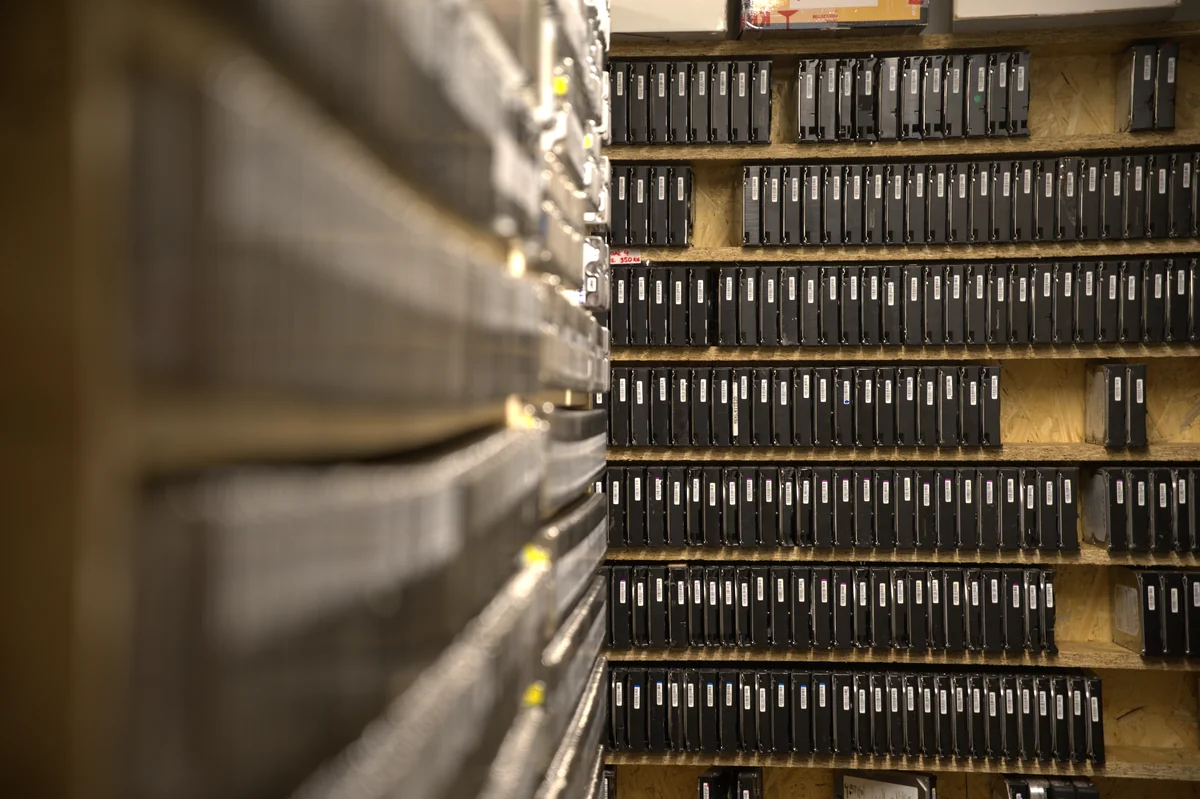
The difference between CMR (Conventional Magnetic Recording) and SMR (Shingled Magnetic Recording) is invisible to the average user, but for performance in RAID arrays, databases and NAS devices it is fundamental. This article summarises the current state (2026) and provides a list of specific models from Seagate, Western Digital, Toshiba and Samsung.
What CMR is
The traditional way of writing: the magnetic tracks on the platter are stored side by side with no overlap. Writing to any track does not change its neighbours. The advantage is consistent performance when writing — whether you write 1 GB or 10 TB, the speed does not change. Sustained write throughput holds its 150–250 MB/s depending on the model, with no drops.
What SMR is
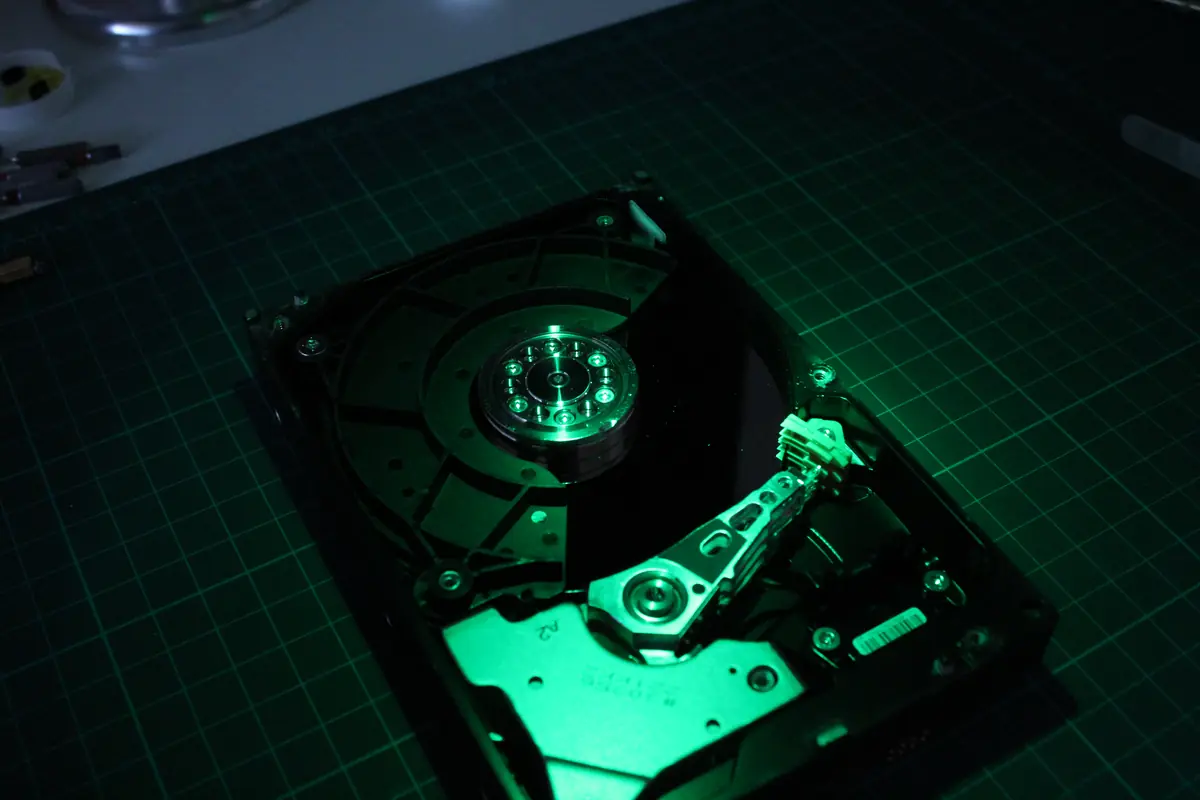
„Shingled„ means „like roof shingles". The tracks partially overlap, which increases capacity by 20–25 % on the same physical disk. The price: writing to one track requires rewriting the whole „zone" of neighbouring tracks. The drive therefore internally uses a large „media cache" (a CMR area, typically 20–30 GB) and later moves the data into the shingled area in the background.
The consequence in numbers:
- Sequential write of the first ~25 GB: 150–180 MB/s (running into the CMR cache).
- Once the cache is exhausted: a drop below 10 MB/s, sometimes even 3 MB/s, until the cache empties.
- Random write (4 K random): on SMR often five to ten times slower than on the CMR equivalent.
- During a RAID resilver / ZFS scrub: the throughput drop holds for tens of hours and the drive often expires on a timeout.
Where SMR is a problem
- RAID rebuild — the array rebuilds for tens of hours up to weeks, and the drive often expires on a timeout (Synology reports „abnormal", mdraid drops the drive from the array). Then you rebuild again from scratch and, above all, without redundancy in the meantime — one more failure = the data is gone.
- ZFS resilver — SMR drives in a ZFS pool are an anti-pattern (OpenZFS issue #10214). A resilver of a small pool (4× 4 TB) can take 4–7 days instead of 12 hours with CMR. The same problem occurs during a scrub.
- Databases — a transactional write saturates the cache within minutes, latency rises from 5 ms to 500 ms. PostgreSQL, MySQL, MariaDB — they all suffer the same way.
- NAS Synology / QNAP / TrueNAS — an SHR / RAID-5 / RAID-Z rebuild on SMR drives is a nightmare. In 2020 Synology officially issued a warning that it would not guarantee WD Red SMR drives for DSM SHR.
- Surveillance / video recorders — continuous 24/7 writing fills the cache and an SMR drive cannot keep up with the stream. For an NVR use CMR exclusively (Seagate Skyhawk Surveillance CMR, WD Purple, Toshiba S300).
SMR is OK for archival storage, single-drive external backups, WORM (Write Once Read Many) scenarios. Not for production performance scenarios, not for RAID, not for a NAS with a rebuild in live operation.
Identification — how to tell CMR from SMR
Manufacturers historically kept it secret. After the 2020 scandal (WD Red, when Western Digital quietly switched the Red 2–6 TB to SMR and did not tell customers) transparency is now mandatory. You can verify it via:
- The manufacturer’s datasheet — look for the words
CMR,SMR,PMR,shingled,host-aware. WD has a public table (WDC SMR/CMR list); Seagate publishes a datasheet per model. - The specification on the retailer’s website (Alza, CZC, Mironet, Amazon) — larger retailers list it in the specification section these days.
- The
smartctltool — some newer SMR drives report the fieldsForm Factor: 3.5 inchesandRecording technology: SMRinsmartctl -a /dev/sdX(if the drive supports host-aware SMR, it reports this consistently). Older drive-managed SMR does not list it — then the only option left is the datasheet. - The model designation — with WD Red the distinction is in the suffix:
WD60EFAX= SMR,WD60EFRX= CMR (older),WD60EFPX/WD60EFZX= CMR Plus (new). The tables below show all the cases.
Hard drive (HDD) overview — list of models with CMR and SMR technology
Are you planning to buy a new hard drive and not sure whether to go for CMR or SMR technology? We have prepared a detailed list of hundreds of models from leading manufacturers — Western Digital, Seagate and Toshiba — to make your decision easier. The tables are sorted by capacity (from largest to smallest) and secondarily by brand. That way you can easily compare drives in the size you need.
For each entry you will find: the brand (WD, Seagate, Toshiba, HGST), the series (IronWolf, Red Plus, N300, Exos, Ultrastar and others), the exact model designation, the capacity and, above all, whether it is CMR (Conventional Magnetic Recording) or SMR (Shingled Magnetic Recording).
20 TB and 18 TB drives — enterprise class
| Brand | Series | Model | Capacity | Technology |
|---|---|---|---|---|
| Seagate | Exos | ST20000NM007D | 20 TB | CMR |
| WD | Elements | WDBWLG0200HBK | 20 TB | CMR |
| Seagate | Exos | ST18000NM000J | 18 TB | CMR |
| Seagate | Exos | ST18000NM000D | 18 TB | CMR |
| Seagate | Exos | ST18000NM003D | 18 TB | CMR |
| WD | DC HC550 | 0F38459 | 18 TB | CMR |
| WD | MyBook | WD180EDGZ | 18 TB | CMR |
| WD | Elements | WDBWLG0180HBK | 18 TB | CMR |
| WD | Red Pro | WD181KFGX | 18 TB | CMR |
| WD | White | WD180EDFZ | 18 TB | CMR |
In this class (18 TB and above), SMR is practically not used today — enterprise drives go the CMR way exclusively because of the requirements for consistent performance in RAID and NAS.
16 TB and 14 TB drives
| Brand | Series | Model | Capacity | Technology |
|---|---|---|---|---|
| Seagate | Exos | ST16000NM001G | 16 TB | CMR |
| Seagate | IronWolf Pro | ST16000NE000 | 16 TB | CMR |
| Toshiba | Enterprise | MG08ACA16TE | 16 TB | CMR |
| Toshiba | MG09 | MG09ACA18TE | 16 TB | CMR |
| WD | Elements | WDBWLG0160HBK | 16 TB | CMR |
| WD | White | WD160EDGZ | 16 TB | CMR |
| WD | Ultrastar | WUH721816ALE6L4 | 16 TB | CMR |
| Seagate | IronWolf | ST14000VN0008 | 14 TB | CMR |
| Toshiba | Enterprise | MG07ACA14TE | 14 TB | CMR |
| WD | HC530 | WUH721414ALE6L4 | 14 TB | CMR |
| WD | MyBook | WDBBGB0140HBK | 14 TB | CMR |
| WD | Red Plus | WD140EFGX | 14 TB | CMR |
| WD | Red Pro | WD141KFGX | 14 TB | CMR |
| WD | White | WD140EDGZ | 14 TB | CMR |
| WD | White | WD140EDFZ | 14 TB | CMR |
12 TB and 10 TB drives
| Brand | Series | Model | Capacity | Technology |
|---|---|---|---|---|
| Seagate | IronWolf | ST12000VN0008 | 12 TB | CMR |
| Seagate | Exos | ST12000NM000 | 12 TB | CMR |
| Synology | HAT5300 | HAT5300-12T | 12 TB | CMR |
| Toshiba | Enterprise | MG07ACA12TE | 12 TB | CMR |
| WD | Elements | WD120EDBZ | 12 TB | CMR |
| WD | Elements | WDBBGB0120HBK-EESN | 12 TB | CMR |
| WD | MyBook | WD120EDAZ | 12 TB | CMR |
| WD | MyBook | WD120EDGZ | 12 TB | CMR |
| WD | Red Plus | WD120EFBX | 12 TB | CMR |
| WD | White | WD120EMFZ | 12 TB | CMR |
| Seagate | IronWolf | ST10000VN0008 | 10 TB | CMR |
| Seagate | Barracuda Pro | ST10000DMZ004 | 10 TB | CMR |
| Seagate | IronWolf | ST10000VN0004 | 10 TB | CMR |
| Seagate | IronWolf Pro | ST10000NE0008 | 10 TB | CMR |
| Seagate | IronWolf Pro | ST10000NE000 | 10 TB | CMR |
| WD | EasyStore | WD100EMAZ | 10 TB | CMR |
| WD | Elements | WD101EDBZ | 10 TB | CMR |
| WD | Elements | WDBWLG0100HBK | 10 TB | CMR |
| WD | Gold | WD102KRYZ | 10 TB | CMR |
| WD | Red Plus | WD101EFBX | 10 TB | CMR |
| WD | Red Plus | WD101EFAX | 10 TB | CMR |
| WD | Ultrastar HC330 | WUS721010ALE6L4 | 10 TB | CMR |
| WD | White | WD100EZAZ | 10 TB | CMR |
8 TB drives
| Brand | Series | Model | Capacity | Technology |
|---|---|---|---|---|
| Seagate | IronWolf | ST8000VN004 | 8 TB | CMR |
| Seagate | Barracuda Pro | ST8000DM0004 | 8 TB | CMR |
| Seagate | IronWolf | ST8000VN0022 | 8 TB | CMR |
| Seagate | Exos | ST8000NM017B | 8 TB | CMR |
| Seagate | Skyhawk | ST8000VX002 | 8 TB | SMR |
| Seagate | Desktop | STGY8000400 | 8 TB | SMR |
| Toshiba | N300 | HDWG480UZSVA | 8 TB | CMR |
| WD | Blue | WD80EAZZ | 8 TB | CMR |
| WD | White | WD80EDBZ | 8 TB | CMR |
| WD | MyBook | WD80EDAZ | 8 TB | CMR |
| WD | Red Plus | WD80EFZZ | 8 TB | CMR |
| WD | White | WD80EMZZ | 8 TB | CMR |
| WD | Blue | WD80EZAZ | 8 TB | CMR |
| WD | Red Pro | WD8003FFBX | 8 TB | CMR |
| WD | Ultrastar | WD80EMAZ | 8 TB | CMR |
| WD | Elements | WDBWLG0080HBK-EESN | 8 TB | CMR |
| WD | Gold | WD8004FRYZ | 8 TB | CMR |
| WD | Red Plus | WD80EFAX | 8 TB | CMR |
| WD | Black | WD8002FZWX | 8 TB | CMR |
| WD | MyBook | WDBBGB0080HBK | 8 TB | CMR |
| WD | MyBook | WDBBGB0080HBK-EESN | 8 TB | CMR |
| WD | Red Plus | WD80EFZX | 8 TB | CMR |
6 TB drives
| Brand | Series | Model | Capacity | Technology |
|---|---|---|---|---|
| Seagate | IronWolf | ST6000VN001 | 6 TB | CMR |
| Seagate | Exos 7E8 | ST6000NM0115 | 6 TB | CMR |
| Seagate | IronWolf | ST6000VN0033 | 6 TB | CMR |
| Seagate | Skyhawk | ST6000VX001 | 6 TB | CMR |
| Seagate | Constellation | ST6000NM0044 | 6 TB | CMR |
| Seagate | Skyhawk | ST6000VX010 | 6 TB | SMR |
| Toshiba | N300 | HDWG460UZSVA | 6 TB | CMR |
| Toshiba | Desktop | HDWD260EZSTA | 6 TB | SMR |
| Toshiba | MG08 | MG08ADA600E | 6 TB | CMR |
| Toshiba | Desktop | HDWD260UZSVA | 6 TB | SMR |
| WD | Red Plus | WD60EFPX | 6 TB | CMR |
| WD | Red Plus | WD60EFZX | 6 TB | CMR |
| WD | Black | WD6003FZBX | 6 TB | CMR |
| WD | Purple | WD63PURZ | 6 TB | CMR |
| WD | Ultrastar | HUS726T6TALE6L4 | 6 TB | CMR |
| WD | Purple | WD60PURZ | 6 TB | CMR |
| WD | Gold | WD6002FRYZ | 6 TB | CMR |
| WD | Gold | WD6003FRYZ | 6 TB | CMR |
| WD | Red | WD60EFRX | 6 TB | CMR |
5 TB and 4 TB drives
| Brand | Series | Model | Capacity | Technology |
|---|---|---|---|---|
| Seagate | Barracuda | ST5000DM003 | 5 TB | SMR |
| WD | Elements | WDBU6Y0050BBK | 5 TB | SMR |
| WD | Red | WD50EFRX | 5 TB | CMR |
| WD | My Passport | WDBPKJ0050BBK | 5 TB | SMR |
| WD | Blue | WD50EZRZ | 5 TB | CMR |
| Seagate | IronWolf | ST4000VN008 | 4 TB | CMR |
| Seagate | IronWolf | ST4000VN006 | 4 TB | CMR |
| Seagate | Desktop | ST4000DM000 | 4 TB | CMR |
| Seagate | Skyhawk | ST4000VX007 | 4 TB | CMR |
| Seagate | Skyhawk | ST4000VX016 | 4 TB | CMR |
| Seagate | Skyhawk | ST4000VX013 | 4 TB | SMR |
| Seagate | IronWolf Pro | ST4000NE001 | 4 TB | CMR |
| Seagate | Constellation | ST4000NM0033 | 4 TB | CMR |
| Seagate | Constellation | ST4000NM0023 | 4 TB | CMR |
| Seagate | Skyhawk | ST4000VX000 | 4 TB | CMR |
| Seagate | Skyhawk | ST4000VX005 | 4 TB | SMR |
| Seagate | IronWolf | ST4000VNZ06 | 4 TB | CMR |
| Toshiba | Canvio | HDTB440EK3CA | 4 TB | SMR |
| Toshiba | X300 | HDWR440XZSTA | 4 TB | CMR |
| Toshiba | Canvio | HDTX140 | 4 TB | SMR |
| Toshiba | Enterprise | MG08ADA400N | 4 TB | CMR |
| Toshiba | X300 | HDWE140UZSVA | 4 TB | CMR |
| Toshiba | MQ04 | MQ04ABB400 | 4 TB | CMR |
| Toshiba | N300 | HDWG440EZSTA | 4 TB | CMR |
| WD | Red Plus | WD40EFPX | 4 TB | CMR |
| WD | Red | WD40EFRX | 4 TB | CMR |
| WD | Purple | WD42PURZ | 4 TB | CMR |
| WD | Purple | WD40PURX | 4 TB | CMR |
| WD | Purple | WD42EJRX | 4 TB | CMR |
| WD | Red Plus | WD40EFZX | 4 TB | CMR |
| WD | Purple | WD40PURZ | 4 TB | CMR |
| WD | Blue | WD40EZRZ | 4 TB | CMR |
| WD | RE | WD4000FYYZ | 4 TB | CMR |
| WD | Gold | WD4003FRYZ | 4 TB | CMR |
| WD | Black (PMR) | WD4003FZEX | 4 TB | CMR |
| WD | Blue | WD40NMZW | 4 TB | SMR |
| WD | Red | WD40EFAX | 4 TB | SMR |
| WD | MyBook | WDBBGB0040HBK | 4 TB | SMR |
| WD | Red Plus | WDBAVV0040HNC | 4 TB | CMR |
| WD | Elements | WDBU6Y0040BBK | 4 TB | SMR |
| WD | Blue | WD40NPZZ | 4 TB | SMR |
| WD | Red Pro | WD4003FFBX | 4 TB | CMR |
| WD | Elements | WD40NDZW | 4 TB | SMR |
| HGST | Ultrastar | HUS724040ALA640 | 4 TB | CMR |
3 TB and 2 TB drives
| Brand | Series | Model | Capacity | Technology |
|---|---|---|---|---|
| Seagate | IronWolf | ST3000VN007 | 3 TB | CMR |
| Seagate | Desktop | ST3000DM001 | 3 TB | CMR |
| Seagate | Desktop | ST3000DM000 | 3 TB | CMR |
| Toshiba | P300 | HDWD130EZSTA | 3 TB | CMR |
| Toshiba | DT01 | DT01ACA300 | 3 TB | CMR |
| Toshiba | P300 | HDWD130UZSVA | 3 TB | CMR |
| WD | Red | WD30EFRX | 3 TB | CMR |
| WD | Green | WD30EZRX | 3 TB | CMR |
| WD | Black | WD3003FZEX | 3 TB | CMR |
| WD | Purple | WD30EJRX | 3 TB | CMR |
| WD | Red Plus | WD30EFPX | 3 TB | CMR |
| Seagate | Barracuda | ST2000DM006 | 2 TB | SMR |
| Seagate | Barracuda | ST2000DM008 | 2 TB | SMR |
| Seagate | IronWolf | ST2000VN004 | 2 TB | CMR |
| Seagate | Portable | STKM2000400 | 2 TB | SMR |
| Seagate | Mobile | ST2000LM007 | 2 TB | SMR |
| Toshiba | P300 | HDWD120UZSVA | 2 TB | CMR |
| Toshiba | DT01 | DT01ACA200 | 2 TB | CMR |
| WD | Red Plus | WD20EFZX | 2 TB | CMR |
| WD | Blue | WD20EZRZ | 2 TB | CMR |
| WD | Red | WD20EFRX | 2 TB | CMR |
| WD | Green | WD20EZRX | 2 TB | CMR |
| WD | Black | WDBA2W0020BBK | 2 TB | CMR |
| WD | Purple | WD20PURZ | 2 TB | CMR |
| WD | Green | WD20EARX | 2 TB | CMR |
| WD | Black | WD2003FZEX | 2 TB | CMR |
| WD | Purple | WD20EJRX | 2 TB | CMR |
| WD | Purple | WD22EJRX | 2 TB | CMR |
| WD | Red Pro | WD2001FFSX | 2 TB | CMR |
| WD | Purple | WD22PURZ | 2 TB | CMR |
| WD | Elements | WDBU6Y0020BBK | 2 TB | SMR |
| WD | Black | WD2002FAEX | 2 TB | CMR |
| WD | Blue | WD20EZAZ | 2 TB | SMR |
1 TB and smaller drives
| Brand | Series | Model | Capacity | Technology |
|---|---|---|---|---|
| Seagate | IronWolf | ST1000VN002 | 1 TB | CMR |
| Seagate | Barracuda | ST1000LM049 | 1 TB | SMR |
| Seagate | Barracuda | ST31000528AS | 1 TB | CMR |
| Seagate | Barracuda | ST1000DMZ10 | 1 TB | CMR |
| Seagate | Momentus | ST1000LM024 | 1 TB | SMR |
| Seagate | Barracuda | ST31000524AS | 1 TB | CMR |
| Toshiba | DT01 | DT01ACA100 | 1 TB | CMR |
| Toshiba | P300 | HDWD110EZSTA | 1 TB | CMR |
| Toshiba | P300 | HDWD110UZSVA | 1 TB | CMR |
| Toshiba | Laptop L200 | MQ04 | 1 TB | SMR |
| WD | Blue | WD10JPVX | 1 TB | CMR |
| WD | Red Plus | WD10JFCX | 1 TB | CMR |
| WD | Purple | WD10PURZ | 1 TB | CMR |
| WD | Blue | WD10SPZX | 1 TB | SMR |
| WD | Green | WD10EZRX | 1 TB | CMR |
| WD | Green | WD10EURX | 1 TB | CMR |
| WD | Red Plus | WD10EFRX | 1 TB | CMR |
| WD | Black | WD1002FAEX | 1 TB | CMR |
| WD | Blue | WD10EZEX | 1 TB | CMR |
| WD | Blue | WD10EZRZ | 1 TB | CMR |
| WD | Blue | WD10JUCT | 1 TB | CMR |
| WD | Blue | WD10JPCX | 1 TB | SMR |
| WD | Blue | WD5000AAKX | 500 GB | CMR |
| WD | Black | WD5000LPLX | 500 GB | CMR |
Summary by brand
Seagate
- CMR (the safe choice for RAID/NAS): IronWolf 1–8 TB (ST1000VN002 to ST8000VN004), the entire IronWolf Pro line, Exos (X16, X18, X20, X22), Constellation, older Barracuda 7200 rpm without „DM008".
- SMR (careful!): Barracuda Compute 2.5” 1–5 TB (ST1000LM048, ST2000LM007, ST5000LM000), ST2000DM006/008, the Archive HDD line, some Skyhawk models (ST8000VX002, ST6000VX010, ST4000VX013, ST4000VX005).
Western Digital
- CMR: WD Red Plus, WD Red Pro, the entire WD Ultrastar DC HC line, WD Purple Pro, WD Gold, WD Black (except the external NMZW/NPZZ).
- SMR (careful!): WD Red without „Plus" 2–6 TB (WD20EFAX, WD40EFAX, WD60EFAX), external MyBook/Elements in some capacities (4 TB, 5 TB), WD Blue 2.5” WD10JPCX and the newer 4 TB WD40NPZZ/WD40NMZW.
- Upgrade path: If you have a WD Red without „Plus" in your NAS — urgently consider replacing it with a WD Red Plus or WD Red Pro.
Toshiba
- CMR: N300 (all capacities), the MG07 / MG08 / MG09 lines, X300, P300 up to 3 TB, MQ04 (except the L200 1 TB).
- SMR (careful!): P300 Desktop 4–6 TB (HDWD240UZSVA, HDWD260UZSVA, HDWD260EZSTA), Canvio external (HDTB440, HDTX140), Laptop L200 1 TB.
HGST / Samsung (historical, no longer manufactured)
- Reliably CMR: HGST Deskstar 5K4000 and 7K4000, HGST Ultrastar HUS724xxx, Samsung Spinpoint F3. You can still find these drives in second-hand shops — for RAID they are safe units.
What to do when I have an SMR drive and my RAID rebuild won’t work
Options from the smallest to the biggest route:
- Try the rebuild with lower priority / load. Synology: set „Low priority" in Storage Manager. Linux mdraid: enable the write-intent bitmap (
mdadm --grow --bitmap=internal /dev/md0), the bitmap shortens the next resync to minutes. ZFS:zpool set sync=disabled, but careful — there is a risk of losing in-flight transactions during a power outage. - Leave the drive overnight with no further load. After finishing a large write batch, an SMR drive does internal garbage collection (it rewrites the data from the CMR cache into the shingled area). If you do not load it for 6–12 hours, the cache empties and the next rebuild runs faster.
- Add another (CMR) drive as a spare, turn the SMR drive into an offline backup, build the array again. Often the fastest solution — if you have a free slot and the money for a replacement.
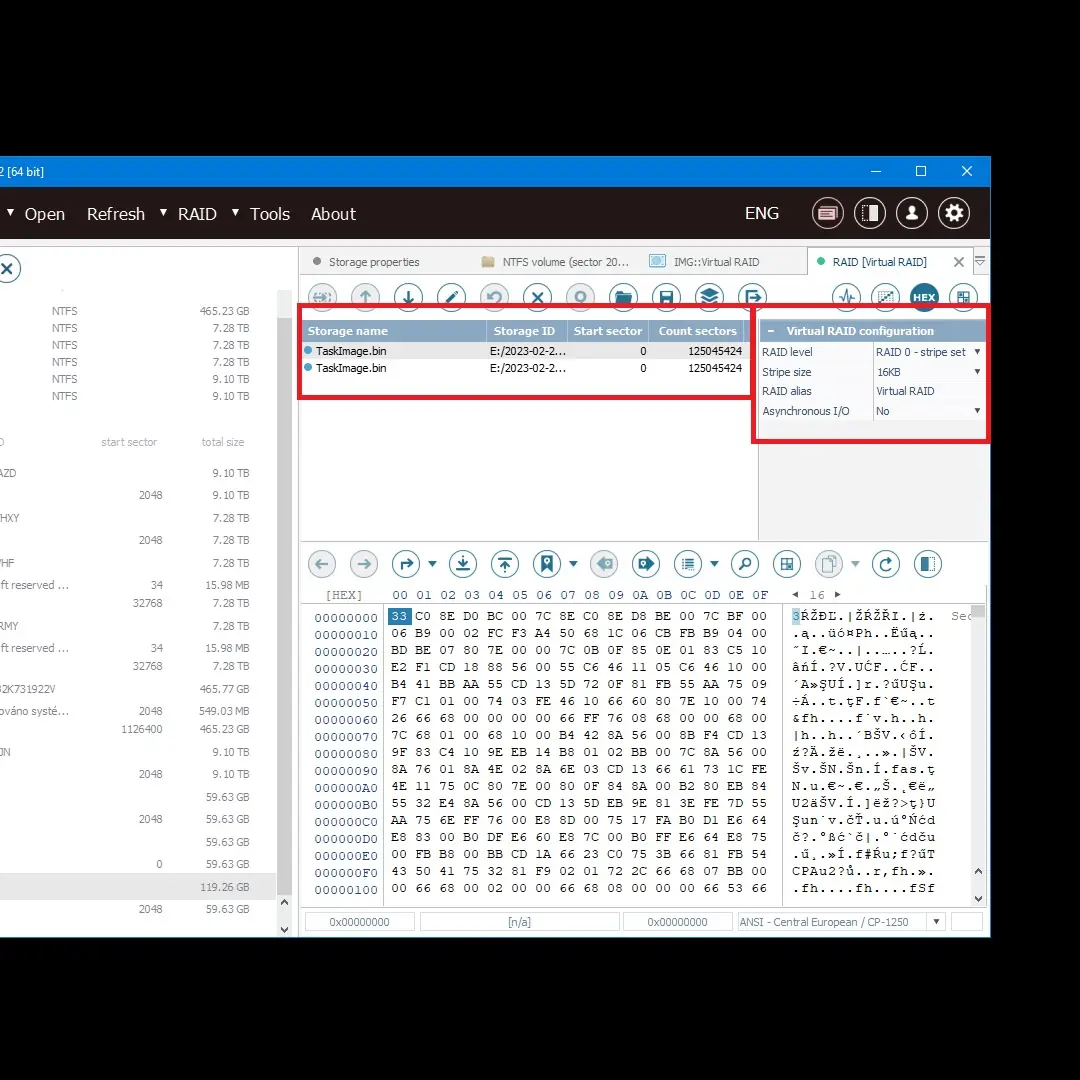
- If the array has crashed completely — call us, we read the drives sector-level (PC-3000, DeepSpar) outside the NAS box, create a RAW image from each unit and reconstruct the array offline. An SMR drive with no pressure in the array can read everything, just slowly — and we have the time.
FAQ — the most common questions about CMR and SMR
I have a WD Red 4 TB at home in a NAS. How do I tell whether it is SMR?
Look at the drive label and find the exact model. WD40EFAX = SMR, WD40EFRX = CMR (older Red), WD40EFPX or WD40EFZX = CMR Plus. If the label does not show a specific model code, you will find it in Synology DSM in Storage Manager, in smartctl -a /dev/sda or on the sticker on the underside of the drive.
I am buying a new drive for a NAS. What is the safest choice today (2026)? For a 4-bay home NAS we recommend Seagate IronWolf (not Pro) in 4–8 TB, WD Red Plus in 4–8 TB or Toshiba N300 in 4–8 TB. All CMR, certified for 24/7 operation, NAS workload rating ~180 TB/year. If you have 8-bay+ and a higher write load, go for IronWolf Pro / Red Pro / N300 — higher price, higher MTBF, 7200 rpm.
What if I just need to create an archival backup? Is SMR OK? For a single-drive external backup using the 3-2-1 scheme (you write once a week, you read during recovery), SMR is completely fine and makes sense for the lower price / higher capacity. An external WD Elements or Seagate Expansion (both often SMR inside) are ideal for an archive. Just never turn an external SMR drive into a NAS bay or a RAID member.
I have heard about „host-aware SMR„ and „host-managed SMR". What is the difference? There are three types of SMR. Drive-managed (DM-SMR) — the drive presents itself as a classic HDD, the firmware handles the cache and migration in the background. This is the problem for RAID/NAS, because the OS does not know about the SMR. Host-aware (HA-SMR) — the drive supports both CMR and SMR write commands, the OS can (but does not have to) optimise. Host-managed (HM-SMR) — sequential writing only via ZBC/ZAC commands, used in cloud object storage systems (Ceph, ZNS-aware). Consumer drives are almost all DM-SMR.
Can an SMR drive be „converted" to CMR via firmware? No. SMR is a physically fixed platter geometry — the tracks are already written with the intention of overlapping. It is not a firmware choice, it is physics. The only thing you can do is switch an SMR drive into „archive mode" at the firmware level (sequential writing only), which reduces its usefulness even further.
Need help with RAID or data recovery? Data recovery enquiry · +420 775 556 063 · Initial HDD and SSD diagnostics free, a verdict within 24 hours. In non-standard cases (the drive was opened by another service, overwriting/formatting, complex analysis) diagnostics cost 1 210 Kč including VAT (1 000 Kč excluding VAT) — we will tell you in advance.
Where to find us
ITHOPE is a company based in Brno, Czechia: we do data recovery from disks, RAID and NAS, PC and laptop service and IT for business, all in our own lab at Viniční 3587/216, 615 00 Brno.
Phone +420 775 556 063 (24/7 line). You can bring the device in person, or send it by courier (Zásilkovna, PPL).