Skip to content
Laptop rental Brno

Laptop rental Brno.

Laptop rental in Brno for training, conferences, project teams, and temporary replacement. Business laptops (Fujitsu Lifebook and Dell Latitude) with Windows 10/11 Pro, always with charger and mouse.
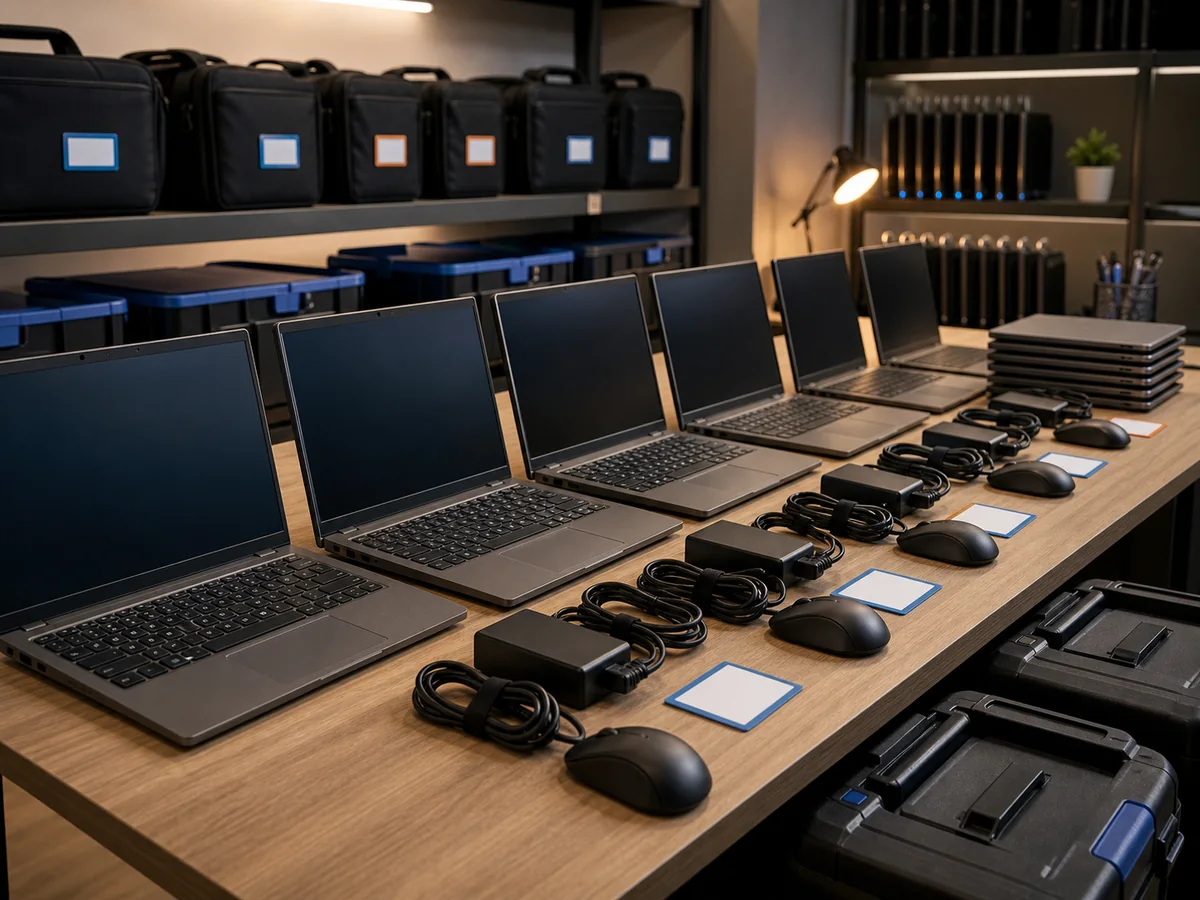
Laptop rental Brno: a ready fleet of business laptops with chargers, mice and transport cases
Pricing & Booking

Calculate price & book online

Check real-time pricing, stock availability, and secure your dates instantly. Enter the number of laptops and days, get an immediate quote, and book directly — transparent pricing with zero hidden fees.

Calculate price & book →
18
years in business
95 %
success rate, faulty HDDs
18 +
media categories
Brno
own laboratory
  • Delivery within 24 h
    In Brno, by arrangement
  • DoD 5220.22-M wipe
    Secure erase on return
  • Flexible term
    From 1 day to 12 months
  • In stock now
    Fujitsu + Dell
  • No deposit
    Invoiced for businesses

When Renting Makes Sense

  • Corporate training — 10–30 laptops for a week, prepped and uniformly configured
  • Events and conferences — 20–35 units for a few days, including drop-off and pick-up
  • Project teams — rental for the duration of collaboration with an external specialist or contractor
  • Temporary replacement — your machine is in for service, but you need to keep working
  • Trial run — test a Windows 10 Pro or Windows 11 configuration before purchasing

How It Works

  1. Selection — tell us how many units, for how long, and the use case. We’ll recommend a model.
  2. Contract — download a sample laptop rental agreement (§ 2201 of the Civil Code) in advance.
  3. Handover — in person at our Brno-Židenice location, by courier within Brno, or via Zásilkovna nationwide.
  4. In case of failure — replacement within 4 hours in Brno. We operate a fleet, not just a single spare unit.
  5. Return of a cleaned machine — factory reset, fully charged, free of fingerprints and dust (6-step checklist).
  6. Deposit refund — handover report + DoD 5220.22-M data wipe; the deposit is returned within 5 business days.

Models we offer

  • Fujitsu Lifebook E558 — i5-8350U, 16 GB RAM, 512 GB SSD, Windows 10 Pro
  • Fujitsu Lifebook E559 — Windows 11
  • Dell Latitude 5580 — Windows 11
  • Dell Latitude 3500 — Windows 11

All business laptops, always with a power adapter and mouse. Current stock availability and booking for specific dates can be found in our online rental store.

Pricing and deposits

The price per day per unit decreases with the number of units and the rental duration — the specific rate and the refundable deposit are calculated by the calculator in our online rental store based on the parameters you enter. Transparent, with no hidden fees.

  • Short-term and long-term — starting from just one day; for large events (tens of units) or long-term rentals, we will prepare an individual offer.
  • Refundable deposit for each laptop — collected upon pickup, returned in full after inspection upon return (within 5 business days). For regular corporate clients with a framework agreement, it can be waived by agreement.
  • Payment — by invoice (B2B) or bank transfer in advance (B2C), due date as agreed.

You can find current prices and stock availability in the online rental store — calculate the price and book immediately by clicking through.

What’s Included in the Price

  • Laptop with pre-installed Windows 10/11 Pro (depending on model)
  • Power adapter and mouse in a box with each unit
  • Machine preparation (updates, clean profile)
  • Technical support during business hours
  • Replacement within 4 hours in case of failure in Brno — we operate a whole fleet, not just a single spare
  • DoD 5220.22-M disk wipe after return

Frequently Asked Questions

I need a laptop for a weekend training course — is that possible? Yes. The minimum rental period is 1 day. The issuance fee is charged once per order (not per unit). For larger quantities (10+ units), please allow for advance preparation — let us know a few days ahead.

Which specific laptop will I get? Based on availability from our fleet — you can select a specific model in the form or leave the choice to us. If you have a strict requirement (Windows 11, 16 GB RAM), we will confirm it by phone.

What condition should I return the laptop in? See the How to Return a Laptop section — clean off fingerprints and dust, perform a factory reset (visual guide included), charge it fully, shut down by holding the power button for 10 seconds, and pack it in the box with the corresponding number. If the laptop is not cleaned, we charge a sanitation fee, which is deducted from the refundable deposit.

What if I break the laptop? Normal wear and tear is covered. In cases of gross negligence (drop onto concrete, liquid spill), you pay the actual cost of repair. We collect a refundable deposit for each laptop — this is returned in full if the laptop is returned in the condition it was issued.

Do you erase data before the next deployment? Yes. Every returned unit undergoes a DoD 5220.22-M wipe — a double overwrite of all SSD sectors. Only then is the machine prepared for the next client.

FAQ

Frequently asked questions

How long can I rent a laptop for?
We do both short-term and long-term rentals. The minimum is 1 day (for a single unit, with a handover fee); typical use is days to weeks for training courses, events and projects. For a long-term corporate rental (months and years) we agree an individual rate and a contract. Prices drop with the number of units and the length of the rental.
Which laptops do you offer?
The ITHOPE fleet consists of four model lines: Fujitsu Lifebook E558 (i5-8350U, 16 GB RAM, 512 GB SSD, Windows 10 Pro), Fujitsu Lifebook E559 (Windows 11), Dell Latitude 5580 (Windows 11) and Dell Latitude 3500 (Windows 11). Each unit ships in the box with a power adapter and a mouse. A complete model overview and current availability is in our online rental store.
How much does renting a laptop cost?
A short-term rental price drops with the number of units and the length of the rental. For a single unit there is a one-off handover fee (preparation, contract, wipe after return). The exact rate is calculated in our online rental store — for over 30 days or large volumes we agree terms individually.
What if a laptop breaks down during the rental?
You call us and by the next working day we swap the machine for a replacement (with a pre-prepared image). You bring your data back from the cloud, or we migrate it for you. If you back up your data regularly (which we recommend), you are back up and running within the hour.
Are Windows and Office included in the price?
Windows 11 Pro is included in the rental price as standard. Microsoft 365 / Office licences are handled separately based on your existing licence — if you have a company M365, we enrol the machine onto it. If not, we help you buy a licence with the administrator setup.
Is there a deposit?
Yes. For each laptop rented we charge a refundable deposit. We collect the deposit by transfer or in cash at collection and return it in full after checking the device on return (usually within 5 working days). For regular corporate clients with a framework contract the deposit can be waived by agreement.
Can I rent a laptop as an individual, not just as a company?
Yes, we rent both B2B and B2C. For individuals we need proof of identity and a refundable deposit per laptop (returned in full after the check on return). For companies we invoice, and the deposit is likewise charged per unit as standard; for regular clients with a framework contract it can be waived by agreement. Give us a call and we will sort it out.
What if you need the laptop back while I still have it?
The notice period is 1 month; you return the laptop to our premises in Brno or send it by courier. Before the return we carry out a stock check and remove it from the inventory. If you rented it for a fixed term, you may return it early, but you pay through to the end of that term.
Will you wipe my data from the laptop before its return?
Yes. After return, every machine goes through a DoD 5220.22-M wipe — a double overwrite of every sector of the SSD. Only then do we set the machine up for the next client. If you have heightened requirements (GDPR-sensitive data), we can physically destroy the drive and issue a certificate — just ask.
Call Contact