A client came in saying their laptop wouldn’t respond when switched on. No sound, no sign of life, battery full. The intake note simply read: „yesterday something jammed in the USB". That sentence stops us in the workshop every time — because we always see the same path behind it.
Laptop on the bench, then under the stereo microscope. And there it was: a USB port full of foreign matter, a cracked solder joint on the power rail, one SMD capacitor with a characteristic dark edge — burnt, sitting on the power trace. The laptop was dead not because of what had been plugged in, but because of how it had been plugged in — and what someone then tried to do about it at home.
We see this scenario in the workshop regularly. Not once a month — more often than that. And it’s always the same USB-A story: a connector that is asymmetric, can be inserted only one correct way, and that the user almost never gets right on the first try.
What USB-A is and why it has annoyed us for 25 years
USB (Universal Serial Bus) is a universal serial bus — the port we use to connect a mouse, a keyboard, an external drive, a camera or a flash drive to the computer. USB-A is the classic rectangular plug. Flat, asymmetric, with one single correct direction.
A practical breakdown based on our workshop experience:
- roughly half of users plug USB-A in the wrong way on the first try,
- a quarter plug it in really wrong — by force, sideways, or top-down instead of straight,
- the remaining quarter get lucky and hit the correct direction.
Add to that the fact that a laptop often sits on the desk at an angle, the keyboard gets in the way and the user looks at it from above — and the probability of a bad insertion goes up. And the USB connector itself has nothing to stop the user. The plastic is soft, the pins inside are delicate. The socket in the laptop is soldered on with tiny SMD joints, often only on the surface of the board, with no mechanical anchoring.
One push of the hand at the wrong angle is enough — and the board takes the damage.
Case from the workshop: a port flooded with foreign matter
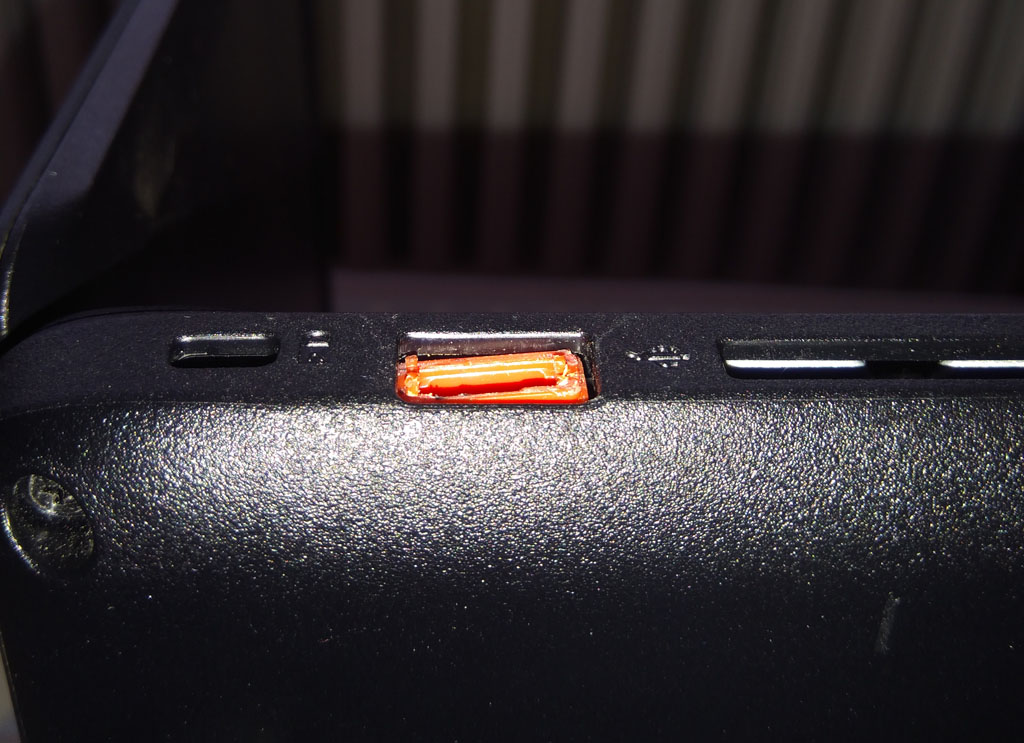
This photo sums up the whole problem. Someone first inserted the connector into the port incorrectly — maybe by force, maybe in the opposite orientation. The port was mechanically damaged, the contacts spread apart. And instead of bringing the device to a workshop, they tried to „fix" it at home: with a hot-melt gun, superglue, or modelling clay. You can see the result in the picture.
When such a device reaches us, we deal with two problems at once:
- the original mechanical damage — a snapped-off socket, cracked solder joints, a burnt-through power rail;
- the secondary damage from the amateur intervention — the matter in the connector is often conductive, or at the very least it prevents soldering and hot-air repair until we laboriously remove it.
What exactly we find in such boards
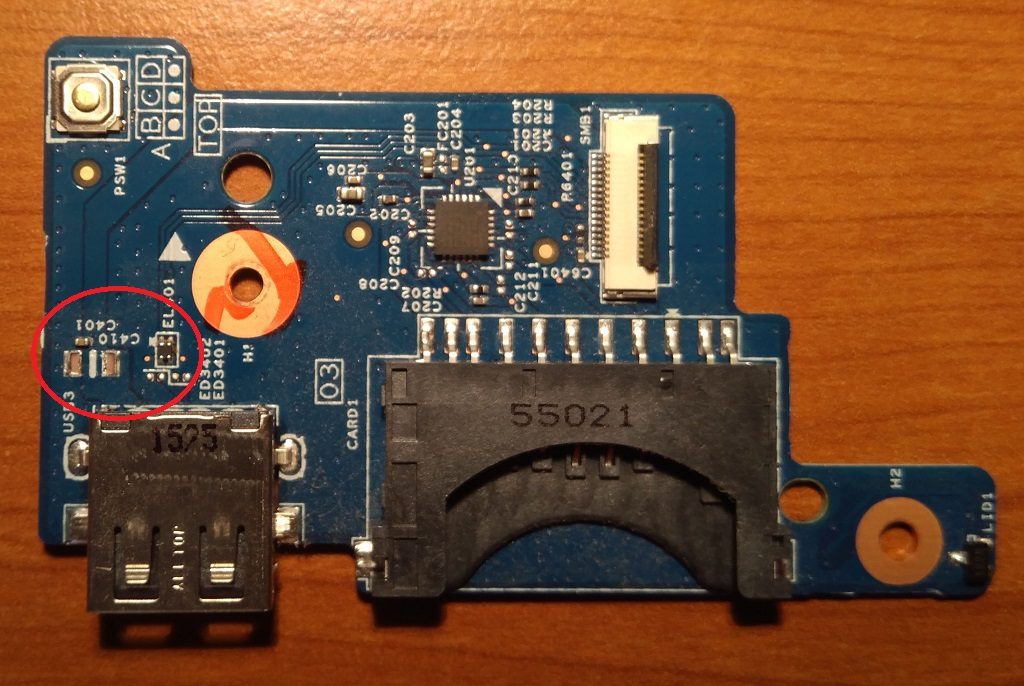
What exactly we find on the board in 90% of these cases:
- cracked solder joints between the socket and the board — typically on the rear anchoring „feet",
- one of the eight USB-A contacts broken off — usually the power (5 V) or ground one,
- a microcrack in the copper trace running from the socket further across the board,
- a damaged nearby SMD component in the power path — most often a filter capacitor or an ESD protection diode.
That last one is critical. When the socket moves in its own seat, the board bends in that area. The thin copper traces and SMD solder joints may not survive that bending. The result: a short on the 5 V rail, or a broken path — and the laptop won’t power on, because the protections on the mainboard register an anomaly and simply won’t wake up.
The laptop with its cover off: everything we have to work around
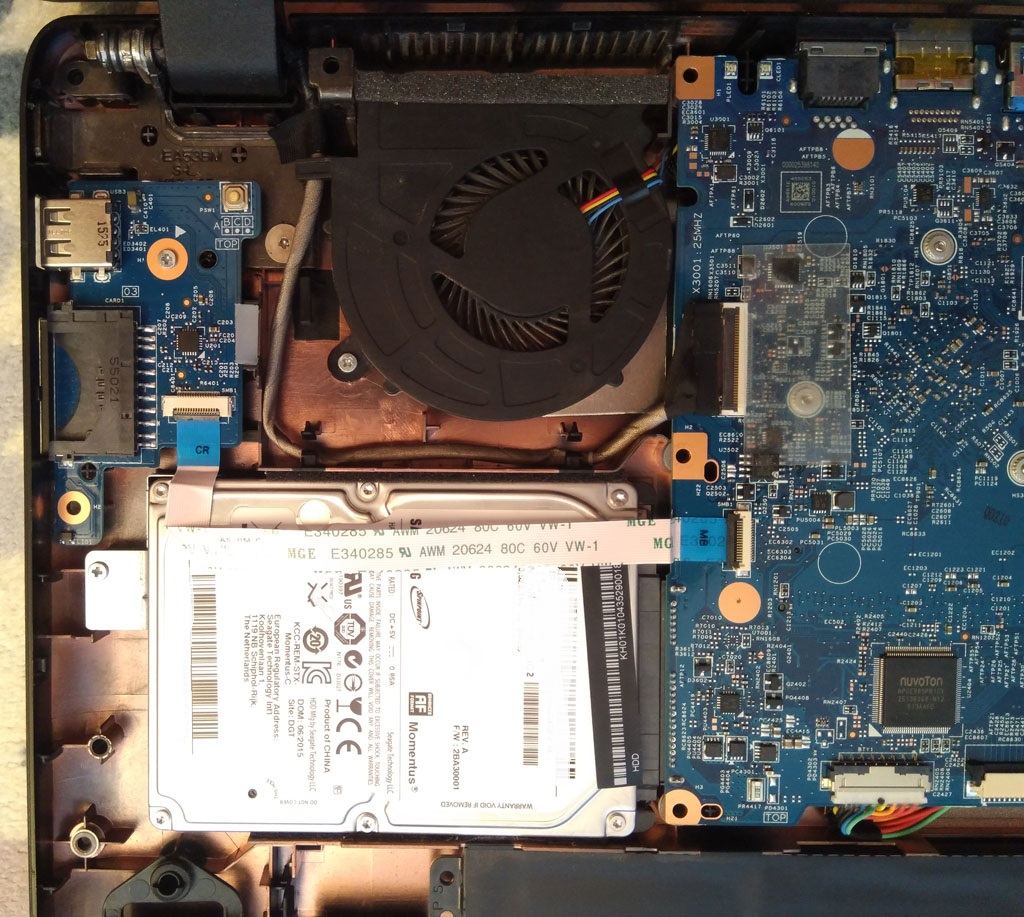
Before we even touch the damaged port, the whole laptop has to come apart. On most models, repairing a USB socket means a complete teardown: bottom cover, battery, drive, keyboard, sometimes even the display, so that we can get the board out. Only then can we put it under the microscope and the soldering iron.
That is why „replacing a USB port" is not a five-minute job, even when the soldering itself takes ten minutes. The work around it (disassembly, documenting the screws, cleaning, reassembly and testing) takes up most of the time.
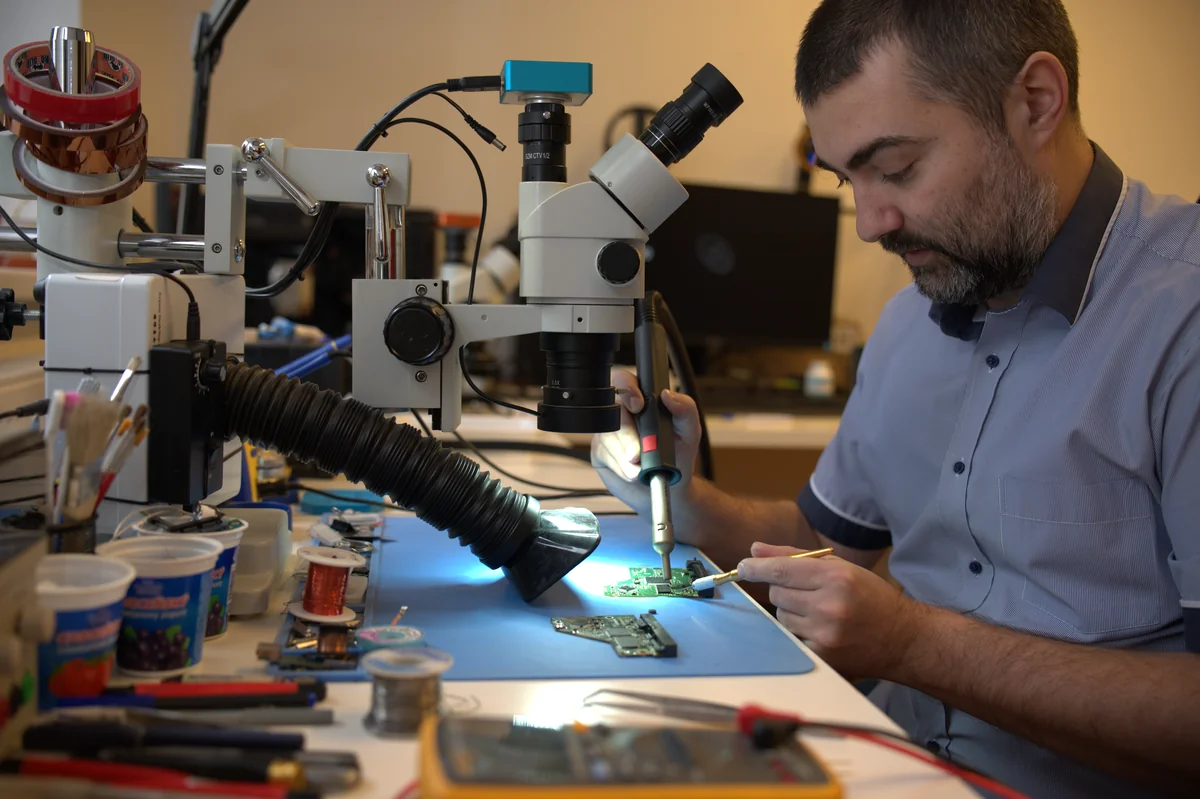
The repair: microscope, hot air, fine motor skills
The procedure that works (and that we have run the same way for years in the workshop):
- Visual inspection under the microscope. Find all the cracked joints, burnt components, broken-off traces. Without this step you solder blind.
- Measurement. Use a multimeter to verify there is no short on the 5 V rail. If there is, find where — typically a burnt-through SMD component.
- Removal of the damaged parts. Hot-air station, the right temperature (about 350 °C, low flow), flux. Gently, so as not to damage the surrounding components. If the port was previously flooded with glue or modelling clay, cleaning with flux and isopropyl is a separate extra step.
- Replacement. A new capacitor of the same value (found in the BOM or measured). For the socket, often a brand-new USB-A cage.
- Restoring the paths. If a trace is broken, a wire bridge along the route of the old trace. Insulate it with lacquer.
- Measure again. Before the first power-on — no short? Paths continuous? Only then start.
Three, two, one — start. If we measured everything correctly beforehand, the laptop boots up, the USB port responds to a flash drive, all alive and healthy. The client takes home a machine that would otherwise have given them a lot to think about (new laptop? new board? data?).
What makes things immortal today: USB-C
We originally wrote this article back in 2018, when USB-C was only just entering the mainstream. Today (2026) you’ll find USB-C in every new laptop, phone and tablet — and the EU has even made its use mandatory and unified across consumer electronics.
What USB-C has changed in our workshop:
- A symmetric connector — it goes in either way round, both orientations are correct. Half of the mechanical problems with USB-A disappear automatically.
- A sturdier mechanical anchoring — the metal cage is usually soldered to the board at four points, not just two.
- USB-PD (Power Delivery) — it can replace a laptop charger (up to 240 W). But it also means that the USB-C port’s power rail carries ten times the current compared to USB-A. When the port gets damaged, the risk is different — less mechanical damage, but more serious electrical consequences.
- Higher speed — USB4 v.2.0 can handle up to 80 Gbps, USB-C carries the DisplayPort signal for a monitor, Thunderbolt 4, and so on.
In plain terms: USB-C is taking away our classic USB-A jobs („I jammed the USB stick in backwards") — and replacing them with new ones like „damaged USB-PD charging rail" or „moisture in the USB-C port".
Corrosion problems (coffee drips, moisture in the phone) are actually more common with USB-C, because the connector is smaller and moisture easily gets in along its sides. But that’s a different story.
Recommendation for users
If you’re buying a new laptop or accessory in 2026, choose USB-C wherever you can. It’s a better standard for everyone — for the user because there’s no more hunting for the orientation, for the manufacturer because it’s a single universal port for data, video and power, and, paradoxically, for us repair people too, because it eliminates the most common mechanical damage to laptops.
And if you have an older laptop with USB-A: three rules that will save you a repair bill:
- Look before you insert. The USB-A logo is always facing up (or towards you, depending on the orientation of the port). Five seconds of looking = zero misapplied force.
- If it doesn’t go in on the first try, don’t lever it. Pull it all the way out, look again, try a different orientation.
- A USB hub instead of direct load. If you’re connecting a heavy drive or a dongle that sticks out to the laptop, use a hub with a short cable. The force then goes into the soft cable, not into the board.
And a bonus for completeness: if the port does get damaged once, don’t repair it at home. No hot-melt glue, no modelling clay, no superglue. Any of those moves an ordinary repair from a matter of hours into a job several times more demanding to clean up — and in some cases makes the repair impossible altogether.
Have a dead laptop or a damaged USB port?
In Brno we have a service laboratory with a microscope, a hot-air station and 18 years of experience in board repair. If it can be done, we’ll get the device back into operation — by microscopic repair, by replacing a component, or with a replacement board. If it can’t be done, we’ll tell you honestly and advise you on what to do with the data.
Damaged USB port or laptop? PC and laptop service Brno · +420 775 556 063
Frequently asked questions
Why is it the USB-A port that breaks most often in a laptop, and not, say, the HDMI? USB-A has no symmetric connector, so the user often inserts it by force in the wrong orientation. HDMI has a safer shape (a trapezoid) — it can’t be inserted backwards. USB-C is also safe in this respect, because it is symmetric.
Can a USB port in a laptop be replaced, or do I have to buy a new board? In most cases it’s a local repair — replacing SMD components (a capacitor, small resistors) plus a new USB cage. The cost is an order of magnitude lower than a new board. It depends on how deep the force penetrated — if the user switched the laptop on a few more times after the damage, a larger-scale short could have occurred.
How do I tell whether the USB-A port in my laptop is damaged and not just a software glitch? If the port doesn’t respond to any device (mouse, USB stick, keyboard), nothing connects in Disk Management / Device Manager, and you can physically see the socket sitting crooked — it’s mechanical. If it responds occasionally and a different cable works — it’s usually the cable. If the laptop won’t power on at all after someone pushed into the USB by force, there’s a high probability of a short on the power rail.
Is USB-C really better than USB-A for everyday use? For most users, yes. It eliminates the most common mistake (wrong orientation), handles more roles with a single cable (data, video, power), and in the EU it is now the standard for mobiles and tablets. The one minor drawback: the small connector is more sensitive to dirt and moisture — keep it clean.
Where to find us
ITHOPE is a company based in Brno, Czechia: we do data recovery from disks, RAID and NAS, PC and laptop service and IT for business, all in our own lab at Viniční 3587/216, 615 00 Brno.
Phone +420 775 556 063 (24/7 line). You can bring the device in person, or send it by courier (Zásilkovna, PPL).