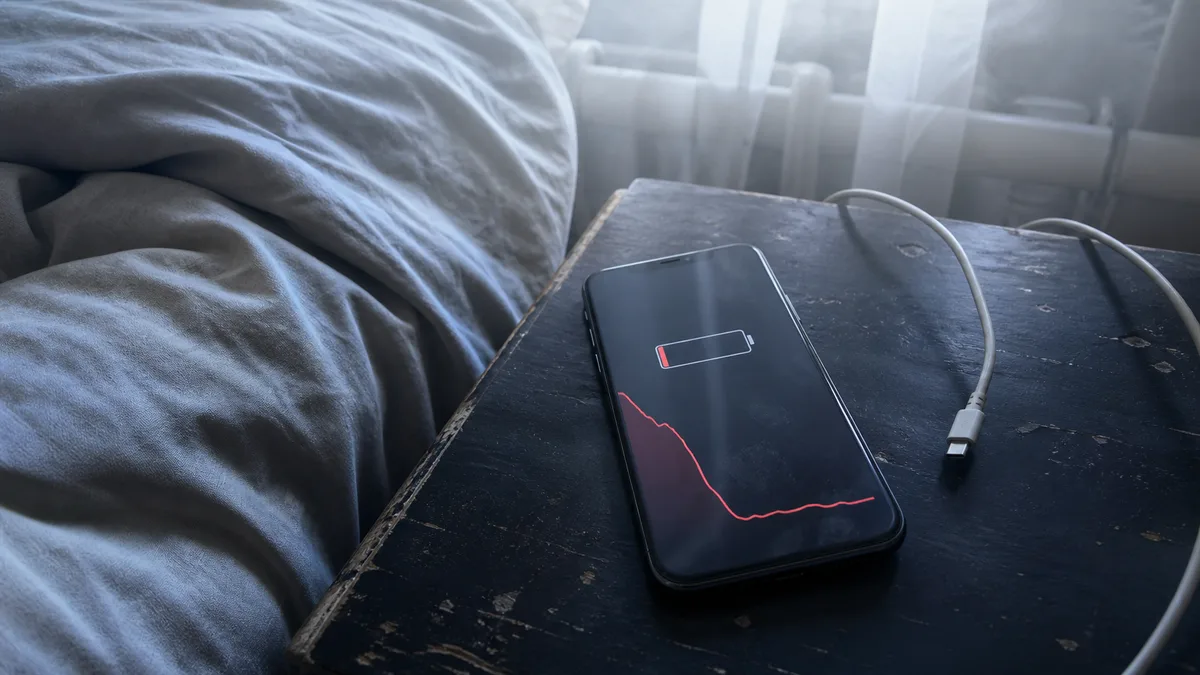
The phone is hot, the battery is down to twenty percent by the evening, and no one can say why. Forum answers range from „turn off background apps„ to „it’s the logic board—buy a new phone." Between these extremes are several checks you can perform at home in ten minutes—and one point beyond which you should stop experimenting with the phone.
Quick answer
It is normal for an iPhone to become warm during setup, restoration from a backup, completion of a major update, wireless charging, gaming, or video recording, and its temperature should fall once the activity is complete. It becomes a problem when the phone is hot while idle with no app running, loses dozens of percentage points overnight, or begins heating up after a fall or contact with liquid. At home, it is worth installing updates, checking the battery usage graph in Settings, and checking the signal. A swollen battery, a wet phone, or heat following a fall are reasons to stop charging and have the device assessed.
When warmth is normal
Apple itself lists situations in which a warmer device is expected: initial setup, restoration from a backup, completion of a software update—especially a major new release—wireless charging, demanding apps, games, camera use, and high-quality video streaming. These conditions are normal, and the temperature should fall once the activity is complete.
This also covers one of the most common questions after an update. Since iOS 18, the system has displayed information such as Ongoing iOS Update or Ongoing Device Setup under Settings → Battery, indicating that background activity is temporarily affecting battery life and thermal performance. Apple recommends waiting a few days after an update and then checking battery life again.
The operating temperature range is also clearly defined: an ambient temperature of 0 to 35°C, storage at −20 to +45°C, and an explicit recommendation not to leave the phone in a car, where temperatures can easily exceed this range. Using the phone in extremely hot conditions can permanently reduce battery capacity.
When the phone overheats, it protects itself: charging slows down or stops, the display dims or goes black, the mobile signal may weaken, the flash and some camera features are temporarily disabled, and performance decreases. While navigation is running, the phone may display „Temperature: iPhone needs to cool down before you can use it," turn off the display, and continue providing spoken directions only. According to Apple, emergency calls should still work from the temperature warning screen.
When it is not normal
| What is happening | Usual cause | First step |
|---|---|---|
| Hot while lying idle on a table, with no app running and not charging | background process or hardware | check the graph under Settings → Battery; if it keeps happening after a restart and update, arrange diagnostics |
| Drops from one hundred to forty percent overnight without any change in use | background activity, poor signal, or the battery | check daily usage and signal strength |
| Heats up while charging and the display frame is lifting | battery | stop charging, turn it off, and take it in for repair |
| Turns off despite having sufficient charge, particularly in cold conditions | battery nearing the end of its life | check the Battery Health screen |
| Heats up after a fall or contact with liquid | logic board, connector, or sensors | do not charge it, allow it to dry, and arrange diagnostics |
| Heats up and drains faster only after being repaired elsewhere | replacement part | make a warranty claim with the repair provider |
The last row is often overlooked, even though Apple addresses it directly: one possible symptom of a non-genuine display is unintended battery drain. A phone that only started running out of power by the evening after a display replacement may therefore not have a faulty battery. The article why an iPhone displays „Unknown Part" after a repair explains what the phone itself reports about replaced components.
What to try at home
Proceed from the least expensive and lowest-risk option:
- Update iOS. Apple lists this as the first step for rapid battery drain, and it genuinely resolves some cases.
- Wait a few days after a major update. Under Settings → Battery, check whether Ongoing iOS Update or Ongoing Device Setup is displayed. There is little point in measuring battery life while that information remains visible.
- Read the daily usage graph. Settings → Battery compares today’s consumption with the average for the previous seven days and shows the three apps that have used the most power today. You can open details for each app to see the reason—background activity, no mobile coverage and low signal, or notifications. This is the quickest way to distinguish between „the phone is faulty„ and „the phone spent all day searching for a signal."
- Address signal problems. Wi-Fi consumes less power than a mobile network. In a large building, basement, or rural location where the phone has to transmit at full power, connecting to Wi-Fi can help. If you know you will be without a signal for an extended period, use Airplane Mode. The iPhone 12 and later, as well as the iPhone SE (3rd generation), offer 5G Auto, which switches to LTE when 5G provides no benefit.
- Rule out environmental heat. Remove the case, place the phone in the shade, and stop charging it. A dashboard mount in direct sunlight with navigation running is Apple’s textbook example, not an exceptional case.
- Restart the phone. It may sound basic, but it can resolve a stuck background process.
- Check Battery Health. On the iPhone 15 and later, Settings → Battery → Battery Health also shows the cycle count and first-use date. On the iPhone 11 through 14 and the SE, it shows maximum capacity and peak performance capability.
Low Power Mode is a workaround, not a solution. If the phone can only last through the day with it enabled, the underlying problem remains.
When to stop charging
At this point, the issue is no longer battery life but safety. Stop charging and turn off the phone if:
- the battery has swollen—the display frame is lifting, the phone rocks when placed on a table, or the rear glass is separating. Do not force the display back into place, and never puncture the cell.
- the phone is too hot to hold comfortably, even though no demanding task is running.
- the phone has been splashed or become wet. Apple is clear on this point: disconnect all cables and do not charge it until it is completely dry, as charging or using accessories with a wet iPhone can damage it. Apple recommends waiting at least five hours before charging through the connector.
- the phone reports that liquid has been detected in the connector. It blocks charging to protect both itself and the accessory. Leave it for at least a day in a dry, well-ventilated place; complete drying may take up to 24 hours.
Apple also explicitly warns against three things: do not dry the phone using an external heat source or compressed air, do not insert cotton buds or paper towels into the connector, and do not put the phone in a bag of rice—small particles could damage it.
If the phone will not charge and water is not involved, check the inexpensive causes first: the cable, adapter, and port. These are covered in iPhone not charging: when it’s the cable and when it’s something worse.
An ageing battery or the logic board?
You can distinguish between them by the phone’s behaviour, not by how it feels.
Battery. As a battery ages, the cell’s internal resistance increases. During peak demand—freezing conditions, video recording, or navigation at maximum brightness—the voltage drops below a safe threshold, and the system turns the phone off to protect its electronics. Typical symptoms include sudden drops in the displayed percentage, shutdowns in cold conditions or under load, and the percentage rising again after the charger is connected. If the Battery Health screen also reports that the iPhone experienced an unexpected shutdown and performance management was applied, or warns that battery health is significantly degraded, the likely cause is clear.
Logic board. This category includes cases following a fall or exposure to liquid. The symptoms are usually different: the phone is hot even while idle, continues draining at the same rate after a restart and update, a specific area—around the camera or connector—becomes warm, and the usage shown in the daily graph cannot be attributed to any app. The phone may also stop charging or lose its signal.
The answer should come from diagnostics, not guesswork. A logic board fault also raises different questions about the scope of repair than a component replacement, and repairing an older phone may not be economical. In such cases, the findings come first and the price follows.
How the model affects the decision
The model number is under Settings → General → About → Model Number; devices sold in the Czech Republic fall under Apple’s „other countries and regions" group. The article how to identify the exact Apple device model before requesting a quote explains why the product name alone is not enough.
| Model (year) | Model number for the Czech Republic | Where to start |
|---|---|---|
| iPhone 12 / 12 mini (2020) | A2403 / A2399 | After six years of use, the battery is the first suspect once you have checked the usage graph. |
| iPhone 13 / 13 mini (2021) | A2633 / A2628 | Check the software and signal first, then the battery. The system does not show the cycle count. |
| iPhone 14 (2022) | A2882 | The same applies; if the phone has been dropped or exposed to water, arrange diagnostics rather than replacing the battery immediately. |
| iPhone 15 (2023) | A3090 | You can see the cycle count and first-use date directly under Settings → Battery → Battery Health. |
| iPhone 16 (2024) | A3287 | This is a relatively new device; before replacing anything, check the coverage and have the fault diagnosed. |
| iPhone SE (2nd / 3rd generation) | A2296 / A2783 | A smaller body with a 4.7″ display. Navigation in direct sunlight and gaming heat it up just as they do larger models. |
The years indicate when each product line was introduced, not when the individual phone was purchased.
What to prepare for the repair shop
Diagnostics are quicker when you provide specific observations instead of simply saying, „the battery drains":
- When it happens—while idle, charging, outdoors, after an update, or after a repair.
- When it began and whether anything preceded it, such as a fall, water exposure, display replacement, or a new app.
- Screenshots of the graph under Settings → Battery and the Battery Health screen.
- The model number.
- A current backup in iCloud or on a computer. A phone that keeps turning off may eventually stop starting altogether—and we do not provide mobile phone data recovery, so no one can create that backup retrospectively.
We accept out-of-warranty hardware repairs for the iPhone 12 and later on a pilot basis. After diagnostics, we will confirm the available repair options for the specific device using its model number. We are not, and do not claim to be, an Apple Authorised Service Provider. For advice on choosing a repair shop, see where to have an iPhone repaired in Brno, and for typical repair times, see how long an iPhone, MacBook, or iPad repair takes. You can arrange an inspection through our contact page or by calling 774 777 774—just provide the model number and describe when the phone becomes hot.
Frequently asked questions
My iPhone 13 is hot even while idle—is it the battery?
Not necessarily. Heat while idle with no app running is more likely to indicate a background process or a hardware problem. Start by checking the graph under Settings → Battery and updating the system. If the issue persists after a restart and update, the phone needs diagnostics rather than an immediate battery replacement.
Is it normal for an iPhone 15 to become warm on the first day after setup?
Yes. Apple lists initial setup, restoration from a backup, and an update completing in the background as normal situations. The phone may be warmer and have shorter battery life during this period. It should return to normal once the activity is complete.
Can I charge an iPhone that fell into water?
No, not until it is completely dry. Disconnect all cables, leave the phone in a dry, well-ventilated place, and wait at least five hours before charging through the connector. If the phone reports detected liquid, wait a full day if necessary. Do not use a hairdryer or rice.
Will turning off background apps help?
Sometimes, but it is a blind alley if you have not checked the daily usage graph first. The graph shows whether consumption was caused by a particular app, poor signal, or notifications, allowing you to address the actual cause.
Will you replace the battery in my iPhone 12 if it drains quickly?
We will accept an iPhone 12 for diagnostics. Whether a battery replacement is the right solution depends on the symptoms and what the Battery Health screen shows. We will confirm component availability and pricing for the model number after diagnostics. If the phone has been dropped or exposed to water, we first need to determine whether the problem lies elsewhere.
Can you recover data from a phone that keeps turning off?
No. We do not provide mobile phone data recovery, either as a standalone service or as an add-on to a repair. The only reliable safeguard is an iCloud or computer backup created while the phone is still working.
Sources
- Apple: If your iPhone or iPad gets too hot or too cold
- Apple: If the battery in your iPhone or iPad drains too quickly
- Apple: iPhone battery and performance
- Apple: Charging and maintaining your iPhone battery
- Apple: About splash, water and dust resistance of iPhone 7 and later
- Apple: If you see a liquid-detection alert on your iPhone
- Apple: About genuine iPhone displays
- Apple: Identify your iPhone model
Where to find us
ITHOPE is a company based in Brno, Czechia: we do data recovery from disks, RAID and NAS, PC and laptop service and IT for business, all in our own lab at Viniční 3587/216, 615 00 Brno.
Phone +420 775 556 063 (24/7 line). You can bring the device in person, or send it by courier (Zásilkovna, PPL).