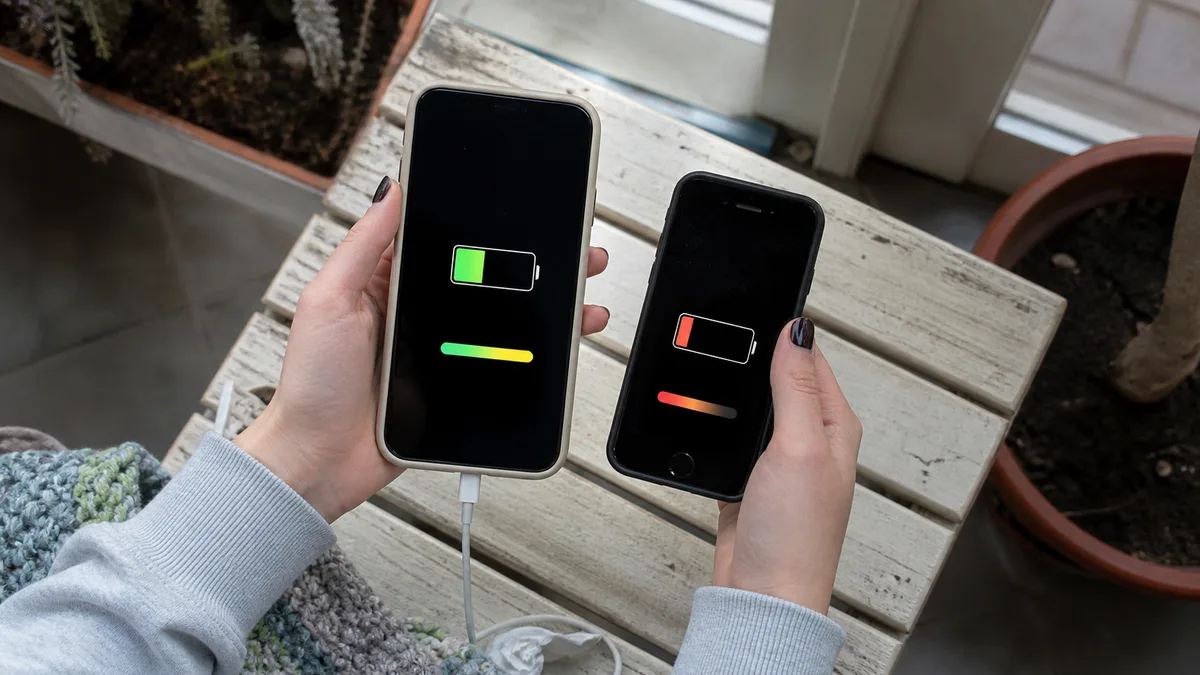
The number on the Battery Health screen can cause more panic than the phone itself. Some people check the percentage every week, while others are surprised when a new battery does not show 100%. And then there are those whose battery data disappears completely after a repair. All three situations have a simple explanation—but only if you understand what that screen is actually measuring.
Quick answer
The maximum capacity percentage compares the battery’s current capacity with its original capacity. It does not tell you how many hours the phone will last with your usage. The charge cycle count appears directly in Settings only on the iPhone 15 and newer models running iOS 17.4 or later; you will not find it in the system on the iPhone 11 through 14 or the SE. If Battery Health says that the phone is unable to verify a genuine Apple battery, the percentage is no longer useful—Apple itself says that battery health information for an unverified battery may be inaccurate. Replacement makes sense when the symptoms point to the battery; it will not explain a phone that overheats while idle or loses charge overnight.
Where to find the numbers—by model
The path differs between generations, and Apple has used two names for it in the Czech localization, so you may encounter both in guides:
| Model | Path in Settings | What you will see |
|---|---|---|
| iPhone 15 and newer (iOS 17.4+) | Battery → Battery Health | maximum capacity, replacement recommendation, cycle count, manufacture date, date of first use |
| iPhone 11, 12, 13, 14 | Battery → Battery Health & Charging | maximum capacity and peak performance capability |
| iPhone SE (2nd and 3rd generation) | same as the iPhone 11 through 14 | maximum capacity and peak performance capability |
It is the same place, just a different translation of the same menu item. If you are looking for a cycle counter on an iPhone 13, you can scroll as much as you like—it simply is not there.
Whichever model you have, it helps to know the model number before requesting a repair: Settings → General → About → Model Number. The procedure and the reason why the product name alone is not enough are explained in how to identify the exact Apple device model before requesting a quote.
Maximum capacity: what it measures and what it does not
Maximum capacity shows the battery’s capacity compared with when it was new. Eighty-five percent therefore means that the cell can hold fifteen percent less energy than it could on the day it was manufactured—and nothing more.
Two things this number does not tell you:
How many hours the phone will last. Battery life depends on what you do with the phone. A salesperson using email and a calendar may get through the entire day at eighty percent capacity; a technician using navigation, photographing jobs, and sharing a hotspot may be looking for a socket after lunch—and would do so even with a battery at one hundred percent.
That a new battery must show one hundred percent. Apple explicitly states that, depending on the time between the iPhone’s manufacture and activation, the capacity may show slightly less than 100%. A recently replaced battery showing 98% is therefore not, by itself, grounds for a complaint.
Alongside capacity, the same screen shows another value—peak performance capability. This describes the battery’s ability to deliver current on demand. As the battery ages, the cell’s internal resistance increases, voltage drops under peak load, and the system may shut the phone down to protect its electronics. This is the source of the classic complaint: „It switched off at forty percent in freezing weather."
Cycles: why only the iPhone 15 shows them
One charge cycle does not mean a single charge from zero to one hundred. Apple defines it as using an amount of energy equivalent to 100% of the battery’s capacity, with a complete cycle normalized to 80–100% of the original capacity to account for gradual degradation. Someone who charges twice a day from sixty percent will use fewer cycles than they might expect.
Why this matters when making a decision:
- According to Apple, batteries in iPhone 14 and earlier models are designed to retain up to 80% of their original capacity after 500 complete charge cycles under normal use.
- Batteries in iPhone 15 and newer models are designed to reach the same threshold after 1,000 cycles.
On the iPhone 15 and newer, you can also see the manufacture date and date of first use alongside the cycle count. Incidentally, this is the quickest way to check a second-hand phone: a device presented as one year old but showing hundreds of cycles tells its own story.
The iPhone 12, 13, 14, and both SE models lack a cycle counter, so the decision must be based on maximum capacity, on-screen messages, and how the phone behaves.
What the messages on the Battery Health screen mean
This is the section most people skip—even though it is more informative than the percentage:
| What the phone says | What it means |
|---|---|
| „Your battery is currently supporting normal peak performance." | Everything is normal; performance management is not active. |
| „This iPhone has experienced an unexpected shutdown because the battery was unable to deliver the necessary peak power…" | The phone has already shut down unexpectedly once, and performance management has been enabled. |
| „Your battery’s health is significantly degraded." | Apple recommends replacement to restore performance and capacity. According to Apple, this is not a safety issue, and the phone can still be used. |
| „Unable to verify this iPhone has a genuine Apple battery. Health information not available for this battery." | The battery could not be verified—do not trust the numbers on this screen. |
| The word Service next to Battery Health | Consider replacing the battery. |
Beware of one common misconception: a slow phone alone is not evidence of a battery problem. Performance management activates only after an unexpected shutdown, and the phone will say so on this screen. If that message is not there, something else is slowing the phone down.
Unverified battery: why the numbers become unreliable after replacement outside an authorized channel
According to Apple, genuine batteries are designed to report both their state of charge and overall health to the system. If the battery cannot be verified, Apple states it plainly: battery health information may be inaccurate. This message applies to the iPhone XS, XS Max, XR, and newer models.
The practical impact is more inconvenient than it might seem. You do not lose a working phone—you lose the only number that can help you make the next decision. A year later, you will not know whether shorter battery life is caused by the battery or by something else because there will be no reliable figure to compare.
The replacement is also recorded in Parts and Service History (Settings → General → About → Parts and Service History). Battery information appears there on the iPhone XR, XS, and newer—and, unlike display information, it is shown on the 2nd- and 3rd-generation iPhone SE as well. Until configuration of a supported genuine part is completed, the part is marked Finish Repair. The meaning of each status and why „Unknown Part" is not automatically proof of a counterfeit are explained in a separate article, why an iPhone says „Unknown Part" after a repair.
This leaves one question worth asking before a repair: what will appear in Parts and Service History after the replacement, and whether Battery Health will continue to be displayed. „It will work" does not answer that question.
When replacement will help—and when it will not
A battery is the answer to one group of symptoms, not all of them. It helps to separate them before taking the phone anywhere:
Signs that point to the battery:
- sudden percentage drops that reverse after connecting the charger,
- shutdowns under load or in cold conditions even though the indicator shows sufficient charge,
- significantly shorter battery life without any change in how the phone is used,
- a degraded-health message or the word Service on the Battery Health screen.
Signs that do not point to the battery:
- the phone is hot while idle, with no app running and no charger connected,
- battery drain during the first few days after a major update—Apple shows Ongoing iOS Update and Ongoing Device Setup information directly in Settings → Battery and states that battery life will return to normal once the activity is complete,
- battery drain in an area with a weak signal, where the transmitter has to operate at full power,
- shorter battery life after a display replacement elsewhere—Apple says that a nongenuine display can also cause unintended battery drain.
In other words, before replacing the battery, review the daily usage chart in Settings → Battery. It shows the three apps with the highest energy use that day and the reason for each—background activity, weak signal, or notifications. If the explanation is there, replacing the battery will not remove it. We examine the decision between replacing the battery and replacing the entire phone when capacity falls below 80% in more detail in what to do when iPhone battery health falls below 80%.
How the decision varies by model
| Model (year) | Model number for the Czech Republic | What to consider when deciding |
|---|---|---|
| iPhone 12 / 12 mini (2020) | A2403 / A2399 | Six years in service; wear becomes noticeable first on the 12 mini because it has the smallest body in the range. The key question is whether the battery is the only fault. |
| iPhone 13 / 13 mini (2021) | A2633 / A2628 | The most common candidate for replacement—the phone still has years of life ahead, but the cycle count is not available in the system. |
| iPhone 14 (2022) | A2882 | The same applies as with the 13; a worn battery alone is not a reason to replace the phone. |
| iPhone 15 (2023) | A3090 | The cycle count and date of first use are shown directly. Check coverage first and only then consider repair. |
| iPhone 16 (2024) | A3287 | A relatively new device; start with coverage and diagnostics, not part replacement. |
| iPhone SE (2nd / 3rd generation) | A2296 / A2783 | Capacity is shown, but the cycle count is not. Unlike the display, however, the battery does appear in Parts and Service History. |
The years refer to when each product line was introduced, not when a particular phone was purchased. For newer devices, first check whether the issue is covered—the options are easily confused, and their differences are explained in warranty, AppleCare, or out-of-warranty Apple repair in Brno. AppleCare+ is not officially sold in the Czech Republic, so an existing plan will usually have been purchased in another country and be governed by that country’s terms.
When the number should not determine your decision
A swollen battery, a lifting display frame, a gap between the display and the body, or separating rear glass—these are not situations where you weigh the economics of a repair. Stop charging the phone, do not force the display back into place, switch the phone off, and have it assessed. The same applies if the phone becomes so hot while charging that it cannot be held comfortably.
Prevention is dull, but it works. Apple gives 16–22°C as the ideal ambient temperature and warns that using and charging a device above 35°C can permanently reduce battery lifespan. A dashboard mount in summer, direct sunlight, and wireless charging are therefore the quickest way to lose capacity in a single season—and that capacity cannot be restored.
Before replacing the battery
- Create a backup in iCloud or on a computer. A standard replacement does not erase data, but diagnostics may uncover another fault—and we do not provide mobile phone data recovery, so no one can replace a missing backup for you.
- Note the current capacity and the exact wording shown on the Battery Health screen.
- Have the model number ready and describe when the percentage drops occur.
- Ask in advance which part will be used, what will appear in Parts and Service History, and whether Battery Health will remain available.
- Do not give the repair shop your passcode for a battery replacement—we do not ask for it and do not access the contents of your phone.
We currently handle out-of-warranty battery replacements for the iPhone 12 and newer on a pilot basis, and we confirm the scope for each device after diagnostics using its model number; we are not, and do not claim to be, an Apple Authorized Service Provider. iPhone battery replacement in Brno explains the replacement procedure step by step, while how long an iPhone, MacBook, or iPad repair takes summarizes the usual turnaround time. You can arrange an inspection and appointment through our contact page or by calling 774 777 774—all we need is the model number and a photo of the Battery Health screen.
Frequently asked questions
Do you replace batteries in the iPhone 13?
We accept the iPhone 13 for diagnostics. Whether replacement makes sense depends on the battery’s condition, the messages on the Battery Health screen, and whether the battery is the phone’s only fault. We confirm part availability and price by model number after diagnostics.
Where can I find the cycle count on an iPhone 14?
Nowhere in the system. The charge cycle count appears in Settings only on the iPhone 15 and newer models running iOS 17.4 or later. On the iPhone 11 through 14 and the SE, you must rely on maximum capacity and the phone’s behavior.
Why did Battery Health disappear after my battery was replaced?
Because the battery could not be verified. In this situation, the phone says that it is unable to verify a genuine Apple battery, and Apple itself states that the battery’s health information may be inaccurate. After a completed replacement using a supported genuine part, Battery Health is displayed normally.
Is 80% the point at which the phone must be replaced?
No. It is the capacity the battery is designed to retain after 500 cycles on the iPhone 14 and earlier and after 1,000 cycles on the iPhone 15 and newer. By itself, it indicates neither a fault nor the end of the phone’s useful life.
A new battery shows 98%—is it faulty?
Not necessarily. Apple states that, depending on the time between manufacture and activation, capacity may show slightly less than 100%. Pay more attention to the phone’s behavior and the messages on the Battery Health screen.
Will the phone last as long as new after a battery replacement?
It will last as long as a new battery can support your usage. However, if the phone was losing charge because of a background process, a weak signal, or a nongenuine display, replacing the battery will not remove that cause.
Sources
- Apple: iPhone battery and performance
- Apple: About the battery and performance of iPhone 11 and later
- Apple: About genuine iPhone batteries
- Apple: iPhone parts and service history
- Apple: If your iPhone or iPad battery drains too quickly
- Apple: Charging and maintaining your iPhone battery
- Apple: Identify your iPhone model
Where to find us
ITHOPE is a company based in Brno, Czechia: we do data recovery from disks, RAID and NAS, PC and laptop service and IT for business, all in our own lab at Viniční 3587/216, 615 00 Brno.
Phone +420 775 556 063 (24/7 line). You can bring the device in person, or send it by courier (Zásilkovna, PPL).