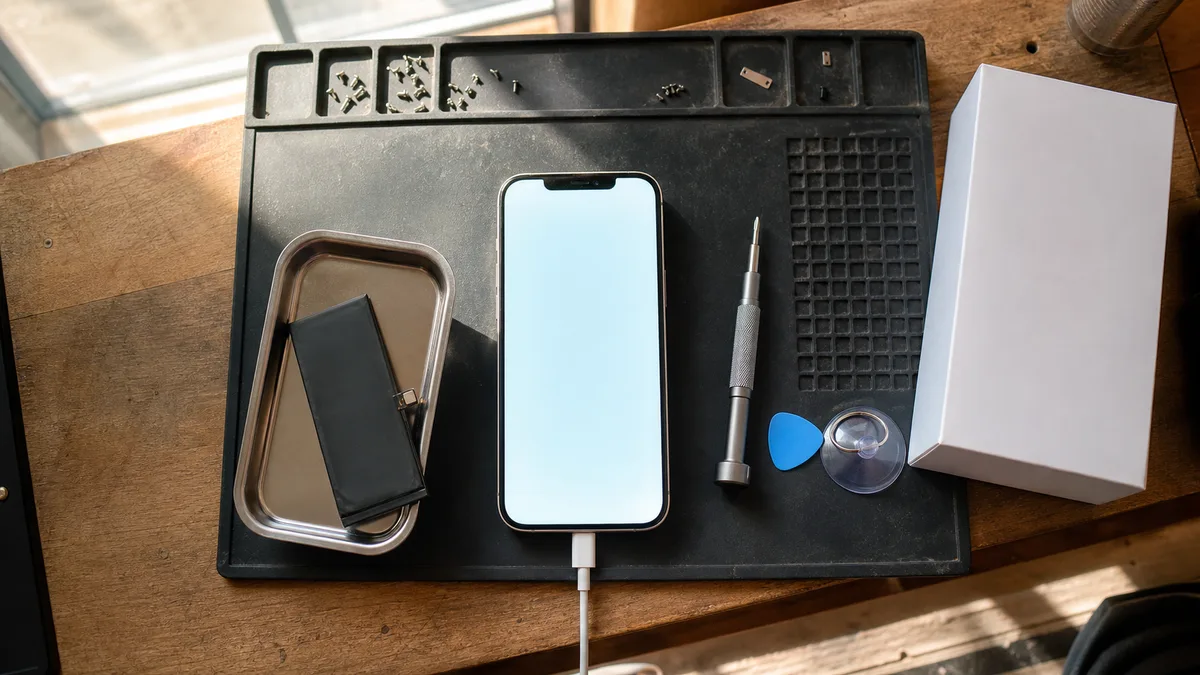
The short answer: Eighty percent is Apple’s service threshold, not the phone’s expiry date. If battery life is the only problem and the display, connector, and storage are all fine, replacing the battery in an iPhone 12 through 15 is worthwhile. It saves you the trouble of transferring data, signing in again, and re-enrolling the device in management systems—tasks that cost a business more than the part itself. A new phone makes sense when the worn battery is accompanied by another fault, insufficient storage, or an app the model can no longer handle.
What Does the 80% Figure Actually Mean?
You can find the value under Settings → Battery → Battery Health & Charging, in the Maximum Capacity field. It compares the cell’s current capacity with the capacity it had when new. A reading of 79% therefore means the battery holds one-fifth less energy than it did on the day of purchase. Nothing more, nothing less.
Why eighty percent? It is the threshold Apple uses as a service criterion. Batteries in the iPhone 14 and earlier are designed to retain up to 80% of their original capacity after 500 complete charge cycles under normal use; for the iPhone 15 and later, Apple specifies 1,000 cycles. Two different types of coverage must be distinguished here: valid AppleCare+ coverage—which is not officially sold in Czechia, although devices may have coverage purchased abroad—includes free battery service under Apple’s terms once capacity falls below 80% of the original specification. This does not automatically apply under the standard limited warranty. That warranty does not cover normal wear, and a free replacement is only possible for an accepted manufacturing defect, not merely because capacity has declined. Once coverage ends, the figure is simply an indication of the part’s condition—not an instruction to buy a new phone.
What the figure tells you nothing about is how many hours the phone will last in your particular working conditions. Two identical iPhones with the same battery health can behave differently. A sales representative who uses the phone for email, a calendar, and a few calls can usually get through the whole day at 79%. A service technician who runs navigation, photographs jobs, shares a hotspot with a laptop, and spends the afternoon on a video call may be looking for a power outlet before lunch—and would still be looking for one with a battery at 100%, only somewhat later.
On the iPhone 15 and later with iOS 17.4 or newer, Settings → Battery → Battery Health also shows the cycle count, manufacturing date, and date of first use. Older models do not show this information in Settings; there, you have only maximum capacity and the phone’s actual behaviour to go by.
When Is the Battery to Blame, and When Is It Something Else?
An ageing cell has higher internal resistance. When peak current is required—during freezing weather, video recording, or navigation with the display at full brightness—the voltage can drop below the safe limit, and iOS shuts down the phone even if the indicator still reads 40%. These symptoms reliably point to the battery:
- sudden percentage drops (from 60% to 20% within moments), followed by the percentage rising again when the charger is connected,
- shutdowns under load or in cold conditions, typically outdoors in winter or inside an unheated vehicle,
- significantly shorter battery life without any change in usage—not immediately after the user receives a new app for scanning delivery notes.
A slower phone alone, however, is not evidence of a battery problem. After an unexpected shutdown, iOS enables performance management and states this directly on the Battery Health screen. If that message is not there, performance management is not slowing down your phone. Similar symptoms can be caused by full storage, a background process running after a recent update, or a weak signal. In a warehouse, basement, or metal-clad building, the transmitter runs at full power, draining the battery even while the display is locked.
It is also worth considering where capacity is lost most quickly. Apple specifies an operating range of 0–35°C, and charging in hot conditions can permanently damage battery capacity. A classic business scenario is a dashboard mount in summer: direct sunlight, wireless charging, and navigation all at once. The phone does not break; it simply ages by two years in a single season. If an entire fleet is used this way, the solution is not a better battery but a mount away from direct sunlight and a cable instead of inductive charging.
A Swollen Battery Is a Different Matter Entirely
Is the display frame lifting, does the phone rock on a flat surface, or is the rear glass separating? Stop charging it, do not force the display back into place, and never puncture the cell. Switch the phone off and have it assessed. This is no longer a question of repair economics, but of safety.
Decision Table by Model Range and Age
The age is approximate and based on the year the model range was introduced—a particular device may have been purchased later.
| Model range (introduced) | Age in 2026 | Battery replacement makes sense | Better to buy a new phone |
|---|---|---|---|
| iPhone 11 and earlier (2019 and earlier) | 7 years or more | only through a repair service that clearly states in advance that the part cannot be finalised through Repair Assistant | as soon as another issue appears—display, connector, or insufficient storage |
| iPhone 12 / 12 mini / 12 Pro (2020) | about 6 years | if battery life is the only problem; wear becomes apparent earliest on the 12 mini because it has the smallest cell in the range | when the display or connector also needs attention, or the basic 64 GB is no longer enough |
| iPhone 13 (2021) | about 5 years | in most cases, yes, provided the display, cameras, and connector work | if there are several independent faults or you need a different size or more storage |
| iPhone 14 (2022) | about 4 years | usually yes—a worn battery alone is not a reason to replace the whole phone | after a serious fall, liquid damage, or when several faults occur at once |
| iPhone 15 (2023) | about 3 years | yes, but check the warranty and AppleCare+ first | replacing the entire phone solely because of the battery does not make financial sense |
| iPhone 16 and later (2024 onward) | usually up to 2 years | first follow the outcome of a warranty or authorised assessment | battery replacement makes sense only when wear or a fault has been confirmed |
For a phone purchased by a business, check the specific contractual terms. A purchase made using a company registration number is not a consumer purchase, so you cannot automatically rely on the same rights you would have as a private customer—the seller’s contract applies.
The Hidden Costs of a New Phone
The price of the new device is only part of the bill. In a business, you must also add work that nobody invoices but somebody still has to perform: transferring job data and photos, signing into Microsoft 365 or Google Workspace, reactivating banking apps, moving the authenticator and re-enrolling multi-factor authentication—which is by far the most common place for someone to lose half a day—setting up a VPN profile, installing signing certificates, enrolling the device in management systems, and disabling Activation Lock on the old phone. Synchronisation is not a substitute for a separate backup either; the practical fundamentals are covered in the 3-2-1 rule for business backups.
Replacing the battery avoids all of this. The environment stays as it was, and the user does not have to sign back into everything the next day.
The opposite case is a repair that merely postpones the inevitable. If a phone has a worn battery, a cracked display, a connector that only holds the cable at one angle, and a full 64GB storage drive, these are not four small repairs—they add up to one new phone.
What Has Changed in Repairs: Repair Assistant and Genuine Parts
Since autumn 2024 and the release of iOS 18, a supported genuine part in the iPhone 12 and later can be calibrated directly on the phone using Repair Assistant („Průvodce opravami" in Apple’s Czech documentation). The repair is finalised under Settings → General → About → Parts & Service History, without requiring a visit to Apple. Apple requires the current version of iOS, Wi-Fi, and a battery charge above 20% to complete the process. The phone must be unlocked, so the customer performs the final step on their own device. Once successfully completed, the part is recorded as genuine and battery health continues to be displayed normally.
The second change is the Genuine Parts Distributor programme, launched by Apple in 2025. It allows independent repair providers without Apple certification to purchase genuine parts. For the Czech Republic, Apple lists MobileSentrix and Mobileparts.shop as distributors.
What this does not mean is that such a repair shop becomes an authorised service provider. Warranty repairs may only be performed by Apple or an Apple Authorised Service Provider (AASP). We perform out-of-warranty repairs exclusively and do not claim to be authorised by Apple.
As part of a pilot service, we accept out-of-warranty battery replacements for the iPhone 12 and later. In practice, this most commonly means the iPhone 12 through 14 ranges, as newer phones are often still covered by a warranty or AppleCare+. We do not accept the iPhone 11 and earlier: the current Repair Assistant process does not support them, and batteries for these models are not available through the genuine-parts distribution programme. We quote the price in advance following diagnostics and do not yet have a fixed public price list for this service, as the cost depends on the model, the phone’s condition, and the type of part. You can bring the phone to our Apple device repair service in Brno, along with the laptop that has been overheating for the past two months.
Genuine, Aftermarket, or Used Cell
Before ordering a repair, do not ask only about the battery’s brand. Ask what will appear in Parts & Service History after the replacement and whether the repair provider will complete the repair process.
| What they install | Parts & Service History | Battery health | What to ask |
|---|---|---|---|
| New genuine part finalised through Repair Assistant | recorded as a genuine Apple part | continues to be displayed normally | where the part comes from and whether the repair will be fully completed on the phone |
| Aftermarket battery | „Unknown Part" | may not be shown, or may appear only with a warning that its accuracy cannot be verified | the manufacturer, the repair provider’s warranty, and written information about what will remain displayed on the phone |
| Used genuine part from another phone | depends on the model; do not expect it to be recognised on ranges earlier than the iPhone 15 | uncertain | why they are installing a cell with an unknown history |
Apple does not actively disable an aftermarket battery—the software pairing of individual parts mainly concerns components involved in Face ID and Touch ID. The phone will, however, show „Unknown Part" in Parts & Service History, a notification will also appear on the Lock Screen after the repair, and the entry in Parts & Service History will remain permanently. A reputable repair provider will explain this in advance, not after the customer notices it independently.
Avoid offers that rely solely on labels such as „premium,„ „OEM quality," or „like the original." These terms do not tell you who made the part or what the phone will display after installation.
Seven Questions to Have Answered in Writing
- Is the battery a new genuine part, an aftermarket part, or a used genuine part?
- Will you finalise the repair through Repair Assistant?
- What will appear in Parts & Service History after the repair?
- Will battery health continue to be displayed?
- What warranty applies to the part, and what warranty applies to the labour?
- What happens if diagnostics reveal another fault—will you call me, or proceed with the repair?
- How long will the phone be out of service?
You can judge the answers to questions five and six by whether they fit into one clear sentence or arrive as a paragraph full of caveats.
Data, Backups, and Access Before Handing Over the Phone
A battery replacement does not require anyone to look at your emails, photos, or documents. A repair provider does not need—and should not request—your Microsoft 365, Google Workspace, online banking, or Apple Account password. You do not give us your unlock passcode either. After installation, you run Repair Assistant yourself on the unlocked phone, or we complete it together when you collect the device. Do not disable Find My automatically. If a specific service procedure genuinely requires it, we will first explain why, and you will disable it yourself.
Make a backup beforehand, even for a routine repair. The battery may be only one of several faults, and no repair provider can promise that a device with an unknown repair history will restart under all circumstances. We do not provide mobile data recovery—we accept the phone without access to its data and without promising that anything can be retrieved from it.
Before handing over the phone, note its model, storage capacity, current battery health, and any visible damage. For a company device, verify who has access to the Apple Account, two-factor authentication, and device management. If that person is a former colleague or the account belongs personally to an employee, you will have a worse problem after the repair than the battery itself. This exact situation is covered by our checklist for handing over company IT after an administrator leaves. Keeping records of devices, accounts, and battery lifecycles is among the tasks we handle as part of ongoing IT management; in a business with ten phones, it is difficult to keep track of everything without it.
Frequently Asked Questions
Is 79% Battery Health Dangerous?
The number itself is not dangerous. It simply means you are below Apple’s service threshold and the phone is less able to handle peak power demands. Physical signs are dangerous: swelling, a lifting display, or excessive heat while charging. At that point, repair economics no longer matter and the phone must be taken out of service immediately.
Will Battery Health Return to 100% After Replacement?
With a new genuine part finalised through Repair Assistant, battery health is displayed normally and starts again at full capacity. With an aftermarket battery, the phone displays „Unknown Part," and battery health information is either unavailable or accompanied by a warning that its accuracy cannot be verified—a significant loss when making future decisions.
Will Replacing the Battery Erase the Data?
A standard battery replacement does not erase data. You should still make a backup: diagnostics may reveal another fault, and a phone without a backup is an unnecessary business risk.
Does the „Unknown Part" Message Affect the Phone’s Use?
It does not disable the battery, and the phone continues to work. However, the record remains permanently in Parts & Service History and will also matter when selling the phone or passing it to another employee. Battery health information for such a part will either be missing or marked by the phone as unverifiable.
Is It Worth Replacing the Battery in an iPhone 12 or 13 in 2026?
Yes, provided the rest of the phone is in good condition, the storage is sufficient, and the work apps still meet the user’s needs. Both ranges support the current version of iOS, and a genuine replacement battery can be finalised directly on the phone through Repair Assistant.
How Can We Slow Battery Wear on New Company Phones?
Keep phones away from heat—charging in a hot vehicle cabin or on a sunlit dashboard permanently reduces capacity. Leave Optimised Battery Charging enabled and, on the iPhone 15 and later, consider setting a charge limit under Settings → Battery → Charging. This will make the greatest difference for a phone that spends all day on an inductive charger in a vehicle mount.
Sources
- Apple: Vliv baterie na výkon iPhonu
- Apple: Informace o baterii a výkonu iPhonů 11 a novějších
- Apple: Použití Průvodce opravami k dokončení opravy iPhonu nebo iPadu
- Apple: Díly a servisní historie iPhonu
- Apple: Distributor originálních dílů
- Apple: AppleCare+ terms (international wording, 80% threshold)
Where to find us
ITHOPE is a company based in Brno, Czechia: we do data recovery from disks, RAID and NAS, PC and laptop service and IT for business, all in our own lab at Viniční 3587/216, 615 00 Brno.
Phone +420 775 556 063 (24/7 line). You can bring the device in person, or send it by courier (Zásilkovna, PPL).