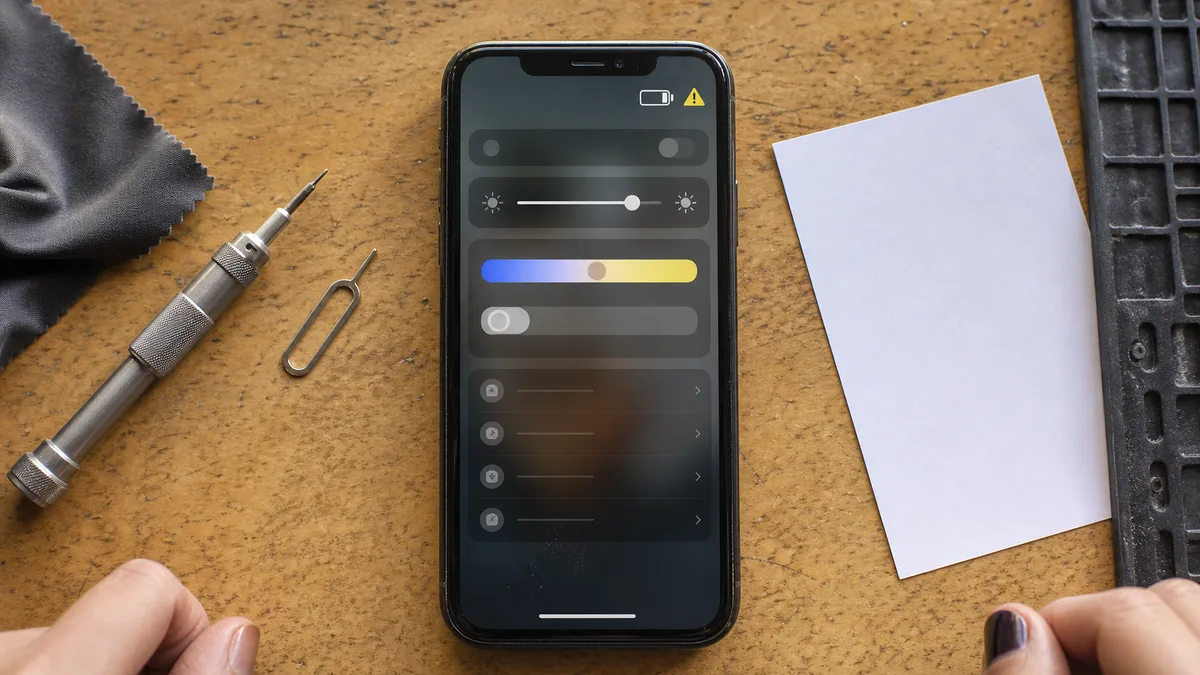
The short answer: „Unknown Part" means that the iPhone could not verify the part’s origin or confirm that its configuration was completed—not that the part is automatically counterfeit. The phone will continue to work, but battery health information will disappear for a replacement battery and usually so will True Tone for a replacement display. The record will remain on the phone until the repair is successfully completed or the part is serviced again, and prospective buyers will be able to see it in the meantime. If the phone contains a genuine part and the model is supported, the repair can be completed directly on the device using Repair Assistant from iOS 18 onwards—without sending it anywhere.
What the Message Does and Does Not Say
An iPhone keeps track of the parts it is supposed to contain. After a battery, display or camera replacement, it compares what it finds with what it expects. If everything matches and the repair has been completed, it displays Genuine Apple Part. If not, it displays Unknown Part.
But that „not" covers two entirely different situations: either the phone contains a non-genuine part, or it contains a genuine one for which someone failed to complete the software stage of the repair. You cannot tell which situation applies from the message alone. Only the repair shop that knows what it installed can answer that.
Three questions matter to the owner of a company phone, and all three should be answered by the repair shop, not an online discussion forum:
- Does the repaired component work without limitations, or has any functionality been lost?
- Is the installed part new and genuine, used and genuine, or aftermarket?
- Can the repair shop document what it installed and confirm that it completed the calibration?
What the message definitely does not mean is that Apple has disabled the phone. Apple does not universally disable aftermarket displays, batteries or cameras—the device continues to work, but it reports that the part could not be verified and some calibration-dependent features become unavailable. The Face ID and Touch ID security features are a separate matter because they are paired with the Secure Enclave and cannot be assessed in the same way as an ordinary display.
Then there is the most common brush-off: „Every iPhone does that after a repair." It does not. After a correctly completed repair using a genuine part, the phone displays Genuine Apple Part.
Genuine, Used, Unknown—Three States, Three Different Meanings
The wording varies depending on the system language, iOS version and model. The meanings, however, remain distinct:
| Status on the iPhone | What it says | What it does not tell you |
|---|---|---|
| Genuine Apple Part | The phone has verified the part and the repair process is complete. | It does not mean that an authorised repair provider performed the repair. |
| Used Apple Part | A genuine Apple part that was previously used in another iPhone. | It tells you nothing about its remaining service life—especially in the case of a battery. |
| Unknown Part | Verification failed: the part may be non-genuine, defective or not fully configured. | It is not proof that the part is counterfeit or non-functional. |
If you encounter wording such as „unable to verify„ or „unverified," it describes the same outcome, not a fourth quality category. Also beware of the opposite assumption: not every repair appears in the list at all. The paired components are primarily the battery and display, as well as cameras on newer models. A speaker or charging connector replacement will not usually appear there, so an empty record does not mean that the phone has never been opened.
Why the Message Can Appear with a Genuine Part
The most common cause is mundane: the physical work is complete, but the software stage is not. The connected display lights up and the installed battery charges, but the phone does not consider the repair complete.
Since autumn 2024 and the release of iOS 18, a supported genuine part can be calibrated directly on the repaired phone using Repair Assistant (called „Průvodce opravami" in Apple’s Czech documentation). For supported repairs—in practice, on the iPhone 12 and later—the phone therefore does not need to be sent anywhere to complete the configuration. The process at an independent repair shop looks like this:
- purchase a genuine part,
- install it,
- launch Repair Assistant on the phone,
- complete the configuration and check how the phone identifies the part.
If the repair shop skips the fourth step—or the configuration fails and nobody checks—the phone will continue to show Unknown Part even if the part literally came from Apple.
A second change over the past two years is that genuine parts are no longer reserved for authorised repair providers. Through the Genuine Parts Distributor programme, launched by Apple in 2025, they are also available to non-certified repair businesses. „Genuine part„ and „authorised repair provider" are therefore no longer the same claim. They are two separate statements, and the repair shop should be able to document each of them independently.
The third issue concerns used genuine parts. These can now also be calibrated for supported repairs, but there is one restriction: calibration will not proceed if the part comes from a device with Activation Lock enabled or marked as lost. This is a safeguard against stolen phones being dismantled for parts. In practice, it means that a „cheap genuine part from the second-hand market" will continue to be reported as Unknown Part until it is replaced with a part that can be calibrated.
The iPhone 13 showed that this is a software decision, not a law of nature. After independent repair shops replaced its display, Face ID stopped working even when a genuine panel was used. Following widespread criticism, Apple corrected this in the iOS 15.2 update. The rules can change in either direction, so what applied to your previous phone may not apply to this one.
Where—and When—to Check It
You can find the record under:
Settings → General → About → Parts and Service History
Open this screen at the counter before accepting the phone, not a week later at home. A display lighting up and the phone booting is not a proper handover inspection. Parts and Service History shows whether the iPhone recognised the component and how it classified it. It is the only place where you can verify this yourself without having to trust anyone’s claim. Bear in mind, however, that it is not a complete service log: older repairs and work on unpaired components may not appear.
A notification about an unverified part appears on the Lock Screen and in Settings for some time after the repair, then disappears. The record in Parts and Service History remains until the repair is successfully completed or the part is serviced again. Anyone expecting that „it will stop popping up after a few days, so the issue is resolved" is confusing the disappearance of the notification with resolution of the underlying status.
Does an Unknown Part Affect Everyday Use?
It depends on what was replaced. Specifically:
Battery. This is where the impact is most tangible. With an unverified battery, iOS reports that it cannot verify a genuine Apple battery, and the battery health data can no longer be considered reliable. It may either disappear or be treated by the phone as unverifiable, making it useful only as a rough estimate at best. In practice, you lose the only sensible metric for deciding when another replacement is needed. Apple uses 80% of maximum capacity as the threshold at which it recommends battery replacement. Without a trustworthy figure, there is nothing to compare, and you are left relying on subjective impressions. After a correctly completed replacement using a supported genuine part, battery health is displayed normally.
Display. The feature most commonly lost with a non-genuine or uncalibrated panel is True Tone. Its calibration data is tied to a specific panel, so after replacement the switch may disappear or stop working properly. Everything else depends on the quality of the particular part: brightness, colour reproduction, touch response, power consumption and the performance of the oleophobic coating. You cannot assess these properties from the name printed on an invoice; they must be tested—touch input across the entire surface including the edges, automatic brightness and prolonged use.
Cameras. Test focusing, switching between lenses, photography in poor light and video recording. Camera-pairing issues often become apparent when changing focal lengths, rather than in the first daylight photograph.
Face ID and Touch ID. The hardware link is tightest here. Both the Face ID module and Touch ID button are paired with the Secure Enclave. An incompatible or incorrectly replaced security module may disable biometric authentication. Whether functionality can be restored depends on the model, the particular part and whether a supported procedure exists for the repair. On supported models with a genuine biometric assembly, completing the supported service procedure, including configuration, may restore biometrics. With an unsupported combination of part and model, nothing may help.
The message itself does not make the phone unusable in everyday operation. What it reliably creates is uncertainty: if you do not know why it appeared, you cannot tell whether the cause is a forgotten calibration or a part of unknown origin.
New Genuine, Used Genuine or Aftermarket
The cheapest repair offer almost never includes the same service as a more expensive one. Ask for an itemised explanation of what you will receive:
| Option | Main advantage | Main disadvantage |
|---|---|---|
| New genuine part | Verifiable origin; battery health and True Tone continue to work | Highest price |
| Used genuine part | Genuine construction at a lower price | Unknown previous wear; it cannot be calibrated if Activation Lock remains enabled on the source phone |
| High-quality aftermarket part | Reduces the cost of an out-of-warranty repair | The phone identifies it as Unknown Part, and quality varies considerably between manufacturers |
| Unspecified „compatible" part | Lowest quoted price | Unknown manufacturer, unknown specifications and unclear responsibility on the part of the repair shop |
An honest repair shop will not sell you an aftermarket component as genuine or claim that Unknown Part is merely cosmetic. You can compare two quotations only when they cover the same type of part, the same work, completed calibration and the same repair warranty.
How It Affects Trade-In Value
When a company replaces or sells a used iPhone, the buyer or trade-in company does not merely see that the phone has been repaired. They see that the origin of the part or completion of the repair cannot be confirmed by the phone—which is different from a documented repair.
The effect on price cannot honestly be expressed as a single percentage. A battery is assessed differently from a display, camera or logic-board repair, and every buyer uses its own criteria. Documentation, however, always helps. Keep:
- the invoice with an exact description of the replaced part,
- information stating whether it was a new or used genuine part,
- the diagnostic results,
- the repair warranty terms,
- confirmation that configuration was completed using Repair Assistant.
A Genuine Apple Part status or a documented Used Apple Part is clear to the buyer. An unexplained Unknown Part becomes a discount they will negotiate for themselves.
What to Ask Before Having a Company Phone Repaired
Ask for the answers in writing, ideally in an email accompanying the quotation:
- Will the repair use a new genuine, used genuine or aftermarket part?
- Will an Unknown Part record appear in Parts and Service History after the repair?
- Will the repair shop complete the configuration using Repair Assistant on a supported model?
- What exactly will the invoice state—not merely „phone repair," but what was replaced?
- How will a complaint be handled if touch input, the camera, charging or biometric authentication does not work after the repair?
- Will I receive the price before the repair or only afterwards?
Back up the phone before handing it over. A reputable repair shop does not normally need your passcode for a routine part replacement and does not knowingly access customer data—but protecting the content remains your responsibility. Make a backup and, before handing over the phone, limit what appears on the Lock Screen, including message previews, notifications and widgets. If something goes wrong during the repair, the repair shop will not restore your data. Our guide to an external drive as a backup and the 3-2-1 rule explains what a dependable backup should look like. A company phone is an asset just like a laptop, so it makes sense to record its entire lifecycle—including who repaired it, when and with which part. There is no special legal obligation to produce a report for every service intervention; it is a routine element of internal security management and, for regulated companies, a practical basis for asset management. We handle device records and lifecycle management as part of ongoing business IT management.
We provide out-of-warranty battery replacements for the iPhone 12 and later, currently as a pilot service and subject to verification of the specific model: a genuine part, completed calibration using Repair Assistant and a check of Parts and Service History during handover, so you know exactly what remains recorded on the phone. We do not repair the iPhone 11 or earlier because this procedure does not make sense for those models. We quote the price after diagnostics and before the repair, do not require your passcode for a battery replacement and do not access the phone’s contents; we do not offer mobile data recovery. You can book through our Apple device repair service in Brno. We are not, and do not claim to be, an Apple Authorised Service Provider; warranty repairs belong with Apple or one of its authorised providers.
When to Complain and When Documentation Is Enough
Contact the repair shop immediately if:
- you were promised a new genuine part, but the phone reports Unknown Part,
- the repair shop refuses to disclose the part’s origin,
- part of the display, the camera, charging or biometric authentication no longer works after the replacement,
- battery health information disappeared even though a supported genuine battery was supposed to be used,
- the repair was supposed to be completed using Repair Assistant but was not,
- the invoice refers only to a „compatible part."
If you knowingly chose an aftermarket part, the phone works as agreed and the repair shop warned you about the record in advance, there is no reason to complain. Just account for it when replacing the device: as long as an unverified part remains in the phone, nobody can prove its origin from the device itself, and this will be visible during a trade-in assessment.
Frequently Asked Questions
Does Unknown Part Mean the Repair Shop Used a Counterfeit?
Not necessarily. It may be an aftermarket part, a defective component or a genuine part whose configuration was not completed. The repair documentation, not the message, provides the answer.
Will the Notification Keep Appearing Forever?
No. It appears on the Lock Screen and in Settings for a while after the repair, then disappears. The record under Settings → General → About → Parts and Service History remains until the repair is successfully completed or the part is serviced again.
Can the Message Be Removed Without Replacing the Part?
If a supported genuine part is installed and only the configuration is missing, completing the repair using Repair Assistant may help. An aftermarket part cannot be expected to receive Genuine Apple Part status.
Will an iPhone Work with an Aftermarket Display or Battery?
Yes. Apple does not universally disable them. Related features may become unavailable, however—battery health information for a replacement battery and usually True Tone for a replacement display—and quality varies between manufacturers. Face ID and Touch ID are separate matters: an incompatible or incorrectly replaced module may disable biometric authentication, and whether it can be restored depends on the model, part and availability of a supported procedure.
Will Unknown Part Reduce the Trade-In Value?
It can. A buyer cannot confirm the part’s origin or completion of the repair from the phone. The exact difference depends on the model, the replaced component, the phone’s condition and the repair documentation you can provide.