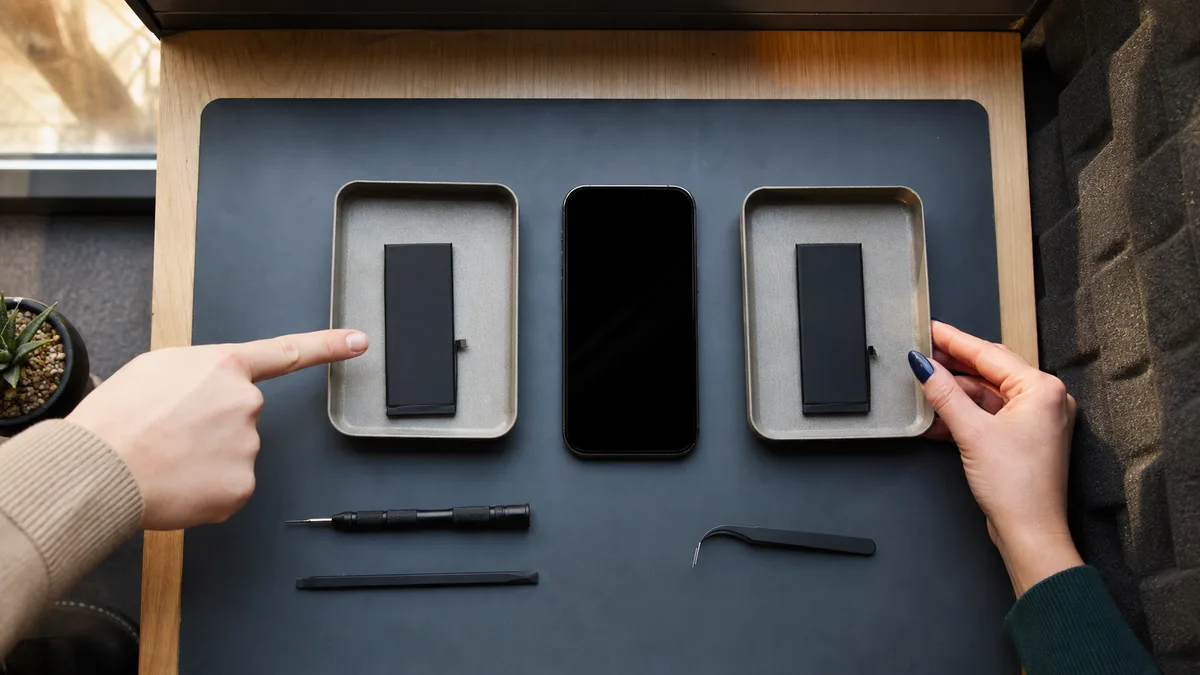
The short answer: We provide out-of-warranty battery replacements in Brno for iPhone 12 and newer. We begin with diagnostics, then confirm the price and part type, and only carry out the repair once you approve it. You can see the difference between a genuine and an aftermarket battery directly on the phone: iOS permanently records an unverified component as an „Unknown Part," and battery health information may be unavailable. That is why we tell you which option you are getting before the repair, not when you collect the phone. You do not need to share your passcode with us. We do not need it for the replacement itself, and we can complete the configuration of a genuine part through Repair Assistant together when you collect the phone and unlock it yourself. We accept devices without access to their data. Make a backup beforehand—we do not recover data from mobile phones.
First, Check Whether the Battery Is Really the Problem
A company iPhone that no longer lasts through the working day does not necessarily have a faulty battery. A clogged charging port, a worn cable, a recent major system update, or an entire day spent in a building with poor reception can all cause similar symptoms.
Start by checking Settings → Battery → Battery Health & Charging. Look at the maximum capacity percentage and any message about performance management. This appears after the phone shuts down unexpectedly because the battery could not supply the required peak power. Apple states that batteries in the iPhone 15 and newer are designed to retain 80% of their original capacity after 1,000 complete charge cycles; older generations were long rated for 500. Someone who charges their phone twice a day will accumulate cycles twice as quickly as a colleague who puts it on the charger once each evening.
The percentage alone is not a verdict, however. What the phone actually does matters more:
| What the phone does | When the battery may be responsible | What else commonly causes it |
|---|---|---|
| It used to last until evening but now dies by lunchtime | Low maximum capacity, high cycle count | For several days after a major update, the system reindexes data; apps running in the background; poor reception causing the phone to transmit at higher power |
| It shuts down at 30% and returns at 25% after the charger is connected | A classic symptom of a worn battery—the voltage drops under load | Freezing temperatures: below 0°C, even a healthy battery has less available capacity |
| It charges only when the cable is held in a particular position, or charging keeps stopping | Almost never | A clogged port (Lightning on the iPhone 12–14, USB‑C from the iPhone 15 onward), a faulty cable, or a faulty adapter |
| It gets hot during ordinary use | Sometimes | Faulty charging circuitry, a restore from backup running in the background, or an app stuck in a loop |
| The display is lifting, there is a gap by the frame, or the phone rocks on a flat surface | Swollen battery | — |
The final row is the only one that cannot wait. A swollen cell can push the display out, and further charging increases the risk. Do not press the display back into place, puncture the phone, or charge it—arrange to hand it over immediately.
We accept devices for diagnostics and battery replacement through our dedicated Apple device repair service in Brno. If you are unsure whether the battery or another component is at fault, we will determine that before quoting any price.
When Replacement Makes Sense—and When It Is a Different Repair
Apple considers a battery consumed when its maximum capacity falls below 80%. However, a common misconception surrounds this threshold and is worth clearing up because it determines who pays for the repair:
- The standard warranty covers defects, not wear. A gradual loss of capacity through normal charging is ordinary wear and does not in itself entitle you to a free replacement—even if battery health falls below 80%. A replacement is free only when a manufacturing defect in the battery is accepted, meaning the cell behaves abnormally and the defect is demonstrated.
- Free battery service below 80% is part of AppleCare coverage. If the device is covered by an applicable AppleCare plan—typically AppleCare+, which is not officially sold in Czechia but may cover devices purchased with a plan abroad—and maximum capacity falls below 80% of the original specification, the battery is replaced at no additional cost while the coverage remains valid.
Without valid AppleCare coverage, a depleted battery after years of use is therefore a paid repair, even if the phone otherwise looks brand new. With a company phone, the number itself is not what matters—the impact is. The phone may fail to last through navigation on the way to an installation, customer calls, authentication when signing in to company systems, or tethering a laptop.
The iPhone 12 has been on the market since autumn 2020. In devices that have spent those years in the field, a worn battery is often the main reason the phone appears ready to be written off even though everything else is still in working order.
A new battery will not fix a faulty charging port, damaged charging electronics, or a logic-board fault. That is why we quote the price only after confirming the phone’s model and condition—the same principle that applies when deciding between repairing and replacing other equipment: when laptop repair is worthwhile and when it is not.
What Has Changed: The Phone Can Now Complete a Genuine Part Installation Itself
A few years ago, „genuine part„ was effectively shorthand for „authorised service provider." In 2026, that is no longer true, for two reasons.
Since autumn 2024, iOS 18 has included Repair Assistant, a tool that completes the configuration of a genuine part directly on supported devices—iPhone 12 and newer. Calibration therefore requires neither a visit to Apple nor remote processing. It is completed within the unlocked system under Settings → General → About, after which battery health continues to appear normally.
The second change concerns part distribution. In 2025, Apple launched the Genuine Parts Distributor programme, which allows repair shops outside its authorised network to purchase genuine batteries. The word „genuine" therefore says nothing by itself about a repair provider’s authorisation—it describes the origin of the part, which the provider should be able to document.
To avoid any confusion: we are not an Apple Authorised Service Provider and do not carry out warranty repairs. A phone under warranty belongs with Apple or an Apple Authorised Service Provider (AASP). Our service is for out-of-warranty devices.
Genuine or Aftermarket: You Will See the Difference on the Phone
An aftermarket battery can be a sensible and functional solution. It must not, however, be passed off as genuine. The phone records the difference itself, and the customer will encounter it regardless of what the repair provider claimed.
| Option | What happens after the repair | What you should know beforehand |
|---|---|---|
| Genuine battery, supported model | Repair Assistant completes the configuration, and battery health is displayed normally | A genuine part does not prove that the repair provider is authorised—ask about its origin |
| Aftermarket battery | The phone uses it, but „Unknown Part" remains in Parts and Service History | The notification first appears on the Lock Screen, then moves to Settings and remains permanently under Settings → General → About |
| Warranty repair | Handled by Apple or an Apple Authorised Service Provider | We do not offer this option |
„Unknown Part" does not mean the phone will stop working. It means that the system has not verified the component as genuine and paired—and that the message will remain. Apple does not disable a phone because it has a non-genuine battery. Pairing restrictions apply to biometric components such as Face ID and Touch ID, neither of which is involved in a battery replacement.
On the iPhone 12 and newer, the system records replacements of the battery, display, and camera. A repair provider that conceals the part type merely postpones the unpleasant surprise until after you take the phone home. That is why we state the option directly in the quote.
How the Battery Replacement Works
- We confirm the exact model and symptoms. Battery health, charging behaviour, unexpected shutdowns, overheating, and previous repairs.
- We perform an initial diagnostic check. We confirm that the fault is consistent with the battery and check for other damage that could change the scope of the repair.
- We tell you the price and part type. The quote distinguishes between genuine and aftermarket options according to availability for the specific model. We do not begin a paid repair without your approval.
- We accept the phone without asking for its passcode. We do not need it for the battery replacement itself—do not dictate the code to us or write it on the repair form.
- We replace the battery.
- For a genuine part, we complete the configuration through Repair Assistant. This runs within the unlocked system (Settings → General → About) and requires the phone to be connected to Wi‑Fi. We therefore handle it in one of two ways: either we complete the step together when you collect the phone—you unlock it yourself and keep it in sight throughout—or we show you how to start the configuration yourself at home or in the office. The completion prompt remains on the phone until the process is finished.
- When you collect the phone, we check the result and explain any messages it displays and why they appear.
Once a phone has been opened, no honest repair provider can promise the same water resistance it had when it left the factory. A new seal is not a substitute for factory testing of the entire device. If a provider promises „100% waterproofing" without explaining how and with what equipment it was verified, ask for that promise in writing.
What Happens to Company Data and Managed Phones
Replacing a battery does not involve the phone’s data. Nevertheless, a concurrent fault or startup problem cannot be ruled out on any device undergoing repair, so a backup is a sensible prerequisite for handing it over, not a formality.
We accept the phone without access to its data. Make a backup beforehand—we do not recover data from mobile phones.
Before handing over the phone:
- complete an iCloud backup or an encrypted local backup through Finder or Apple Devices;
- verify that the backup has actually finished, not merely that backups are enabled;
- check your Apple Account sign-in and recovery details;
- make sure you have recovery codes for company email, VPN access, and two-factor authentication—an authenticator app is tied to the device and will not restore itself if the phone is erased (the company IT handover checklist addresses the same problem in a different context);
- keep your passcode and app passwords to yourself—you do not need to share them with us, and you will unlock the phone yourself when the configuration is completed.
For a device under company management (MDM), speak to your IT administrator in advance. You may need a temporary replacement or preparation for reactivating the work profile. If we manage your company’s devices as part of our ongoing IT management service, we handle this for you and prepare both a replacement phone and the profile in advance.
One firm boundary: if the iPhone will not turn on and it is no longer possible to make a backup, tell us before handing it over. We will not claim that an ordinary battery replacement will also recover the data—it will not. We do not recover or restore data from mobile phones, even as an add-on to a repair. If the data is the main concern, it is a different type of job and not one we provide.
What Determines the Price and What the Quote Should Include
We do not yet publish a price list on the website because the service is currently operating as a pilot. We provide the price in advance after diagnostics. It depends on the exact model, the selected battery origin, part availability, the phone’s condition, and evidence of any previous repair.
Before approving anything, you should know:
- whether the battery is genuine or aftermarket;
- whether Repair Assistant will be used and when the configuration will be completed;
- which messages may appear after the repair;
- whether diagnostics revealed another fault;
- the final price for the approved scope of work;
- the warranty on both the part and the labour;
- the expected completion date based on availability of the specific battery.
A low price that does not identify the option tells you nothing about what you will receive. The word „genuine" alone does not tell you much either—ask where the part comes from and what you will see in Parts and Service History after the repair.
Which iPhones We Service
Our pilot service covers iPhone 12 and newer. On these models, the installation of a genuine part can be completed directly on the phone, and suitable supported parts are available. The iPhone 12, 13, and 14 are the models we see most often for battery replacement—generations whose second or third batteries are now reaching the end of their lives in company use. We also accept the iPhone 15 and 16 series, although it is worth checking the warranty or AppleCare+ first.
We do not accept the iPhone 11 or older models. Repair Assistant does not work on them, and supported genuine parts are not supplied for them through this channel. We do not want to offer a repair for which we cannot follow the same transparent process.
When you first contact us, all we need is the exact model, the battery health value, a description of the phone’s behaviour, and information about any previous repairs. We can also help identify the model without accessing the device.
Questions Worth Asking Any Repair Provider
- Will I receive a genuine or aftermarket battery—and where does the part come from?
- What will I see in Battery Health and Parts and Service History after the repair?
- Will you use Repair Assistant for a genuine part, and when will the configuration be completed?
- Do you need my passcode, exactly what do you need it for, and can that step wait until I am present?
- What happens if diagnostics reveal a different fault?
- Is the phone still under warranty, meaning it should be handled by Apple or an AASP?
- What warranty do you provide on the part and the labour?
„We will see after the repair" is not an adequate answer for either the part type or the price. Both must be clear before you give your approval.
Frequently Asked Questions
How Much Does an iPhone Battery Replacement Cost in Brno?
We provide the price in advance after diagnostics. We do not yet publish a price list on the website because the service is operating as a pilot. The price depends on the model, battery type and availability, and any additional damage. We do not begin a paid repair without an approved quote.
When Am I Entitled to a Free Battery Replacement?
If the battery has an accepted manufacturing defect, the repair is handled under warranty by Apple or an Apple Authorised Service Provider. A loss of capacity through ordinary use is wear and is not covered by the warranty. Free battery service when capacity falls below 80% is tied to valid AppleCare coverage—typically AppleCare+, which is not officially sold in Czechia. Without it, the replacement is a paid out-of-warranty repair.
Will I Lose My Data During a Battery Replacement?
A battery replacement does not involve the phone’s data, but a backup is necessary because of the risk of a concurrent fault. We accept the phone without access to its data and without being given the passcode—you unlock it yourself when the configuration is completed. We do not provide mobile phone data recovery.
Will the Battery Be Genuine?
You approve the part type in advance. For a supported genuine part, we complete the configuration through Repair Assistant—either together when you collect the phone or by showing you how to start it yourself in Settings. For an aftermarket option, we explain in advance why the phone will show „Unknown Part" and which notifications will appear.
Why Does an Aftermarket Battery Show „Unknown Part"?
The phone has not verified the component as genuine and paired. The notification first appears on the Lock Screen, then moves to Settings and remains permanently under Settings → General → About. The phone continues to work—Apple does not disable it because of the battery.
Do You Replace Batteries in the iPhone 11 or Older Models?
No. Our pilot service is limited to the iPhone 12 and newer, where the installation of a genuine part can be completed directly on the phone.
Want to check whether replacing your phone’s battery makes sense? Call 774 777 774 or send us an enquiry. We will explain the next steps, the available part option, and the price after diagnostics—always before the repair begins.
Sources
- Apple: How a battery affects iPhone performance
- Apple: About genuine iPhone batteries
- Apple: Use Repair Assistant to finish an iPhone or iPad repair
- Apple: iPhone Parts and Service History
- Apple: Genuine Parts Distributor
- Apple: AppleCare+ terms (international version, 80% threshold)
Where to find us
ITHOPE is a company based in Brno, Czechia: we do data recovery from disks, RAID and NAS, PC and laptop service and IT for business, all in our own lab at Viniční 3587/216, 615 00 Brno.
Phone +420 775 556 063 (24/7 line). You can bring the device in person, or send it by courier (Zásilkovna, PPL).