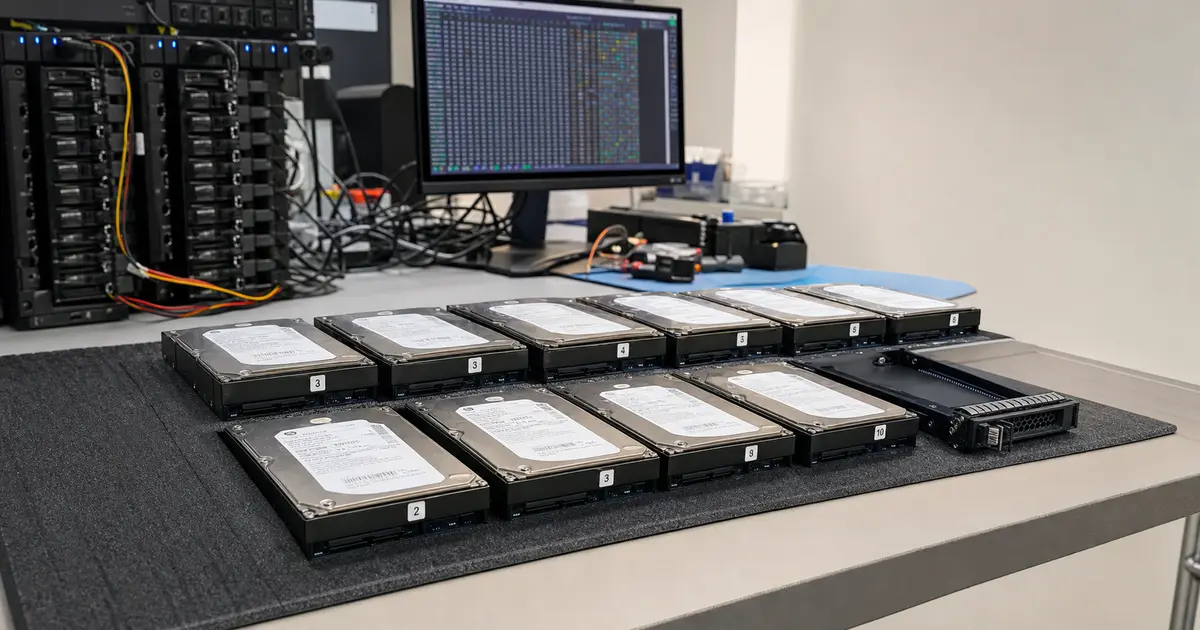
Immediate Answer: Data recovery from a RAID array requires immediately stopping all attempts at unauthorised recovery. Once an array goes down — especially during a critical rebuild — there is a risk of a cascading failure of other disks and permanent data loss. A professional lab can read data even from an array that is unreadable by conventional means, doing so by cloning at the sector level and manually reconstructing parity, without putting stress on the original media. The chances of success are high if you have stopped writing to the array and have not attempted repeated rebuilds. The procedure usually takes from a few days to several weeks, depending on the size and condition of the disks.
An enterprise NAS from a Brno-based engineering firm landed on our desk — a twenty-disk RAID 6 array with a capacity of 160 TB. The admin did exactly what almost anyone would do according to a recovery plan: replaced the faulty disk and started a rebuild. The problem is that the recovery plan assumes the remaining disks are in an ideal condition. In reality, after years of operation, the platters contain hidden bad sectors that wake up precisely under the extreme load of recalculating new parity. The result? The RAID array collapses like a house of cards, and instead of a quick fix, you are facing a total failure of your company’s data.
This article serves as a guide to understanding the logic behind disk array failures, a warning against fatal errors, and a description of recovery methods. If you have a specific device such as a Synology, QNAP, or a server with a hardware controller, additional manufacturer-specific specifics apply — you can find details on the RAID and NAS Recovery page. You can bring or send the array to our lab in Brno-Židenice; a simple initial assessment may be free and more demanding analysis is quoted in advance, or call us first, 24/7, at +420 775 556 063.
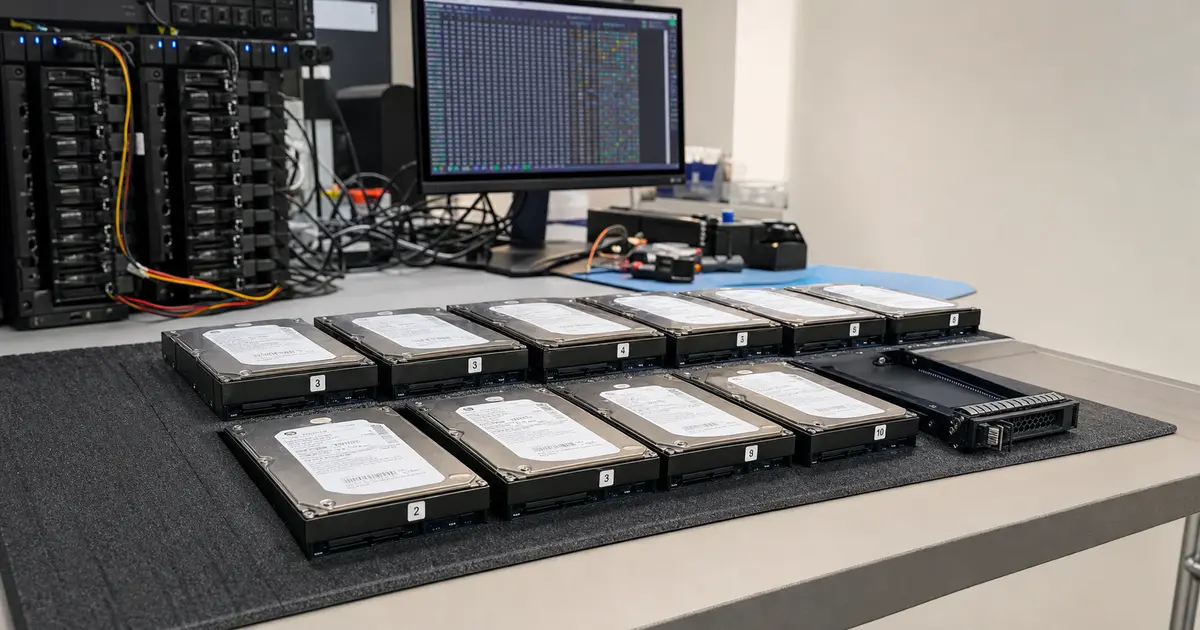
Quick Orientation: RAID Repair by Symptom
The term „RAID repair" often leads one to believe the array should be brought back online as quickly as possible. However, when an array collapses — reports Degraded, goes offline, or fails during a rebuild — the goal is to first get the data out of the degraded array and only then resolve the new storage. Proceed according to the symptom:
- RAID reports as Degraded: do not start a new rebuild without ensuring that all other disks are readable. First check the backup, stop all writes, and consult the situation.
- Rebuild is stuck or has failed: power down the array. A repeated rebuild typically only worsens the bad sectors on the remaining disks.
- RAID 5 is Offline after a second disk: do not try to „bring up" the original configuration. For RAID 5, the precise disk order, stripe size, and parity are decisive.
- RAID 6 failed during a third problem: leave the disks in the same slots, mark the positions, and handle offline reconstruction from clones.
- RAID 0 after a disk failure: data is not redundant, but if the faulty disk can be physically read or repaired, the array structure can be assembled.
This is the difference between a service „RAID repair" and laboratory data recovery from a RAID array. The first seeks to get the device running again, the second protects the content remaining on the disks.
1. The Myth Called „RAID = Backup"
Before we dive into technical details, we must debunk the industry’s most dangerous myth. A RAID array (Redundant Array of Independent Disks) was never designed as a backup, but as a tool to increase availability and protect against the hardware failure of one or more disks.
Why is RAID not a backup?
- It does not protect you from file deletion due to human error.
- It will not save you from ransomware that encrypts the content of a logical volume.
- It does not help in the event of a controller failure that writes nonsensical metadata to the array.
- It fails during an accidental reinitialisation or the creation of a new array.
If an entire array fails due to a firmware bug, a power supply surge, or multiple disk failures, you are left without data just as if it were on a single external disk. The only real backup is a physically separate copy of the data — ideally off-site or on different media. Once an array enters an „offline" state, its recovery requires specialist intervention, regardless of how advanced a RAID level was used.
2. RAID Levels and Their Real-World Fault Tolerance
Different RAID levels handle fault tolerance differently. When recovering data from a RAID, it is crucial to understand what happens within the array during a failure.
RAID 0 — Striping Without Redundancy
Data is alternately written (stripe) across all disks for maximum performance.
- Fault tolerance: none. The failure of a single disk means the loss of all data, because files are chopped into fragments across all disks.
- RAID 0 recovery: is complex, but not impossible. We must physically repair the faulty disk (e.g., by replacing read/write heads in a clean laminar box), clone it, and then reassemble data blocks from all disks offline in the correct order. The lack of parity simplifies the mathematics, but the lack of redundancy increases the pressure for a perfect hardware repair.
RAID 1 — Mirroring
A write is performed simultaneously on both disks (or their pairs). The failure of one disk does not limit functionality. The risk arises when the controller fails, or when the remaining disk in the mirror is also faulty. Recovery is often just a matter of reading data from at least one functional medium.
RAID 5 — Block-Level Parity
Thanks to distributed parity, the array tolerates the failure of one disk.
- Degraded mode: when a disk fails, the array continues to operate by recalculating missing data from parity. This creates enormous stress for the remaining disks.
- Recovery failure: if a recovery fails during a degraded state (a bad sector appears on a second disk), the entire array goes offline. The problem is to determine exactly where the stripe ends and how the parity rotates — this is where analytical reconstruction in the lab comes in.
RAID 6 — Dual Parity
Tolerates the simultaneous failure of two disks. This is the standard for large enterprise NAS systems.
- Real-world scenario: even if the array survives the loss of two disks, a catastrophe usually occurs during a rebuild operation when a third disk fails (see our real-life 20-disk array case below). The complexity of offline recalculation is enormous due to the two parity planes.
RAID 10 — Mirrored Stripes
Combines the speed of RAID 0 and the redundancy of RAID 1. It can survive the failure of multiple disks, provided they are not in the same mirror pair. If they are, it brings down that entire stripe.
RAID 50/60
Just briefly — these combine striping with parity. The complexity of recovery here is multiplied by the nested structure and requires advanced analysis.
3. Typical Failure Scenarios We See Daily
In our Brno lab, we encounter patterns of behaviour that lead to disaster. When you understand what happened, you will also understand why you cannot simply „repair a RAID" by clicking in the BIOS.
(a) Second Disk Failure During a Rebuild
The admin replaces a faulty disk. For the controller to calculate the data onto the new disk, it must read every sector of all the remaining platters. Old disks that have run without error for years suddenly reveal weak spots under brutal pressure and start to produce bad sectors. The array fails completely.
(b) A Stuck Rebuild
The rebuild does not start, or after tens of hours gets stuck at a few percent and does not continue. The controller has hit a bad sector and doesn’t know how to bypass it. To force it to continue risks destroying the read/write head mechanism.
(c) Controller Failure and Proprietary Layout
A dead controller scrambles metadata. A new controller may read the disks, but if it doesn’t know the original stripe offset and parity rotation, it will only offer a „Foreign configuration" and the necessity of an initialisation.
(d) Human Error
Someone accidentally disconnects the wrong disk, swaps the positions in the bays, and powers up the array. Or they perform a reinitialisation upon seeing an error message.
(e) Multiple Disk Failure at Once
A power supply or backplane failure in a NAS kills 3–4 disks at a time. The array then appears as if the logical unit is empty or inaccessible.
4. What You Must Not Do If Your Data is Worth Saving
This is the most important part of the article. The majority of permanently lost data disappeared only as a result of panicked DIY attempts at RAID repair.
- Never repeat the rebuild of a degraded array. If the rebuild failed once, it will fail again — and the stress from each subsequent attempt kills the „healthy" disks. This is precisely the scenario that brought down the 20-disk array in the initial case.
- Do not swap or exchange disks using a trial-and-error method. For an offline array, you must know the exact disk order. Random swapping in the bays eliminates the chance of a logical reconstruction. Always mark the positions (Slot 1, Slot 2…) before removal.
- Do not install „RAID recovery" software on a live array. Never run recovery tools (such as R-Studio) if the operating system is simultaneously writing to the array. Every additional write (logs, temporary files) overwrites the remnants of your original structures.
- Do not leave the array running in a degraded state. If one disk has failed, do not postpone shutting down the server „until tomorrow". That is a gamble on whether the second disk will survive for another hour. Immediately stop writing and consult with us.
- Do not use „Repair„ or „Factory Reset". Do not perform a firmware upgrade (DSM/QTS) or initialise a new logical volume. Doing so will erase the remaining description of the file system.
If you have already done any of the above, stop. The situation is often still solvable, but it is necessary to immediately power down the array.
5. How a Professional Lab Handles RAID Array Recovery
Our work is not based on guessing, but on technical exactness. Before we proceed to logical recovery, we must physically protect the data.
Sector-Level Cloning
We never work with the original disks. Every disk in the array — healthy, faulty, and clicking — is connected to hardware imagers (DeepSpar Disk Imager). These read data from unstable surfaces extremely sensitively, skipping bad sectors and not troubling the disks with the operating system’s time limits. Where a regular computer freezes, the DeepSpar obtains the maximum amount of data.
Working in a Clean Environment
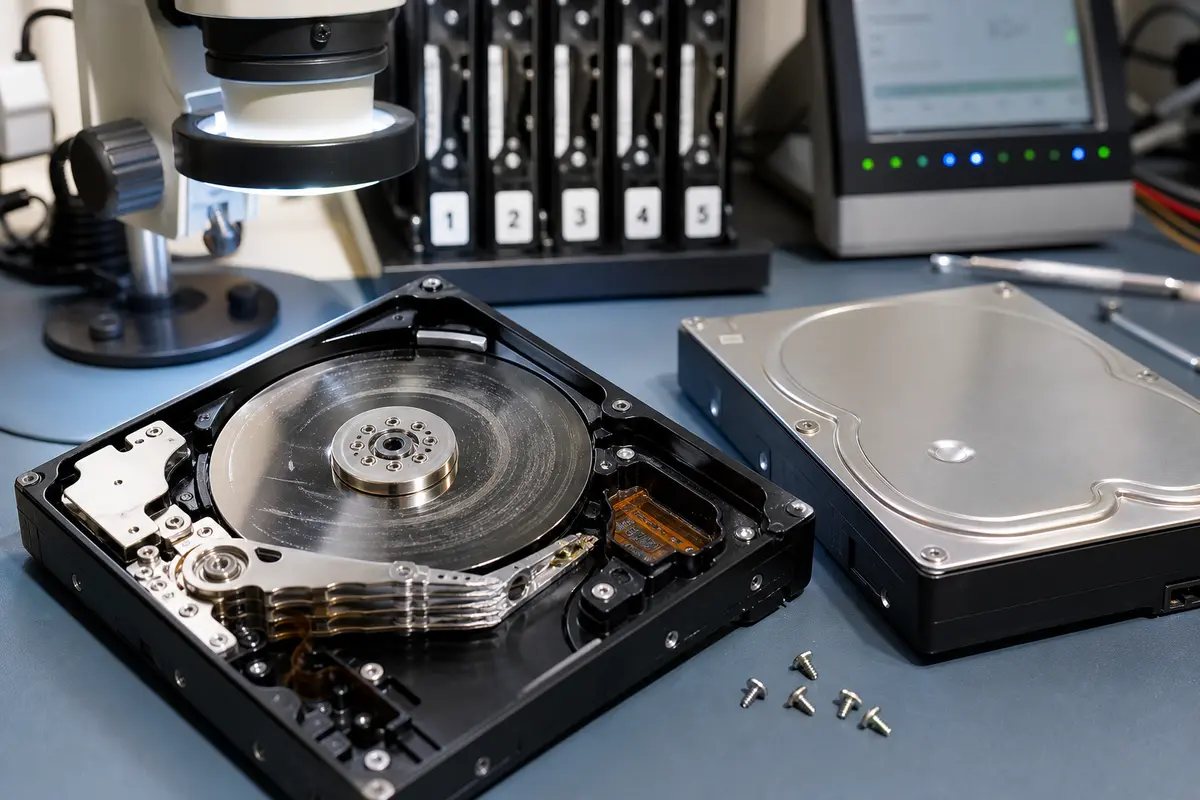
If a disk’s mechanics have physically failed (clicking, burnt electronics), we perform a read/write head replacement in a laminar flow bench (clean room). Without this, a microscopic speck of dust would immediately destroy the platter.
Offline Analysis and Unlocking Proprietary Layouts
Once the bit-level copies (clones) are created, the intellectual core of the entire recovery process starts:
- Determining the disk order: the physical slots often do not correspond to the parity order in the controller.
- Calculating the stripe size and offset: we find out where the first data block begins. Even a shift of a single sector means a completely muddled jumble of bytes.
- Parity rotation: for RAID 5/6, we must discover in which block the parity lies (left-symmetric, right-asymmetric, etc.).
- Virtual reconstruction: using PC-3000 equipment and our own scripts, we assemble the array from the bit-level copies and build a virtual volume, which we check on staging storage (120 TB SATA RAID 10).
If you have a Synology, QNAP, or a server with a hardware controller, additional specifics apply — see Synology NAS Data Recovery, QNAP NAS, and Server Data Recovery.
6. The Real-World Collapse of a 20-Disk RAID 6 — Why It Happened to You, Too
The best illustration is the mentioned 20-disk RAID 6, which came to us from an engineering firm in Brno.
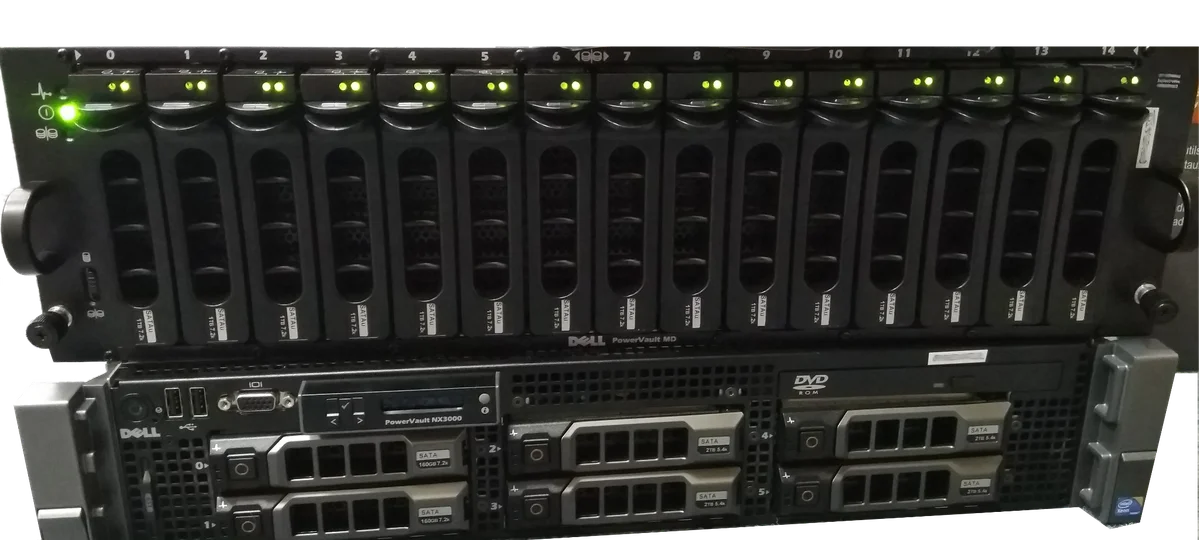
Situation: enterprise NAS, 20 disks, 160 TB, RAID 6 (dual parity). On Monday, disk #7 failed. The admin ordered a replacement and started a rebuild overnight. On Tuesday, a second disk, #12, failed — the array entered a „degraded-critical„ state, where any further problem means the end. No one should have touched such an array for two days, but the rebuild was still running. After 30 hours, the reading hit a bad sector on the seemingly „healthy" disk #5. The controller evaluated this as a third disk failure and dropped the array to offline. Unrecoverable by conventional means.
Our solution: we took over all 20 disks. We cloned them one by one using the DeepSpar, dealing with the stubbornly slow reading on disk #5. Offline analysis revealed the proprietary array layout (mdadm + LVM) — we determined the actual disk order, the stripe offset, and the parity rotation, and the virtual array from the cloned sectors was successfully assembled. It took 11 days, and the customer received 100% of their files back.
If the admin had tried the rebuild again, disk #5 would have died completely, and the RAID data recovery would have turned into a dramatically more expensive physical operation.
7. How Much It Costs and How Long It Takes
The price of data recovery from a RAID array always depends on the specific situation. At ITHOPE, we proceed fairly: an initial assessment reveals the extent of the damage. A simple assessment may be free; analysis of multiple drives, array reconstruction or metadata work may be charged and we quote the price in advance. We examine whether the problem is purely logical (deleted metadata) or whether physical repairs and cloning are necessary. We state the price before starting the work, never after. If the data cannot be saved (which, in rare cases, can happen with collapsed metadata without backups), you pay nothing for the recovery.
The duration of recovery depends on the capacity and the condition of the platters — working with physically faulty mechanics is the slowest part. Generally, the fewer amateur rebuild attempts are made on the array, the faster and cheaper the recovery is.
Frequently Asked Questions
Can I try the rebuild one more time?
No, we strongly advise against it. Every rebuild attempt means hours of intensive reading from all remaining disks. If the disks are failing, a second rebuild will finish them off — thus turning a simple logical recovery into a complex physical one.
Can standard „RAID recovery" software retrieve data?
If you have a functional array with purely logical damage, perhaps so. But for a failed (offline) array with a wrong offset, damaged disk firmware, or unreadable sectors, standard software fails and often additionally writes temporary files to the disks, worsening the situation.
How long does data recovery from a RAID take in the lab?
Quick logical reconstructions (healthy disks, known parameters) can be done in a matter of days. Complex cases with physical faults, like the 20-disk collapse above, require a week or two. You’ll get a precise estimate after the diagnosis.
Can a RAID 0 be saved?
Yes. Even though RAID 0 has no parity and the failure of any disk theoretically means the loss of all data, we can retrieve it by physically repairing the faulty disk (e.g., head replacement) and precisely cloning it. However, the chances decrease if the healthy disks were written to while one was dead.
How many disks have to fail for it to be a problem?
For RAID 5, one; for RAID 6, two. In practice, however, a combination of one dead disk and a few bad sectors on another is often enough to bring down the array — which is why a degraded array must not be stressed further.
What to Do Now
- Stop writing and power down the array. No more rebuilds, no „just one more try". Every minute of running a degraded array reduces the chances.
- Do not change the disk order. If you must remove them, first mark the positions (Slot 1, Slot 2…) with a marker or a label.
- Do not run recovery software on a live array and do not initialise a new volume or „foreign config".
- Contact the lab. Call NONSTOP at +420 775 556 063 or use the non-binding consultation. We will arrange pickup or safe transport to Brno.
- Count on diagnostics. A simple initial assessment may be free; more demanding array analysis is quoted in advance. We will state the extent of the damage and the recovery cost upfront — you only pay for the recovery once there is a result.
Summary at a Glance
- RAID is not a backup — it does not protect against deletion, ransomware, controller failure, or multiple disk failures.
- The most common cause of total loss is a repeated rebuild of a degraded array, which finishes off the old „healthy" disks (cascading failure).
- Each RAID level fails differently — RAID 0 has no tolerance, RAID 5 tolerates one disk failure, RAID 6 tolerates two; recovery always depends on disk order, stripe offset, and parity rotation.
- Recovery = sector-level clone of each disk + offline reconstruction, never working with originals.
- Before handing over the array, do not touch the rebuild, disk order, or create a new volume — the fewer the amateur interventions, the higher the chances.
- For specific devices, see Synology, QNAP, and Server with a HW controller.
Do you have a degraded RAID array or one that has gone offline? Do not try a rebuild — every further attempt reduces the chances. Non-binding Consultation · Initial Assessment · Contact · +420 775 556 063 (NONSTOP)
See also: Synology NAS Data Recovery · QNAP NAS · Server Data Recovery · RAID and NAS Recovery (Service) · Case Study: 20-disk RAID 6 · Bad Sectors on HDD
About the Author
Ing. Miroslav Jaroš is the owner and senior technician of ITHOPE s.r.o. in Brno. He has been dedicated to data recovery since 2008 — over 18 years, more than 2,500 cases have passed through the lab, from individual disks to enterprise RAID arrays and NAS systems. The article underwent professional fact-checking (Tomáš Kopřiva) against the real-world practice of the ITHOPE lab. The described case of the 20-disk RAID 6 is based on a real, anonymised case.
Where to find us
ITHOPE is a company based in Brno, Czechia: we do data recovery from disks, RAID and NAS, PC and laptop service and IT for business, all in our own lab at Viniční 3587/216, 615 00 Brno.
Phone +420 775 556 063 (24/7 line). You can bring the device in person, or send it by courier (Zásilkovna, PPL).