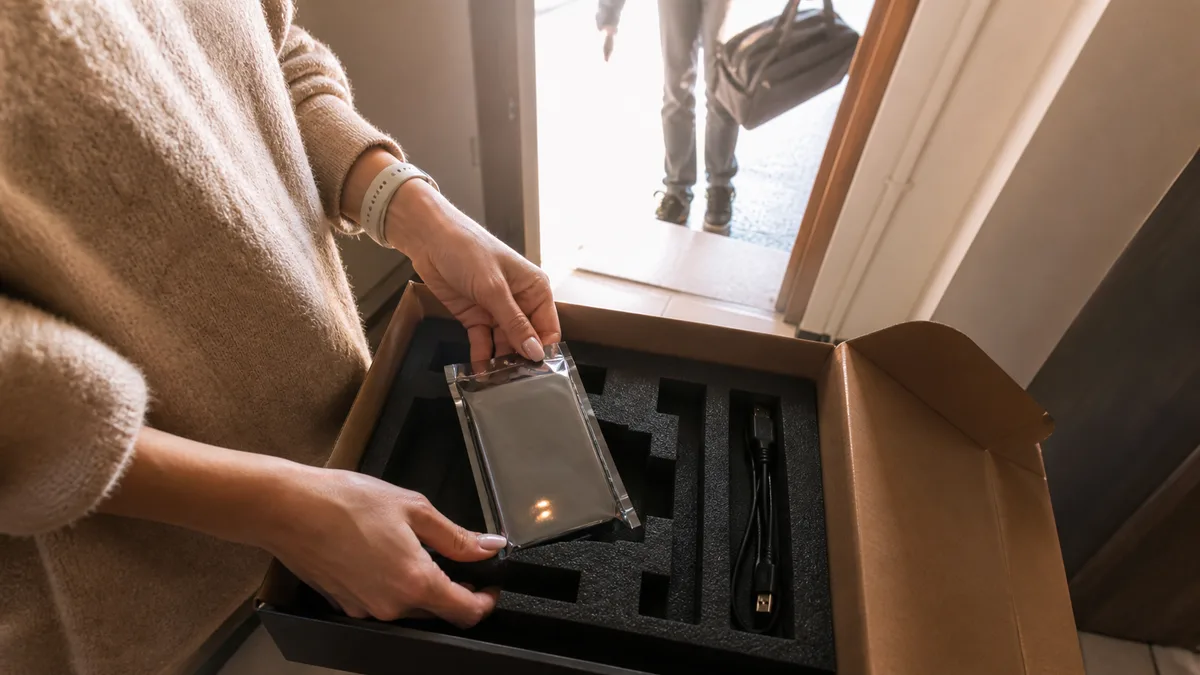
The short answer: We do not have a branch in Ústí nad Labem, and we do not claim otherwise. Our laboratory is in Brno-Židenice, and we serve Northern Bohemia by courier: complete the enquiry form, receive a shipping label by email, and send your drive through Zásilkovna free of charge. Initial HDD and SSD diagnostics are free (RAID, NAS and non-standard cases are quoted in advance). You receive a fixed price before any recovery work begins, and if we cannot recover the data, you pay zero Czech crowns for the recovery plus shipping. The only exception is a targeted search for one specifically named file: this carries a pre-agreed flat fee of CZK 1,000, even if the file is not found. Shipping adds roughly one working day in each direction. If the drive contains the only existing copy of your company data, it may be worth driving the approximately 290 kilometres in person.
What „data recovery in Ústí nad Labem" really means
Enter that phrase into a search engine and you will see numerous companies with Ústí directly in the page title. An advert will not tell you how many of them have a cleanroom in Ústí and how many merely operate a collection point or use a contracted partner. There is nothing wrong with that—as long as the company is transparent about it. The difference between „we have a branch here„ and „we have a collection point here" becomes clear only when you ask two questions: where exactly and who exactly will open your drive.
So let us be clear: our laboratory is in Brno-Židenice, and we do not have one in Ústí, Děčín, or Teplice. Your drive will be transported to us. This article explains what that journey involves, what can go wrong along the way, and why shipping is not a problem for most external drives.
One point first: the drive is not being sent for repair. It is being sent for diagnosis. Only then can we determine whether the problem is a faulty USB adapter costing a few hundred crowns or cleanroom work costing tens of thousands. Before you pack the drive, however, you need to make three decisions that cannot be undone.
Three decisions you cannot undo
Turn the drive off and leave it off. With a mechanically damaged HDD, every additional start spins up the motor again and creates another opportunity for damaged heads to scrape the platter surface. No one can read data from a scraped magnetic surface—the data is no longer there. SSDs follow the opposite but equally unforgiving logic: whenever power is connected, the controller may clean up blocks that the operating system previously marked as deleted using the TRIM command, and modern USB bridges operating in UASP mode commonly pass TRIM through to the drive. An external SSD can therefore erase deleted data permanently even while it is merely connected and sitting idle. A powered-off drive performs no such clean-up.
Do not run CHKDSK on the original drive. CHKDSK really does write to the data: it modifies file-system structures directly and may discard anything it considers invalid or move it into the FOUND.000 folder under meaningless names. Recovery software is different—many tools can read the source medium without writing to it, so scanning the original alone does not overwrite anything. The danger lies in what people commonly do around that process: installing the software on the same volume they are trying to recover and saving recovered files back to the source drive. Whenever possible, work from an image—a sector-by-sector copy—and always save results to another medium. CHKDSK on an external drive explains when it can help and when it can permanently remove what remains of your data.
Do not take the drive from one company to another. Faulty mechanical components and damaged NAND memory do not provide unlimited attempts. Every additional „free diagnosis" means another read of the same damaged surface and, for a drive with failed heads, another spin-up. A wide range of quotes for the same job tells you nothing about who can actually complete it. Choose one laboratory and let it carry the process through to the end.
An external drive is not just „a drive in a box"
This is the most important thing to understand about external drives, yet most people do not realise it: the enclosure design matters more than the capacity. Two drives taken from the same shop shelf can mean the difference between an afternoon repair and a recovery costing tens of thousands of crowns.
| Device | How it is built | What this means when it fails |
|---|---|---|
| WD My Passport (2.5”) | The USB controller is soldered directly to the drive’s circuit board, and hardware encryption is tied to it | You cannot simply remove the drive and connect it via SATA—the platters remain encrypted without the original electronics |
| WD My Book (3.5”) | Separate adapter board, which usually contains the encryption key | Send the enclosure and power adapter as well, or the key will be missing |
| Seagate Expansion, Backup Plus | Many models use a standard SATA drive and a removable USB bridge | If the bridge fails, the data remains intact—often the least expensive type of case |
| Desktop 3.5” enclosures with adapters | Separate drive, adapter, and external power supply | The adapter or USB bridge fails more often than the drive itself |
| External SSDs (such as the Samsung T7) | Controller, NAND, and encryption on a single board | A controller failure requires memory-level work, not mechanical repair |
This leads to one simple rule: send the complete device, including its original cable and power adapter, rather than removing the bare drive. In encrypted models, the electronics form part of the lock. Without them, neither we nor anyone else may be able to help.
People also underestimate another feature of external drives: portable 2.5” drives with capacities of 4 and 5 TB from both major manufacturers use SMR recording, in which adjacent tracks partially overlap. It is inexpensive for backups but awkward for data recovery—reading damaged areas takes longer, and creating a sector-by-sector copy of a five-terabyte drive may take several days rather than a single afternoon. CMR vs. SMR summarises the differences between the technologies.
Four symptoms and what you can still safely do
- The drive does not appear even in Disk Management. If it is not clicking or beeping, try another cable, another port, and another computer. With desktop 3.5” models, you can also try another power adapter, but only one confirmed to be compatible: it must have the same voltage, polarity, and connector, and supply at least the same current shown on the original adapter’s label. An adapter that merely „fits the socket" can burn out the drive electronics and cost you your data. If you are unsure, do not power on the drive at all. An external drive will not load or is not detected describes the safe order of steps.
- Windows offers to format the drive (RAW). Do not click. The data is usually still present, but the file-system table is damaged—and formatting is precisely the operation that overwrites it with a clean one.
- Clicking, beeping, or repeated spin-up attempts. Disconnect the power immediately and do not try again. This is the sound of heads that cannot locate the servo track; every additional start reduces the chance of recovery.
- Deleted files or a reformatted drive. Do not write anything else to the drive, and above all, do not install recovery software on it.
When SMART reports reallocated sectors, or the drive becomes slow and starts freezing, it is time to make a backup—not to experiment. If you do not feel confident performing any of these steps, or the drive is behaving worse than it did yesterday, leave it to us: our external drive data recovery service begins with an initial diagnosis and a fixed quote before any work starts, so you are free to decline.
Why companies in Northern Bohemia contact us after power outages
Northern Bohemia has one recent experience that the rest of the country did not face on the same scale. The blackout of 4 July 2025 began with a fault on the V411 transmission line between the Výškov and Hradec substations in the Ústecký region. It left the Ústecký, Liberecký, and Královéhradecký regions, as well as parts of the Středočeský region and Prague, without electricity.
For a business, an abrupt outage is more than a restart. It can interrupt a database write, leave a RAID array with cached data but no backup power, or disconnect an external drive midway through a backup. The damage often becomes apparent only weeks later, when someone first opens a file that was not written completely—and by then, the corrupted file may have been replicated across every backup.
Two precautions follow naturally: use an uninterruptible power supply for your server and NAS, and maintain a backup system that consists of more than a single external drive sitting on a desk. If a disk array reports a degraded state after an outage, do not start a rebuild until the data exists elsewhere. A rebuild reads every remaining drive in full, and that is exactly when a second drive may fail.
Three ways to send a drive from Ústí to us
- Free collection through Zásilkovna. Complete the enquiry form, select collection, and we will email you a shipping label. Attach it to the parcel and hand it in at any branch.
- Your own parcel service or courier. This makes sense when sending a complete NAS, several members of an array, or when you want to manage the shipping yourself.
- Deliver it to Brno in person. The journey is approximately 290 kilometres and takes more than three hours each way: Viniční 3587/216, Brno-Židenice, Monday–Friday, 10:00–16:00, by prior telephone arrangement. Data recovery in Brno explains when the journey is worthwhile.
There are three packing rules: use an antistatic bag or aluminium foil, provide at least five centimetres of soft cushioning on every side, and place everything in a rigid cardboard box—never a padded envelope. Include a note with your contact details, a description of what happened, a list of any recovery attempts already made, and whether the drive has previously been handled by another laboratory. Undisclosed attempts cost us time and can sometimes cost you your data.
Bear in mind that you cannot insure the data itself. Since August 2024, Zásilkovna has offered its Kompenzace hodnoty zásilky service with a limit of CZK 10,000; without it, compensation is calculated in hundreds of crowns. With any carrier, compensation covers the value of the hardware, never the value of the data. Terms also change, so check the current conditions when sending your parcel.
The decision is straightforward: you can safely ship a drive containing an archive that also exists elsewhere. The only existing copy of your accounts or project documentation deserves a hand-delivery courier or a trip by car.
How much it costs and when you pay
Initial HDD and SSD diagnostics are free, for USB flash media they may be free. In non-standard cases (the drive was opened by another service, overwriting/formatting, complex analysis) diagnostics cost 1 210 Kč including VAT (1 000 Kč excluding VAT) — we will tell you in advance. For RAID and NAS, analysis of multiple drives or array reconstruction may be charged; we quote the price before any paid work begins. You receive a fixed recovery price before recovery begins — until then, you may decline the job. If the recovery is unsuccessful, you pay CZK 0 for the recovery plus shipping.
There is one exception to both statements: a targeted search for one specifically named file. This carries a flat fee of CZK 1,000, agreed with you in advance when the job is commissioned. The fee covers the search work and therefore applies even if the file is ultimately not found or is too damaged to use. If the file is found, the flat fee is deducted from the final price. There is no such fee for a standard recovery involving an entire drive, partition, or folder; if that recovery fails, you genuinely pay only the shipping costs.
| Type of case | Estimated price | Estimated time |
|---|---|---|
| Logical fault (deletion, formatting, RAW) | CZK 2,900–9,900 | 1–3 days |
| Faulty electronics or firmware | CZK 5,900–9,900 | subject to parts availability |
| Mechanical fault or head replacement | CZK 9,900–18,900 | 5–14 days |
| RAID array reconstruction | from CZK 14,900 | 7–21 days |
| Express service within 48 hours | 50–100% surcharge | — |
The prices are approximate ranges based on our price list, verified as of 18 August 2026; the times are typical estimates based on experience. A binding price and completion date can be confirmed only after diagnosis. For shipped devices, add roughly one working day in each direction.
What to ask, whoever you send the drive to
Use this list for us and our competitors alike. The answers should come without hesitation:
- Where will the work physically take place, and who will perform it? Will the medium be passed to another company or sent abroad?
- Is the diagnosis performed without writing to the original drive?
- Will I receive a fixed price before work begins, and can I decline it?
- Is a sector-by-sector copy created before the data is reconstructed?
- How are passwords and keys handled if the volume is encrypted with BitLocker To Go? Send the key separately—do not pack it in the same box as the drive.
- Will I see a list of recovered files before paying, and what will happen to the original drive after the job is complete?
Our answer is the same for customers from Židenice and Ústí: we open the drive ourselves in Brno, we do not send it anywhere else, we sign a confidentiality agreement before opening the device, and you can review the results before paying. We will provide an NDA on request—for accounts, personnel records, or project documentation, this is not a mere formality.
Frequently asked questions
Do you have a branch in Ústí nad Labem? No, and we do not claim otherwise. Our laboratory is in Brno-Židenice, and we serve Northern Bohemia by courier—free collection through Zásilkovna after you submit an enquiry, or you can use your own parcel service or courier.
How many extra days will shipping take compared with delivering the drive myself? Usually one working day in each direction. We begin the diagnosis after delivery and contact you with the results and price as soon as it is complete. The type of fault, not the distance, then determines how long the recovery takes.
Is it safe to ship a drive? Physically, yes—provided it is placed in an antistatic bag, surrounded by at least five centimetres of soft cushioning, and packed in a rigid cardboard box. Compensation is the greater concern: carriers reimburse the value of the device up to the agreed limit, never the value of the data. If the drive contains the only existing copy of company data, use a courier or deliver it in person.
Can I remove the drive from its enclosure and send only the bare drive? We do not recommend it. In the WD My Passport family, the USB controller is soldered directly to the drive’s circuit board and hardware encryption is tied to it. In 3.5” WD My Book models, encryption is usually handled by the adapter board. Without the original electronics, the data remains encrypted. Send the complete device, including its cable and power adapter.
I have already tried using data-recovery software. Have I made things worse? Possibly, but not necessarily—it depends on whether the software wrote to the same drive and whether the drive has a mechanical fault. What matters is that you tell us in advance, including the name of the tool and exactly what you did with the drive. That information saves time and, in some cases, data.
Where to find us
ITHOPE is a company based in Brno, Czechia: we do data recovery from disks, RAID and NAS, PC and laptop service and IT for business, all in our own lab at Viniční 3587/216, 615 00 Brno.
Phone +420 775 556 063 (24/7 line). You can bring the device in person, or send it by courier (Zásilkovna, PPL).