Quick answer
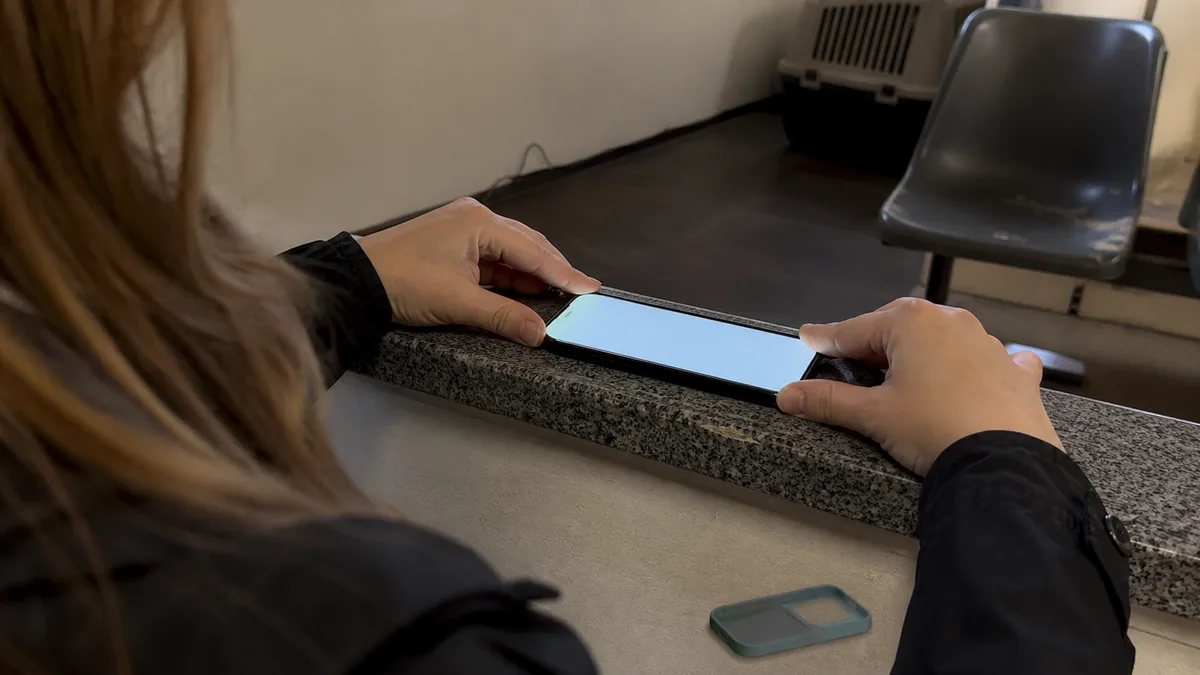
The short answer: If your iPhone turns on after a drop and the screen is intact, it usually means that no serious damage has occurred—but not always. Take ten minutes to inspect the glass under a light, test every camera lens, Face ID, both speakers and charging, and check whether the phone lies flat on a table. Most importantly, assume that water resistance may be reduced after an impact—Apple itself states that it is not permanent. The most important step, however, is not an inspection at all: it is making a backup. Data cannot be recovered from phones in the same way as from storage drives, so your only protection is a backup made while the phone is still working.
Why „it works„ is not the same as „it is fine"
A drop is not a single event but a chain reaction. The phone lands on a corner, the energy travels through the frame and is distributed among bonded joints, seals, connectors and modules mounted inside with submillimetre precision. The display may show no sign of it at all. Hidden components may be affected instead.
That is why the most useful response to a hard drop is a deliberate inspection straight away followed by observation over the next few days. There is no need to panic, but do not simply dismiss it either.
Most of what follows applies to the models people commonly carry today—from the iPhone 11 to the latest ranges. Check your exact model because internal components also differ between generations; see how to identify the exact Apple device model before making an enquiry.
A ten-minute inspection
Work through these steps in order, calmly, by a window or under a lamp:
- Inspect the glass under a light and at an angle. Do not look straight down—cracks within a layer may only become visible in the reflection.
- Check the back and frame, particularly the corners and the areas around the buttons.
- View a white and then a black screen at maximum brightness: look for marks, pressure shadows, green or purple lines and dead pixels.
- Test touch response across the entire screen—run your finger along the edges, especially above the buttons.
- Test every camera lens: 0.5×, 1×, telephoto, video and the front camera.
- Test Face ID: lock and unlock the phone, then try adding an alternative appearance.
- Test the sound: the earpiece during a call, the bottom speaker and the microphone by recording a few seconds of audio.
- Test haptics and buttons: vibration, volume controls, the side button and the Action button on models that have one.
- Test both wired and wireless charging, including whether MagSafe still attaches in the same position as before.
- Place the phone on a flat table and press each corner. Does it rock? Is there a new gap between the display and the frame?
The last check is the one people tend to skip, even though it is the quickest. A phone that is no longer flat or has developed a new gap has more than cosmetic damage.
Microcracks: damage you may not see for a week
Glass cracks in layers. The visible layer is the last one to fail. A drop that leaves no „spiderweb" on the screen may still create an internal microcrack. A temperature change or another minor impact can later turn it into a full crack.
Signs to look for include a short, hair-like line near the edge of the display or a corner of the back, a mark that does not wipe away under your finger, or a rainbow reflection around the impact point on the rear glass.
Pay particular attention to the glass back. A crack hidden by the case changes two things at once: it lets dust and moisture inside and may cause charging problems on models with wireless charging. Remove the case and inspect the phone.
Camera: a quick but essential test
Take one photograph in bright light and one in shadow with each lens, then record ten seconds of video while walking. You are looking for three things: whether the image can focus, whether you hear clicking or see the stabilisation shaking in the video, and whether any lens produces a black image.
Camera symptoms after a drop can have several different causes, ranging from damaged cover glass to a displaced camera module. We examine them separately in why an iPhone camera will not focus or keeps shaking after a drop. For now, it is enough to understand that „the camera is acting strangely" is a finding rather than an impression. A short screen recording will also help if you ask someone about the problem.
Face ID: a warning you should not ignore
Face ID relies on the TrueDepth camera, which contains laser components. After an impact, the system may detect a problem and disable Face ID. Apple describes a specific warning that may appear on the iPhone X and later models, as well as on the 12.9-inch iPad Pro from the 3rd generation and the 11-inch iPad Pro from the 1st generation:
„A problem was detected with the TrueDepth camera. Face ID has been disabled."
The recommended first step is to update the system to the latest version of iOS. If you still cannot register your face or unlock the phone afterwards, it needs professional service.
Apple also makes an important point explicitly: the TrueDepth camera must only be serviced by a trained technician. Improper repairs, modifications or the use of non-genuine parts in laser systems can prevent safety mechanisms from working correctly and create a risk of injury to the eyes and skin. This is not a component to experiment with using a cheap part from an online listing.
If system messages about components appear after a repair, see why an iPhone displays an „Unknown Part" message after repair.
Sealing: after a drop, it is a different phone
This is the most commonly overlooked consequence. Apple makes one statement about iPhone splash, water and dust resistance that is worth remembering: resistance is not permanent and may decrease over time as a result of normal wear. Apple also explicitly lists dropping an iPhone and subjecting it to other impacts among the situations to avoid in order to prevent liquid damage.
In practical terms, the rating applies to a new phone under laboratory conditions, not to your phone after it has hit the pavement. The seal consists of rubber and bonded components. An impact can shift or stretch it, or separate the glass from it, without leaving any visible sign.
These are the ratings with which the phones leave the factory, according to Apple and the IEC 60529 standard:
| Models | Rating | Tested depth and duration |
|---|---|---|
| iPhone 12 through iPhone 17, iPhone 16e, iPhone 17e and iPhone Air (including mini, Plus, Pro and Pro Max variants) | IP68 | up to 6 metres for 30 minutes |
| iPhone 11 Pro, iPhone 11 Pro Max | IP68 | up to 4 metres for 30 minutes |
| iPhone 11, iPhone XS, iPhone XS Max | IP68 | up to 2 metres for 30 minutes |
| iPhone 7, 7 Plus, 8, 8 Plus, X, XR and iPhone SE (2nd and 3rd generation) | IP67 | up to 1 metre for 30 minutes |
Do not rely on these figures after a hard drop. Keep the phone out of the shower, away from swimming pools and protected from rain. Do not assume it is safe simply because „it is IP68". Apple also states that liquid damage is not covered by the warranty, although this does not affect certain rights under consumer protection law.
If the phone gets wet after the drop and displays a liquid detection warning when you connect a cable, follow Apple’s separate procedure. The main rule is not to charge the phone until the port is dry.
Battery: what to look for when the phone no longer lies flat
The battery is a soft, compressed cell. A drop will not usually puncture it directly, but it may compress or displace it—and a swollen battery becomes visible to the eye before it appears in Settings.
What to look for:
- The phone rocks on a flat table, or the back is visibly uneven.
- A new gap has appeared between the display and the frame, typically along one of the long sides.
- The edge of the display is slightly raised, and touch response in that area becomes unreliable.
- Battery life suddenly drops or the phone shuts down unexpectedly over the following days.
If you notice any of these symptoms, do not leave the phone charging unattended overnight and have it inspected. Battery Health in Settings is not enough in this situation—it describes chemical ageing and maximum capacity, not the physical condition of the cell after an impact.
What to watch over the next few days
| What you notice | Safe to monitor | Have it inspected |
|---|---|---|
| Cosmetic scuff on the frame | yes | — |
| Hairline crack in the glass, but everything still works | yes, with a screen protector and case | if it grows or another crack appears |
| Face ID takes a moment but still unlocks | yes, after updating iOS | if a TrueDepth camera warning appears |
| Photos from one lens look softer | yes, compare them with photos taken before the drop | clicking, shaking or a black image |
| Slightly worse battery life | yes, for a few days | a sudden drop or random shutdowns |
| Quieter speaker | try restarting and cleaning the grille | if it remains quieter or sounds distorted |
| Phone rocks on the table or has a new gap | — | immediately |
| Phone became wet after the drop | — | immediately, and above all do not charge it |
| Touch response fails in a strip of the screen | — | immediately |
A useful rule: monitor one mild symptom, but do not troubleshoot two simultaneous symptoms at home. A combination such as „the battery does not last as long„ and „the touchscreen occasionally stops responding" is no longer likely to be a coincidence.
Data: your only protection is a backup made now
Everyone whose phone has fallen and still turns on should read this section.
We do not recover data from mobile phones. It is not a service we offer, and there is a technical reason: phone contents are encrypted in a way that means a dead device cannot be treated like a storage drive from which files can simply be read. We accept devices for repair without access to their data.
That leaves only one practical course of action, which must be taken in advance:
- Enable iCloud Backup and check in Settings when it last completed—not merely whether it is „enabled", but when a backup actually finished.
- Alternatively, back up to a computer, particularly if you have many photos and little iCloud storage.
- Check the backup immediately after the drop, while the phone still works. This may be your last reliable opportunity.
- Keep your photos and videos somewhere other than the phone as well. A single copy on the device you dropped on the pavement is not a backup.
A phone that still works after a drop has given you a gift: time. Use it to make a backup, not to hope for the best.
When a professional inspection makes sense
We provide out-of-warranty iPhone hardware repairs in Brno. If you notice an uneven back, a new gap, a Face ID warning, unreliable touch response, or the phone became wet after the drop, contact us through our contact page or call 774 777 774. Include the exact model, a description of the drop—how far it fell and what it landed on—and photographs. We cannot promise a price or part availability without diagnostics, and we are not an Apple Authorised Service Provider.
Back up the phone before handing it over. When the repaired device is returned, work through what to test when collecting an Apple device after repair.
Frequently asked questions
I dropped my iPhone 13, but it still works and the screen is intact. Does it need professional service?
Not automatically. Work through the inspection above, make a backup and monitor the phone for a few days. Have it inspected if you find an uneven back, a new gap, a Face ID problem or unreliable touch response, or if the phone became wet after the drop.
Did my iPhone 15 Pro lose its water resistance after the drop?
There is no way to know for certain without an inspection, but you can no longer rely on its original rating. Apple explicitly states that splash, water and dust resistance is not permanent and may decrease with wear, and it identifies drops and impacts as risk factors. Treat the phone’s water resistance as uncertain after a drop unless proven otherwise.
Face ID reports a problem with the TrueDepth camera after the drop. Should I try to repair it myself?
No. Apple states that these devices must only be serviced by a trained technician. The TrueDepth camera contains laser components, and improper repairs or non-genuine parts may create a risk of injury to the eyes and skin. First update iOS to the latest version. If that does not help, the phone needs professional service.
Can you recover my photos from a broken iPhone if it stops turning on?
No. We do not recover data from mobile phones, and we accept phones without access to their data. That is why you should make an iCloud or computer backup while the phone is still working.
Can I continue charging my iPhone wirelessly after a drop if the back is cracked?
It is better not to until the phone has been inspected. A crack in the back allows dust and moisture inside, while wireless charging adds heat. Use a cable until the inspection.
Sources
- Apple: About splash, water and dust resistance of iPhone 7 and later
- Apple: What to do if you see a liquid detection alert on your iPhone
- Apple: If an alert says Face ID has been disabled
- Apple: How to back up your iPhone or iPad with iCloud
- Apple: Identify your iPhone model
- Apple: iPhone battery and performance
Where to find us
ITHOPE is a company based in Brno, Czechia: we do data recovery from disks, RAID and NAS, PC and laptop service and IT for business, all in our own lab at Viniční 3587/216, 615 00 Brno.
Phone +420 775 556 063 (24/7 line). You can bring the device in person, or send it by courier (Zásilkovna, PPL).