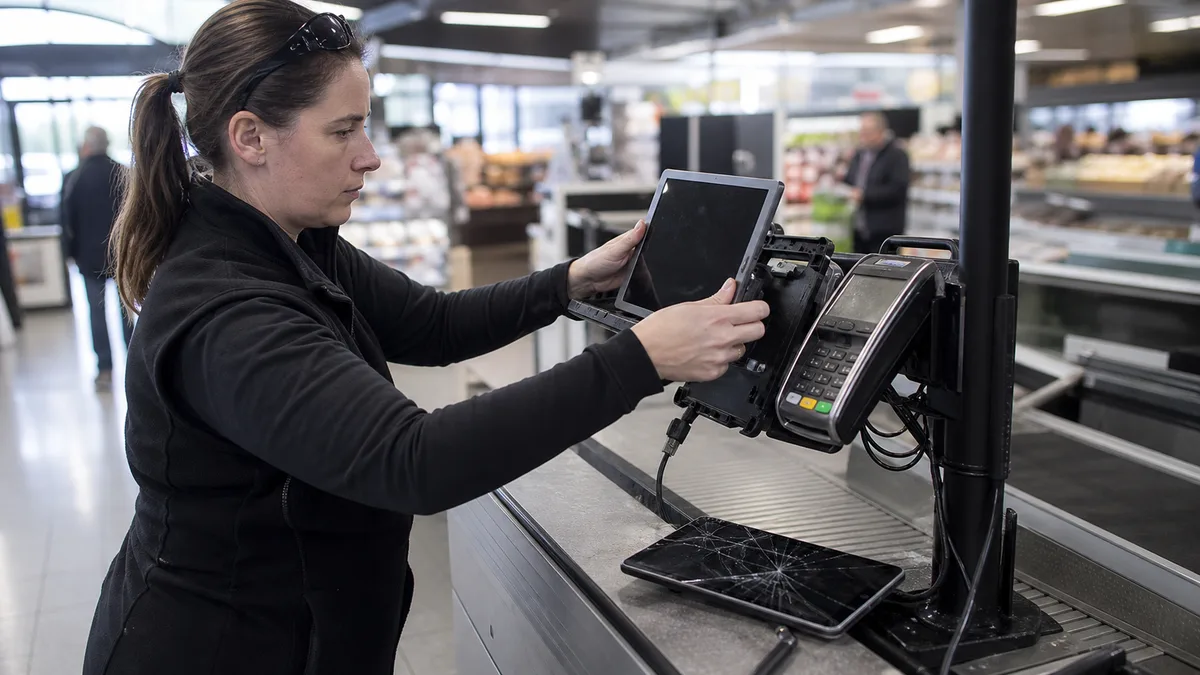
Odpověď hned: U firemního iPadu — v pokladně, na terminálu, v podpisovém místě nebo v provozním kiosku — rozhoduje jinak než u domácího tabletu. Oprava dává smysl, když je závada ohraničená, zařízení sedí do existujícího držáku a příslušenství a dál ho zvládne vaše správa. Výměna je lepší, když se sčítá víc závad, model už neunese požadovanou aplikaci, nebo když by odstávka jednoho místa stála víc než celý nový kus. Bez modelového čísla a diagnostiky nelze poctivě určit cenu ani vhodný díl.
Firemní iPad není domácí iPad
U tabletu doma je rozhodnutí v podstatě osobní: cena opravy proti ceně nového a osobní ochota s tím žít. Ve firmě jsou proměnné jiné. iPad není samostatné zařízení, ale kus provozu — visí na držáku, je propojený se čtečkou karet, tiskárnou účtenek nebo terminálem, je zapsaný do správy, má nasazený konfigurační profil a jeho výpadek zastaví konkrétní přepážku, pokladnu nebo montážní stůl.
Proto se v tomhle článku nedozvíte, jestli si nechat opravit rodinný iPad. Obecné rozhodování u domácího iPadu rozebírá Servis PC Brno; tady jde o rozhodnutí nákupčího a správce IT nad flotilou, kde je zařízení jen jedním řádkem v evidenci.
Nejdřív přesný model, ne velikost displeje
„Máme obyčejné iPady“ nebo „iPad Pro 12,9“ nestačí. Stejné obchodní označení zahrnuje více generací s odlišnými díly a postupy. Apple doporučuje zjistit číslo modelu v Nastavení → Obecné → Informace; klepnutím na číslo dílu se zobrazí označení začínající písmenem A. U části zařízení lze údaj dohledat také na těle.
Ve firemních nasazeních dnes potkáte nejčastěji tyhle generace:
| Model | Rok | Typická firemní role |
|---|---|---|
| iPad 9. generace (A2602/A2604) | 2021 | pokladna, kiosek, podpisové místo — nejrozšířenější „levný“ firemní iPad |
| iPad 10. generace (A2696/A2757) | 2022 | novější kiosky a terminály, přechod na USB-C |
| iPad Air 4. a 5. generace | 2020 a 2022 | mobilní obsluha v terénu, prezentace, náročnější aplikace |
| iPad Pro 11″ a 12,9″ | 2018–2022 | dílna, projekce, práce s Apple Pencil, velké formuláře |
| iPad mini 5. a 6. generace | 2019 a 2021 | sklad, expedice, čtečky a mobilní evidence |
Pro první poptávku pošlete modelové označení, kapacitu, počet kusů a roli zařízení — ne celé sériové číslo. Servis podle toho teprve ověřuje konstrukci, kompatibilitu dílu a reálný rozsah práce.
Jedno upozornění k plánování: základní iPady se s 10. generací v roce 2022 posunuly z konektoru Lightning na USB-C. Pokud máte v provozovnách zavedenou kabeláž, nabíjecí stojany nebo dokovací držáky, tahle změna může být větší nákladová položka než samotný displej.
Čtyři vrstvy rozhodnutí
| Vrstva | Otázka nákupčího a správce |
|---|---|
| technický stav | jde o jednu závadu, nebo o několik následků pádu či kapaliny? |
| role a příslušenství | sedne stejný model do držáku, stojanu a k periferiím, které už máte? |
| správa | zvládne zařízení dál vaše MDM, profily a požadovaná verze aplikace? |
| provozní hodnota | kolik stojí den, kdy tohle konkrétní místo nefunguje? |
Rozbitý displej neříká, že je zbytek zařízení v pořádku. Deformované šasi, problém s nabíjením nebo dřívější zásah mohou změnit výsledek i nabídku. Stejně tak slabší výkon pro novou aplikaci není závada, kterou vyřeší mechanická oprava.
Co rozhodnutí obvykle otočí: držák a příslušenství, ne displej
V praxi bývá nejdražší položkou to, co s iPadem souvisí, ne iPad sám. Než se rozhodnete pro výměnu za novější generaci, projděte si:
- držák a zámek — bezpečnostní kryty a pultové stojany jsou často vyrobené na milimetr přesně pro jednu generaci,
- umístění konektoru a tlačítek — výřez v krytu, který nesedí, znamená nový kryt pro každou provozovnu,
- čtečku karet a platební terminál — ověřte kompatibilitu s modelem, ne jen s „iPadem“,
- napájení a kabeláž — u trvale napájených kiosků je změna konektoru celý projekt,
- Apple Pencil a klávesnice — podpora se mezi generacemi liší a nákup nového pera se do rozpočtu započítat musí.
Když sečtete tyhle položky napříč deseti provozovnami, výměna jednoho rozbitého iPadu za jinou generaci se často ukáže jako nejdražší varianta ze všech — protože stáhne rozpočet na sjednocení celé flotily.
MDM, zápis a zámek aktivace
Před předáním do servisu vyřešte správu, ne diagnostiku:
- Je zařízení zapsané v MDM a kdo správu provozuje? U externího dodavatele zjistěte reakční dobu a kdo má administrátorský přístup.
- Kdo umí zařízení ze správy vyřadit a znovu zapsat a jak dlouho to trvá? Tenhle údaj patří do plánu odstávky, ne až do reklamace.
- Na jaký účet je navázaný zámek aktivace? Firemní účet řeší správce; u zařízení navázaného na osobní účet konkrétního zaměstnance potřebujete jeho součinnost.
- Máte ověřenou zálohu a je iPad v ní opravdu obsažený? U kioskových zařízení se na to zapomíná nejčastěji, protože „na nich nic není“ — dokud se neukáže, že tam byla konfigurace a fronta neodeslaných dokladů.
Zámek aktivace neobcházíme a ani se o to nepokoušíme. A ještě jedna hranice, kterou je poctivé říct dopředu: záchranu dat z mobilních zařízení, iPady nevyjímaje, nenabízíme — ani jako doplněk opravy.
Kdy je oprava silný kandidát
Oprava je logická u známé a ohraničené vady, když se iPad jinak spolehlivě používá a nechybí mu podpora důležitých aplikací. Ve firmě k tomu přibývají tři vlastní argumenty:
- zařízení je zabudované do místa — držák, kabeláž a výřez sedí a výměna generace by znamenala předělat celé stanoviště,
- flotila je sjednocená — jeden odlišný kus v deseti stejných rozbíjí jednotnou konfiguraci, školení i skladové náhradní díly,
- role je nenáročná — pokladna nebo podpisové místo nepotřebuje výkon, potřebuje spolehlivost a stejné ovládání.
Nejde však o příslib, že každou část lze měnit samostatně. Konstrukce displeje, baterie a konektorů se mezi modely liší. Nabídka musí vycházet z přesného modelu a kontroly zařízení.
Kdy se přiklonit k náhradě
Náhrada bývá rozumnější při kombinaci deformace, více závad, nejistého stavu po předchozí opravě a nedostatečné podpory aplikací. U firemního iPadu připočtěte správu zařízení, profily, licence, přihlášení a dobu mimo provoz. Nejlevnější kus nemusí být nejlevnější řešení, pokud se nepřipojí k používanému příslušenství nebo systému správy.
Silný signál pro výměnu je také opakování: pokud je stejný kus v servisu potřetí, neplatíte za opravu, ale za nejistotu. A pokud se závady začnou objevovat plošně na jedné generaci ve stejné roli, řešte obměnu celé skupiny, ne jednotlivé kusy — jinak budete rozhodovat každý měsíc znovu.
Před rozhodnutím vytvořte ověřenou zálohu běžným podporovaným postupem a zkontrolujte, že umíte zařízení znovu aktivovat. Obecný princip více kopií vysvětluje pravidlo záloh 3-2-1. Citlivé přístupové údaje do poptávky neposílejte.
Jak to spočítat pro flotilu, ne pro kus
Rozhodovat kus po kuse je nejdražší způsob, jak spravovat iPady. Udělejte si jednoduchý přehled po rolích: kolik zařízení dané generace v roli je, kolik z nich už mělo zásah, jak dlouhá byla odstávka a kolik stálo příslušenství, které je k roli přivázané.
Do porovnání pak patří:
- cena zásahu včetně diagnostiky a rizika, že se najde druhá vada,
- náklad na dočasnou náhradu nebo na neobsloužené místo po dobu opravy,
- čas správce na vyřazení ze správy, opětovný zápis a nastavení,
- příslušenství, které se změnou generace přestane hodit,
- zbytková hodnota kusu, který z role odchází.
Až tenhle součet řekne, jestli se vyplatí opravovat, obměňovat po kusech, nebo sjednotit celou roli najednou. U jednoho iPadu je rozdíl malý; u dvaceti je to rozpočtová položka.
Jak má vypadat nabídka
Nabídka má uvést potvrzený model, nález, navržený typ dílu, omezení výsledku, cenu a podmínky dalšího schválení. Nemá slibovat univerzální dobu nebo funkci bez modelové opory. U ITHOPE cenu stanovujeme až po individuálním posouzení; pevný veřejný Apple ceník nepoužíváme.
U dávky zařízení si nechte doplnit ještě dvě věci: v jakém pořadí se bude opravovat a kolik kusů může být mimo provoz současně. Bez toho se z opravy deseti pokladen stane odstávka celé prodejny.
Pro obecné srovnání nákladů si můžete přečíst kdy se vyplatí opravovat notebook; u iPadu ale konstrukci a díly nelze odvozovat z notebooku. Pozáruční poptávku pošlete přes servis Apple zařízení v Brně. Nejsme autorizovaný servis Apple a záruční případy nepřebíráme.
Časté dotazy
Stačí u firemní poptávky znát rok nákupu iPadu?
Ne. Rok nákupu může být jiný než rok modelu a v jedné době se prodává více generací. Potřebujete modelové označení ve tvaru A…, ideálně i počet kusů a roli zařízení.
Vyměníte displej u iPadu 9. generace, který nám slouží jako pokladna?
Rozsah potvrzujeme individuálně po ověření modelu a kontrole konkrétního kusu. Dostupnost dílu, cenu ani termín předem neslibujeme a u provozně kritického místa doporučujeme začít jedním kusem, ne celou prodejnou najednou.
Vyplatí se měnit jen prasklé sklo?
Bez konkrétního modelu a diagnostiky to nelze slíbit. Skladba displeje a dostupný servisní díl se liší.
Rozhoduje jen cena opravy proti ceně nového iPadu?
Ne. Přidejte kompatibilitu aplikací a příslušenství, správu, migraci, stav ostatních částí a cenu výpadku daného místa.
Máme iPady od operátora nebo na leasing — kdo opravu schvaluje?
Nejdřív ověřte vlastníka. U leasingu a operátorských smluv bývá držitelem nároku někdo jiný než uživatel a servisní cesta i schvalovatel se tím mění. Zásah bez souhlasu vlastníka vyjde firmu dráž než samotná oprava.