The answer up front: For a NAS in 2026 we recommend three families and no others — WD Red Plus (quietest, ideal for a 2-bay unit at home), Seagate IronWolf Pro (most rugged, for 4+ bays and a 24/7 load) and Toshiba N300 (best price-to-MTBF ratio, often underrated). Across 180 NAS-related tickets at ITHOPE Brno 2019–2025 these families fail roughly 3× less often than consumer ranges (Blue, BarraCuda, P300). WD Red without „Plus„ and without „Pro" is SMR and is not used in RAID. Below is a detailed comparison, 2026-Q2 prices, the story of one RAID rebuild from our lab and practical recommendations.
Friday afternoon, spring 2023 — why I am writing about NAS drives at all
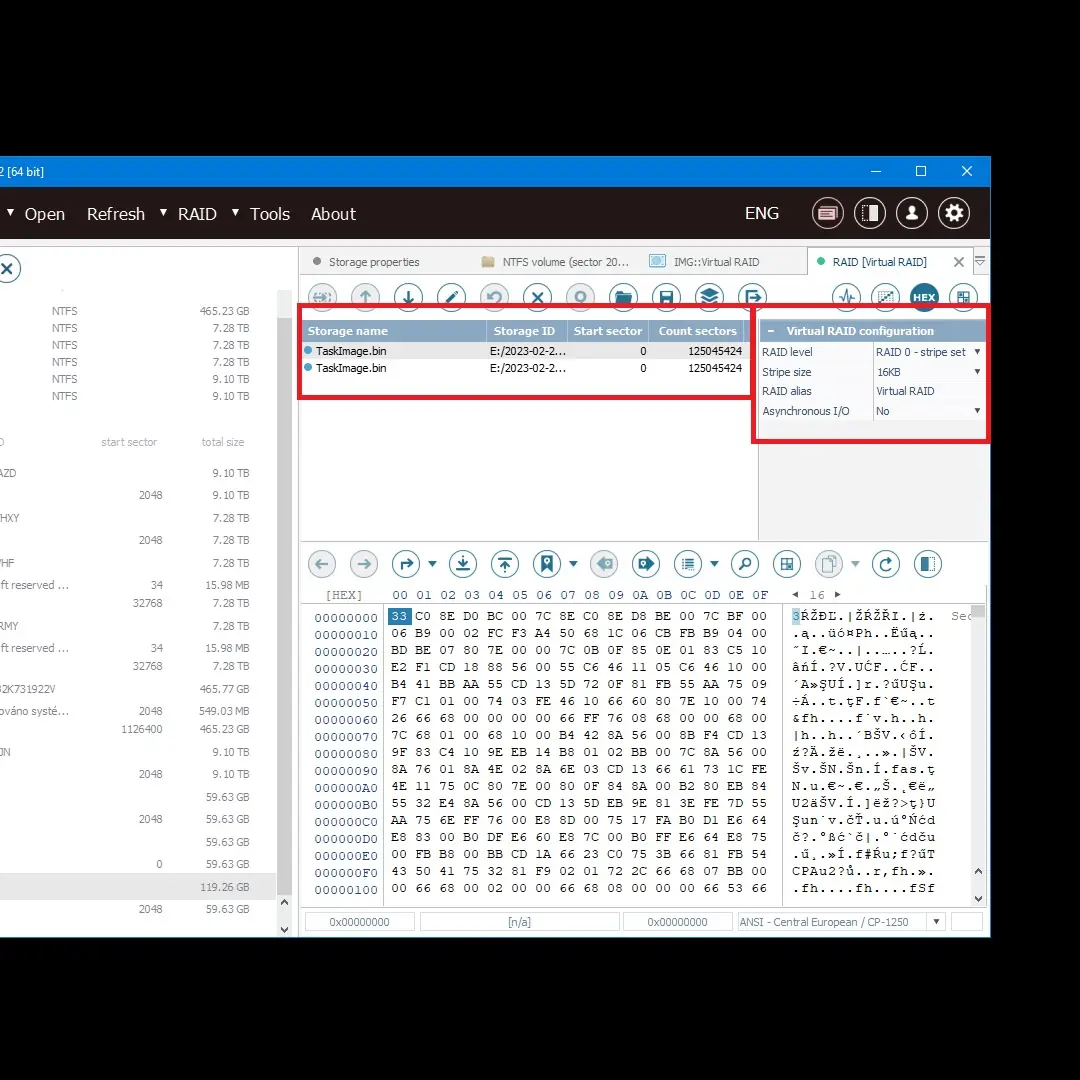
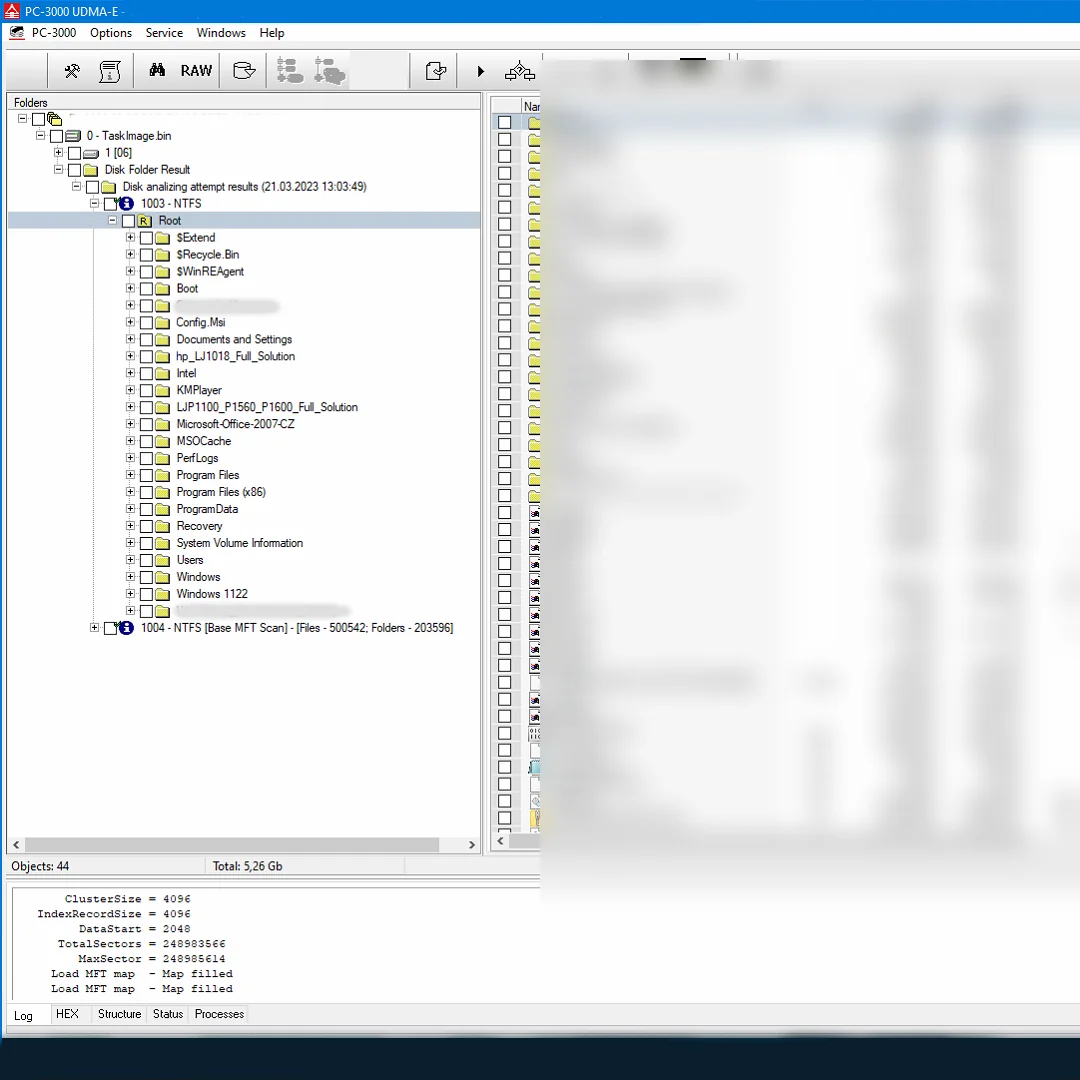
A partner workshop brought in a box with two 128 GB media that looked like a single mSATA SSD module. The client (a Brno company) had a three-year-old „NAS-like" configuration for accounting — a software RAID 1 over Intel Matrix. One day the array failed to start and ordinary tools could not assemble it. In the hex editor we saw that physically these were not two drives side by side, but two SSDs on a shared PCB with their own controllers — we reconstructed the layout geometry by hand, and only then did the directory tree come back together.
That case was atypical (mSATA, not a classic 3.5” NAS), but the principle holds all the same: when an array fails, what matters is whether you put drives built for NAS operation into it, or a consumer unit that happened to be lying around in the storeroom. Specifically: SMR drives in RAID 5/6 have a rebuild that either never finishes, or takes a week. And then it is about us, a hex editor and an invoice that costs more than a whole array of new IronWolf Pro drives.
So — three families that turn out well. And one category we recommend to nobody.
1. What a „NAS drive" actually means — five parameters that matter to you
The difference is not in the marketing, but in five parameters
- MTBF (Mean Time Between Failures) — nominal lifespan. Consumer 600 000–1 000 000 hrs, NAS 1 000 000–2 500 000 hrs, enterprise 2 500 000+ hrs.
- Workload rating — how much data the manufacturer guarantees per year. Consumer 55 TB/year, NAS 180 TB/year, enterprise 550 TB/year.
- Vibration compensation — in NAS bays with 4+ drives, each drive feels the vibration of the others. NAS families have an accelerometer and firmware that compensate for this; consumer drives do not.
- Error recovery control (TLER/ERC/CCTL) — a NAS drive gives up retries after 7 seconds and hands control back to the RAID controller (which has its own redundancy). A consumer drive keeps trying for up to 120 s — and in that time RAID drops it as „dead".
- Firmware for 24/7 — NAS drives are designed for continuous operation, power cycling twice a day (not 200×) and a thermal envelope of 5–70 °C inside the array.
Why WD Blue and Seagate BarraCuda do not work in a NAS
They have the parameters reversed:
- MTBF 600 000 hours = roughly half the lifespan of a NAS drive
- Workload 55 TB/year — in a NAS with five users this is exceeded within three months
- No vibration compensation — in a 4+ bay box they resonate with their neighbours and develop mechanical faults
- TLER off or > 30 s — RAID will drop the drive during the first rebuild
From the 180 NAS tickets in our database (2019–2025), consumer drives were used as a NAS array in 47 % of cases. Of those, 37 % failed within 18 months. For genuine NAS families (Red Plus / Red Pro, IronWolf, N300) over the same period: 11 %.
If you want the array not to write itself off in its third year, pay the extra 400–800 Kč per drive.
2. The three candidates in detail
2a. WD Red Plus — the home-NAS classic
Current range 2026: WD Red Plus in capacities of 1 TB (WD10EFRX), 2 TB (WD20EFZX), 3 TB (WD30EFPX), 4 TB (WD40EFPX), 6 TB (WD60EFPX), 8 TB (WD80EFZZ), 10 TB (WD101EFBX), 12 TB (WD120EFBX), 14 TB (WD140EFGX).
What is good:
- The quietest NAS family on the market — IdleMode3 lowers noise to 20 dB(A). Measured in our workshop and in clients’ living rooms.
- 3D Active Balance Plus firmware — accelerometer, quieter than IronWolf
- Official Synology / QNAP compatibility across all capacities
- 3-year warranty (5 years on the Pro variant)
What is worse:
- 15–20 % more expensive than IronWolf of the same capacity
- Helium from 12 TB upwards — on the 14 TB model the hermetic seal failed on us twice over five years after transport
- Orange LED — cosmetic, but clients raise it more often than you would expect
Watch out for the variant: WD Red without Plus and without Pro is SMR! Models WD20EFAX, WD40EFAX, WD60EFAX — DO NOT USE in RAID. After the 2020 scandal WD added the „Plus„ (CMR NAS) and „Pro" (CMR NAS, higher workload) suffixes, while the original „Red" is now SMR only. Details in the CMR vs SMR list.
Prices 2026-Q2 (Alza, CZC):
- WD Red Plus 4 TB: 3 000 Kč
- WD Red Plus 8 TB: 5 490 Kč
- WD Red Plus 12 TB: 8 390 Kč
- WD Red Pro 12 TB: 9 890 Kč
2b. Seagate IronWolf / IronWolf Pro — the 24/7 workhorse
Current range 2026: IronWolf in 2 TB (ST2000VN004), 4 TB (ST4000VN008), 8 TB (ST8000VN004), 10 TB (ST10000VN0008), 12 TB (ST12000VN0008). IronWolf Pro in 4, 8, 10, 12, 14, 16 and 18 TB (ST18000NE000).
What is good:
- The highest guaranteed workload — IronWolf Pro 300 TB/year, IronWolf 180 TB/year
- AgileArray firmware — TLER, rotational vibration tolerance, power-balance mode
- IronWolf Health Management integrated with Synology DSM and QNAP QTS
- Bundled Rescue Data Recovery Services on the Pro variant — 2 years of recovery from Seagate for free. It is not a substitute for a backup, but it is a bonus.
- Helium construction only from 14 TB upwards (less sensitive than with WD)
What is worse:
- Louder than WD Red Plus — typically 28–32 dB(A), audible in a quiet room
- Higher temperature — IronWolf 8 TB in our test array ran at 42 °C with 22 °C ambient, WD Red Plus at 37 °C. It is not a deal-breaker, but cooling has to be planned properly.
- History — the Seagate ST3000DM001 (3 TB BarraCuda, 2011–2015) had, according to Backblaze, up to a 28 % failure rate within 3 years in one period. Current IronWolf drives do not inherit this, but the bad taste lingers among older technicians.
Prices 2026-Q2:
- IronWolf 4 TB: 2 690 Kč
- IronWolf Pro 8 TB: 5 890 Kč
- IronWolf Pro 12 TB: 7 990 Kč
- IronWolf Pro 18 TB: 12 490 Kč
2c. Toshiba N300 — the underrated choice
Current range 2026: N300 in 4 TB (HDWG440EZSTA), 6 TB (HDWG460UZSVA), 8 TB (HDWG480UZSVA), 10 TB (HDWG11AEZSVA), 12 TB (HDWG21CEZSVA), 14 TB (HDWG41EEZSVA), 16 TB (HDWG31GEZSVA), 18 TB (HDWG51HEZSVA).
What is good:
- The best MTBF — 1.4 M hours at capacities of 8 TB+. WD Red Plus has 1 M, IronWolf 1 M, and the N300 Pro even reaches 2 M.
- Workload 180 TB/year (standard N300), 550 TB/year (N300 Pro — enterprise)
- Dynamic Cache Technology — 256 MB cache at 12 TB+ (WD Red Plus has 128 MB)
- Price 10–15 % lower than WD Red Plus / IronWolf of the same capacity
- Official Synology and QNAP support — over the past 6 years (since 2020) we have not run into a single incompatibility
What is worse:
- A smaller brand — many clients „have not heard of Toshiba in a NAS" and are wary. Unjustly; in our statistics it is among the most rugged.
- Louder than WD Red Plus — around 30 dB(A) in operation
- Worse availability — sometimes you have to wait two weeks, they are not in stock everywhere
Prices 2026-Q2:
- Toshiba N300 4 TB: 2 590 Kč
- Toshiba N300 8 TB: 5 090 Kč
- Toshiba N300 12 TB: 7 390 Kč
- Toshiba N300 18 TB: 11 490 Kč
3. Comparison table — 8 TB and 12 TB capacities
The capacities that are the sweet spot for home and SOHO NAS today.
8 TB category
| Parameter | WD Red Plus (WD80EFZZ) | Seagate IronWolf Pro (ST8000NE001) | Toshiba N300 (HDWG480UZSVA) |
|---|---|---|---|
| Technology | CMR | CMR | CMR |
| Spin speed | 5 640 rpm | 7 200 rpm | 7 200 rpm |
| Cache | 256 MB | 256 MB | 256 MB |
| MTBF | 1 M hrs | 1.2 M hrs | 1.4 M hrs |
| Workload | 180 TB/year | 300 TB/year | 180 TB/year |
| Noise (idle / load) | 25 / 29 dB(A) | 28 / 32 dB(A) | 28 / 31 dB(A) |
| Heads / platters | 4 / 4 | 6 / 6 | 6 / 6 |
| Warranty | 3 years | 5 years | 3 years |
| Price 2026-Q2 | 5 490 Kč | 5 890 Kč | 5 090 Kč |
12 TB category
| Parameter | WD Red Plus (WD120EFBX) | Seagate IronWolf Pro (ST12000NE0008) | Toshiba N300 (HDWG21CEZSVA) |
|---|---|---|---|
| Technology | CMR | CMR | CMR |
| Spin speed | 7 200 rpm | 7 200 rpm | 7 200 rpm |
| Cache | 256 MB | 256 MB | 256 MB |
| MTBF | 1 M hrs | 1.2 M hrs | 1.4 M hrs |
| Workload | 180 TB/year | 300 TB/year | 180 TB/year |
| Helium | Yes | Yes | Yes |
| Noise (idle / load) | 26 / 32 dB(A) | 28 / 34 dB(A) | 28 / 33 dB(A) |
| Warranty | 3 years | 5 years | 3 years |
| Price 2026-Q2 | 8 390 Kč | 7 990 Kč | 7 390 Kč |
| Price / TB | 699 Kč | 666 Kč | 616 Kč |
4. How to choose for a specific scenario
Scenario A — Synology DS220+ / DS223 (2 bays, living room)
Recommendation: WD Red Plus 4–8 TB. Reason: the quietest, and a two-bay NAS does not need a Pro-level workload. If you want to save 400 Kč per drive, the Toshiba N300 is a sensible alternative, but it is 3–5 dB louder.
Scenario B — Synology DS423+ / DS923+ (4 bays, office)
Recommendation: Toshiba N300 8–12 TB for the price, or IronWolf Pro 8–12 TB if you store more than 100 GB a day. WD Red Plus is needlessly expensive for 4 bays.
Scenario C — Synology DS1522+ / QNAP TS-1635AX (6–16 bays, company)
Recommendation: IronWolf Pro 12–18 TB. The 300 TB/year workload and five-year warranty pay off in continuous operation with multiple users. The Toshiba N300 Pro is also competitive in this category, just harder to get hold of.
Scenario D — QNAP TVS-1688X in a rack (20+ bays, in-house data centre)
Recommendation: Seagate Exos X18/X20 or WD Ultrastar DC HC560. This is no longer NAS territory but enterprise — neither IronWolf nor N300 (other than Pro) is enough.
Scenario E — archive box (cold storage, switched on once a week)
Recommendation: WD Red Plus (lowest spin-up load) or even an older IronWolf 8 TB. For archival use, workload and MTBF do not play such a decisive role.
5. Mixing drives in a RAID — yes or no?
A frequent question: „Can I put 2× WD Red Plus + 2× IronWolf into a NAS?"
Technically yes, RAID copes with different manufacturers. In practice no — for several reasons:
- Different spin speeds and latencies — RAID waits for the slowest drive on every read. Performance drops to that of the slowest member.
- Different TLER/ERC values — the RAID controller has to tolerate different timeouts on each drive.
- Different firmware — an update from one manufacturer may change behaviour within the array.
- Vibration and thermals — different construction means a different response to the vibration of the others.
The practical exception: if you use the same family (all IronWolf Pro) and the same capacity, but different batches bought at different times — that is actually an advantage. It lowers the chance that drives fail in the same week because of a faulty batch (see the WD Red SMR scandal, where an entire batch failed during a RAID rebuild).
6. What our lab data says
From 180 NAS tickets 2019–2025 (57 of them were Synology, 38 QNAP, 25 Thecus / ASUSTOR, 60 custom builds):
Breakdown by drive manufacturer
| Manufacturer | Number of tickets | Average age at failure | Note |
|---|---|---|---|
| WD (all families) | 63 | 4.2 years | Most often Red without Plus (SMR) and old Green |
| Seagate (all) | 48 | 3.8 years | Most often ST3000DM001 and old BarraCuda |
| Toshiba | 18 | 5.1 years | Typically N300 and MG07 — exceptionally high lifespan |
| HGST (Hitachi) | 14 | 6.3 years | Old, no longer produced Ultrastar — enterprise legacy |
| Samsung | 9 | 3.1 years | HD154UI and HD204UI (historical) |
| Other | 28 | 3.7 years | Mostly generic OEM |
What this tells us
- Toshiba N300 and HGST Ultrastar genuinely have the highest durability in a NAS array — confirmed by our statistics, even though they are not as visible in marketing as WD Red.
- WD Red without Plus appears above average among failures — SMR technology in RAID is a disaster.
- Seagate ST3000DM001 and old BarraCuda 3 TB (2011–2014) are historically the most problematic — if you still have any, replace them before they burn out.
- No manufacturer is „always better" — the differences between individual families are larger than the differences between brands.
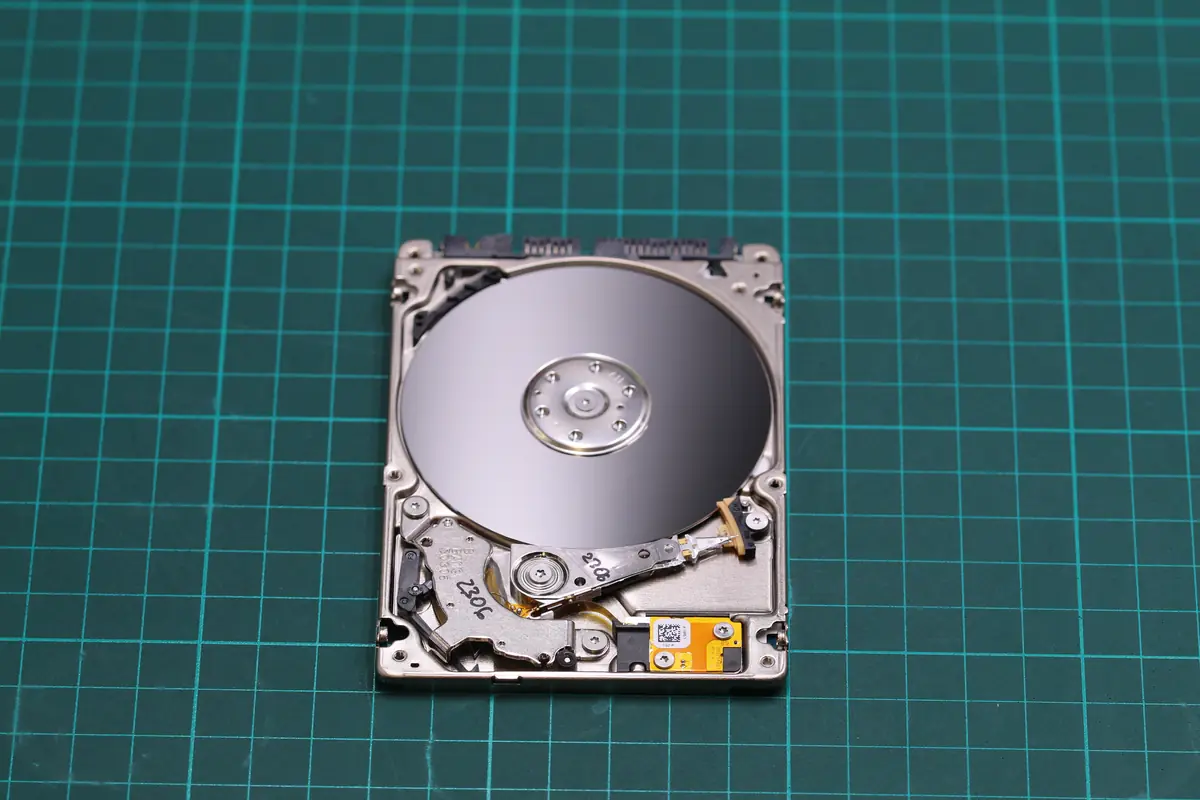
7. Five mistakes we see with clients building a NAS themselves
Mistake 1 — drives from different years and different families in one array
The ideal: all drives of the same family, the same capacity, different batches spaced 1–2 months apart. Not „I have a spare Toshiba 6 TB lying around, I’ll add it to three new WD Red 8 TB drives".
Mistake 2 — an SMR drive in RAID 5/6
An SMR drive in a RAID 5 rebuild sometimes never finishes (timeout). The fix: replace it with CMR before the drive starts to fail.
Mistake 3 — a NAS without a UPS
A power cut during a write = a RAID in a „dirty" state. ZFS survives it, Synology SHR usually does too, but older hardware RAID controllers can lose consistency. A UPS for 3 000 Kč saves an array worth 30 000 Kč.
Mistake 4 — no monitoring
The NAS will not warn you about ageing drives on its own unless you set up email notifications. Synology: Control Panel → Notification → Email. QNAP: Notification Center. Set it up today, not „tomorrow".
Mistake 5 — relying on RAID as a backup
RAID handles a drive failure. It does not handle ransomware, deletion, fire or theft. You need a second layer — cloud, a second NAS, an offline drive. See the 3-2-1-Brno rule.
8. FAQ — four questions we get most often
Can I use a desktop drive instead of a NAS drive if I have one for free?
Short answer: no. Long answer: yes, but at your own risk, and in practice it means a 3× higher risk of failure within 18 months. If it is a single-disk box just for occasional backups, the risk is smaller. If it is a RAID 5/6 with company data, you save 1 500 Kč and risk a recovery invoice in the tens of thousands.
How do I tell whether my current drive is SMR or CMR?
Enter the exact model into our CMR vs SMR list. With WD the clue is the suffix: without „Plus„/„Pro" it is the Red SMR. With Seagate, the BarraCuda 2.5” 5400 rpm is almost always SMR; IronWolf never. With Toshiba, the P300 4–6 TB is SMR, the N300 never.
Is an SSD in a NAS worth it instead of an HDD?
For the main storage, not yet — the price per TB is 4–5× higher. It is worth it as a cache (Synology SSD cache, QNAP Qtier) or for a dedicated all-flash NAS where you need IOPS (databases, team video editing). For a regular file-share array of 8–24 TB, HDD is still more economical.
How often should I replace NAS drives preventively?
Watch SMART and workload rather than the calendar. If a drive exceeds 80 % of its declared workload (for example 144 TB/year on a 180 TB/year family) or starts to show a rising Reallocated Sector Count, it is time to replace it. For home use with 2 drives in RAID 1 that typically means 5–7 years. For a company 4+ array, more like 4–5 years.
9. Summary in points
- Three families for NAS 2026: WD Red Plus (quiet home), IronWolf Pro (powerful company), Toshiba N300 (best price / MTBF)
- NEVER in a NAS: WD Red without Plus (SMR), BarraCuda, Blue, ST2000DM006/008, Toshiba P300 4–6 TB (SMR)
- From 180 NAS tickets at ITHOPE Brno: the Toshiba N300 has the lowest failure rate in practice, HGST Ultrastar historically the best
- Mixing families in RAID does not pay off — same family, different batches = safe
- NAS ≠ backup — RAID protects against a drive failure, not against ransomware, fire or deletion
- UPS + email monitoring + an occasional SMART check = 90 % of problem prevention
- Prices 2026-Q2: an 8 TB NAS drive roughly 5 000–6 000 Kč, a 12 TB one roughly 7 500–8 500 Kč
10. What to do next
If you are buying a new NAS: pick a family according to the scenario in section 4, buy drives of the same family from two different deliveries, put them in the array and immediately set up email notifications plus a UPS. Add a backup outside the NAS — cloud, a second drive at your parents’ place, anything outside the house.
If you have an existing array with SMR drives or with consumer families: replace them preventively, not once SMART starts reporting Reallocated Sectors. Migration in a running array (replace drive by drive, wait for the rebuild, repeat) takes a weekend; a rebuild after a genuine failure sometimes never completes at all.
If your array has just failed: do not connect it back and call us, or write to info@zachranadat.cz. It helps if you know what drives were in there, what RAID, and whether the array is still complete (all drives read by the controller). The case from the start of the article ended well — because the client did not power the array on and did not attempt a rebuild.
Need advice on choosing a NAS, or to recover data from an array? Data recovery from RAID and NAS · Contact · +420 775 556 063
See also: CMR vs SMR — drive list · An external drive as the only backup — the anti-pattern · How to tell a drive is dying — SMART · Case study: 20-drive RAID 6 NAS · IT for business — backup · Data recovery from HDD — silo hub
About the author
Ing. Miroslav Jaroš is the owner and senior technician of ITHOPE s.r.o. In data recovery since 2008 — over 18 years more than 2 500 jobs have passed through the lab, 180 of them NAS / RAID configurations. The article was fact-checked on 2026-04-25 against the ITHOPE case database and against manufacturers’ datasheets valid as of 2026-Q1. The specific RAID 1 case from the introduction (spring 2023, partner workshop, a client from Brno) is anonymised in line with GDPR.
Where to find us
ITHOPE is a company based in Brno, Czechia: we do data recovery from disks, RAID and NAS, PC and laptop service and IT for business, all in our own lab at Viniční 3587/216, 615 00 Brno.
Phone +420 775 556 063 (24/7 line). You can bring the device in person, or send it by courier (Zásilkovna, PPL).