The short answer: An external drive you keep in a drawer at home and occasionally copy something onto is not a backup. It is a copy — and only until it falls, until the USB glitches, until a power surge comes from a charger, or until you delete it by mistake along with your primary data. A real backup needs 3 copies, 2 different media, 1 off-site — and for a company, also 1 physically with a professional in Brno for data you simply cannot lose. This distinction decides whether, after a fire, flood or ransomware attack, you have your business back in a week — or you are closing it down.
That moment when an external drive stops spinning and you realise that the photos of your children since birth exist only here — every client describes it the same way. First calm („it’s just the cable"), then nervous plug-replug, then Google and panic. A call to us around eight in the evening, a voice trying to be matter-of-fact but shaking. In 18 years I have heard it so many times that I know when to first tell the client „sit down, take a breath, don’t touch the drive" and only then ask about technical details.
Our database holds 278 recovered external drives that clients used as a „backup". Of those, 231 were the only storage for important data — family photos, company accounts, dissertations, wedding videos. When that drive failed, the „backup" burned with it. This article is about how to move from the 231 category into the category where a backup actually works, even if you are the only IT person in your family or small firm.
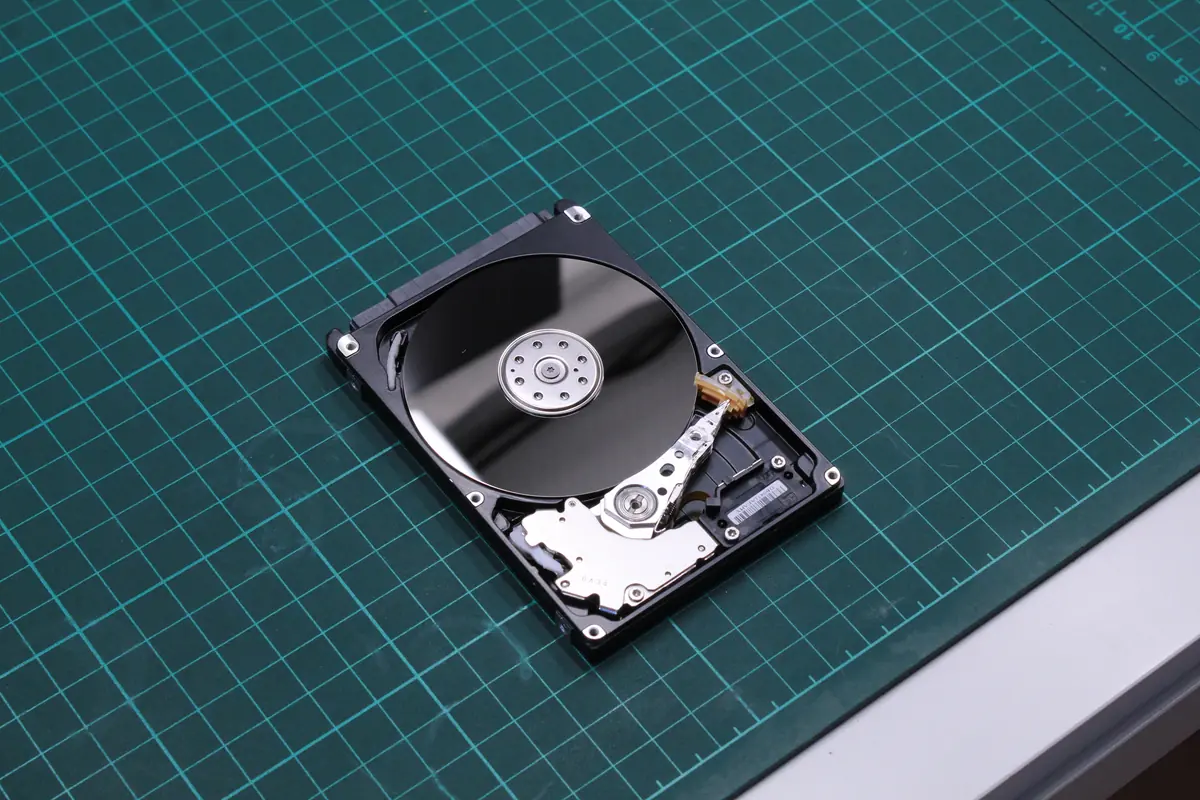
1. Why „I have it on an external drive" is not a backup
A backup ≠ a second copy
This is the biggest misconception. When you have a file on C: and the same file on external drive E:, you do not have a backup, you have a copy. The difference:
- A copy is protection against a single type of failure — deleting a file, an OS crash, a virus in one folder.
- A backup is protection against a whole class of incidents — fire, theft, power surge, ransomware, human error, the failure of the entire storage device.
An external drive in the drawer next to the computer it backs up does not address fire, theft, lightning or ransomware (because ransomware sees the external drive just like the primary one and encrypts both).
Numbers from our lab
Out of 278 external drives that reached us with the diagnosis „I need my data back":
- 46 % were WD My Passport and WD Elements — the WDBUZG / WDBAZ / WD20NMVW series — all 2.5” 4 800–5 400 rpm, vulnerable to drops
- 28 % were Seagate Expansion and Backup Plus with ST2000LM007 / ST5000LM000 drives — 2.5” SMR, a drop = clicking + a higher risk of complete failure
- 17 % were ADATA, Verbatim, Kingston external enclosures with cheap OEM drives — often with no anti-static packaging
- 9 % were older Samsung, Toshiba, HGST external units
Median drive age at failure: 3.5 years. Median volume of data the client came to recover: 847 GB (typically family photos + documents + a work archive).
83 % of these clients arrived saying „it was my backup, I had nowhere else to put it". On average we manage to recover 92 % of the data, but the cost (8 200 Kč median) and time (3–8 days) are many times higher than the two years of cloud for 1 300 Kč that would have prevented the risk.
Where an external drive fails most often
- A fall from a desk / bag — in 2.5” drives with a parking ramp, the head slider breaks off in 73 % of cases
- A power surge over USB — cheap chargers, faulty USB-C, short-circuited cables
- Condensation — a drive carried from a freezing car into a warm room, switched on within 5 minutes, moisture inside
- A slammed drawer — mechanical shocks to a drive while it is running
- Deletion by mistake — „There was probably an old backup folder there, I deleted it" (36 % of data losses according to the BackBlaze 2024 study have human error as their cause)
- Ransomware — it encrypted even the connected external drive, because it was visible as E:\
- „I’ll open it and take a look" — amateur disassembly in a dusty kitchen / living room. In 2024 we saw this 38 times. Decontaminating the platters + a new head stack doubles the cost of recovery.
2. The 3-2-1 rule — what it actually means
The 3-2-1 rule was formulated by photographer Peter Krogh in the book „The DAM Book" (2005). Since then it has become the de facto standard of the IT industry. The description is simple:
- 3 copies of the data (primary + 2 backups)
- 2 different media (so that the failure of one type does not mean losing all)
- 1 copy off-site (so that a fire / theft / flood does not mean losing everything)
The practical translation for a home setup:
| Copy | Location | Medium | In practice |
|---|---|---|---|
| Primary | Laptop / PC | Internal SSD | The data you work with |
| Backup 1 | At home, nearby | External HDD / NAS | Weekly full backup |
| Backup 2 | Cloud / at relatives / at the office | Cloud (OneDrive, iCloud, Backblaze) | Daily incremental |
For a small firm (up to 20 people):
| Copy | Location | Medium | In practice |
|---|---|---|---|
| Primary | Server / NAS | SSD RAID 1 | Operational data, shared folders |
| Backup 1 | NAS in another room | HDD RAID 5/6 | Veeam / Synology Hyper Backup, daily |
| Backup 2 | Cloud (Wasabi, Backblaze B2) | Object storage | Nightly encrypted backup |
What „different media" means
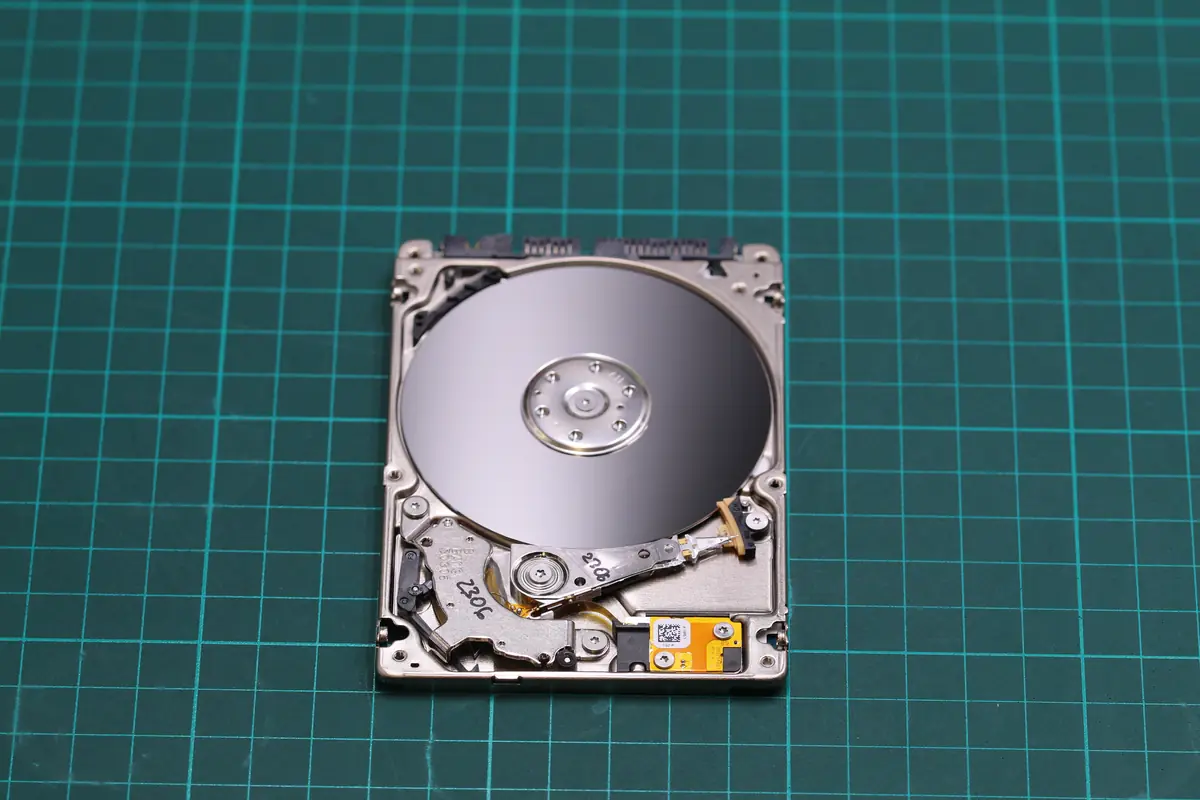
Same media = same risk. Two external HDDs from WD are two copies, but the same medium. If a bad batch catches you out (see the WD Red SMR scandal of 2020), both fail within the same period.
Sensible combinations:
- SSD + HDD — different technologies, SSD internal, HDD external
- HDD + Cloud — resistant to local problems: water, fire, theft
- HDD + Optical (M-DISC, archival BD-R) — for a long-term archive
- NAS + Cloud — for a company
The worst combination: two external HDDs from the same manufacturer and the same batch, bought on the same day, stored in one room. Two of those will protect you against almost nothing.
What „off-site" means
Off-site = physically elsewhere, not „in another drawer of the same desk". If the house burns down, all 3 copies burn if they are in one flat. Sensible off-site options:
- Cloud — the simplest, no intervention, the data is physically in a data centre (typically in the EU, with reputable providers)
- An external drive at relatives’ / a friend’s / at the office — you never know when you’ll next update it, but it costs a few crowns a month
- A bank safe / a post-office box — for encrypted drives with legally sensitive data
- A physical lab in Brno — see 3-2-1-Brno below
3. The ITHOPE 3-2-1-Brno rule
With standard 3-2-1, we saw one recurring problem among B2B clients in 2022–2025: the cloud is enough until the cloud collapses. Microsoft OneDrive, Google Drive and Dropbox each had several incidents in 2022–2024 where data could not be loaded for a day or two. For a company in live operation this can mean 10–50 000 Kč in losses per day.
That is why for business-critical data we recommend the extended 3-2-1-Brno rule:
- 3 copies of the data
- 2 different media
- 1 copy off-site
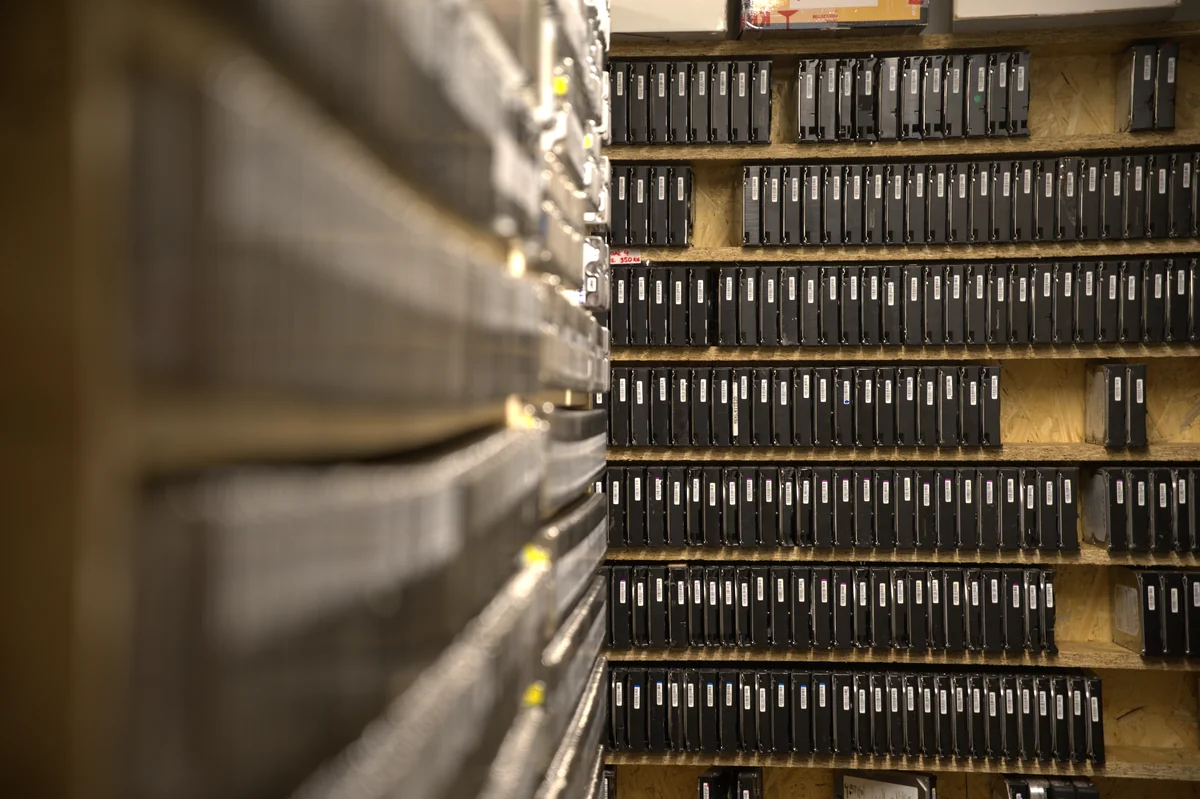
- +1 physical copy with a professional in Brno — on an encrypted drive in our lab, with a signed NDA, off the internet
This is not spam or an attempt at an upsell. It is a response to specific cases where a corporate client lost their accounts to ransomware that got through the VPN into the cloud sync, and who needed to physically pull out the most recent data that existed before the infection. Our offline copy in Brno let them get back into operation within 48 hours.
Who it makes sense for:
- Firms with accounting, client data, GDPR responsibilities
- Law offices
- Medical practices and surgeries
- Creative studios with years of archive
- Project firms with contract values of 100 000 Kč+
For home users, the classic 3-2-1 is enough — the cloud gives a sufficient off-site guarantee.
4. A concrete proposal — home backup for 500 Kč/month
This is the setup we recommend to everyone who asks „what should I use at home".
Minimum (free, for families with up to 500 GB of data)
- OneDrive 5 GB free or Google Drive 15 GB free for essential documents (contracts, children’s photos to the cloud)
- An external 2 TB HDD (WD My Passport Ultra — 1 800 Kč one-off) connected once a month to an automatic backup via Windows File History or Time Machine (macOS)
- The rule: disconnect the external drive after the backup and store it on a different floor / in a cupboard (protection against ransomware and lightning)
Extended setup (250 Kč/month, for families with photos, freelancers)
- OneDrive 1 TB within Microsoft 365 Personal (269 Kč/month) or iCloud+ 2 TB (259 Kč/month) — the primary cloud
- An external 4 TB HDD (WD Elements or Seagate Expansion — 2 400 Kč) with automatic sync via Veeam Agent or Macrium Reflect Free
- The 3-2-1 rule: primary on the SSD in the laptop, backup 1 on the external HDD at home, backup 2 in the cloud
Premium setup (for firms up to 20 people, 1–2 TB of business data)
- Synology DS223 + 2× WD Red Plus 4 TB in RAID 1 (15 000 Kč one-off) as the company NAS
- Synology Hyper Backup → Backblaze B2 (about 200 Kč/month for 2 TB) as the cloud off-site
- An external 8 TB HDD rotation (2 units at 4 000 Kč each) — one drive one week, the other the next week, one always at the accountant’s / at home
- Optionally ITHOPE 3-2-1-Brno — a quarterly full dump onto an encrypted drive with us in Brno-Židenice, with an annual NDA
How to send a medium to a professional (off-site by post)
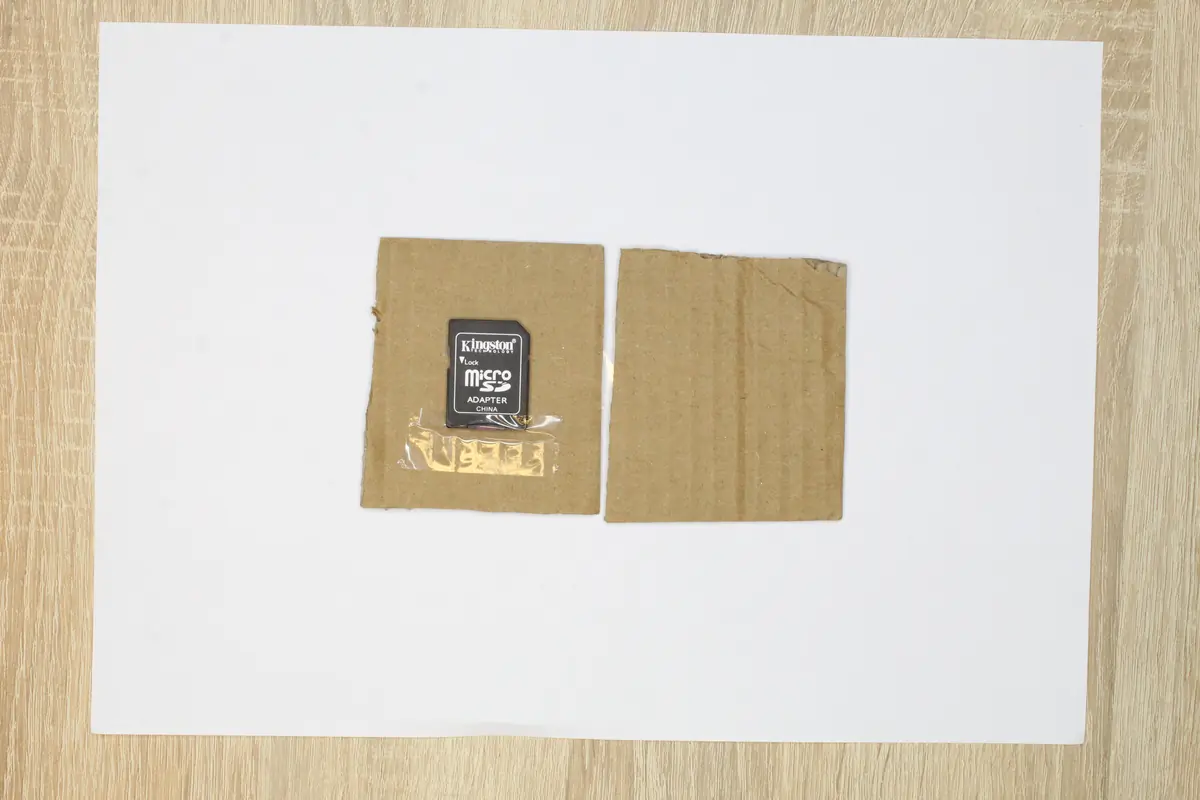
Simple packing rules (from a microSD card to a 3.5” external):
- An anti-static bag around the drive or card (you can buy one for a few crowns, or it comes with every new HDD)
- For small media (microSD, USB flash) — clamp it between two pieces of corrugated cardboard and fix it with tape, see the photo above
- For an HDD — at least 3 layers of bubble wrap, or a padded envelope of category F/G, ideally a sturdy box
- An accompanying note with a phone number, e-mail, and a description of what you expect (recovery × cloning × long-term storage)
- Insurance on the parcel for at least the replacement cost of the drive — recovery is calculated from the real data, not from an 800 Kč empty HDD
What not to do
- Don’t rely on iCloud Photos as a photo backup — it synchronises, so a deleted photo disappears from the cloud too within 30 days
- Don’t use the same Google/Microsoft account for the primary and the backup — one compromise = the loss of everything
- Don’t buy a „cloud backup tool" from an unknown company that has been around for two years — if it goes bankrupt, your data goes bankrupt too
- Don’t rely on RAID as a backup — RAID handles a drive failure, not deletion, not ransomware, not fire. More in the article on RAID and backups
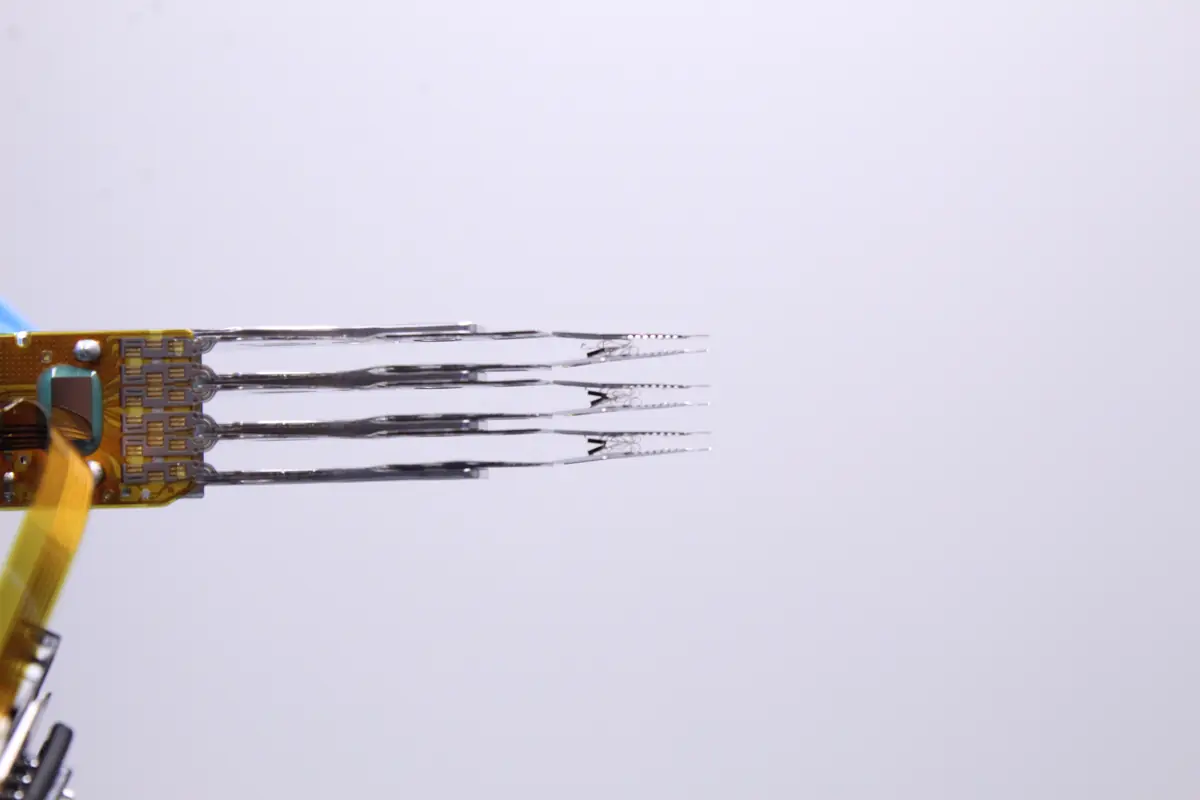
- Don’t open a failed external drive at home. Dust on the platter = +5 000 to +10 000 Kč to the recovery, possibly a total loss. See the head-stack photo above — that is the price of home curiosity.
5. A real case: the only copy of a family archive on a WD Elements 1 TB
Job #2430, August 2024, Brno. Anonymised, private client, WD Elements Play 1 TB (model WDBBEP0010BRD-01, internal drive WD10TMVW-11ZSMS5).
The situation before the incident
- The primary „storage": that same external drive. The client used it as the only place where he kept nine years of family photos and videos, scanned documents from his parents, and an archive of his own musical work.
- The backup: none. The external drive was the „backup" of the laptop, but the data had long since stopped being on the laptop — the client had moved it off the drive to free up the SSD.
- The drive’s age: 4 years, connected daily, often carried between the laptop and the TV.
What happened
- Friday afternoon — the drive stopped being visible in Windows. The classic symptoms: the sound of spinning up, then silence.
- Saturday morning — the client found a video on YouTube and opened the drive at home on the kitchen counter to „find out what was going on".
- Saturday afternoon — a phone call: „I think I’ve broken it even more, can you still recover it?"
What we found on intake
The drive arrived disassembled in a ZIP bag, the platters at the bottom, the head stack in a plastic tube. The diagnosis after the initial inspection under the microscope:
- Heads with sharpened edges — contact with the platters in a dusty environment, unusable
- Platters contaminated with dust particles — a typical home, not a lab, so textiles + kitchen dust
- The diagnosis in the internal DB: „drive opened outside a dust-free environment, complete destruction of the head stack, sharpened platter edges — full disassembly and decontamination"
The state of the head stack in this case looked very similar to the photo in chapter 1 — sliders torn off, the suspension on some arms bent.
What we did
- Disassembly in a laminar-flow box — removing the head stack, rinsing the platters with ultrasound in isopropyl alcohol
- A donor head stack from the same WD10TMVW series (we keep a stock of donors from earlier jobs)
- An image of the entire drive in read-only mode via PC-3000 — 11 hours of pure time
- Reconstruction of the file system (NTFS) from the image
The result
- 92 % of the data recovered — photos, documents, music in full. The last 8 % were some half-finished recent projects — the platters had not written those cleanly anymore.
- Recovery cost: 13 400 Kč
- What could have prevented it: OneDrive 1 TB for 269 Kč/month. An annual cost of 3 228 Kč, a four-year cost of 13 000 Kč — exactly the cost of the recovery. And had the drive stayed closed, the recovery would have cost under 5 000 Kč.
This is the typical scenario of the 231 category out of 278. That client now uses 3-2-1: an external drive (rotating with a second one at his parents’) + OneDrive + the local laptop. He doesn’t need us anymore.
6. Bonus: a B2B incident — when ransomware eats the „backup" too
Anonymised, October 2024. The client — a creative studio from Brno-Královo Pole, 4 employees, an archive of clients from the last 9 years.
The situation
- The primary server: a Synology DS218 with 2× WD Red 4 TB in SHR
- The „backup": 1× external Seagate Backup Plus 5 TB permanently connected to the server, synchronised via Hyper Backup once every six months, when someone remembered
What happened
- Friday evening, 23:47: ransomware got into both the server and the external drive via RDP with a guessable password
- Saturday morning: the firm opens, all data encrypted, including the „backup" on the external drive (because it was connected)
- Monday: the client at our place, with both drives
What we did
- Extraction from the Synology drives = impossible (the ransomware overwrote the LUKS structure, nothing without the key)
- Extraction from the external drive = partial (the ransomware was fast, but the external drive had been offline for 4 months, so the current data was only half there)
- 73 % of the data recovered from a combination of the external drive (an older copy) and remnants in the Synology RAM cache
- Recovery cost: 28 400 Kč
- The cost of the ransom paid for decryption: 0 (we don’t pay, we don’t support it)
- The business loss: 3 weeks of slowed operation, 40 000 Kč in unrealised jobs, one lost client
What would have prevented it
- Cloud backup via Synology Hyper Backup → Backblaze B2, encrypted before sending, with immutability (data cannot be deleted for 7 days, not even by logging in) = about 300 Kč/month
- An external drive rotation — one of the pair always away from the server — about 3 500 Kč one-off for the second drive
- A strong password on RDP + 2FA — zero cost
- A total of 300 Kč/month in prevention vs. 70 000 Kč in costs after the incident
7. You often ask
How much does it really cost to set up a 3-2-1 backup for a home?
Minimum — 2 400 Kč one-off (external 4 TB HDD) + 0 Kč/month (free cloud 5–15 GB for key documents). Extended — 2 400 Kč one-off + 269 Kč/month (OneDrive 1 TB in M365 Personal).
Do I need backup software, or is dragging files enough?
Drag-and-drop once every six months is not a backup, it is a feel-good copy, nothing more. At a minimum, automation via Windows File History or Time Machine. For a company, Veeam Agent (free for 1 machine) or Macrium Reflect Free.
How long does an external drive stored in a drawer last?
The magnetic retention of an HDD = 5–10 years (it depends on temperature). An SSD stored without power = 1–3 years (the memory cells lose their charge). Archival M-DISC Blu-ray = 100+ years. Cloud = as long as you pay / the provider exists.
Does ransomware encrypt the cloud too?
If the cloud is connected as a sync folder (OneDrive, Google Drive as O: in Explorer), yes. If it is a real backup with an immutable policy (Backblaze B2, AWS S3 Object Lock), no. The difference is fundamental.
Is a NAS a backup?
It is not. A NAS with RAID handles a drive failure, not deletion, not ransomware, not fire. For a backup you need one more layer. More in the separate article RAID vs. backup.
What should I do if my external drive has stopped running and I have everything on it?
Don’t touch it. Don’t keep trying to open it. Don’t run „recovery" programs from Google on it — they read the drive over and over, and every further read attempt can damage the platter. Call us on +420 775 556 063, describe what happened, and we’ll say whether it’s worth sending. Initial HDD and SSD diagnostics with us are free of charge. In non-standard cases (the drive was opened by another service, overwriting/formatting, complex analysis) diagnostics cost 1 210 Kč including VAT (1 000 Kč excluding VAT) — we will tell you in advance.
8. Summary in points
- A single external drive in a drawer is not a backup — it is a copy. A backup = 3-2-1 (3 copies, 2 media, 1 off-site)
- Out of 278 external HDDs in our database, 83 % of clients came saying „it was my backup". They had no second copy.
- External drives fail most often after a drop (73 % of mechanical faults in 2.5” drives), ransomware (+36 % in 2023–2024) and condensation
- For a home, OneDrive 1 TB + an external 4 TB HDD is enough, about 269 Kč/month + 2 400 Kč one-off
- For a firm with business-critical data we recommend ITHOPE 3-2-1-Brno — standard 3-2-1 + a physical encrypted copy with a professional as an immutable offline backup
- The cloud is not the same as a sync folder — for a real backup you need an immutable policy (Backblaze B2, S3 Object Lock) or a separate account
- Prevention at 300 Kč/month is 100× cheaper than data recovery after an incident (a median of 28 400 Kč for B2B, 13 400 Kč for the family WD Elements story from the article)
- Don’t open it at home. A dusty kitchen + a platter = double the recovery cost.
Do you need to set up backups for a company or a home? Backing up company data · Contact us · +420 775 556 063
See also: How to tell that a drive is dying — SMART · What to do when a drive clicks · Data recovery from an external drive · CMR vs SMR drives 2026 · Case study: external WD Elements · IT for businesses — backups
About the author
Ing. Miroslav Jaroš is the owner and senior technician of ITHOPE s.r.o. He has been working in data recovery since 2008 — in 18 years over 2 500 jobs have passed through the lab, of which 278 external HDDs specifically as a „backup" scenario. The article was fact-checked on 2026-04-28 against the extensive ITHOPE case database (2019–2026, a 97.5 % closure rate).
Where to find us
ITHOPE is a company based in Brno, Czechia: we do data recovery from disks, RAID and NAS, PC and laptop service and IT for business, all in our own lab at Viniční 3587/216, 615 00 Brno.
Phone +420 775 556 063 (24/7 line). You can bring the device in person, or send it by courier (Zásilkovna, PPL).