Successful data recovery
The situation
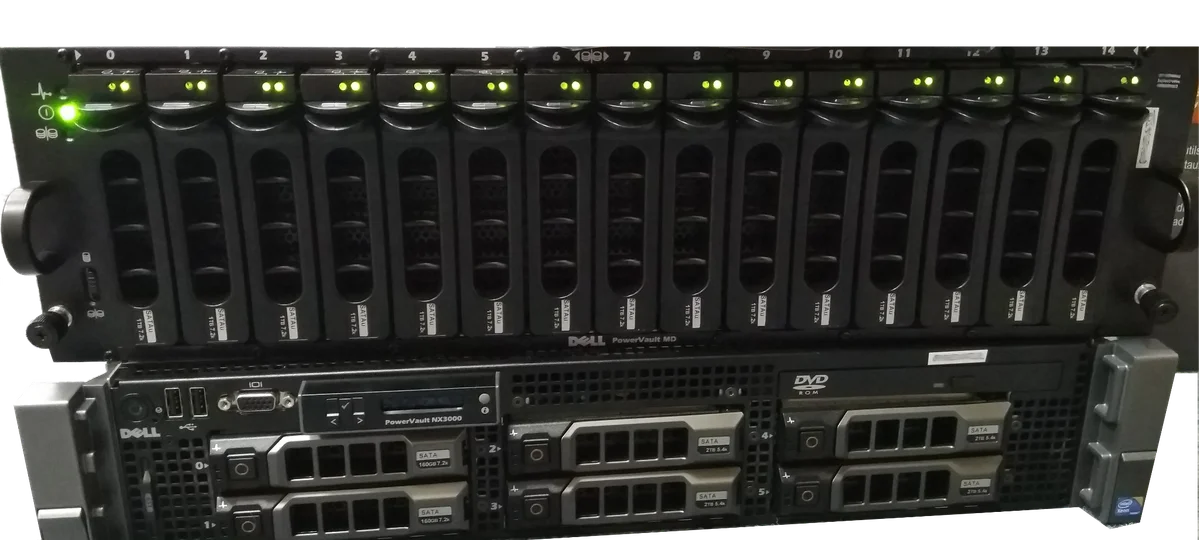
The client — a mid-sized engineering firm — uses a NAS with 20 drives in RAID 6 (two parity drives, tolerating the simultaneous failure of two drives) for CAD documentation, historical projects and accounting backups. Array capacity: 160 TB, roughly 130 TB effective. Array age: 4 years.
What happened:
- Monday morning — the NAS reports a failure of drive #7. The admin orders a replacement and plans an overnight rebuild.
- Tuesday morning — before the replacement drive arrives, the NAS reports a failure of another drive, #12. The array is in a degraded-critical state (zero tolerance for any further loss).
- Tuesday afternoon — after the replacement drives arrive, the rebuild starts. After 30 hours, the rebuild stalls on a bad sector of drive #5 (which was „healthy", but bad sectors surfaced from its platters under the intensity of the rebuild).
- Wednesday — the NAS is offline, the array is not recoverable by ordinary means.
Why it had to go to the lab
The standard rebuild failed. A ddrescue attempt would have taken weeks (copying the full 20 TB drives copy-on-read) and would still have guaranteed nothing, because the parity recovery would have had to touch the bad sectors all over again.
The solution: sector-level cloning of all 20 drives, offline parity analysis, file-system reconstruction.
What we did
- Days 1–2: Receiving the NAS, photo documentation, labelling the drives by position. We touched the drives as little as possible.
- Days 3–5: Cloning all 20 drives via the DeepSpar Disk Imager. Drive #5 and drive #7 had a bad surface and were cloned with passes using different strategies (forward, reverse, reading multiple times).
- Days 6–7: Offline parity analysis on our reconstruction station. Identifying the correct stripe offset (the NAS used a proprietary layout) and the actual drive order.
- Days 8–9: Virtual reconstruction of the array from the clones, extracting the data to staging storage (120 TB SATA RAID 10).
- Day 10: The client came to our branch and inspected the folder structure and contents. 100% integrity, not a single error in the key CAD files.
- Day 11: Handover of the data onto new enterprise drives that the client brought. Disk wipe on our staging storage. The client left with a full NAS and decommissioned the old one.
The result
- 100% of the data recovered (the client checked randomly chosen CAD projects from 2020, 2022 and 2024 — everything opened without corruption)
- 11 days of lab work
- 0 days the client was without access to the data — within the first 3 days we extracted the current priority-A projects from the cloned areas as a quick win
Lessons for the client
- RAID 6 is not a backup. It is protection against a drive failure, not against an array failure.
- The rebuild is the dangerous moment. Intensive reading of the entire surface on drives that are 3–4 years old will reveal bad sectors.
- A regular scrub (Synology, QNAP, ZFS) identifies bad sectors before a rebuild failure occurs.
- An offsite backup is a necessity. Today the client has a Veeam backup on our infrastructure + rotating USB drives.
Have a similar case? Request RAID/NAS data recovery · +420 775 556 063