Situation
The client contacted us on a referral. The computer that held his wedding video did not survive a lightning strike. The storm was right next to the house, and the lightning hit the transformer. The computer reported errors and stopped booting.
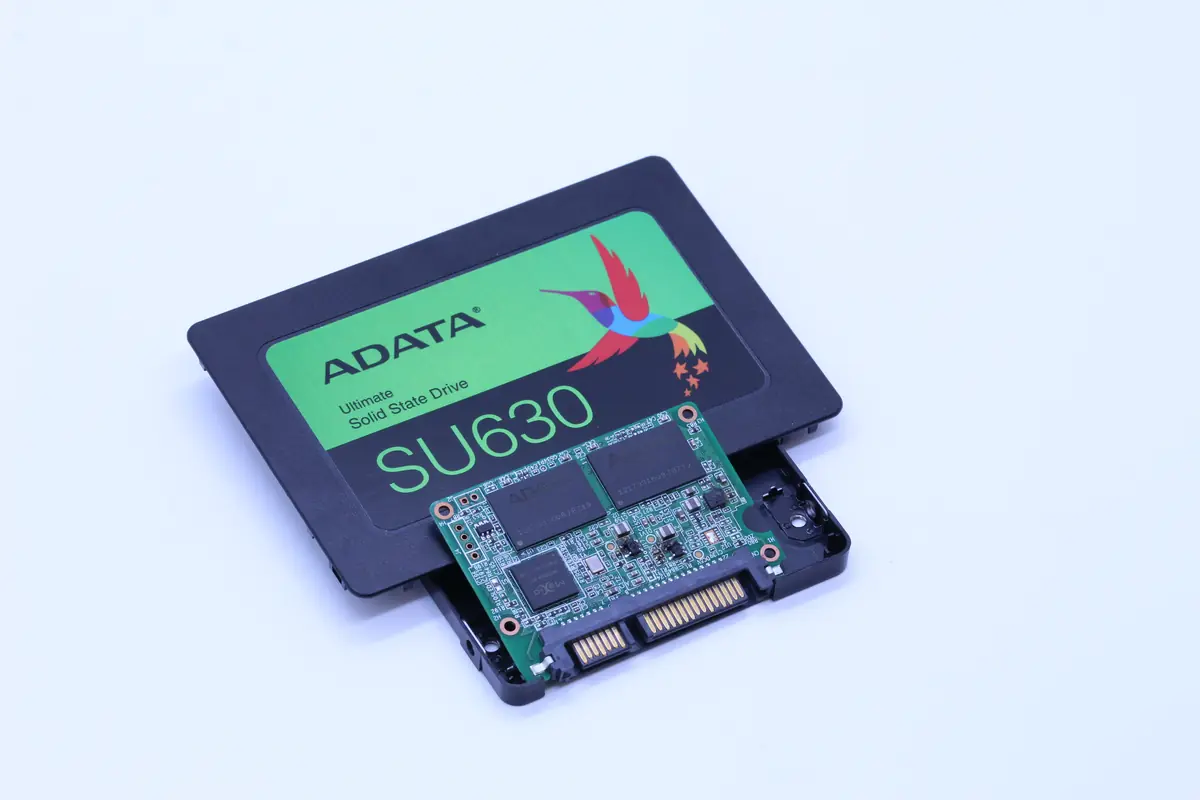
After diagnostics at another IT service, it turned out the SSD was completely dead — not even the BIOS could see it. The drive was an ADATA ASU630SS 480 GB SATA SSD. The client kept the wedding videos on it, along with a microSD backup that, in the client’s words, held „identical data". The SSD held the original raw videos from the camera.
Diagnostics
After opening the drive, we saw the classic picture of overvoltage burn-out:
- The input power area was literally burnt. The power MOSFETs were carbonized, the surrounding resistors burnt, and a thermal zone of roughly 2×3 cm was visible on the PCB.
- Zero current draw on the power connector. The drive did not react at all once connected — meaning the power chain was damaged.
- The controller (Realtek RTS5738) showed no visible damage, but it was electrically inactive.
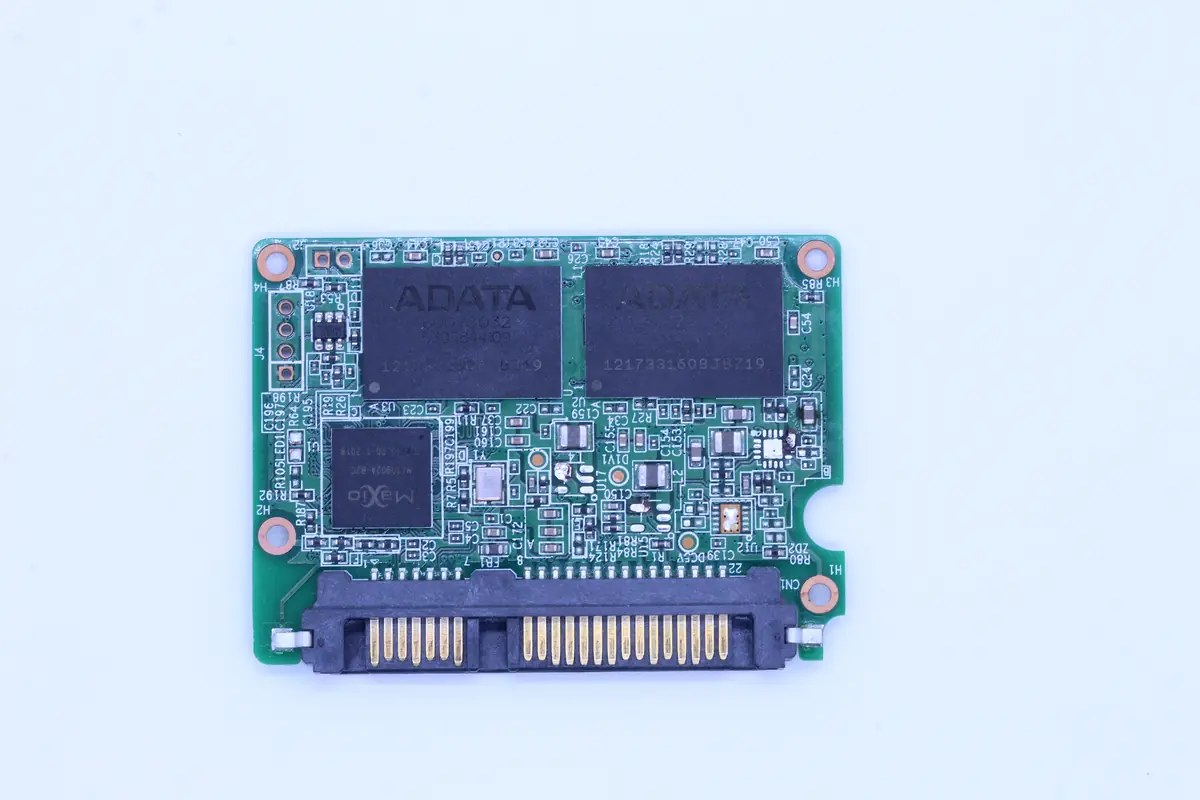
- The NAND chips were visually intact. Eight Micron TLC chips, 64 GB each.
Hypothesis: the power section is completely destroyed, the controller is either burnt as well (likely) or alive but without power. The memory should be fine, because the overvoltage went through the power pin, not through the data/control pins.
Two approaches:
- Board repair — repair the power section, diagnose the controller. If it works, reconnect and read. Chance ~30 % (controller likely dead).
- NAND chip-off + external read — remove all 8 NAND chips, read them via PC3000 Flash, software reconstruction of the data according to the ADATA/Realtek FTL.
Given the priority (raw wedding videos) and the risk of scenario 1 (dead controller = more work for the same result), we went straight for chip-off.
Solution
Eleven days, most of which went into software reconstruction:
- Day 1: Diagnostics, decision on the procedure, client approval.
- Day 2–3: Desoldering all 8 NAND chips. Infrared soldering station, temperature profile 230 °C, ~70 seconds per chip. The riskiest part — the chips are BGA, and if overheated, the microballs underneath them are destroyed.
- Day 4: Reballing all 8 chips. Each one received a fresh set of microballs to connect to the Flash Reader. Under the microscope, by hand.
- Day 5–6: Reading all chips via the PC3000 Flash Reader. Eight raw dumps of about 64 GB each were obtained.
- Day 7–8: FTL reconstruction. This is where we expected the hardest part — the Realtek RTS5738 has a semi-proprietary wear-leveling algorithm. Fortunately it is described in the Flash Extractor database (we hold a license). After 2 days we have the logical blocks.
- Day 9–10: Parsing the file system. The client had Windows 10 NTFS. The MFT was intact, most of the data was readable directly.
- Day 11: Exporting the wedding videos, photographs and other files. Integrity check of the MP4 headers. 93 % of the files readable without error, 5 % with minor artifacts (some H.264 frames damaged), 2 % missing.
Result
- 93 % of the data recovered (about 340 GB out of 365 GB of used capacity)
- 11 days in total
- Wedding video — 3 hours of raw footage, all recovered without artifacts.
- Photos from the wedding day — all recovered.
- Other files — 95 % recovered.
The client took the data away on an external SSD. He wrote: „I showed my wife. She cried. Thank you."
Lessons
On protecting electronics against lightning and overvoltage:
- A surge arrester on the fuse box is the minimum. It costs a few thousand and protects the house. When lightning strikes the transformer, an overvoltage of tens of kV spreads along the wires.
- Surge protector strips (sockets with protection) are the second line. For an expensive PC, NAS or router this is a must. Cheap versions are worse than nothing, because they burn out an internal component and give you the illusion of protection.
- Backup, backup, backup. One copy on the computer + a second on an external HDD + a third in the cloud (Google Drive, OneDrive, Backblaze). When lightning strikes and burns out everything in the house, the cloud survives.
- A UPS protects against a short outage and partially against overvoltage. For a work PC with important data (creative work, accounting) it is a good investment.
For SSD owners in general:
- An SSD does not die gradually like an HDD. Usually from one minute to the next, without warning. SMART shows a good state right up to the moment it is dead.
- Back up regularly, not „when there’s time". A single backup a week would have saved all 11 days of work in this case.
- Outdoor surge arresters on the house connection protect your electronics more than you think. If the house doesn’t have one, it is an investment in all your future PCs.
PRO TIP
After a storm, when you hear lightning nearby, it is better to physically unplug the PC and NAS from the socket. A surge protector strip that is switched on is better than nothing, but physical disconnection is a guarantee. A few minutes of inconvenience can save you 11 days of chip-off recovery.
Have a similar case? Request SSD recovery · +420 775 556 063