The short answer: We handle jobs from Olomouc and the surrounding area at our laboratory in Brno-Židenice—we do not have a branch in Olomouc, nor do we pretend otherwise. You can either send us your drive using our free Zásilkovna collection service (shipping usually takes one business day each way) or bring it in person: Brno is about 80 kilometres and an hour’s drive from Olomouc via the D46 and D1. Initial HDD and SSD diagnostics are free, for flash media they may be free (RAID and non-standard cases are quoted in advance). You will receive a fixed price and completion date after the diagnostics and before any paid data recovery begins. If we cannot recover your data, you pay CZK 0 for the recovery plus shipping costs. The only paid exception is a targeted search for one specifically named file—a flat fee of CZK 1,000 applies even if the file cannot be found.
What lies behind search results for „data recovery Olomouc"
Enter that query and you will see several offers with Olomouc right in the title. Click through them and the usual two models emerge: some are collection services operated by laboratories based elsewhere—typically in Prague—that offer free drive pickup in Olomouc; others are local computer repair shops that accept the medium and forward it to a specialist facility if the fault is more serious.
There is nothing inherently wrong with that. The problem is that the advert does not tell you, even though the information matters: how many pairs of hands will the drive pass through before someone opens it? More intermediaries can increase the risk of mishandling, extend the process and widen the circle of organisations with access to the medium. For a company drive containing accounts or personal data, that is not a minor detail.
So let us be clear from the outset: our laboratory is in Brno-Židenice. We do not have a branch in Olomouc, Prostějov or Přerov. Your drive will either be shipped or brought to us. This article explains which of those two options to choose—and why the question makes more sense for Olomouc than for most other parts of the country.
One more clarification, because the rest of the article depends on it: what you send or bring us is not a repair order but a request for diagnostics. Whether the problem is a faulty USB adapter costing a few hundred crowns or crashed heads requiring the drive to be opened in a cleanroom can only be determined on site.
An hour’s drive changes the decision
Brno is just under 80 kilometres from Olomouc via the D46 through Prostějov and Vyškov and then the D1, or roughly an hour’s drive. Compared with northern or western Bohemia, that is a completely different proposition: delivering a drive in person is not an all-day expedition, but a morning trip. That is why it makes no sense to tell customers from the Olomouc area either to „ship everything„ or to „bring everything in." The type of device should determine the choice.
| Situation | What we recommend |
|---|---|
| External drive, USB flash drive, memory card | Ship it—the journey adds virtually no risk |
| Laptop that will not turn on | Ship it, or bring it in if time is critical |
| NAS or RAID array with multiple drives | Bring the entire enclosure, as explained below |
| The only existing copy of company data | Bring it in person or use a courier with hand delivery |
| A drive that clicks or has been squealing | Turn it off and hand it over as soon as possible—waiting does more harm than the journey |
| The data must not leave the company due to GDPR or contractual requirements | An on-site visit by our mobile laboratory is available to businesses |
Our premises are at Viniční 3587/216, Brno-Židenice, and are open Monday to Friday from 10:00 to 16:00. Arrange the handover by phone in advance so that you do not end up standing outside with a box in your hands. What to prepare for the journey and what to tell us on the phone are covered in our guide to data recovery in Brno.
The economics do not favour sending us in the opposite direction: an on-site service visit outside Brno costs CZK 800 plus CZK 10 per kilometre, excluding VAT, so shipping the drive or driving here yourself is cheaper for a single disk. An on-site visit makes sense for servers and arrays that cannot be disconnected, and wherever the data must not leave the building.
Three things you cannot undo
- Keep the device switched off. Repeatedly starting a mechanically damaged HDD can make the fault worse—each start spins up the motor again and places further strain on already compromised mechanics. Clicking is not a „system error"; it may be caused by problems with the heads, platter surfaces, servo data or electronics. See what to do when a drive clicks for more details. SSDs follow the opposite but equally unforgiving logic: once powered, the controller starts internal maintenance and may write data even if you do not open anything.
- Do not run CHKDSK or recovery software on the original drive. Both can write to precisely the areas from which the data needs to be recovered. Never save recovered files to the same drive you are recovering them from.
- Do not take the drive from one laboratory to another. Faulty mechanics do not allow an unlimited number of attempts. The second and third facility receive a drive in worse condition than the first. Choose one laboratory and let it complete the job.
What makes modern external drives difficult to work with
Three features of modern devices can change the situation before people have even decided where to send their drive:
A USB controller built directly into the drive’s board. On some models and board revisions of large 4 and 5 TB WD 2.5-inch portable drives such as Elements and My Passport, the USB bridge is integrated directly into the PCB, with no separate SATA connector. Some also use transparent hardware encryption. The design and encryption vary by product line, PCB revision and controller, so the exact configuration of your particular drive must be verified from its model and board. If the electronics fail, simply „removing the drive from the enclosure and connecting it to a computer" may not work. Bring or send the enclosure and its original cable or power adapter as well, not just the bare drive.
SMR recording. Portable 4 and 5 TB 2.5-inch models from both major manufacturers use overlapping tracks. That is inexpensive for backups but troublesome when reading damaged areas—the data is packed more closely together and reading around bad spots is slower, so creating a sector-by-sector image takes longer than on a similarly sized CMR drive.
TRIM over USB on external SSDs. The widespread belief that deleted files survive over USB because „TRIM is not passed through" was true of older bridges using the Bulk-Only Transport protocol. Newer UASP enclosures can pass the command through—not always and not with every chipset, so behaviour varies from one device to another. The practical conclusion is simple: do not rely on it. Disconnect the drive.
Encryption: a recently created trap
This is a change that most companies notice only when it is too late. Starting with Windows 11 version 24H2, Microsoft lowered the hardware requirements for automatic device encryption. DMA and HSTI requirements were removed, meaning many more computers now qualify. After a clean installation and sign-in with a Microsoft account, encryption turns on automatically and the key is stored in that account—or in Entra ID for company devices. Upgrading an existing system does not enable it automatically, but installing or resetting a machine can.
Now consider that Windows 10 support ended on 14 October 2025 and companies have been replacing their computers ever since. New machines are encrypted, often without anyone realising it. For data recovery, this has one harsh consequence: without the key, a removed drive is just noise. That remains true regardless of who opens it, including us.
What to do now: check company machines using manage-bde -status, export their keys and store them away from the device—in a printed file, not in a document on the same drive. Our article about BitLocker explains where to find the keys and what the startup messages mean.
Distance does not determine the deadline—the sector-by-sector image does
Customers ask how much time shipping adds. The answer is usually one business day each way, which is not much compared with the duration of the recovery itself.
The first step is not copying files but creating a sector-by-sector image of the entire medium—we read the surface, not the files. At a typical speed of around 150 MB/s, a healthy 4 TB drive takes seven to eight hours to read. A drive with bad sectors may take days because each problematic area is attempted repeatedly, with the system waiting for a timeout between attempts. These are approximate ranges; only diagnostics can provide a specific estimate. The file system is reconstructed from the completed image, so the original drive is not subjected to further stress. This is also why we can show you a list of recovered files before you pay anything.
If a drive reports reallocated sectors or a growing number of pending sectors, that is a signal to create a backup, not to experiment. There is no reliable way to predict how long such a drive will continue working.
NAS and RAID: bring the entire enclosure
This is where the hour’s drive pays off most. In an array, the data does not consist only of the drives but also of their bay order and configuration. We can identify whether it is Synology SHR with btrfs or a thin volume in QNAP QTS from the metadata—but mixing up the order of the members makes the work take longer.
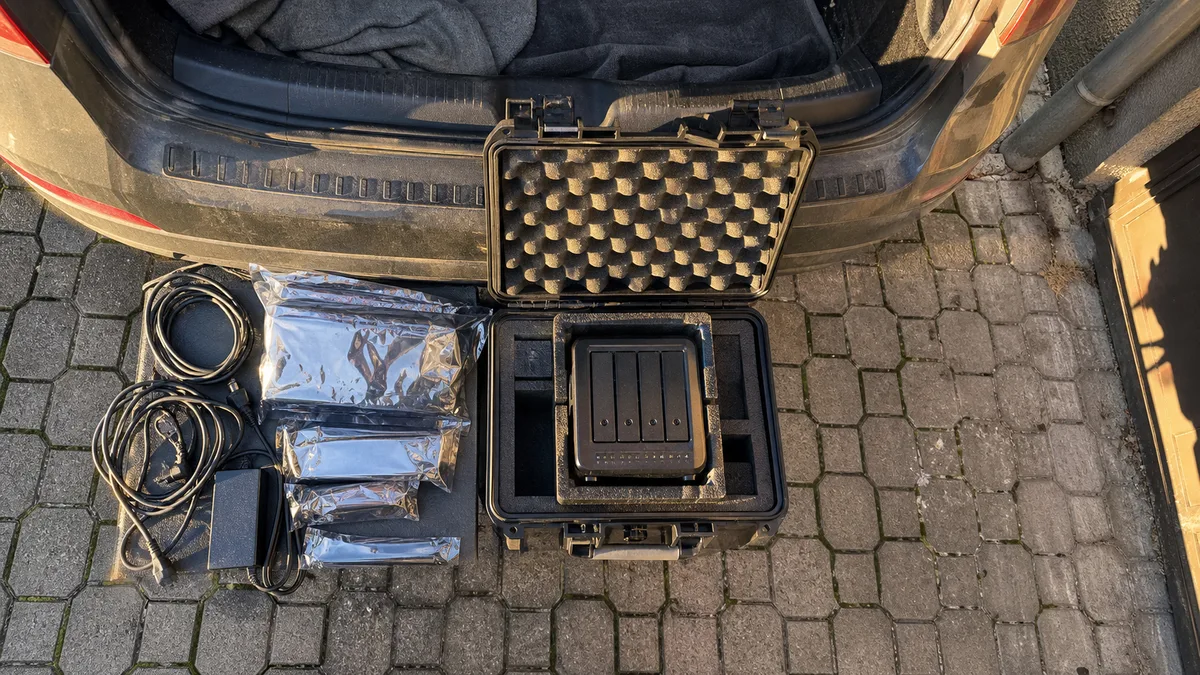
- Leave the drives in their bays and bring the entire device, including its power adapter. If you must remove them, label each drive with its position before taking it out.
- Do not start a rebuild or volume repair. Our article on why a rebuild kills a RAID array explains why this is the riskiest step on a degraded array.
- Write down the messages exactly as displayed:
Storage Pool DegradedandVolume Crashedin DSM, orRAID Group DegradedandVolume Read-Onlyin QTS. Each points in a different direction and helps us understand what happened before we open the enclosure. - If the NAS simply failed to boot and the drives are healthy, this is often the least expensive type of case we handle. Mention it on the phone and you may save yourself the journey.
Where your backup is physically located
This region has recent experience on a scale that many others do not: the floods of September 2024 affected the Jeseník and Šumperk areas, followed later by Litovel and Chomoutov near Olomouc. For a company, this raises a very practical question: where is the backup physically stored? If it is in the same building as the server, a single incident can destroy both, whether it is flooding or a power outage followed by a surge.
If the medium has come into contact with water, do not dry it with a hairdryer, put it in rice, switch it on or open it. Sediment and corrosion on the platters are a greater threat than the water itself, and allowing the drive to dry only makes the recovery more difficult.
How much it costs and when you pay
Initial HDD and SSD diagnostics are free, for USB flash media they may be free. In non-standard cases (the drive was opened by another service, overwriting/formatting, complex analysis) diagnostics cost 1 210 Kč including VAT (1 000 Kč excluding VAT) — we will tell you in advance. For RAID and NAS, analysis of multiple drives or array reconstruction may be charged; we quote the price before any paid work begins. You will receive a fixed price and completion date after the diagnostics have been completed and before paid data recovery begins. At that point, you may decline the job without obligation and collect your medium. If we cannot recover the data, you pay nothing for the recovery, only shipping and any paid diagnostics announced in advance. The only paid exception is a targeted search for one specifically named file: a flat fee of CZK 1,000 applies even if the file cannot be found, and if the search succeeds, the fee is deducted from the final price.
| Type of case | Estimated price (excluding VAT) |
|---|---|
| Logical fault (deletion, formatting, RAW) | CZK 2,900–9,900 |
| Faulty electronics or firmware | CZK 5,900–9,900 |
| Mechanical fault or head replacement | CZK 9,900–18,900 |
| SSD—logical fault | CZK 3,900–7,900 |
| SSD—firmware or faulty controller | CZK 9,900–24,900 |
| USB flash drive or SD card | CZK 2,900–9,900 |
| RAID reconstruction up to 8 TB | from CZK 14,900 |
| RAID reconstruction over 8 TB | from CZK 24,900 |
These are indicative ranges from our price list; the binding price and completion date can only be confirmed after diagnostics. If you are unsure which category your case falls into, there is no need to work it out yourself—describe the situation using the form on our data recovery page and we will arrange free collection by Zásilkovna from Olomouc and the surrounding area. We cover the collection cost for our clients.
Pack it to survive the conveyor belt
Set aside ten minutes for packing. Put the medium in an antistatic bag—or aluminium foil in an emergency—surround it with at least five centimetres of padding on every side and place it in a sturdy box. A padded envelope protects a drive from scratches, not from falling off a conveyor belt. Include a card with your contact details, a description of what happened and a list of any recovery attempts already made—especially who handled the drive before us and what tools they used.
There is an uncomfortable truth about compensation for damage. Zásilkovna allows customers to insure the value of a shipment—up to CZK 10,000 since August 2024—but the terms change, so check the current conditions with the specific carrier when sending it. Standard cover is generally based on the value of the hardware and does not include the commercial or informational value of the data; the precise extent of liability depends on the carrier’s terms, the contract concluded and any specialist insurance. That is precisely why we recommend driving those 80 kilometres when the medium contains the only existing copy of company data.
Three questions to ask anyone
Ask us and our competitors alike. The answers should come without hesitation:
- Who will physically open the medium, and where? Will it be passed to another company or sent abroad?
- Will the work be performed on a sector-by-sector image or on the original? Will I receive a fixed price and a list of recovered files before I pay?
- What happens to the original and the image after the job? When are they erased, and how is confidentiality handled?
Our answers are the same for customers from Židenice and Olomouc: we perform the work ourselves in our Brno laboratory, we do not pass the medium to subcontractors, confidentiality applies before we even open the device, and you will see a list of recovered files before paying. We will sign a separate NDA on request—for accounting records, personnel files or project documentation, this is often a requirement of your own contract with your client rather than a formality.
Frequently asked questions
Do you have a branch in Olomouc? No. Our laboratory is in Brno-Židenice, and we handle jobs from the Olomouc area by shipment or personal delivery. Most offers with Olomouc in the title work in a similar way—they are either collection services for a laboratory in another city or local repair shops that forward the medium elsewhere when the fault is more serious. Always ask who will physically open the drive.
What should I bring from Olomouc, and what can I ship? External drives, flash drives and memory cards can safely be shipped, as transport adds virtually no risk for these devices. Bring NAS and RAID arrays in person because their drive order and configuration matter, along with media containing the only existing copy of company data. For these cases, an hour’s drive is a less expensive safeguard than any shipping service.
How long does recovery take if I ship the drive? Shipping usually adds one business day each way. The overall duration, however, depends on the type of fault rather than the distance. When the surface is damaged, a sector-by-sector image must be created first, and imaging a drive with bad sectors can take days. We therefore confirm the completion date and price only after diagnostics.
Our new computer is encrypted and we do not have the key. Can anything be done? First look for the key in the Microsoft account used to sign in during setup, or in Entra ID or with the administrator for a company device. Starting with version 24H2, Windows 11 can enable encryption automatically during a clean installation, so many companies do not realise it is active. Without the key, a removed drive is unreadable to anyone, including us—which is why you should export the keys before you need them.
How many times can I let different companies try to recover the drive? There is no single number for a mechanical fault—the number of safe attempts depends on the specific failure, the laboratory’s procedure and any work already performed on the drive. In general, every unqualified or repeated intervention can reduce the chance of recovery, so it makes sense to choose a qualified facility from the outset. Prices vary widely and shopping around is tempting, but with a clicking drive it can affect the quality of the result. Choose one facility and ask about its procedure first, then its price.
Where to find us
ITHOPE is a company based in Brno, Czechia: we do data recovery from disks, RAID and NAS, PC and laptop service and IT for business, all in our own lab at Viniční 3587/216, 615 00 Brno.
Phone +420 775 556 063 (24/7 line). You can bring the device in person, or send it by courier (Zásilkovna, PPL).