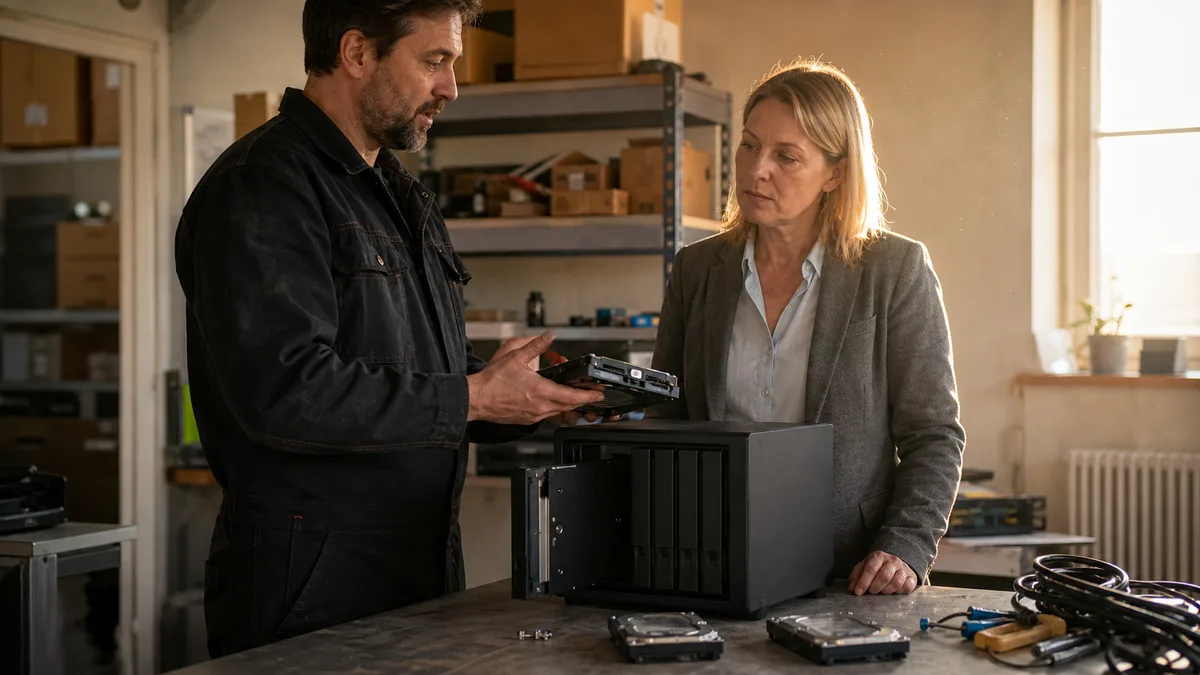
Short answer: For a small business without a dedicated IT administrator, we more often recommend Synology with DSM — clearer management, integrated backup, and less room for error. QNAP makes sense where you’ll genuinely use the beefier hardware, 2.5GbE, PCIe, containers, or virtual machines. The drive lock on the 2025 DiskStation Plus line is no longer an automatic reason to cross Synology off your list: Synology has loosened it for these models, though the rules remain stricter on the higher-end and specialized series.
The question „Synology or QNAP" almost never gets settled by a spec sheet. It gets settled by who will manage it, what will actually run on it, and what happens the day a drive fails. This isn’t a feature comparison — it’s a decision guide for a business that will buy a NAS once and expects it to run for five years.
Synology vs QNAP: the short verdict
If you mainly need to share documents, back up a handful of computers, and don’t have anyone who’ll actively administer the NAS, go with Synology. DSM is more unified, Active Backup for Business and Hyper Backup work well together, and it’s harder to misconfigure yourself into trouble.
Choose QNAP where there’s real work for it to do: two 2.5GbE ports, a free PCIe slot for a 10GbE card, more M.2 bays, Container Station, Virtualization Station. But that flexibility comes at the cost of more complex administration — more options mean more places to make a mistake.
And then there’s a third answer customers don’t love hearing: the NAS brand is, from a data-safety standpoint, only the second question. The first is whether a second copy of the data exists off the NAS, and whether anyone has ever actually tested restoring it.
What happened with Synology’s drive lock
In spring 2025, Synology announced that new DiskStation Plus models would require its own or verified drives for full functionality. This wasn’t physical SATA incompatibility — the drive would spin up and the system would see it. The restriction was enforced by DSM itself, based on a model and compatibility list.
On devices like the DS225+, DS425+, DS725+, DS925+, DS1525+, or DS1825+, you generally couldn’t create a new storage pool from an unverified HDD. For a business that already had WD Red Plus, Seagate IronWolf, or Toshiba N300 drives in stock, that meant two headaches at once: an unplanned drive swap and dependence on a single supplier’s pricing.
Synology has since relaxed the restriction for the 2025 model-year DiskStation Plus, Value, and J lines — installing third-party HDDs and 2.5” SATA SSDs and building storage pools from them is again possible on these models, including the DS925+. Check the current status and terms in the official compatibility policy. Synology mentions the change in its DSM 7.3 announcement.
That doesn’t mean the restriction is lifted across every product and every storage type, though. For M.2 NVMe drives, support still depends on the specific model and compatibility list. On the higher-end and specialized series (xs+, XS, SA, FS, and others), newer models still enforce stricter compatibility-list rules. Verify the exact terms for your specific combination of NAS, drive, and DSM version in Synology’s current drive compatibility policy.
The practical takeaway for buyers: with the Plus line, you can choose your own drives today; with xs+ and above, build your exact parts list first and order only after that.
DSM vs QTS: differences you only notice once it’s running
| Area | Synology DSM | QNAP QTS |
|---|---|---|
| Everyday management | Simpler, more unified interface | More options, but more room for error |
| File system | Btrfs on suitable models, otherwise ext4 | QTS uses ext4; QuTS hero uses ZFS |
| RAID | RAID 1/5/6/10 plus more flexible SHR/SHR-2 | RAID 1/5/6/10, thick, thin, and static volumes |
| Computer backups | Active Backup for Business, Hyper Backup | NetBak PC Agent, Hybrid Backup Sync 3 |
| Snapshots | Snapshot Replication on Btrfs; immutable snapshots on supported models | Snapshot Manager, reserved snapshot space |
| Hardware | Generally more conservative configurations | More often 2.5GbE, PCIe, HDMI, more M.2 slots |
| Virtualization | Virtual Machine Manager | Virtualization Station and Container Station |
| Drives | Plus 2025 open again; xs+ and above restricted | Wide brand selection; the list is a validation reference |
| Admin overhead | Manageable without a dedicated administrator | Wants an administrator or a service provider |
One common misconception is worth debunking: QNAP isn’t automatically „the one with better ZFS." Standard QTS runs on ext4. You only get ZFS with QuTS hero, and only on a supported model. The TS-473A can run either, but switching between QTS and QuTS hero isn’t a toggle — the two systems use different storage formats, so you need a backup, a fresh volume build, and a data restore.
QuTS hero is also memory-hungry. For real business use on a TS-473A, we wouldn’t plan ZFS on a minimal configuration; a sensible starting point is 16 GB of RAM, especially if it’s running containers or virtual machines.
The difference between Btrfs with snapshots and ext4 without them shows up exactly once: the moment someone overwrites or encrypts a shared folder. A snapshot restores the state within minutes. Without one, you’re relying on your backup — and if that’s missing too, you’re looking at NAS data recovery.
Which models actually make sense for a business
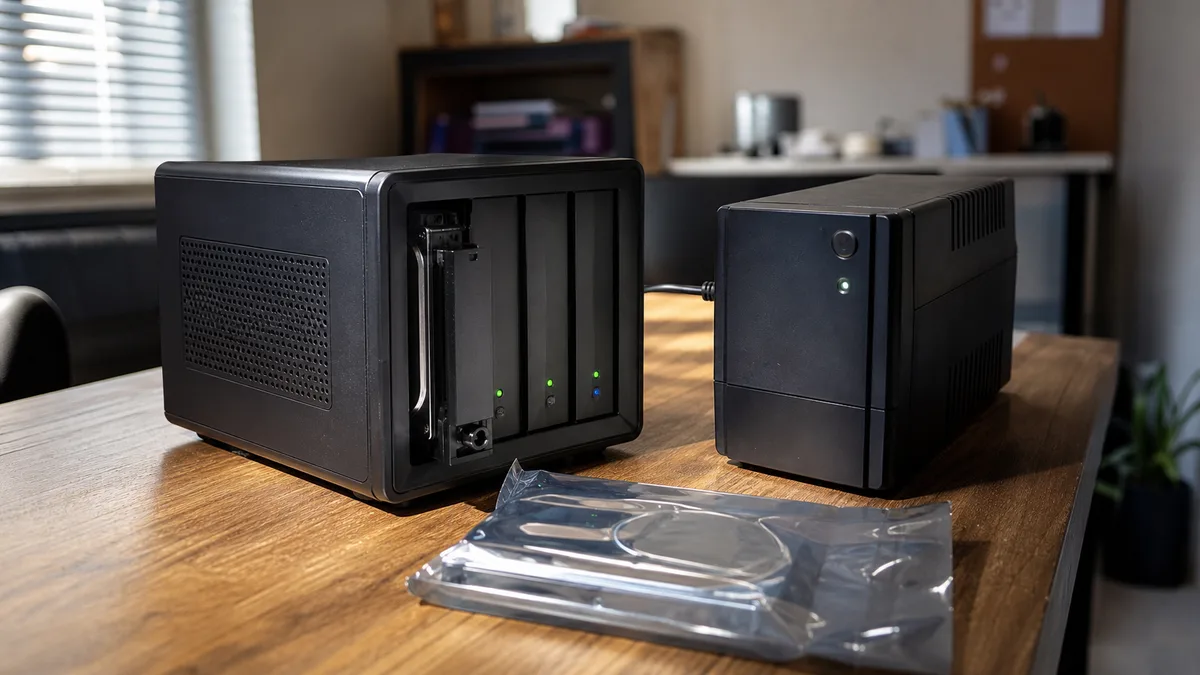
For document sharing and backing up a few computers, the Synology DS725+ or QNAP TS-264 fit the bill. Both are two-bay units, so the typical configuration is RAID 1. With 2× 8 TB drives, that’s roughly 8 TB of raw capacity, before file-system overhead and reserves.
Two bays quickly limit both growth and your maneuvering room during a failure. If the NAS needs to serve you for more than one accounting period, a four-bay enclosure is usually the wiser choice.
| Use case | Synology | QNAP | Watch out for |
|---|---|---|---|
| Files and backups for a small office | DS725+ | TS-264 | Only two bays, RAID 1 |
| Standard business NAS | DS925+ | TS-464 | Pick capacity and RAID before buying |
| Containers, VMs, eye on 10GbE | depends on required apps | TS-473A | RAM, PCIe card, QTS vs QuTS hero |
| More capacity without a rack | DS1825+ | equivalent 6–8-bay series | Power draw, cooling, a backup NAS |
For most small businesses, we default to the four-bay DS925+ or TS-464. Four drives give you room for:
- 4× 8 TB in SHR-1 or RAID 5: roughly 24 TB before overhead;
- 4× 8 TB in SHR-2 or RAID 6: roughly 16 TB;
- 4× 8 TB in RAID 10: roughly 16 TB.
RAID 5 and SHR-1 use capacity more efficiently. RAID 6 and SHR-2 tolerate a two-drive failure, which matters precisely during the long rebuild of large HDDs — restoring an eight-terabyte array can take hours to days, and the remaining drives sit under full read load the entire time. That’s when a second drive most often fails; we cover separately why a rebuild can take down the whole array.
And the most important point still stands: RAID is not a backup. It protects against a drive failure, not against deletion, ransomware, a power surge, or the enclosure being stolen.
Drives: QNAP is more open, but not unconditionally
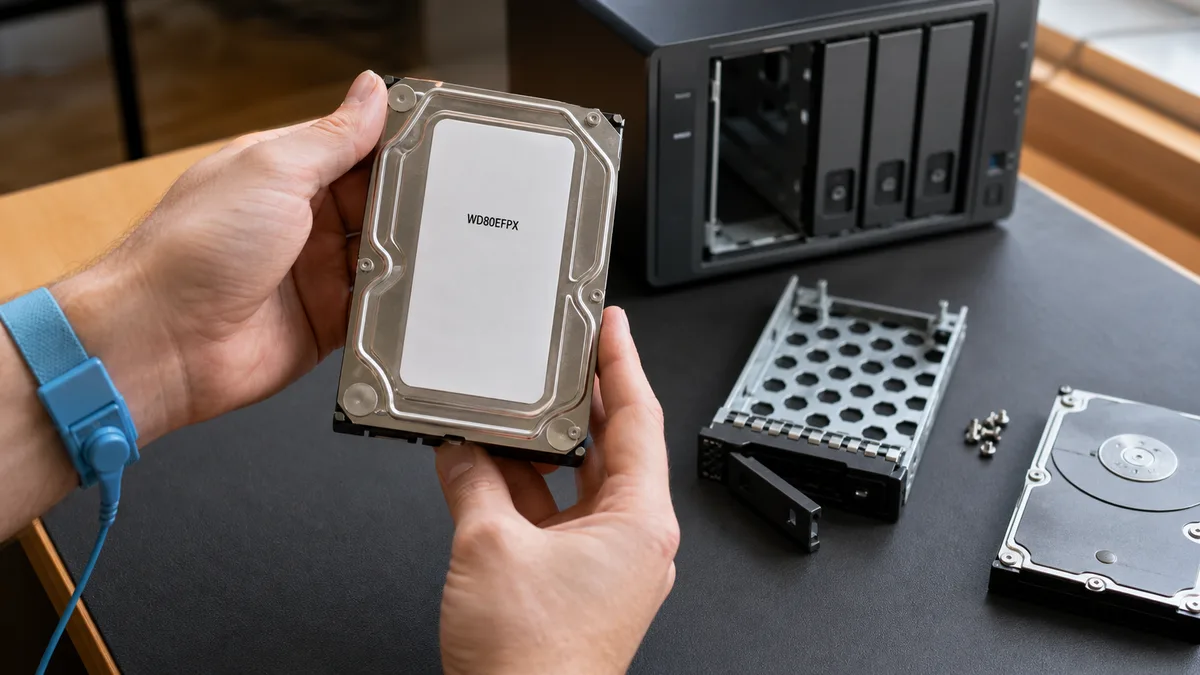
QNAP routinely works with WD Red Plus and Red Pro, Seagate IronWolf and IronWolf Pro, Toshiba N300, and select enterprise drives. Its compatibility list is a reference of verified combinations — not the same kind of technical lock Synology applied to the 2025 Plus models.
That doesn’t mean any SATA drive belongs in a QNAP. A device outside the list may work, but technical support becomes harder to get. Check the exact model number, not the product family: „WD Red 8 TB" isn’t enough — what matters is the specific code, such as WD80EFPX.
An SMR drive has no place in an active RAID array. Shingled writes overlap tracks, so rewriting data requires reading and rewriting the entire zone — during sustained writes, and especially during a rebuild, this tanks performance and can stretch a recovery from hours into days. Choose a CMR variant designed for NAS use. We cover the differences between WD Red, IronWolf, and N300 and between CMR and SMR in detail elsewhere.
One last common mistake at the counter: WD Purple is designed for continuous writes from security cameras. It isn’t the better choice for a general-purpose business file server just because it can handle round-the-clock operation.
What the whole setup actually costs
The price of the enclosure alone is a misleading number. According to Czech e-shop pricing as of July 2026, a two-bay enclosure in this class costs roughly CZK 12,000–16,000 including VAT, and a four-bay one typically CZK 16,000–25,000. A single 8TB NAS HDD runs roughly CZK 6,000–10,000 depending on brand and model. Prices change over time — these figures are valid as of this article’s publication date; verify them with your specific vendor before buying.
Your budget also needs to include:
- all the operating drives, not just two „to start";
- a spare drive on hand;
- a UPS with USB or network communication so the NAS can shut down cleanly;
- a second backup off the main NAS;
- a 2.5GbE or 10GbE switch and network cards, if you’ll actually use them;
- installation, permissions, monitoring, and a restore test.
A four-bay NAS with 4× 8 TB drives, a UPS, and an external backup easily lands in the CZK 45,000–80,000 range — with the enclosure typically making up about a third of the budget and the drives about half. What matters, though, is the cost of usable capacity and recovery after a failure, not the lowest enclosure price. For comparison, it’s worth knowing what data recovery costs before saving in the wrong place.
Security: the brand doesn’t substitute for correct configuration
QNAP has had well-known ransomware campaigns — Qlocker and DeadBolt. Their common denominator wasn’t the drives or the brand, but vulnerable or poorly secured services exposed directly to the internet. Nor does Synology’s simpler interface make a device inherently secure.
For either brand, insist on:
- no admin access exposed via port forwarding;
- UPnP disabled on both the NAS and the router;
- remote access only via VPN or a secure relay service;
- a separate administrator account and multi-factor authentication;
- automatic updates for both the system and installed packages;
- Btrfs or ZFS where it makes sense;
- regular snapshots plus a separate offline or off-site backup;
- an actual restore test — at minimum selected files, and one full computer.
A snapshot on the same pool protects you the moment someone deletes a folder. It won’t protect you if an attacker gains an administrator account, or if the whole enclosure burns down. That’s why a copy off the device must exist. We show how to put that together in practice with the 3-2-1 rule.
What to verify when a NAS is handed over
It’s not enough that a shared folder opens from a computer. The provider should hand over a list of drives with serial numbers, the RAID configuration, usable capacity, the snapshot schedule, backup jobs, where credentials live, and the restore procedure.
On Windows, verify SMB availability and the protocol in use like this:
Test-NetConnection nas-firma -Port 445
Get-SmbConnection | Select-Object ServerName, ShareName, Dialect, Encrypted
For diagnostics over SSH, you can check the Linux RAID status and drive identification without touching the array:
cat /proc/mdstat
sudo smartctl -a /dev/sdX
Replace sdX with the actual device. Both commands are read-only.
Conversely, on a degraded array without a verified backup, don’t run fsck, don’t force assembly with mdadm --assemble --force, and don’t click Recover just because the interface offers it. We describe what to do instead with a degraded Synology storage pool.
What we recommend
For an office without a dedicated IT administrator, we most often choose Synology Plus with DSM, Btrfs, snapshots, and a separate backup. The DS925+ is a more practical starting point than a two-bay model once a business is planning for growth.
We recommend the QNAP TS-464 or TS-473A where a business will genuinely use 2.5/10GbE, a PCIe card, containers, virtual machines, or QuTS hero. For Synology’s xs+ line, we first build an exact list of the NAS, drives, and SSDs based on compatibility — buying the enclosure without verifying the drives first is an unnecessary risk.
And if there’s one sentence to take away from this whole comparison: the brand decides how easy the NAS is to manage. Whether you lose your data or not is decided by the second copy and a tested restore.
Frequently asked questions
Can I put a WD Red Plus or Seagate IronWolf drive in a Synology DS925+?
Yes. On the 2025 DiskStation Plus models, you can install third-party HDDs and build a storage pool from them. Still, verify the specific drive model in the current compatibility policy before buying, and expect stricter rules for M.2 SSDs.
Is QNAP less secure than Synology?
Not automatically. QNAP offers more services and settings, so a poorly managed device has more room for error. For both brands, it’s essential not to expose administration to the internet, to disable UPnP, and to use multi-factor authentication, updates, snapshots, and a separate backup.
Is a two-bay NAS enough for a small business?
For a handful of computers and a smaller data volume, it can be. But RAID 1 only gives you the capacity of a single drive, and while it’s rebuilding you have no additional redundancy. A four-bay NAS offers better room to grow and the option of RAID 6 or SHR-2.
Is DSM, QTS, or QuTS hero better?
We recommend DSM for simpler administration. QTS suits a flexible QNAP setup with ext4, containers, and add-on hardware. QuTS hero with ZFS makes sense when data integrity is the priority, but it needs a supported model, more RAM, and correctly designed storage.
Does a NAS replace cloud backup?
No. A NAS can serve as your main business storage and as the target for computer backups, but it can still fail, burn, be stolen, or be attacked. At least one current copy needs to live off the main NAS, and its restore needs to be tested regularly.
Where to find us
ITHOPE is a company based in Brno, Czechia: we do data recovery from disks, RAID and NAS, PC and laptop service and IT for business, all in our own lab at Viniční 3587/216, 615 00 Brno.
Phone +420 775 556 063 (24/7 line). You can bring the device in person, or send it by courier (Zásilkovna, PPL).