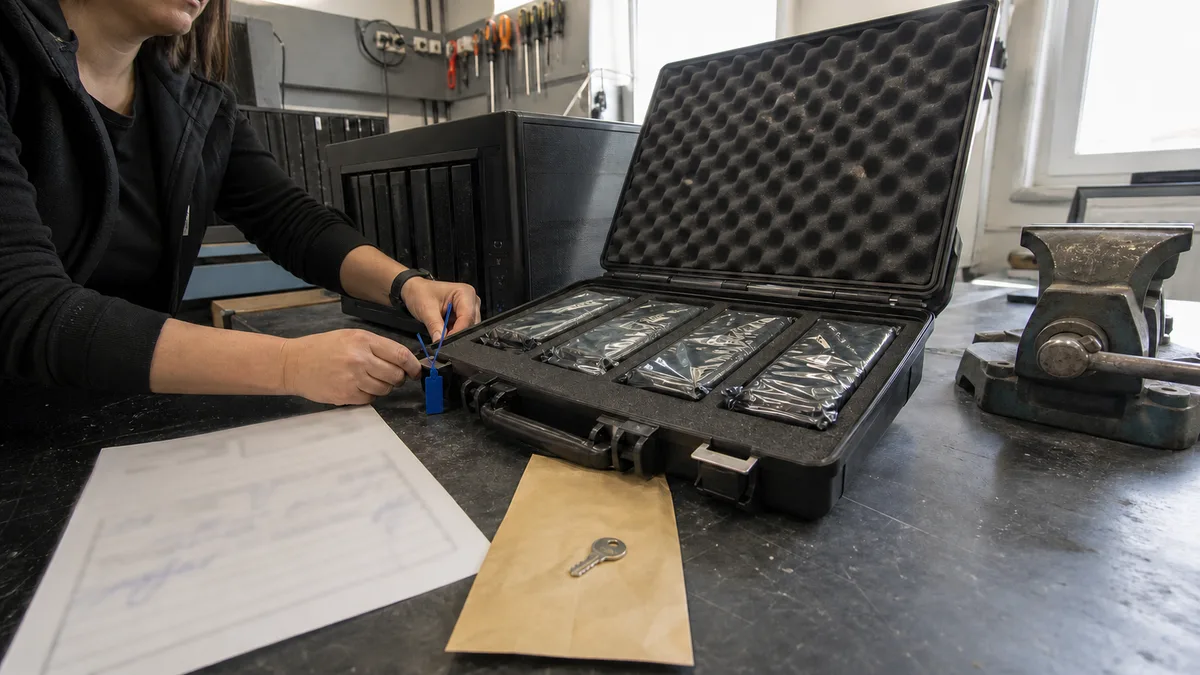
The short answer: Do not send the NAS enclosure, cables and box to the lab. Send every drive in the array, labelled with its bay number — including the failed one — along with a written description of the array and what happened to it most recently. The data is first cloned sector by sector, and the array is reconstructed virtually from the copies; nothing is written to the original drives. The paperwork should include a handover record listing each item and serial number, a confidentiality clause, and a data processing agreement under Article 28 GDPR. Without that agreement, a company should not disclose personal data to an external provider.
This article does not address whether the data can be recovered from the array — that is covered in how to recover data from a NAS. It deals with a more common delay: a job that starts two days late because nobody knows which drive was in the first bay — and the documents a managing director will want signed before company data leaves the building.
What to bring: the drives, not the entire NAS
The basic rule is simple: send every drive in the array — including the one the NAS marked as failed. In RAID 5 or SHR-1, that drive may hold the only copy of blocks that cannot be reconstructed from the remaining drives because the array is degraded. Throwing away a drive „because it is broken anyway" is the most expensive kind of tidying up in this business.
We usually do not need the NAS enclosure. There are three exceptions when it should be sent as well:
- A hardware RAID controller (in a server or rack-mounted array) — the configuration may be stored in the controller’s NVRAM rather than on the drives.
- An encrypted volume whose key is held by the device. Some platforms bind the key to a specific piece of hardware; without it, even a perfect copy of the drives is just noise.
- The drives cannot be removed safely — jammed bays, sealed rack drawers, or equipment covered by a vendor service agreement.
If you are unsure, do not dismantle anything and call first. Disassembly can be arranged; recovering the correct order of mixed-up drives is much harder.
Label the bay order before removing a drive
This is the one thing in this article that cannot be fixed later. Drive order is part of the array’s configuration information. Swapping bays causes most platforms to attempt an automatic rebuild or metadata write — exactly what a recovery procedure needs to avoid.
A five-minute process:
- Before removing anything, photograph the NAS from the front with the doors open and the bay numbers clearly visible.
- Put tape on each drive and write its bay number on it with a permanent marker. Do not use a coloured dot or its position in the box — write the number.
- Record the manufacturer, model and serial number of every drive in a list alongside its bay number.
- Remove the drives one at a time and immediately wrap each one separately in an antistatic bag and bubble wrap.
Recovery labs list incomplete information among the most common customer mistakes: people confuse array levels (RAID 1 instead of RAID 0), controller models and drive order. Recovery then begins not with the data, but with identifying the basic parameters.
Seven details we need in advance
Put them on a single sheet of paper or in one email:
- NAS model and operating system version (DSM, QTS, QuTS hero, ReadyNAS OS, TrueNAS).
- Number of drives, exact models, capacities and bay order.
- Array type and file system — RAID 1/5/6/10, SHR-1/SHR-2, X-RAID, RAID-Z; ext4, Btrfs, ZFS.
- When everything last worked and what happened immediately beforehand: drive replacement, capacity expansion, power failure, update, or migration to a new NAS.
- What has already been tried. Most importantly, whether Repair/Rebuild, initialize,
fsck,btrfs check --repairorchkdskwas run, or whether someone connected the drives to Windows. - Whether any backup exists and when someone last successfully restored data from it.
- Whether the NAS is accessible from the internet and how — port forwarding, QuickConnect, myQNAPcloud or VPN.
Nobody likes admitting item 5, yet it is the most important one. A failed rebuild is not an embarrassment; it is essential input — if we know data has been written across the array, we approach the reconstruction differently.
Passwords, encryption and keys
One question comes up almost every time: „Do we have to give you the administrator password?"
- Usually, we do not need the password for the NAS interface. The drives are read outside the device, so a DSM or QTS account is not required.
- We do need the encryption key or password for an encrypted volume or shared folder — otherwise, nothing readable can be produced from the copy. Send it through a different channel from the drives.
- Look for the exported key file before you need it. It may be in the password vault of the administrator who saved it when creating the volume — or nowhere, which is also an answer, albeit a worse one.
If you do not have the key and nobody in the company can find it, say so immediately. It will save you from paying for work that produces results nobody can open.
What actually happens to the data in the lab
The process is imaging-first and follows one rule: nothing is written to the original drives.
- Initial diagnosis of each drive separately — the mechanical and electronic condition is assessed before the entire drive is read.
- Sector-by-sector cloning. Each drive is read using a hardware imager or
ddrescuewith a mapfile — a record of which areas were read successfully and which need another attempt. Unreadable areas are skipped and revisited rather than repeatedly forced. - Virtual reconstruction of the array from the copies. Parameters such as drive order, stripe size, parity rotation and offset are derived from the metadata and verified against the file system. None of this is performed on your drives.
- The file system is opened read-only. With ZFS, the import is explicitly performed without writes (
zpool import -N -o readonly=on); with Btrfs, metadata is read using tools such asbtrfs-restoreinstead of mounting the file system and attempting an „in-place repair" that would overwrite its tree generation roots. - Sample verification — before anything is handed over, a sample is checked to confirm that the files actually open.
Why this approach? Both an array rebuild and a file-system repair write data, and they write to the only existing copy. For more detail, see RAID data recovery.
The practical consequence is that recovered data is never saved to the same drive. Doing so would overwrite original blocks before the remaining data could be extracted. You therefore need an empty storage device with capacity matching the volume of data, not the raw capacity of the array.
Handover record: what it should contain
A handover record is not an accounting formality. It is the only document showing the condition and quantity in which your drives left your premises. At a minimum, it should include:
- the date and time of handover and the names of the specific people on both sides, not just the company names;
- an itemised list: manufacturer, model, capacity, serial number of every drive and the number of the bay it came from;
- condition upon receipt — visible damage, signs of opening, stickers from another service provider;
- the scope of the job: diagnosis only or immediate recovery work, and what happens if the data cannot be recovered;
- the storage medium on which the data will be returned and who will provide it;
- how long the provider retains a working copy after handing over the data and when that copy will be deleted.
Two additional questions are worth asking before you sign: do you perform the recovery yourselves, or do you send the drive elsewhere? If it is sent elsewhere, to whom and where? That turns one provider into two, and you did not select the second one.
Confidentiality and GDPR: the lab is a processor
A small company’s NAS almost always contains personal data — payroll records, personnel files, contracts, client contact details and CCTV footage. Handing it over to an external laboratory is therefore not merely a technical procedure; it constitutes personal data processing under Article 28 GDPR. You are the controller, the laboratory is the processor, and there should be an agreement between you. Check that it covers:
- the subject matter, duration, nature and purpose of the processing, as well as the categories of data and data subjects — for data recovery, this means restoring data from the supplied media for the duration of the engagement;
- that the processor acts only on the controller’s documented instructions;
- the confidentiality of anyone who gains access to the data;
- the involvement of another processor only with your consent — precisely the situation in which a drive is sent to a foreign laboratory;
- the deletion or return of the data after completion, with evidence that this has been done.
A separate non-disclosure agreement (NDA) does not replace these obligations, nor does the reverse apply — an NDA protects trade secrets, while Article 28 covers personal data. In practice, these are two sections of one agreement, not two separate negotiations.
Companies covered by cybersecurity law have an extra step
Zákon č. 264/2025 Sb. o kybernetické bezpečnosti has been effective since 1 November 2025. For registered regulated entities, it adds a requirement commonly overlooked in data recovery: under § 13 odst. 5, a supplier used to implement a security measure must be selected in accordance with that measure’s requirements, and those requirements must be reflected in contracts. A laboratory entrusted with your entire company storage system is exactly that kind of supplier.
The lower regime (vyhláška č. 410/2025 Sb.) requires regular backups of data, configurations and settings needed to restore a service under § 6 písm. c). The higher regime (vyhláška č. 409/2025 Sb.) goes further: § 26 odst. 3 requires testing whether backups can be restored, documenting the results, and protecting them at least through encryption under § 25.
In practical terms, the medium used to return your recovered data is another copy of company data — and it should not travel unencrypted, whether or not the law applies to you. Agree on this in advance, not at the point of handover. Be wary of articles claiming that the law requires restore tests „monthly": it requires testing and documentation, but does not specify that frequency.
After the data returns: preventing a repeat
The recovery job ends when the data is handed over, but the underlying problem usually remains. The same pattern repeats: someone installed the NAS years ago and created shared folders, but either no backup job was ever configured, or it runs while nobody has ever tried restoring from it. Notifications go to the email address of an employee who left the company two years ago.
Three measures turn this from a matter of chance into a controlled process, and they belong in monthly IT management:
- monitoring the array’s condition and verifying that alerts actually reach someone;
- a backup copy outside the NAS that does not share its power supply, device or administrator account with the original;
- a restore test, not merely an integrity check — take the backup and actually rebuild usable data from it, recording the date and who performed the test.
The difference between „the backup status is green„ and „we restored from that backup last month" is the difference between a half-day incident and a two-week incident.
Do you have a NAS in your server room that will not start, and you are unsure whether anyone should touch it? Do not run Repair. Contact us first — a single sentence in the data recovery enquiry form is enough, and we can work through the rest by phone. We agree on the diagnosis and price before any recovery work begins, not afterwards.
Frequently asked questions
Should we send the drive that the NAS marked as failed?
Yes. In a degraded array, it may contain the only readable copies of blocks that cannot be reconstructed from the remaining drives. A drive taken out of service also often proves to be healthy — it may have been dropped because of a controller timeout rather than a fault.
Do we need to provide the DSM or QTS administrator password?
Usually not — the drives are read outside the device. If the volume is encrypted, we need the key or password for the encrypted volume or shared folder. Send it through a different channel from the drives themselves.
Can the data be returned to the same NAS?
Not until it has been verified on independent media. Writing to the original drives overwrites blocks that may still be needed to reconstruct other data. Data should only be restored to the original storage system as the final step.
Do you sign a GDPR data processing agreement?
Yes, and we consider it standard practice, not an optional extra. If a provider claims that it is unnecessary for data recovery, ask whom they consider the controller of the personal data on your NAS.
Sources
- Rossmann Group – What Happens During a NAS Crash — sector-by-sector cloning, virtual array reconstruction, read-only ZFS import
- SmallNetBuilder – The Seven Biggest Mistakes When Attempting Data Recovery — incomplete information and writing recovered data to the original drive
- gdpr.cz – Rozhodné právo ve zpracovatelských smlouvách — external processing under Article 28 GDPR
- e-Sbírka – zákon č. 264/2025 Sb. — § 13 odst. 5, supplier selection and incorporating requirements into contracts
- e-Sbírka – vyhláška č. 409/2025 Sb. — § 26 odst. 3, testing whether backups can be restored and encryption
- e-Sbírka – vyhláška č. 410/2025 Sb. — § 6 písm. c), regular backups under the lower regime
Where to find us
ITHOPE is a company based in Brno, Czechia: we do data recovery from disks, RAID and NAS, PC and laptop service and IT for business, all in our own lab at Viniční 3587/216, 615 00 Brno.
Phone +420 775 556 063 (24/7 line). You can bring the device in person, or send it by courier (Zásilkovna, PPL).