The situation
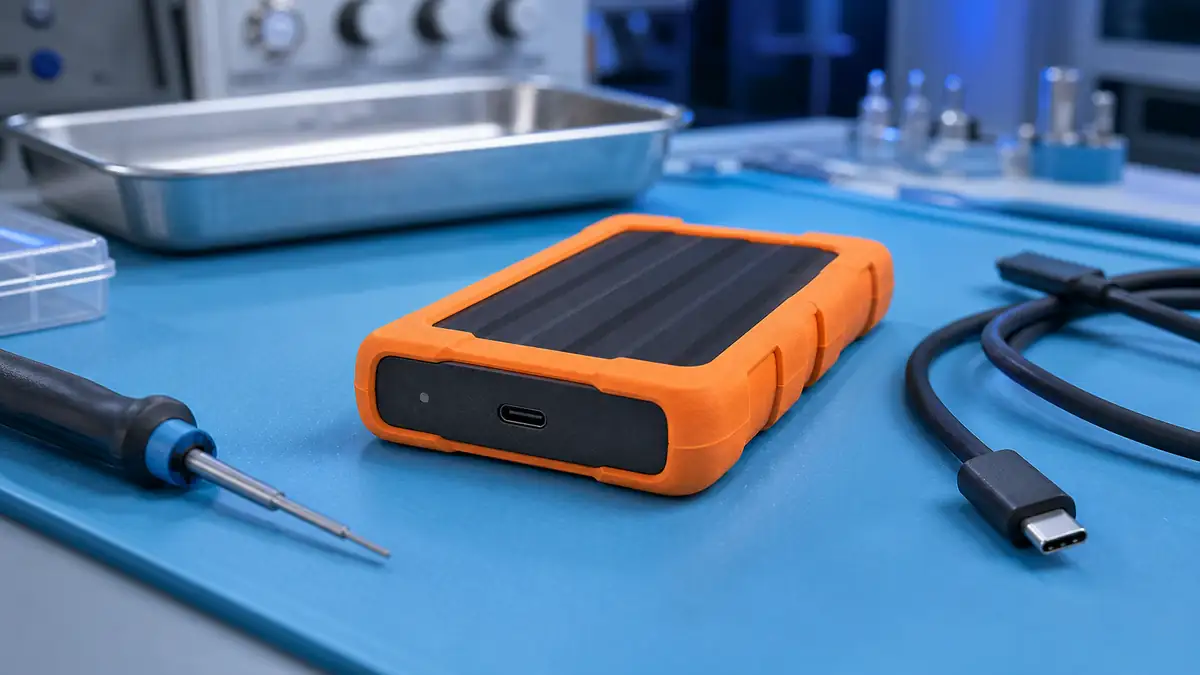
The client used a Samsung Portable SSD T7 Shield 2 TB as the primary storage for photos, videos and documents. An external SSD with IP65 resistance to dust and water, rugged rubber, ideal for travel.
One day, after being plugged in, the disk showed up in the PC as just a tiny partition of a few MB. The real 2 TB capacity was gone. In the Samsung Portable SSD app the disk reported „Abnormal state — please contact support".
The client contacted Samsung support. The answer was: „The disk is in safe-mode, send it in for service.„ The authorised Samsung service offered a paid „diagnostic" while noting that data was not guaranteed. The client chose a different route — they came to us.
Diagnostics
The Samsung T7 Shield (MU-PE2T0S) has a specific architecture:
- An NVMe SSD inside a USB-C bridge (high performance, around 1050 MB/s).
- Hardware encryption via Samsung Secure (AES-256), optionally enabled.
- Firmware safe-mode is a protective mechanism the disk activates when it detects a mismatch between the metadata and the actual content.
After opening the casing and connecting directly to the NVMe interface, we were able to communicate with the controller via PC3000 SSD:
- The controller sees the full 2 TB capacity.
- The NAND chips are fine, degradation is minimal (P/E cycles under 100).
- The firmware mapping tables are partially damaged — probably after an unexpected disconnect during a metadata write.
- Encryption is active — the client confirmed they had turned on password protection when configuring the disk.
Diagnosis: the disk is protecting itself because the firmware believes the metadata is inconsistent. The recovery chance is high, provided we have: (a) access to firmware safe-mode to rebuild the FTL, (b) the client’s password to decrypt.
The client knew the password — they had written it down when buying the disk.
The solution
Five days — a relatively quick case thanks to the good condition of the hardware:
- Day 1: Diagnostics, removing the outer casing (plastic + rubberised), direct connection to the NVMe pinout.
- Day 2: Reading the firmware via PC3000 SSD, identifying the version, rebuilding the mapping tables from redundant copies (Samsung stores 3 copies of the FTL, one of which was consistent).
- Day 3: Bringing the disk out of safe-mode. With a firmware command we forced the controller to rewrite the consistent tables and switch to normal mode.
- Day 4: Imaging the disk via PC3000. Because the disk reached normal mode, it could be cloned even over the standard USB protocol. Extraction was fast — 1.8 TB in about 6 hours.
- Day 5: Decrypting the data with Samsung Secure software using the client’s password. Exporting the files, integrity check. All files fine, 100% recovery.
The result
- 100% of the data recovered (about 1.8 TB out of 2 TB of occupied capacity)
- 5 days in total
- Photos, videos, documents — fully preserved.
- The client took the data away on two new disks + cloud.
Our recommendation to the client: do not use the same Samsung T7 Shield as primary storage any more. If they want to use it, only as a secondary backup. Firmware safe-mode can recur.
Lessons
About encrypted external SSDs and other „smart" storage:
- Write the password down off the device. Ideally in 1Password or Bitwarden, possibly in a paper safe. When the flash drive/SSD fails and you need the data, the password is the key. A forgotten password = data gone.
- Safe-mode is a natural protective mechanism of modern SSDs. It does not automatically mean data loss, but it requires professional service.
- The Samsung Portable SSD is powerful, but as the only copy it is dangerous. Firmware safe-mode occasionally activates on the T7 and newer versions, mainly after an unexpected disconnect.
- If a disk suddenly shows a smaller capacity, do not plug it into another PC, do not try to format it, take it in for diagnostics.
For those who use encrypted disks as travel storage:
- Encryption is against theft, not against hardware failure. Most people confuse these two things.
- For fieldwork the T7 Shield is excellent — rubber casing, IP65, fast. But once back from the job, copy the data to home storage + cloud.
- If the disk is dropped or takes a hard knock, do not plug it in. Even an encrypted SSD is not invulnerable.
PRO TIP
In the Samsung Portable SSD app it is worth enabling „Notification on unsafe removal" — it warns you if you disconnect the disk without safely ejecting it. The vast majority of safe-mode incidents we see have one common denominator: an interruption during a metadata write.
Have a similar case? Request SSD recovery · +420 775 556 063