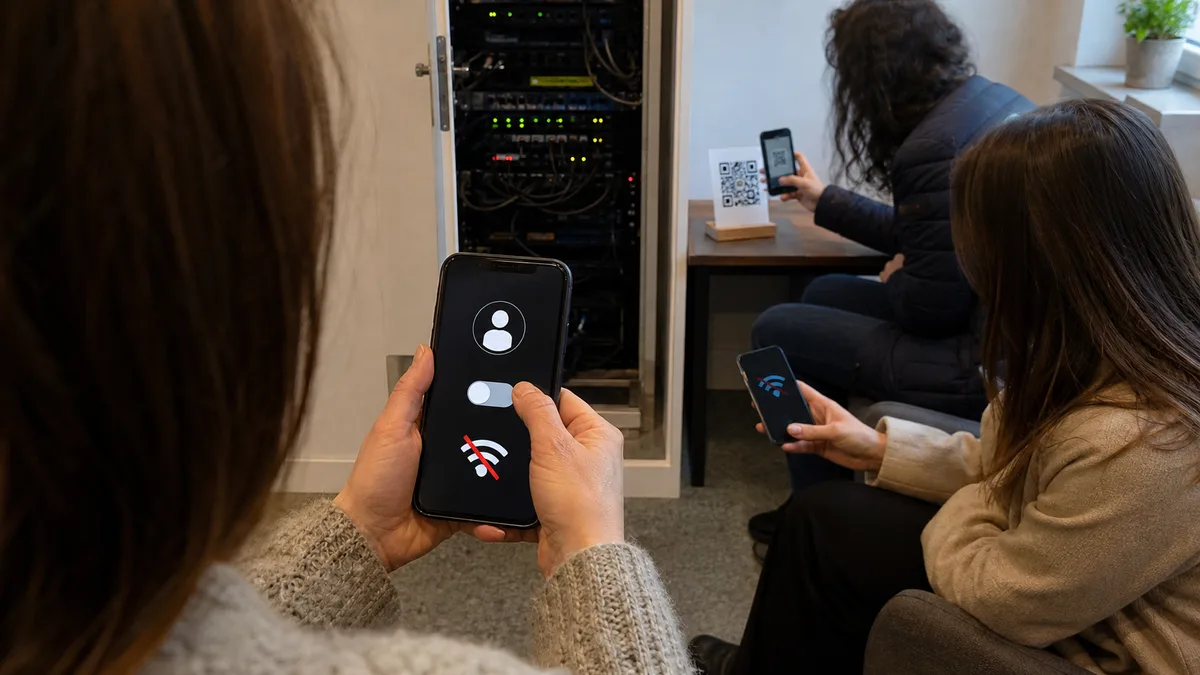
The short answer: A password shared across the entire company is a problem because you cannot revoke it for just one person. When an employee leaves, you would have to reconfigure every laptop, phone, printer, and camera, which rarely happens in practice. WPA3-Personal makes the password more resistant to guessing, but a shared password remains shared. Per-user access requires 802.1X with a RADIUS server, where everyone has their own credentials and access can be revoked within a minute. A guest network belongs on a separate VLAN with client isolation and no route into the corporate network.
For performance and coverage issues, see our separate article on weak signals and dropped connections. This article addresses something else: who can access your network, what they can see from there, and how to remove their access when they leave.
Why a shared password is a problem on business Wi-Fi
PSK stands for pre-shared key: a single password given to everyone who needs to connect. It works without a server or account management, which is why most small businesses use it.
You cannot revoke access for just one person. When someone leaves, they still know the password. The only way to revoke it is to change it for everyone, which means visiting every laptop, phone, printer, reader, attendance terminal, camera, and point-of-sale system. This is precisely why passwords are rarely changed and remain in use for years. In the meantime, someone writes the password on a whiteboard, sends it by email, and gives it to temporary workers and service technicians.
You do not know who is connected, and anyone who knows the password can eavesdrop on others. The client list shows a MAC address, not a person’s name. Anyone who captures the initial key exchange when another device connects and knows the password can derive the encryption key for that session. RFC 8110 also cites this as one of the reasons encryption for open networks was developed.
A shared password is not a boundary between people. It is a gate for which everyone who has ever worked there still has a key.
WPA2-PSK vs. WPA3-Personal vs. WPA2/WPA3-Enterprise: a comparison
| WPA2-PSK | WPA3-Personal (SAE) | WPA2/WPA3-Enterprise (802.1X) | |
|---|---|---|---|
| What it is | one pre-shared password for the entire network | one password, but with a new key exchange mechanism (SAE) | everyone has their own credentials, verified by a RADIUS server |
| Who gets access | anyone who knows the password | anyone who knows the password | only an authenticated account or certificate |
| Revoking one person’s access | only by changing the password for everyone | only by changing the password for everyone | disable the account without affecting anyone else |
| What appears in the log | MAC address | MAC address | account name |
| Eavesdropping between clients | anyone who knows the password can derive another session’s key | no, every session has its own key | no, every session has its own key |
| Guessing the password from captured traffic | possible offline | SAE does not allow offline guessing | there is no shared password to guess |
| Best suited to | homes and temporary networks on worksites | small businesses without a server, as an intermediate step | businesses where people regularly join and leave |
| What it requires | nothing extra | support on both access points and clients | a RADIUS server and account management |
The last row is the crucial one. Moving to WPA3 is a configuration change; moving to Enterprise changes operations because someone must create and disable accounts. However, it is the only option that answers the question, „Someone has left the company—what do we do now?"
What WPA3 actually solves—and what it does not
WPA3-Personal replaces the old password authentication method with SAE (Simultaneous Authentication of Equals). A captured exchange can no longer be used to try passwords offline: every attempt requires a new interaction with the access point. The Wi-Fi Alliance summarizes this by saying that WPA3-Personal users receive increased protection against password-guessing attempts. The second improvement is Protected Management Frames (PMF), which prevent the spoofing of control messages that could previously disconnect clients. According to the Wi-Fi Alliance, PMF is mandatory for all newly certified devices.
What WPA3 does not solve:
- A shared password remains shared. WPA3-Personal does not identify individual users and handles an employee’s departure just as poorly as WPA2-PSK.
- Mixed mode weakens the result. When WPA2 and WPA3 operate simultaneously on the same SSID with the same password—known as transition mode—you leave a door open. In their Dragonblood research, Mathy Vanhoef and Eyal Ronen demonstrated that an attacker could create a rogue network supporting only WPA2, lure the client onto it, and then use the captured portion of the exchange to guess the password. A WPA3-only network does not suffer from this problem, so enable transition mode only until your remaining clients have been upgraded.
- Devices without updates remain unpatched. At the 2017 ACM CCS conference, Vanhoef and Frank Piessens published the KRACK attack, which exploited the reinstallation of an already-used key and made it possible to decrypt or inject packets. The authors explicitly state that the attack does not reveal the Wi-Fi password and that changing the password does not fix it. Updates to both access points and clients were required. An unpatched device is a separate problem regardless of the encryption mode in use.
802.1X and RADIUS: individual credentials for everyone
802.1X is an IEEE standard for controlling access to a network port. It involves three roles: the client, the access point or switch, and the RADIUS server, which alone decides whether access is granted. The access point itself does not know the user’s password.
There are two main ways to authenticate. EAP-TLS uses a certificate issued by the company. The user enters nothing and has no password to disclose, but the company must issue and renew certificates. PEAP with a username and password is easier to deploy, but clients must be configured to validate the server certificate correctly. Otherwise, they can be lured onto a rogue network with the same name.
What the business gains:
- Revoking access takes one action. Disable the account and the person is locked out without anyone else having to reconfigure anything. The username also remains in the logs, allowing you to determine who was connected and when.
- Account-based network assignment. Based on the login, RADIUS can place a device into a specific VLAN. An accountant can end up in a different segment from a technician even though both connected to the same SSID.
- The same rules for wired ports. The same RADIUS server can also handle wired switch ports.
The RADIUS server does not have to be a separate machine. It may be the Network Policy Server role on Windows Server, FreeRADIUS on Linux, or a module built directly into a network appliance.
What standard business hardware supports. MikroTik RouterOS offers the authentication types wpa2-psk, wpa3-psk, owe, wpa2-eap, wpa3-eap, and wpa3-eap-192, while its access points forward EAP authentication to a RADIUS server. See the RouterOS documentation. TP-Link Omada provides RADIUS profiles and 802.1X for both switches and Wi-Fi, including VLAN assignment based on the authentication result. See the Omada documentation. Ubiquiti UniFi supports WPA2/WPA3 Enterprise using an external RADIUS profile. In other words, the hardware in the network cabinet can usually handle it; the missing component is generally the server.
Devices that do not support 802.1X—such as printers, cameras, readers, and old terminals—should remain on their own SSID in a separate VLAN. MAC address authentication sorts traffic; it is not a security boundary.
Guest Wi-Fi that does not open a hole into the business
A guest network is not merely „a second SSID with a weaker password." To serve its purpose, it must meet four requirements at once:
- Its own VLAN and subnet, with no route into the corporate network. Guests must not be able to reach shared drives, printers, cameras, accounting servers, or the administration interfaces of network devices.
- Client isolation. Without it, a visitor shares the same segment as a business partner’s laptop.
- Bandwidth limits, so a visitor downloading files on a phone does not degrade VoIP calls.
- Separate authentication—either a rotated password or a captive portal, meaning a login page that opens after connection and grants access in exchange for a code from reception. The portal does not encrypt traffic by itself; it only controls admission.
Another option for guests is Wi-Fi CERTIFIED Enhanced Open, technically OWE (Opportunistic Wireless Encryption) under RFC 8110. The Wi-Fi Alliance launched the program in 2018. The network appears open and guests enter nothing, but each client receives its own encryption key through a Diffie–Hellman exchange, preventing others within range from reading the traffic. The limitation is stated explicitly in the RFC: opportunistic encryption does not provide authentication. A client cannot tell whether it is connecting to your access point or a rogue one with the same name. OWE is an improvement over an open network, not a replacement for authentication.
Cameras, printers, and accounting systems on the same network
A typical small business has one flat network: one SSID, one address range, and every device able to see every other device. The problem is not that the camera itself is attacking anything. The problem is that cameras and inexpensive IoT devices may go for years without updates, and anyone who compromises one of them immediately stands next to your shared drives and accounting server.
A reasonable setup has five segments: user devices, servers and storage, printers, cameras and IoT devices, and guests. Allow specific traffic between segments only in the required direction. Printing from the user VLAN to the printer VLAN should be allowed; connections in the opposite direction should not. A camera system usually does not need direct internet access at all. If remote access is necessary, use a VPN rather than a port forwarded from the internet. The guest network is not a dumping ground either: moving a camera „in with the guests" means every visitor can see it.
VLAN segmentation assumes you know where each cable leads. If you are not certain, start with a network and cabling audit rather than configuration changes. If you are also determining whether NIS2 applies to your business, see who is covered by zákon č. 264/2025 Sb.
A step-by-step business Wi-Fi audit
It takes an afternoon and produces a list of decisions rather than a vague impression.
- List every SSID you broadcast. Include the forgotten ones: an old access point in the warehouse, a network installed by the point-of-sale supplier, „Test,„ or „Guest2." Disable anything nobody uses.
- Identify the security type of each SSID. Remove open networks unless there is a valid reason for them. Replace WEP or the original WPA immediately. WPA2-PSK is a candidate for WPA3 or Enterprise.
- List by name everyone who knows the password. Include former employees, temporary workers, external technicians, and visitors. Check whether the password is written on a whiteboard or stored in an email or group chat.
- Find out when the password was last changed and what changing it would involve today. List every device that would need to be reconfigured. The length of that list tells you whether PSK is still manageable.
- Inventory connected devices. Review the DHCP list and client overview item by item: laptop, phone, printer, camera, IoT device, or server. Investigate anything you cannot identify.
- Check what shares a segment with the accounting system. From a standard laptop, try opening the web interfaces of a camera and printer, as well as a shared drive. If everything is accessible without restriction, the network is not segmented.
- Test the guest network as a guest. Try to reach a corporate printer, NAS, camera, and the router’s administration interface. None of them should be accessible. Also check whether you can see other guests.
- Review device administration. Check for default administration passwords, access to management interfaces from the guest network and the internet, firmware versions, and the date of the most recent update for each device.
- Document the result. Record every SSID, its purpose, who has access, where its password is stored, and when the setup will next be reviewed.
What to do with the results
Immediately: disable unused SSIDs, move guests to their own VLAN with client isolation, update firmware, move cameras and IoT devices into a separate segment, change the corporate Wi-Fi password, and store it in a password manager instead of email.
Within a few weeks: enable WPA3 wherever clients support it, separate printers and office equipment, and document the rules governing traffic between segments.
Target state: 802.1X with a RADIUS server for employees, with shared passwords used only for devices that support no other method and placed on their own isolated VLAN. If nobody in the company can manage this, the question becomes one of outsourced IT support. For guidance, see our overview of how much IT support costs for a small business.
ITHOPE (Brno) audits and rebuilds business Wi-Fi networks: mapping SSIDs and connected devices, designing VLAN segmentation, deploying WPA3 or 802.1X with a RADIUS server, creating a separate guest network, and providing ongoing network management. This ties into IT management and backups, because a segmented network only makes sense when it is backed by usable backups. You can find our other services in the IT services for businesses overview.
Sources
- KRACK Attacks: Breaking WPA2 — Vanhoef and Piessens, ACM CCS 2017
- Dragonblood: Analysing WPA3’s Dragonfly Handshake — Vanhoef and Ronen
- Wi-Fi Alliance — Security — WPA3, Enhanced Open, mandatory PMF
- RFC 8110 — Opportunistic Wireless Encryption
- MikroTik RouterOS — WiFi — authentication types and EAP with RADIUS
- Omada — 802.1X with RADIUS
- FreeRADIUS
Where to find us
ITHOPE is a company based in Brno, Czechia: we do data recovery from disks, RAID and NAS, PC and laptop service and IT for business, all in our own lab at Viniční 3587/216, 615 00 Brno.
Phone +420 775 556 063 (24/7 line). You can bring the device in person, or send it by courier (Zásilkovna, PPL).