Answer right away: A computer network audit is a systematic inspection of your business infrastructure: cabling, racks, switches, Wi-Fi, VLANs, firewalls, backup documentation, and security settings. It makes sense primarily when the network is slowing work down, you are planning a move, taking over IT from another administrator, or want to know whether a single cabling or configuration error could stop you for an entire day.
A business network is usually ignored as long as it „sort of works". But that is exactly the problem. Unlabelled cables, old switches, guest Wi-Fi on the same network as accounting, or fibre with borderline attenuation all look innocent for a long time. Then comes an outage, an office expansion, a security incident, or a new system that needs stable throughput.
A computer network and cabling audit turns these into a concrete risk map. It is not about a vague „your setup is outdated", but a list of findings by priority: what threatens security, what hinders performance, what complicates administration, and what can be fixed later.
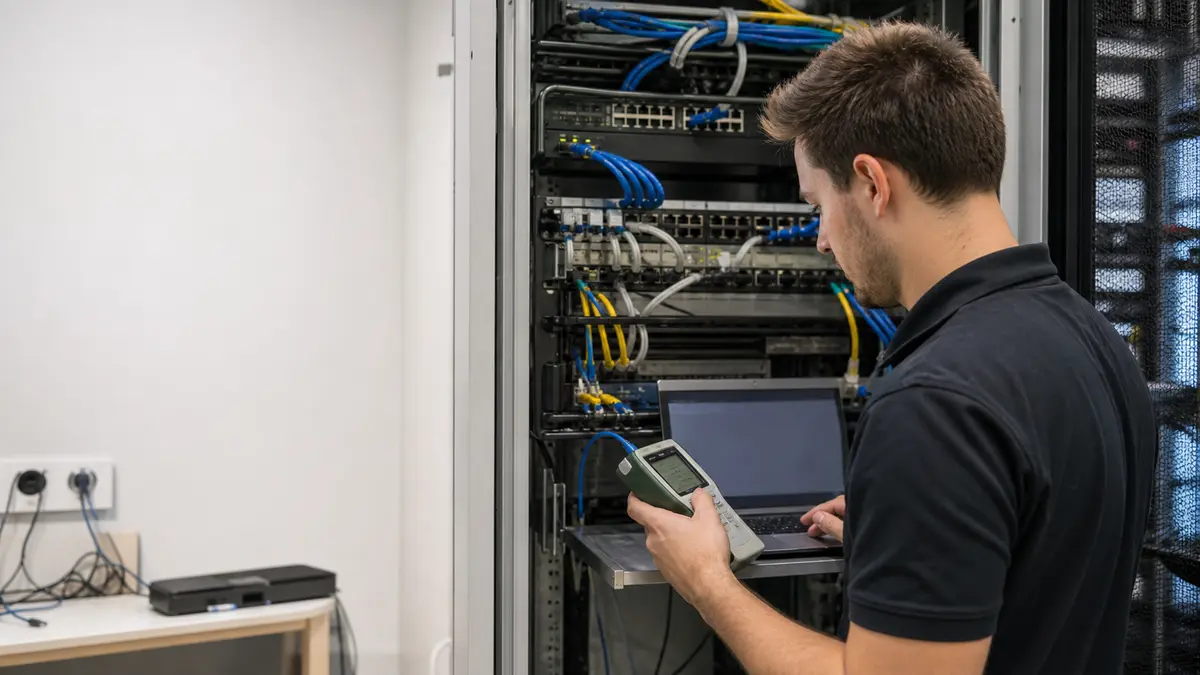
What a computer network audit is
A network audit is an inspection of both the physical and logical layers of your business infrastructure. In practice, we look at three things simultaneously:
- Physical layer: copper cabling, fibre optic routes, patch panels, racks, power supply, cooling, labelling, and connector condition.
- Active components: switches, routers, firewalls, Wi-Fi access points, firmware versions, port configuration, and management.
- Security and operations: VLANs, ACL rules, guest separation, remote access, logging, monitoring, and documentation.
The output is not a hundred-page academic report. A useful audit must give management and the IT administrator a clear answer: what is critical, what is a performance problem, what is technical debt, and how much work the fix involves.
When a cabling and network audit makes sense
An audit delivers the most value when a company needs to decide what to do first. Typical situations:
- The network is slow or has outages. Shared folders load slowly, VoIP calls drop, Wi-Fi behaves differently in each room. An audit separates a link problem from a cabling, switch, or configuration problem.
- You are moving or expanding offices. Before a refit, it makes sense to check what to keep using and what to replace, rather than moving old faults into new premises.
- You are taking over administration from an external provider. When there is no documentation and „someone had it in their head", an audit creates a current network map and a basis for management.
- A security incident has occurred. After phishing, suspicious access, or ransomware, you need to know where an attacker could have moved within the network.
- You are planning faster internet, a new server, or a camera system. Without checking the cabling and switches, you could buy performance that the old infrastructure cannot carry.
If you want a broader IT review straight away, our IT audit for businesses service follows on from this. When network operation is the main pain point, we start with business network management.
What a structured cabling audit reveals
Cabling tends to be underestimated because it is out of sight. Yet it determines the ceiling for the entire network. A poorly terminated cable, an old patch panel, or a bent fibre optic patch cord can cause errors that look like a server or internet problem.
During a cabling audit, we typically find:
- links that negotiate only 100 Mbps instead of gigabit,
- broken or incorrectly wired pairs,
- excessively long or poorly routed paths,
- unlabelled patch panels and undocumented cables,
- fibre optic cables bent below the safe bend radius,
- dirty or damaged optical connectors,
- racks without cooling, spare capacity, and proper cable management.
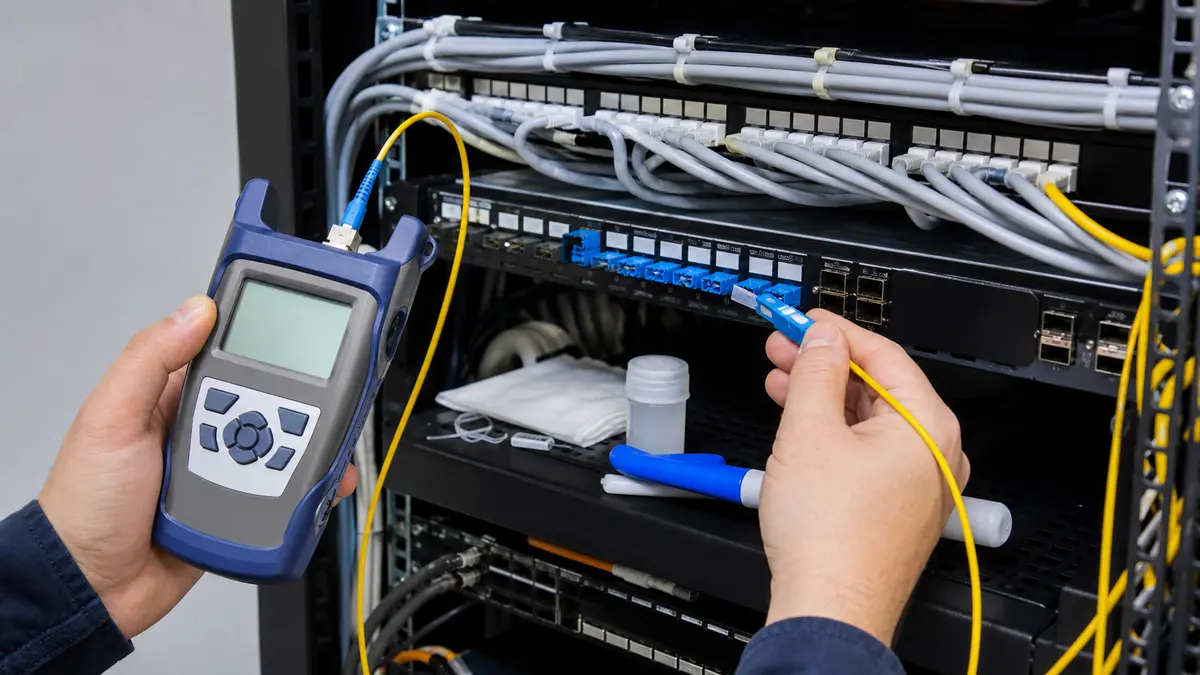
For fibre optics, we check attenuation, connector cleanliness, termination, optical budget headroom, and the mechanical condition of the route. If the audit reveals a problem, we can follow up with measurement, repair, or implementation of a fibre optic route via fibre optic measurement and splicing.
IT network security audit: the most common risks
An IT network security audit does not just ask whether someone can get in. A more important question is: what will they see and where can they get to once they are inside.
The most common risks in business networks:
| Finding | Why it is a problem | Recommended response |
|---|---|---|
| Guest Wi-Fi on the same network as the business LAN | A guest or compromised device gets closer to internal systems | Separate traffic via VLANs and firewall rules |
| Old switch without manufacturer support | Known vulnerabilities will never be patched | Plan replacement based on risk and network role |
| Management accessible from the user network | An attacker can attempt to access active components | Restrict management to a dedicated network/VPN |
| Missing logs and monitoring | A problem is only discovered after an outage or incident | Set up log collection and alerts |
| Undocumented cabling | Repairs take unnecessarily long, and the risk of disconnecting the wrong link grows | Add labelling and network documentation |
Security is not a one-off stamp. An audit provides the starting state and a list of steps; for the long term, it makes sense to follow up with business IT security and regular management.
How we conduct an audit
We keep the process practical so it does not block business operations:
- Initial discussion and materials. We go through what is troubling you, what branches, servers, Wi-Fi, and documentation you have, and who managed the network.
- On-site physical inspection. We check racks, routes, labelling, power supply, cooling, the condition of patch panels, and available documentation.
- Measurement and verification of paths. For problematic links, we measure copper or fibre and compare the result with what you need from the path.
- Configuration review. We look at switches, firewalls, VLANs, Wi-Fi, remote access, firmware, and basic security settings.
- Report and priorities. You receive an overview of findings divided into critical, important, and recommended. Each point includes the impact, a proposed solution, and an estimated level of effort.
For a smaller office, this could be a one-day review. For a larger company or multiple branches, we split the audit so work can proceed during normal operations.
When an audit does not make sense
A full audit is not always the right answer. If you have a small office with one router, a few computers, and no server, a shorter settings review is usually sufficient. If you had new cabling installed a few months ago with measurement protocols, only a security configuration check might make sense.
An audit is also not a guarantee of one hundred per cent security. It is a qualified snapshot of the state and a remediation plan. Without subsequent maintenance, the network will again reach a state where no one knows exactly what is running where.
Frequently asked questions about network audits
How much does a computer network audit cost?
The cost depends on the number of active components, racks, branches, cable paths, and the scope of the security check. After a brief initial consultation, we prepare a specific scope so the company does not pay for an unnecessarily deep audit where a targeted review would suffice.
How long does an audit take?
A smaller business network can be reviewed in one working day. For larger installations, expect one to three days on site plus additional time for evaluation, documentation, and recommendations.
Will we get a network map?
Yes, if it is part of the brief. For businesses without documentation, an up-to-date network map is one of the most valuable outputs. It helps with maintenance, expansion, and security interventions.
Does the audit also cover Wi-Fi?
Yes. We check access point placement, guest separation, encryption, roaming, channel congestion, and AP connectivity to the wired infrastructure. If the main problem is the wireless network, a separate Wi-Fi design can follow.
Does an audit make sense if the network is currently working?
Yes, if the network is critical to the business. An audit is cheaper when problems are addressed in a planned manner than when the accounting system, production, or customer communication is down.
Want to know where your network is weak before it falls over? Arrange an IT and business network audit. We will go through the cabling, active components, and security, and you will receive a concrete remediation plan.
Business network management · IT security · Fibre optic networks · Contact
Where to find us
ITHOPE is a company based in Brno, Czechia: we do data recovery from disks, RAID and NAS, PC and laptop service and IT for business, all in our own lab at Viniční 3587/216, 615 00 Brno.
Phone +420 775 556 063 (24/7 line). You can bring the device in person, or send it by courier (Zásilkovna, PPL).