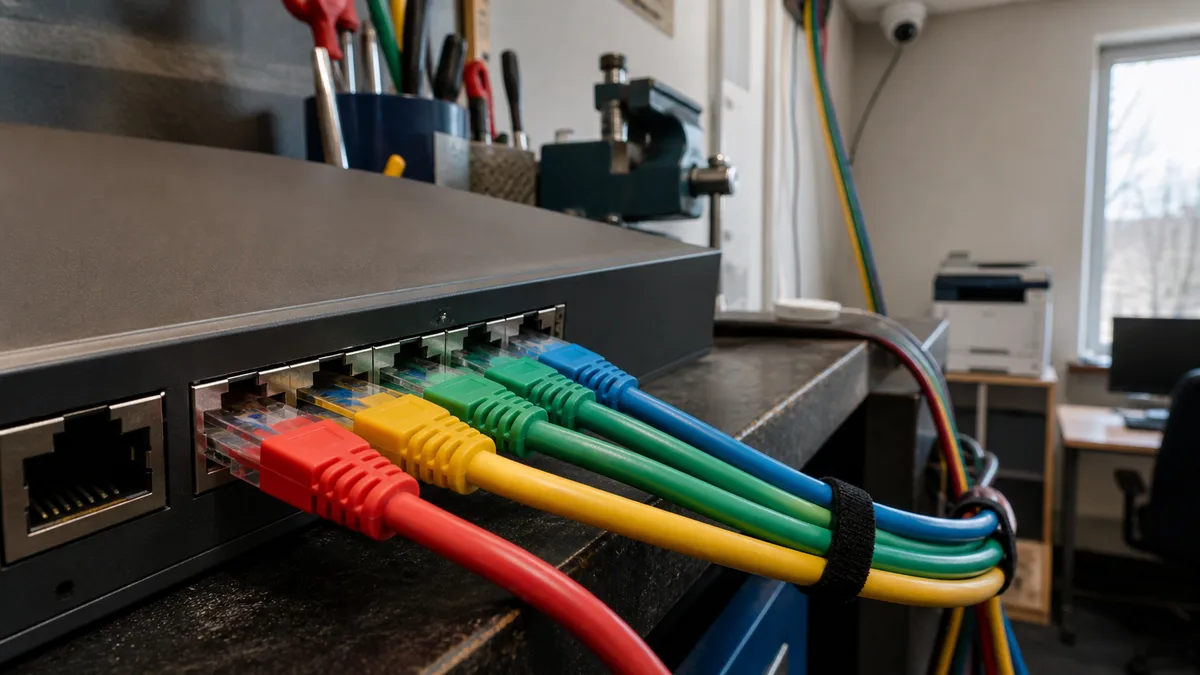
The short answer: If cameras, printers, visitors, and the accounting computer are all on the same network, an attacker only needs to compromise the weakest device to gain visibility of everything else. The solution is segmentation—dividing one physical network into separate VLANs (virtual networks based on the IEEE 802.1Q standard), with rules that allow only essential traffic between them. Today, even a five-person company can use equipment that supports this.
What a flat network is and why it is dangerous
A flat network means that every device in the company shares the same IP address range and broadcast domain. The accountant’s laptop, a backup NAS, a printer, eight IP cameras, and a temporary worker’s phone all occupy the same space. Anyone who gains access to one device can use it to scan all the others, revealing open ports, shared folders, print queues, and camera web interfaces.
A perimeter firewall does not help here—it controls traffic entering from outside. Once an attacker is inside, they can move laterally from device to device without the perimeter firewall knowing, because the traffic never passes through it.
Ransomware illustrates this particularly well: one device is compromised, the attacker identifies everything visible on the network, and then encrypts it, including a NAS mounted as a network drive. Without segmentation, „everything visible„ simply means „everything." Ransomware in a company: the first 24 hours describes what the first day of such an incident looks like.
Common entry points into the network
IP cameras and recorders
The Mirai botnet from 2016 is a textbook example. It scanned the internet for devices protected by factory-default or hard-coded usernames and passwords, then logged in over Telnet and SSH. It recruited routers, IP cameras, and video recorders. In September 2016, a Mirai-powered attack took the KrebsOnSecurity website offline with 620 Gb/s of traffic. On 1 October 2016, Mirai’s source code was published on the Hackforums forum. An analysis presented at USENIX Security 2017 estimated that the botnet peaked at roughly 600,000 infected devices.
For a small business, the key lesson is not the scale of the attack but how the devices were breached: default passwords. Public directories of default camera credentials cover dozens of manufacturers, including Axis, Hikvision, Dahua, Bosch, Pelco, and Sony. Some manufacturers—such as Hanwha, Hikvision, and Panasonic—now require users to create a password during the first login. Others merely display a warning that users can dismiss. A typical real-world finding is a six-year-old camera system whose firmware has never been updated and whose interface is accessible from the entire company network.
Network printers
Printers expose port 9100 for so-called raw printing (JetDirect/AppSocket), which provides no authentication by design. Anyone who can reach it can submit print jobs and, on most devices, send PJL control commands as well. These may allow them to read and modify NVRAM variables, access the printer’s file system, or change the message shown on its display.
The configuration data can be even more concerning. A multifunction printer configured to „scan to folder„ or „scan to email" stores credentials for SMB, LDAP, SMTP, or FTP—providing access to shared folders, the user directory, or email services. A printer with outdated firmware is not merely a printer; it is a repository of service-account credentials. The recommendation is consistent across sources: allow access to port 9100 only from print servers or the printing VLAN, and never expose it to the internet.
Smart TVs and other IoT devices
An Android TV in the meeting room, a conferencing system, an attendance terminal, or an air-conditioning unit with Wi-Fi: nobody updates them, their manufacturers stop releasing firmware after a few years, and the devices remain on the network for another eight years—with full access to everything else simply because someone connected them to the company Wi-Fi.
How VLANs work
The IEEE 802.1Q standard adds a tag containing a VLAN number to an Ethernet frame. The switch uses this tag to determine where the frame may be sent. In practice, three concepts matter:
- Access port (untagged) — a port connected to a single endpoint. It has a configured PVID, which is the VLAN number assigned to incoming untagged traffic. A camera connected to a port with PVID 30 belongs to VLAN 30 without being aware of it; nothing needs to be configured on the camera itself.
- Trunk port (tagged) — a port between switches or between a switch and router that carries multiple VLANs simultaneously, with each frame bearing its own tag.
- Gateway — the router or firewall has an interface for each VLAN, provides DHCP for it, and uses rules to determine which networks may communicate.
The crucial consequence is that traffic cannot pass between two VLANs without going through the router. Rules are managed in one place, and the default policy should be „deny"—specific exceptions are then allowed, not the other way around.
This is logical separation layered on top of the existing physical infrastructure, so it usually does not require additional cabling. The physical side of the network—cabling, cabinet, labels, and port condition—is covered in the computer network and cabling audit.
Which segments to separate and what belongs in them
| Segment | What belongs there | Internet access | Access to other segments | Why keep it separate |
|---|---|---|---|---|
| Workstations | employee laptops and PCs, company phones | yes | only specific server and printer services | most infections originate here (attachments, websites, USB drives) |
| Servers and NAS | domain controller, file server, ERP, accounting systems | updates only | no outbound access to client networks | a server has no reason to initiate connections to a user’s computer |
| Cameras and IoT | IP cameras, recorder, TV, attendance system, sensors | deny unless the manufacturer requires cloud access | none | devices without updates must not have access to data |
| Printers | multifunction printers, print servers | firmware updates only | may only receive print traffic from workstations | port 9100 has no authentication, and the configuration contains service credentials |
| Guests and BYOD | visitors, personal phones, contractors’ devices | yes, with bandwidth limits | none | these devices are outside your control, and you know nothing about their condition |
| Backup environment | backup server, target NAS, tape | off-site storage only | connections are initiated by the backup system, not the client | the final safety net after ransomware; also required by Vyhláška |
| Management | switch, AP, firewall, and IPMI interfaces | no | only from a dedicated workstation or VPN | anyone who controls switch management can bypass every other rule |
One rule worth maintaining: the backup environment must not be accessible with a regular user account from an ordinary workstation.
Wi-Fi: a guest network is more than a second password
A single access point can broadcast multiple SSIDs (network names) simultaneously and assign each one to a different VLAN. Segmentation therefore does not require twice as much hardware. A properly configured guest network has three characteristics:
- A dedicated SSID mapped to the guest VLAN — guest traffic never reaches the company VLAN, and a gateway rule allows it to access only the internet.
- Client isolation enabled — devices on the same SSID cannot communicate with one another. Without it, one visitor’s phone can see another visitor’s laptop.
- Bandwidth limits — so that one visitor downloading updates cannot saturate the company’s internet connection.
A common misunderstanding is that „we have a separate Wi-Fi network for guests" usually means nothing more than a different password for the same network. What matters is which VLAN the SSID is assigned to and which rules apply there. If you are also dealing with coverage or outages, see Wi-Fi problems: weak signal and outages.
What Czech legislation says about segmentation
The new Cybersecurity Act, effective from 1 November 2025, divides regulated entities into two regimes and requires network segmentation in both.
- Vyhláška č. 410/2025 Sb. (lower-obligation regime) requires in § 11 písm. a) network segmentation „včetně oddělení provozního a zálohovacího prostředí" (including separation of operational and backup environments).
- Vyhláška č. 409/2025 Sb. (higher-obligation regime) requires in § 26 odst. 5 that the backup environment be separated from other environments.
NÚKIB has issued a manual with practical examples for the lower-obligation regime. According to the manual, separation may be implemented physically or logically—that is, by using VLANs. Whether these obligations apply to your company is explained in Cybersecurity Act 264/2025 and who it applies to.
Even if the law does not apply to you, it is worth treating this as a minimum standard. „Separation of operational and backup environments" is exactly what determines whether you still have a viable recovery option after a ransomware attack.
Step-by-step implementation
1. Find out what is actually on the network. There is no point designing a plan without an inventory: list every device, including its MAC address, switch port, purpose, and responsible person. This process almost always uncovers two or three devices that nobody remembers connecting.
2. Design the VLANs and address ranges. Use an easy-to-read numbering scheme—for example, 10 for workstations, 20 for servers, 30 for cameras, 40 for printers, 50 for guests, 60 for backups, and 99 for management—and give each VLAN its own IP range. Create a table of permitted traffic flows as well, not merely a list of networks.
3. Establish a fallback route to management. The management VLAN must be accessible before filtering is enabled. On MikroTik devices, avoid locking yourself out by configuring the management VLAN on the trunk port before enabling vlan-filtering. Always keep a console cable within reach.
4. Start with guests. This offers the lowest risk and an immediate benefit: create a new SSID and guest VLAN, enable client isolation, and apply an „internet access only" rule. If something goes wrong, company employees will not be affected.
5. Continue with cameras and IoT. Move cameras to access ports with the camera VLAN’s PVID, verify that only the dedicated workstation can access live video, and remove any internet port-forwarding rules that expose the recorder.
6. Then move the printers. Create a printing VLAN and allow traffic only from workstations to the required printing ports. Reconfigure the service credentials stored in multifunction printers and update their firmware—segmentation limits the impact of a vulnerability; it does not fix the vulnerability itself.
7. Finish with servers and backups. This is the most sensitive step and should be completed outside business hours with a tested rollback plan. Separate the backup environment so that the backup system initiates connections to source systems, not the other way around.
8. Document everything. Record the VLAN diagram, rules table, and management access permissions. Without documentation, the next technician will turn the network back into a flat one within a year.
What equipment to use
Network segmentation does not require enterprise-grade equipment. Virtually all current managed switches support 802.1Q:
- TP-Link Omada — VLANs are configured through Omada Controller across the Agile, Access, Access Plus, Access Pro, Access Max, Aggregation, and Campus ranges. The uplink to the router is configured as tagged, while client ports are untagged with the appropriate PVID. The router must also support VLANs and provide DHCP for each one.
- Ubiquiti UniFi — networks are defined in the controller, SSIDs are mapped to VLANs, and client isolation can be enabled both at network level and for individual SSIDs.
- MikroTik — VLANs are configured on the bridge using
vlan-filtering; access ports usepvid, while trunk ports aretagged. On devices with a suitable switch chip, filtering is hardware-accelerated and therefore does not reduce throughput.
The most common obstacle is not the cost of a switch, but an unmanaged switch under a desk that connects half the office.
Common mistakes
- VLANs without rules. The networks are separated, but the gateway routes everything between them.
- Forgotten management interfaces. A switch or AP interface remains in the user VLAN with its default password. Anyone who gains access can override the other rules.
- A device connected to two networks. A printer or server with two network adapters in different VLANs becomes a bridge between them.
- A backup mounted as a network drive. A backup NAS accessible from every workstation through a regular account will be encrypted along with everything else.
- A guest SSID without client isolation. Visitors cannot access the company network, but they can still see one another’s devices.
- Port forwarding to the recorder. Exposing a camera system to the internet for mobile viewing is exactly the scenario that allowed Mirai to flourish. The solution is a VPN, not a forwarded port.
Need help?
Network segmentation is a job that only needs to be done properly once and then maintained. At ITHOPE in Brno, we design network segmentation around the equipment companies already have in their cabinets: VLANs and gateway rules, separation of guests, cameras, and printers, as well as separation of the backup environment in accordance with Vyhláška. We then provide ongoing network management so that it does not return to its original state a year later. Related services include IT management and backups and other services in the IT for businesses section. Contact us if you want to understand the state of your network before you find out the hard way.
We also provide practical support for the „servers and NAS" segment through our NAS service in Brno—including installation, drive replacement, and monitoring of network storage so that segmentation makes sense on the data side as well.
Sources
- Vyhláška č. 410/2025 Sb. (lower-obligation regime) — e-Sbírka
- NÚKIB published a new manual for entities in the lower-obligation regime
- Krebs on Security: Source Code for IoT Botnet „Mirai" Released
- Understanding the Mirai Botnet (USENIX Security 2017)
- IPVM: IP Cameras Default Passwords Directory
- TP-Link Omada: 802.1Q VLAN Configuration on Omada Switches
- MikroTik RouterOS: Basic VLAN switching
- PentestPad: Port 9100 — JetDirect / AppSocket (Raw Print)
Where to find us
ITHOPE is a company based in Brno, Czechia: we do data recovery from disks, RAID and NAS, PC and laptop service and IT for business, all in our own lab at Viniční 3587/216, 615 00 Brno.
Phone +420 775 556 063 (24/7 line). You can bring the device in person, or send it by courier (Zásilkovna, PPL).