Lost data on a memory card or USB flash drive? You’d like to recover it, but you’re too far away to visit us? No problem. In this guide we’ll walk through how to pack a memory card or USB flash drive so it reaches our lab safely.
Standard-size USB flash drive
Wrap it as thoroughly as possible in bubble wrap or several layers of paper
1. Wrap the USB flash drive in bubble wrap or several layers of paper.
Only then place the wrapped drive into a box that you have lined with soft material so the device doesn’t suffer further impact
2. Place it in a box lined with soft material so the drive cannot shift during transit.
Memory card or smaller USB flash drive
This calls for extra care — a small medium is easily snapped or lost:
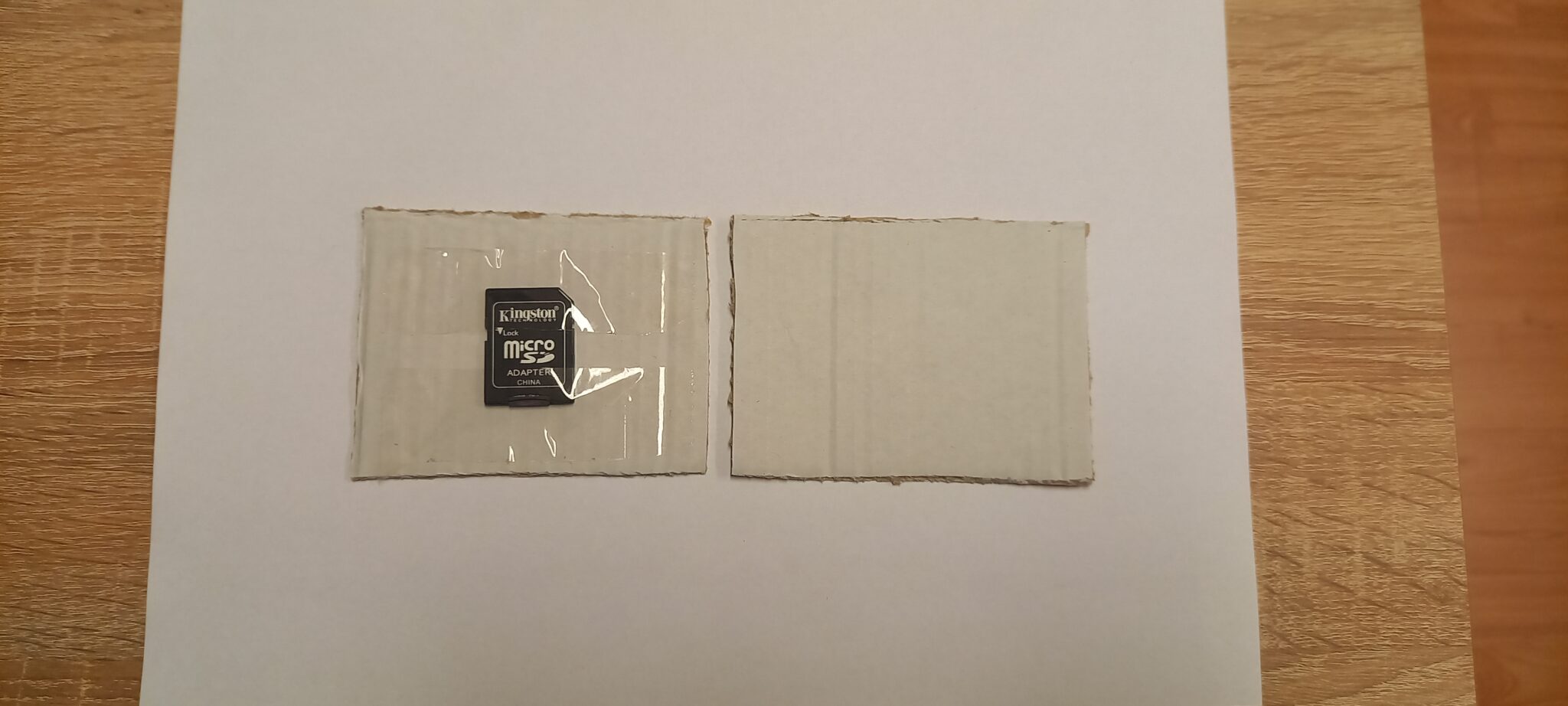
Use a piece of adhesive tape to fix it to a piece of cardboard
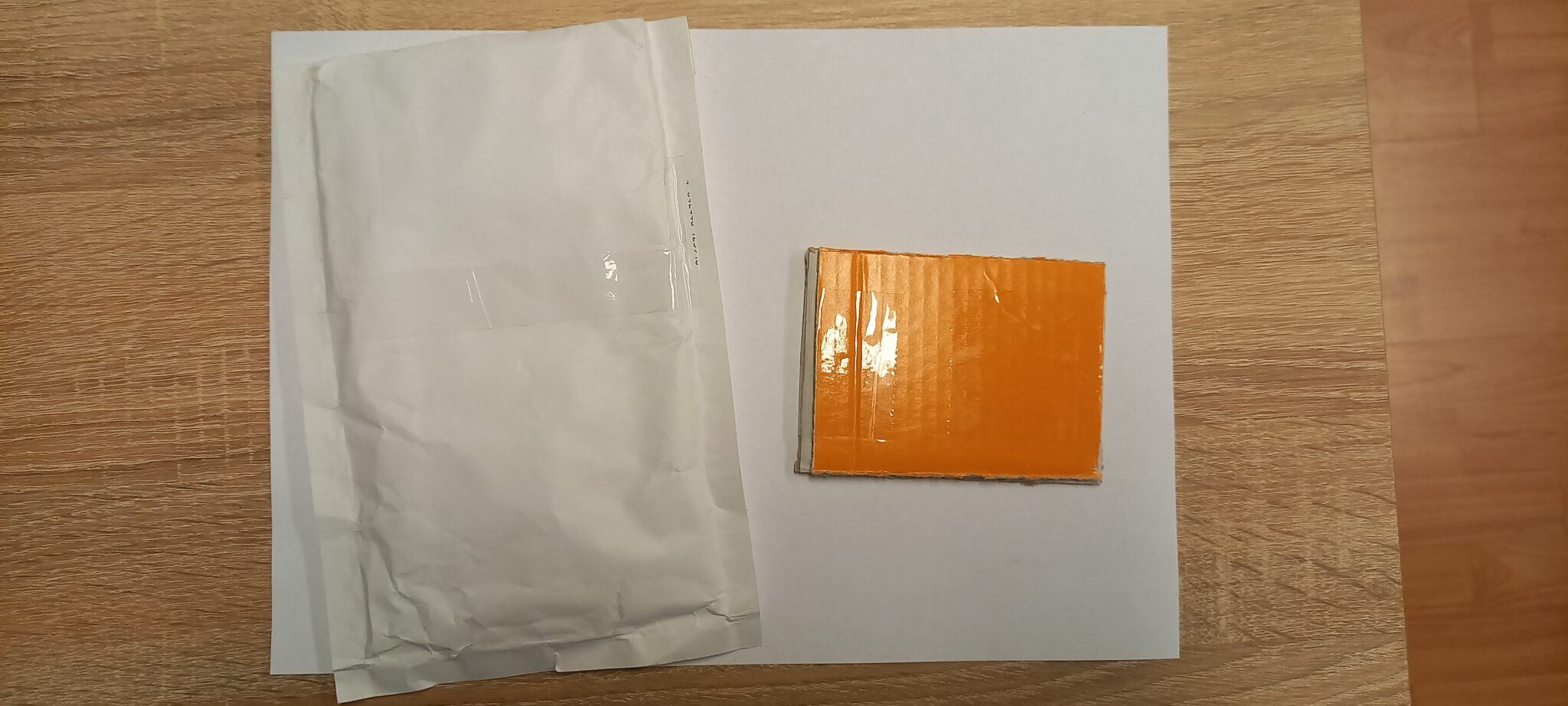
Cover with a second piece of cardboard and tape both pieces together on all sides
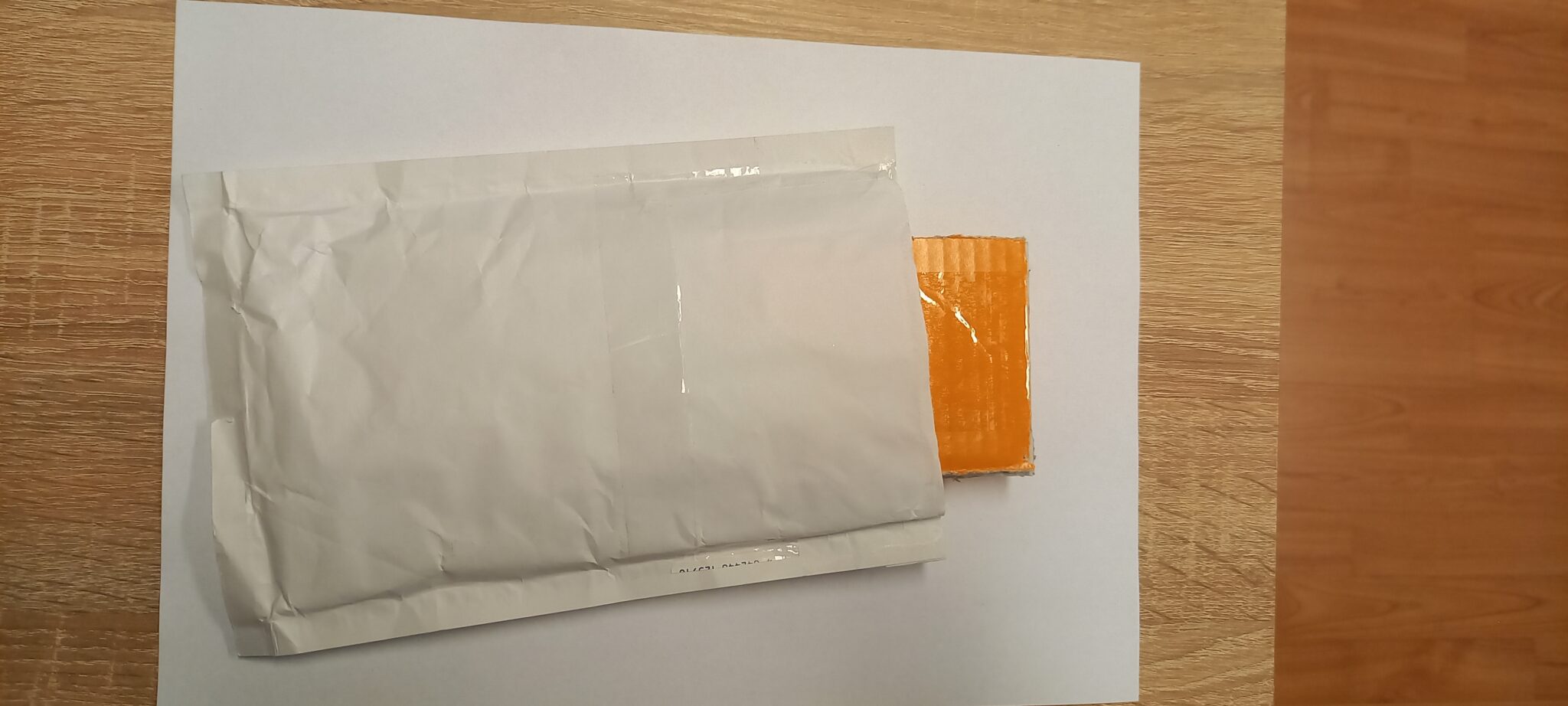
Place into a bubble envelope or a box lined with soft material
It is essential to secure the card (or small flash drive) between two pieces of cardboard this way — you’ll prevent it from snapping or getting lost if the envelope accidentally comes unstuck during shipping.
Tape the memory card or small flash drive between two pieces of cardboard — you’ll prevent both snapping and loss.
What to include
Always place a card with your details inside the box/envelope:
Full name
Email and phone number
Which data you want recovered (photos, documents, specific folders)
How the failure occurred (drop, improper disconnection, liquid spill, exposed connector…)
Whether the medium has already been to another lab
Free Zásilkovna pickup
If you’ve filled in the inquiry form with pickup, we’ll email you a label — stick it on the envelope/box and hand it over at any Zásilkovna drop-off point.
How much does data recovery from an HDD hard drive cost?
For logical faults (deletion, formatting, an unbootable system) from 2,900 CZK. For a mechanical fault requiring a head replacement in the clean chamber, typically 9,900–18,900 CZK. We tell you the exact price after the initial diagnostics — free for HDDs and SSDs. If the recovery fails, you pay nothing apart from any shipping costs.
How long does data recovery take?
For logical faults 1–3 working days. For mechanical faults 5–14 days depending on complexity and the availability of spare parts (donor drives of the same model). For RAID reconstruction 7–21 days depending on the number and condition of the member drives.
My drive is clicking. What should I do?
Disconnect it from power immediately. Every further power-on damages the platters and lowers the chance of recovery. Clicking is almost certainly a mechanical fault of the heads — no software will help; the drive needs to be opened in a clean chamber and the read mechanism replaced. Call us on +420 775 556 063 and we will diagnose it within 24 hours.
Can I use a data-recovery program from the internet?
Only if the drive is physically healthy and it is a logical fault (deletion, formatting). In other cases such programs harm the drive — they repeatedly try to access it, which worsens its mechanical condition. For serious cases, bring the drive straight to us instead; initial HDD and SSD diagnostics are free.
What about confidentiality? What happens to my data?
Before opening the device we sign a written non-disclosure agreement (NDA). Only we process your data; nothing is sent abroad. After we hand over the recovered data, we guaranteed wipe every copy from our stage storage (DoD 5220.22-M wipe).
Can you recover data from an encrypted drive (BitLocker, FileVault)?
Yes, provided you have the recovery key or password. Without the key, encrypted data is mathematically unrecoverable. That is why it is important to store the recovery key off the drive (a printout, a Microsoft account, a USB stick). Without it we can recover the structure, but not the contents of the files.
Can you handle a RAID 5 where two drives have failed?
Yes, in many cases. A RAID 5 with two failed drives is not reconstructable in the traditional way, but if the second drive has not died completely, some data can be recovered from it and the array rebuilt. Success depends on which sectors are readable on each drive. Contact us as soon as possible — do not clone the array yourself, as that complicates matters.
Where should I send or bring the drive?
Our premises at Viniční 3587/216, 615 00 Brno-Židenice. Open Mon–Fri 10:00–16:00. If you send it by post, use good packaging (the original box + bubble wrap + a cardboard box). We accept Zásilkovna and PPL.
What if I'm in a hurry and need it within 48 hours?
We have an express mode with a 50–100% surcharge. Tell us your deadline up front in the enquiry and we will say whether it is technically feasible to make it (for mechanical faults it often is not, because of the wait for a donor drive).
Is it really free if the recovery fails?
Yes, for standard HDD/SSD/RAID/NAS/USB cases with a mechanical, electronic, firmware or logical fault (deletion, formatting, ransomware) the no recovery — no fee principle applies. Initial HDD and SSD diagnostics are free; for RAID/NAS, USB and memory cards they may be free depending on complexity. Non-standard cases (drive opened by another service, overwriting/formatting, complex analysis) cost 1 210 Kč including VAT (1 000 Kč excluding VAT), announced in advance. Phone/tablet diagnostics cost the same and are included in the final price of a successful recovery; a targeted search for a specific named file costs the same and is deducted from the job price on a successful recovery. See the following questions.
How much does diagnostics of a phone or tablet cost?
Diagnostics of a mobile phone or tablet cost 1 210 Kč including VAT (1 000 Kč excluding VAT). If we then carry out a successful recovery, the diagnostics are included in the final price of the recovery. If you do not go ahead or recovery is not possible, the diagnostics performed are charged separately. Phones are generally more demanding for data recovery — we deal with chip-off, decryption and proprietary systems (Apple T2/M1/SE, Samsung Knox). Diagnostics include an initial assessment of whether your data can be recovered from the given model at all.
I need to find one specific file — how much does that cost?
If we are looking for a specific named file (e.g. 'presentation_final.pptx', 'tax return 2024.pdf', 'family holiday photo'), we charge 1 210 Kč including VAT (1 000 Kč excluding VAT) for targeted diagnostics and a targeted scan. On a successful recovery the amount is deducted from the total job price. If it is general data recovery from a deleted or formatted drive (without a specific file), the standard price list applies with no diagnostic fee and the no recovery — no fee principle. In both cases: write nothing further to the drive, as every write lowers the chances.