The short answer: SMS codes are the weakest of the commonly used second factors—the US-based NIST classifies them as a „restricted" method in its current guidelines and requires service providers to offer an alternative. Code-generating apps (TOTP) and push notifications are better, but attackers can still bypass them by placing a reverse proxy between you and the login page. Only passkeys and FIDO2 hardware keys fundamentally prevent this attack: authentication is cryptographically bound to the domain, so it will not even start on a fraudulent website. Begin with email, administrator accounts, and remote access—and introduce passkeys to employees for what they really are: less typing, not more.
MFA (multi-factor authentication) means that you need more than one thing to sign in: something you know (a password), something you have (a phone or key), and possibly something you are (a fingerprint or face). 2FA is the specific case of using two factors. Today, the main consideration is their quality.
Why SMS codes are no longer enough
A phone number can be taken over through SIM swapping. Using social engineering, forged documents, or a dishonest employee, an attacker convinces the mobile carrier to transfer the victim’s number to the attacker’s SIM. From that point on, the victim’s calls and text messages go to the attacker. The FBI’s IC3 reported receiving 320 SIM-swapping complaints involving losses of approximately $12 million between January 2018 and December 2020. In 2021 alone, it received 1,611 complaints involving losses of more than $68 million.
The code can be stolen in real time. A fraudulent website asks for a password and immediately submits it to the legitimate service. The service sends an SMS, and the fraudulent website then asks for the code. The employee enters it because it arrived exactly when expected.
Delivery is outside your control. An SMS passes through the mobile carrier, roaming networks, and potentially a forwarding service. The company has no way to verify who actually read it.
This is why revision 4 of the NIST SP 800-63B guidelines classifies authentication through the public telephone network—both SMS and voice calls—as a restricted authenticator. According to the guidelines, service providers must ensure that alternative methods are available, warn users about the limitations before enrollment, and consider risk indicators before sending a code, such as a device replacement, SIM change, number porting, or other deviations from normal behavior.
In practical terms, keep SMS only as a backup method where the service offers no way to replace it.
The attack that can bypass authentication apps too
A class of attacks known as adversary-in-the-middle (AiTM) uses an intermediary placed between the victim and the legitimate service. Instead of being a static copy, the fraudulent website acts as a reverse proxy: it maintains two separate encrypted connections—one with the victim and one with the real service—and relays traffic between them. The user sees the genuine login dialog, successfully signs in, and genuinely approves the second factor. Meanwhile, the intermediary steals the authenticated session cookie—proof that authentication has already taken place—and uses it to access the account without being asked for the second factor again. Microsoft described a campaign that had targeted more than 10,000 organizations since September 2021, followed by fraudulent invoice conversations sent from compromised mailboxes.
The weakness is not the length of the code. It is the fact that users can give the secret to anyone who asks for it. Effective protection must remove that possibility, which requires three layers:
- A domain-bound method. Neither a passkey nor a hardware key will be offered on an unrelated domain because the signature is created for the service’s specific address. The user has nothing they can hand over.
- Conditional access. Microsoft notes that access conditions are evaluated again whenever someone tries to use a stolen cookie. Requiring a managed device stops the attack even if the session has been compromised.
- Monitoring the aftermath. New email rules, forwarding to an external address, or changed bank details on an outgoing invoice must be monitored in the logs. If detected in time, this can prevent the scenario described in Ransomware in a Business: The First 24 Hours.
MFA fatigue and what number matching changed
The second way to bypass push notifications requires no technical sophistication. An attacker who already has the password simply keeps trying to sign in. The user’s phone rings at one in the morning, and after the twenty-first prompt, they approve it just to make it stop. This is known as MFA fatigue.
The answer is number matching: the login screen displays a two-digit number that the user must enter in the authentication app. Someone who did not initiate the login cannot see the number and therefore has nothing to enter. Microsoft enabled number matching for all push notifications in Microsoft Authenticator, and users cannot opt out. It does not work on smartwatches, and older versions of the app cannot complete the sign-in.
However, number matching is not phishing protection. It stops notification bombing, but it does not protect against a reverse proxy—the user will see the number because the intermediary relays it from the legitimate service. The rule for employees is therefore: never approve a sign-in that you did not initiate yourself, and report it. The reporting part matters even more: an unapproved prompt means that someone knows the password.
What passkeys and FIDO2 are
FIDO2 is an open standard for authentication without a shared password. It consists of WebAuthn, an interface supported by web browsers, and CTAP, which lets the browser communicate with a security key or phone. A passkey is a credential built on these standards and stored on a phone, computer, or hardware key.
During registration, a pair of cryptographic keys is created. The service receives the public key, while the private key remains on your device and never leaves it. When you sign in, the service sends a challenge. After the device is unlocked with a fingerprint, face, or PIN, it signs the challenge, and the service verifies the signature. No secret is transmitted, so there is nothing to intercept or steal from the service’s database. Phishing resistance comes from the authenticator selecting the key based on the verified domain—NIST calls this verifier name binding. At any other address, the device has no matching credential to offer, so the user cannot make that mistake.
Passkeys come in two forms, and the difference is important for businesses:
- A synced passkey is encrypted, backed up, and shared between your devices. On Apple devices, this happens through iCloud Keychain, which Apple describes as end-to-end encrypted with keys unknown even to Apple. Losing your phone therefore does not mean losing access.
- A device-bound passkey is not synchronized. This category includes hardware keys and passkeys stored directly in Microsoft Authenticator. Entra ID treats the latter as device-bound and requires Android 14, iOS 17, or a newer version. It provides greater assurance, but you must arrange a backup method.
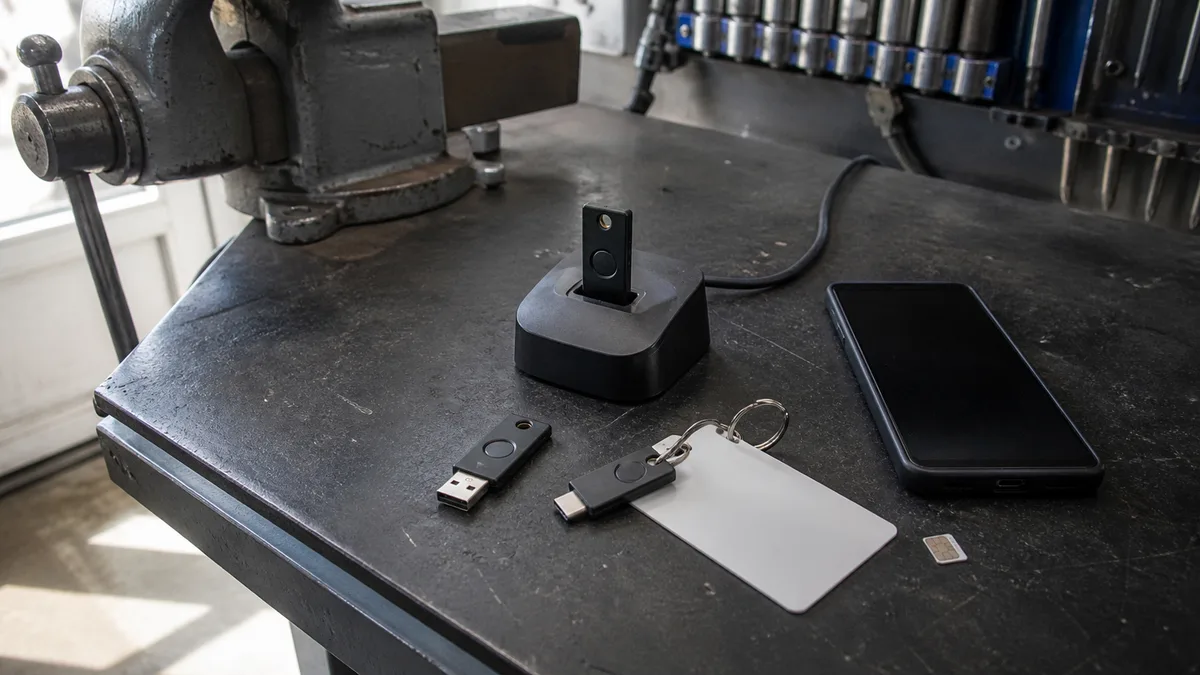
Give hardware keys to people whose accounts are critical to the business: managing directors, accountants, IT administrators, and anyone authorized to change bank details. YubiKey devices are available with USB-A, USB-C, NFC, and Lightning, and support smart card authentication (PIV) alongside FIDO2. Google Titan serves a similar role. Always buy two keys per person—one for the user to carry and one to keep in a safe.
Comparing MFA methods: what each one can do
| Method | Phishing resistance | Convenience | What you need |
|---|---|---|---|
| SMS code | none—the code can be stolen and the number taken over | requires entering a code and depends on mobile reception | phone number |
| TOTP app (code from an authenticator) | none—the code can be stolen, although the number cannot be taken over | requires entering a code but works offline | phone and registration via QR code |
| Push notification with number matching | none against a proxy, but effective against notification bombing | unlock the phone and enter a two-digit number | phone, up-to-date app, and data connection |
| Passkey (synced) | high—the signature is created only for the correct domain | fingerprint or face, with nothing to type | device with an Apple, Google, or Microsoft account |
| FIDO2 hardware key | high, and the key never leaves the device | insert or tap the key, then touch it | two keys per person and a USB port or NFC |
The table is a ranking with one caveat: the best method is one that the service supports and people actually use. If your accounting system supports only SMS, enable SMS—and add strong protection to the email account that could be used to reset it.
Where to enable MFA first
- Business email (Microsoft 365 or Google Workspace). Almost every other account can be reset through the mailbox. There is no reason to postpone this one.
- Administrator accounts. This includes the tenant’s global administrator, domain administrator, and access to hosting and DNS. Microsoft has required MFA for sign-ins to its administration portals—the Azure portal and the Entra and Intune admin centers—since October 2024. It has gradually applied the requirement to the Microsoft 365 admin center since February 2025 and, since October 1, 2025, to write operations performed through Azure CLI, PowerShell, and REST APIs.
- Online banking and payment gateways. Check who has access and whether any account still uses a former employee’s phone number.
- VPN and remote access, including RDP. MFA will not save an RDP service exposed directly to the internet. It belongs behind a VPN or gateway that supports authentication.
- Password managers and ownerless accounts. Shared mailboxes, service accounts, and access configured long ago by an external contractor are the hardest to track down. We explain the process in Your IT Specialist Has Left: How to Hand Over Company IT.
Backup methods and lost phones
This is where MFA rollouts fail most often—not because of the technology, but because nobody documented the process in advance.
Every account needs two registered methods. A single phone is a single point of failure. For administrators, that means two hardware keys. For everyone else, it usually means a passkey on the phone plus TOTP on a laptop. Backup codes belong in a safe, not in an „Important" folder in the same mailbox you are protecting.
Write the lost-phone procedure before anyone loses their phone. It must specify who receives the call, how they verify that the caller really is the employee—using a password through another channel, a video call, or an in-person visit—how the old method is removed, and how the new one is registered. Pay particular attention to verifying the caller: impersonating an employee over the phone and asking for an „MFA reset" is a common technique.
In Microsoft Entra ID, a Temporary Access Pass can be used both for recovery and onboarding. It provides time-limited, one-time access that allows the user to register a new method. For a Google account, a lost device can be handled by removing its passkey from the account on another device.
How to roll it out without employees undermining it
Resistance to MFA does not come from laziness. It comes from a bad first experience: someone is working in the field, has no mobile reception, and loses access to email for two hours.
Run a two-week pilot with three to five people. Choose a mix—someone technically proficient and someone who would not install an app without assistance. Whatever goes wrong for them will go wrong for everyone else, but at this stage it costs one support call instead of fifty.
Enable it first, then enforce it. Give employees two to four weeks to register voluntarily before turning on enforcement. Present passkeys as a time-saver, not as a security burden: instead of entering a password and a six-digit code, users simply touch a sensor.
Measure two numbers. Track how many people have registered a strong method and how many sign-ins actually use it. The second number is usually lower and shows you where people are falling back to codes.
Frequently asked questions
What if our software does not support MFA at all?
Protect it externally by allowing access only from the company network or through a VPN with MFA. Most importantly, strongly protect the email account that could be used to reset the password. When you next replace the system, make MFA support part of the requirements. We examine the budget implications in How Much Does IT Management Cost for a Small Business?.
Is MFA required by law?
For companies covered by the new zákon o kybernetické bezpečnosti, strong authentication is one of the expected safeguards. We explain whether the rules apply to you in NIS2 and zákon č. 264/2025 Sb.. For other businesses, MFA is a common requirement imposed by insurers and larger customers.
ITHOPE is based in Brno, and we treat the rollout of MFA and passkeys as a standard part of IT management. We will review where MFA can be enabled immediately, configure phishing-resistant methods in Microsoft 365 or Google Workspace, prepare a lost-phone procedure, and train your employees. This is complemented by ongoing IT management and backups—authentication protects access, while backups protect data. You can find an overview of our services in the IT for Businesses section.
Sources
- NIST SP 800-63B rev. 4
- FIDO Alliance: Passkeys
- Microsoft: From cookie theft to BEC (2022)
- Microsoft Learn: number matching in push notifications
- Microsoft Learn: passkeys in Authenticator
- Microsoft Learn: mandatory MFA in Microsoft Entra
- FBI IC3: SIM Swap Schemes
- Apple Support: Passkey security
Where to find us
ITHOPE is a company based in Brno, Czechia: we do data recovery from disks, RAID and NAS, PC and laptop service and IT for business, all in our own lab at Viniční 3587/216, 615 00 Brno.
Phone +420 775 556 063 (24/7 line). You can bring the device in person, or send it by courier (Zásilkovna, PPL).