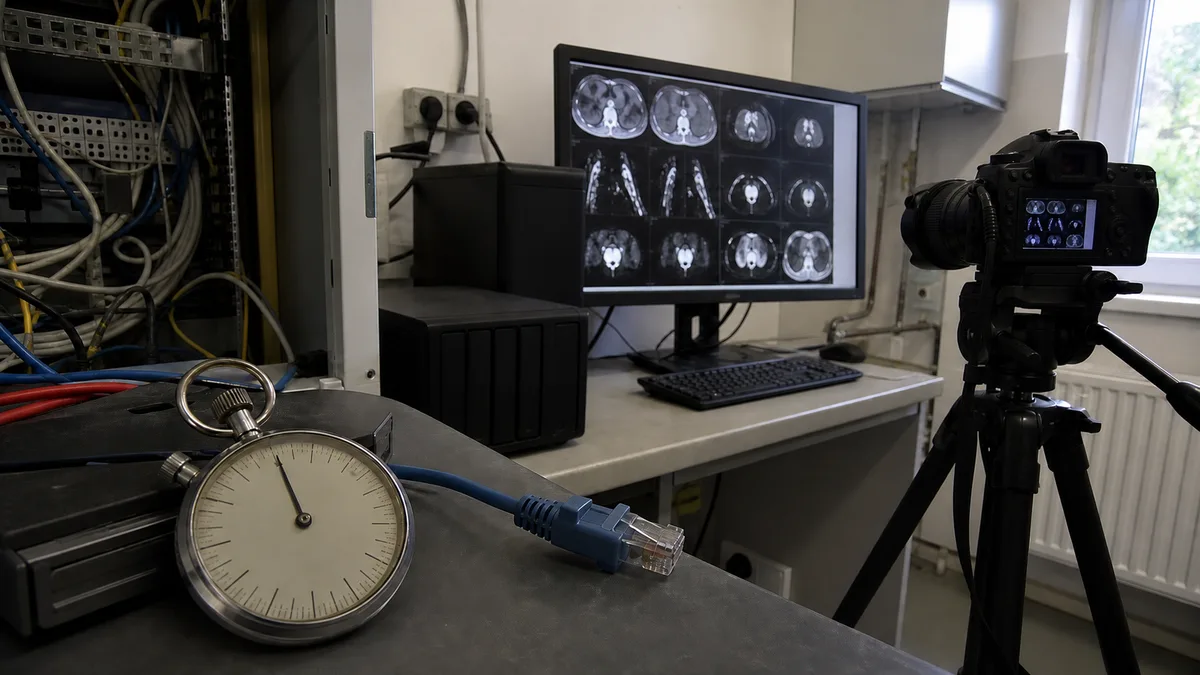
The short answer: A restore test is a controlled attempt to retrieve specific data from a backup and run it somewhere other than the production environment—in a different folder, another virtual machine, or on replacement hardware. It does not overwrite anything, can be completed in an afternoon, and answers two questions that a green check mark in backup software cannot: whether the restore works at all and how long it takes. The result should be recorded on a single page—date, what was restored, from where, to where, how long it took, who performed it, the outcome, and any findings. Vyhláška č. 409/2025 Sb. expressly requires testing and documenting the results under the higher-obligation regime; vyhláška č. 410/2025 Sb. does not require this under the lower-obligation regime. Neither specifies a testing frequency.
Most companies we speak to about backups are in the same position: they have them. A NAS in the server room, a copy in the cloud, email hosted by Microsoft. Every morning, the backup software reports that the job completed successfully. Someone reads these reports for a few months, after which they are simply filtered into a folder. When we ask when somebody last retrieved anything from the backup, the answer is: never. This means you have a backup, but you have not verified it—and the difference only becomes apparent on the day your operations depend on it.
Why „the backup is running„ does not mean „we can restore it"
On 23 April 2025, Veeam published the results of a survey involving 1,300 organisations, 900 of which had experienced a cyberattack. Over the preceding twelve months, 69% had been affected. The restore figures are even more significant: only 10% of organisations recovered more than 90% of their data, while 57% recovered less than half. At the same time, 66% of backup repositories were affected by the attack.
Most affected companies therefore had backups, yet still failed to recover even half of their data. In some cases, the backup was encrypted together with production because it depended on the same domain and credentials. In others, it did not contain the very data that nobody had added to the backup job—databases, configurations, or mailboxes. Elsewhere, nobody knew how to turn the backup into a working server.
The backup software still reported success—but its message means something different from what people assume: the job finished and the data was written to the destination. It does not say whether the backup contains everything required, whether it can be put back into operation, or whether anyone at the company knows how to do so.
An integrity check is not a restore test
The most common source of confusion is a feature that appears to verify restorability. In Synology Hyper Backup, this is the data integrity check. According to Synology’s documentation, it verifies that the backup task can continue and that the backup is restorable—but it does not transfer the data. Enabling it is worthwhile, but it does not replace a restore test: it only examines the backup storage, not the route back into production. It cannot tell you whether you will be able to get your accounting system running within two hours.
What exactly to test
There is little value in testing everything at once. Divide the process into four levels.
| Level | What is restored | What it tells you |
|---|---|---|
| 1. File and folder | A document from a shared drive, ideally an older version | Can we retrieve a deleted file and find the correct version? |
| 2. Entire machine | A server or laptop restored to a virtual machine or replacement hardware (bare metal) | Can we start a machine whose original hardware no longer exists? |
| 3. Database and accounting system | A database, accounting data, or ERP—and, most importantly, actually starting it | Does the application start with the restored data, and is the data correct? |
| 4. Microsoft 365 | A mailbox, OneDrive, or SharePoint | Do we have our own copy, or are we relying on the provider’s recycle bin? |
Level 2 is almost never tested, yet it can be decisive on the day of an outage. Level 3 is the most deceptive: a database file can always be copied, but a copy made while the database is running without application-aware processing may be inconsistent, causing the application to refuse to open it. The restored database must therefore actually start during the test. Level 4 is a separate topic, covered in our article explaining why Microsoft 365 does not back up your emails.
How to perform a restore test on Synology
Restoring a file through Hyper Backup to another folder. Open the backup explorer for the relevant task, select the required version by date, and choose a folder or file. When restoring it, select a different destination—a test folder, not the original path. Restoring elsewhere cannot damage production data, so the test can even be performed during working hours. Once it is complete, open the file, verify its version, and delete the test folder.
Restoring an entire machine through Active Backup for Business. According to Synology’s specifications, this supports bare-metal recovery using Recovery Media Creator, which creates bootable media for restoring a machine to bare hardware, as well as instant restore, which starts the backup immediately as a virtual machine in vSphere, Hyper-V, or Synology Virtual Machine Manager.
Instant restore is the most convenient option for testing: the backup starts as a virtual machine directly on the NAS in VMM without affecting the original. When starting it, disconnect the network adapter or connect the machine to an isolated network—the restored server has the same name, IP address, and roles as the production server, and two identical machines on the same network will cause problems.
You should also account for the concurrency limits stated by Synology: Active Backup for Business can handle no more than 10 file servers at once and, depending on the NAS memory capacity, 10, 30, or 50 computers and virtual machines. Schedule the test outside the normal backup window.
How to perform a restore test in Veeam Backup & Replication
With Veeam, licensing is often the first question. Veeam Backup & Replication Community Edition is free for 10 instances, with a workstation counting as 1 instance and a server as 3 instances. Ten instances can therefore cover three servers and one workstation, or two servers and four workstations. This is sufficient for a small company, allowing it to test restores without licensing costs.
The test itself follows the same principle as on Synology: you must restore alongside production, not over it—restore a virtual machine under a different name to an isolated network, or restore files to a new folder. Overwriting the original is not a test; it is an intervention in live operations.
Check three things on the restored machine: the operating system starts, the services start (database, application server, and file shares), and the application can open a real record you recognise. Only then has the restore succeeded—a booted login screen does not prove that the data inside is usable.
How to measure your company’s RTO and RPO
These two abbreviations appear in almost every backup document, but few people associate them with a specific number.
RTO (recovery time objective) is the amount of time within which a service must be operational again. It is measured from the outage until people can resume working normally—not merely until the data restore finishes. It also includes the time taken to detect the outage and obtain replacement hardware.
RPO (recovery point objective) is the amount of work you can afford to lose, expressed as a period of time. If backups run once a day at 2 a.m. and the system fails at 4 p.m., you lose an entire working day. In practice, the RPO is roughly equal to the interval between backups.
Neither value comes from the technology itself; both come from operational needs. For every important service, determine how long the company can operate without it and how many hours of work you are willing to repeat. Record these answers as the required values.
The restore test then provides measured values. Time three stages separately: preparation (locating media, passwords, and documentation), the data restore itself, and the work required to reach an operational state. Compare the total with the required RTO. If the measured RTO is significantly higher, that is not a reason to rewrite the target—it is a finding that requires its own remedy, such as a faster transfer route, a prepared replacement machine, or a documented procedure. The first test will often reveal that most of the time was not consumed by transferring data, but by searching: where is the licence key, who knows the NAS password, and where is the latest offline copy?
Restore test record template
The record does not need to be a ten-page report. One page per test is enough; its value lies in the fact that it exists and is dated. Store it with the operational documentation, not in an email.
| Item | What to include |
|---|---|
| Date and time | When the test started and ended |
| What was restored | The specific system or data: file server, accounting database, or mailbox |
| Source | The backup source: task, storage location, and dated version |
| Destination | Test folder, isolated virtual machine, or replacement hardware—and an explicit statement that it was not production |
| Duration | Measured time: preparation, data restore, and completion to operational status |
| Who | The name of the person who performed the test and anyone else who was present |
| Result | Passed / passed with reservations / failed—and the evidence used to demonstrate it (an opened document or running service) |
| Findings and corrective actions | What problems were identified, who will correct them, and by when |
Attach evidence to the record, not just an assertion: a screenshot of the completed restore, a log extract, or a screenshot of the opened file. The „findings and corrective actions" row is the most valuable—if nobody fixes anything after a test, it was merely an exercise.
What the regulations require—and what they do not
Since 1 November 2025, the rules have differed according to the applicable obligation regime. We explain which regime applies to your company, if any, in our article on zákon č. 264/2025 Sb. and who it applies to. Here, we are only concerned with backups.
Higher-obligation regime—vyhláška č. 409/2025 Sb. Under § 26 odst. 3 písm. a) and b), an obligated entity must ensure that the integrity, availability, and restorability of its backups are tested regularly and that the results of these tests are documented. Písmeno c) of the same paragraph requires backups to be protected at least by encryption in accordance with § 25, while odstavec 5 requires the backup environment to be separated from other environments. In addition, § 15 písm. c) and e) requires the recovery time objective and recovery point objective—that is, RTO and RPO—to be defined, and business continuity and recovery plans to be tested regularly.
Lower-obligation regime—vyhláška č. 410/2025 Sb. This is less stringent. Under § 6 písm. c), it requires regular backups; there is no express requirement to test restorability. However, § 11 písm. a) requires network segmentation, including separation of production and backup environments. In practice, a backup should therefore not depend on the same credentials or reside in the same segment as the system it protects.
Now for a widespread misconception. It is often claimed that the law requires monthly restore tests. It does not: neither regulation specifies a testing frequency. The higher-obligation regime requires regular testing and documentation, but the obligated entity determines the interval itself. The lower-obligation regime does not expressly require restorability testing at all.
There are also deadlines under zákon č. 264/2025 Sb.: according to § 6 odst. 1, a regulated service must be reported to Úřad within 60 days, while § 13 odst. 4 requires security measures to be implemented no later than one year after receipt of the registration decision.
How often to test as a matter of good practice
The following is not a quotation from legislation, but an operational recommendation. Set the frequency according to how long the company can operate without the service in question.
- After every significant change. A new server, a migration, a modified backup task, or a new accounting system. Changes are a common point at which backups silently break without the reports detecting it.
- File restore: short interval, low effort. It takes only a few minutes and keeps the relevant skills fresh. Quarterly testing is entirely reasonable.
- Entire-machine restore: at least once a year, and more often for critical systems. This test provides a measured RTO. Schedule half a day for it during a quiet period, not at a reporting deadline.
- Database and accounting-system restore: align it with the accounting cycle, when it is clear which data the copy should contain.
- Always involve the person who would actually perform the restore. A test that only one person can complete is itself a finding: the company has a single point of failure in its staff, not its technology.
The backup must also be sufficiently separated from production—otherwise, you are testing a copy that the same incident could destroy together with the original. We explain the rule of three copies, two media types, and one off-site copy in our article on external drives and the 3-2-1 rule, and what to do when an incident has already occurred in our guide to the first 24 hours after ransomware.
This is exactly what we do at ITHOPE in Brno as part of our IT management and backup services: we monitor whether backup tasks have actually completed and perform restore tests at agreed intervals, producing a dated record with measured times and findings. The company therefore has not only a backup, but also evidence that it can be restored—and knows how long the process will take. Our IT services for businesses overview explains what is included in the service.
If a restore test reveals that your NAS or backup chain needs expert attention, we can address it through our NAS servicing in Brno—from replacing drives to configuring backups that can actually be restored.
Sources
- Vyhláška č. 409/2025 Sb. (higher-obligation regime), § 15 and § 26—e-sbirka.cz/sb/2025/409
- Vyhláška č. 410/2025 Sb. (lower-obligation regime), § 6 and § 11—e-sbirka.cz/sb/2025/410
- Zákon č. 264/2025 Sb., § 6 and § 13—e-sbirka.cz/sb/2025/264
- Veeam: press release on the survey of 1,300 organisations (23 April 2025)—veeam.com
- Veeam: Backup & Replication Community Edition—veeam.com/blog
- Synology: Hyper Backup—Backup Settings—kb.synology.com
- Synology: Active Backup for Business—Software Specifications—synology.com
Where to find us
ITHOPE is a company based in Brno, Czechia: we do data recovery from disks, RAID and NAS, PC and laptop service and IT for business, all in our own lab at Viniční 3587/216, 615 00 Brno.
Phone +420 775 556 063 (24/7 line). You can bring the device in person, or send it by courier (Zásilkovna, PPL).