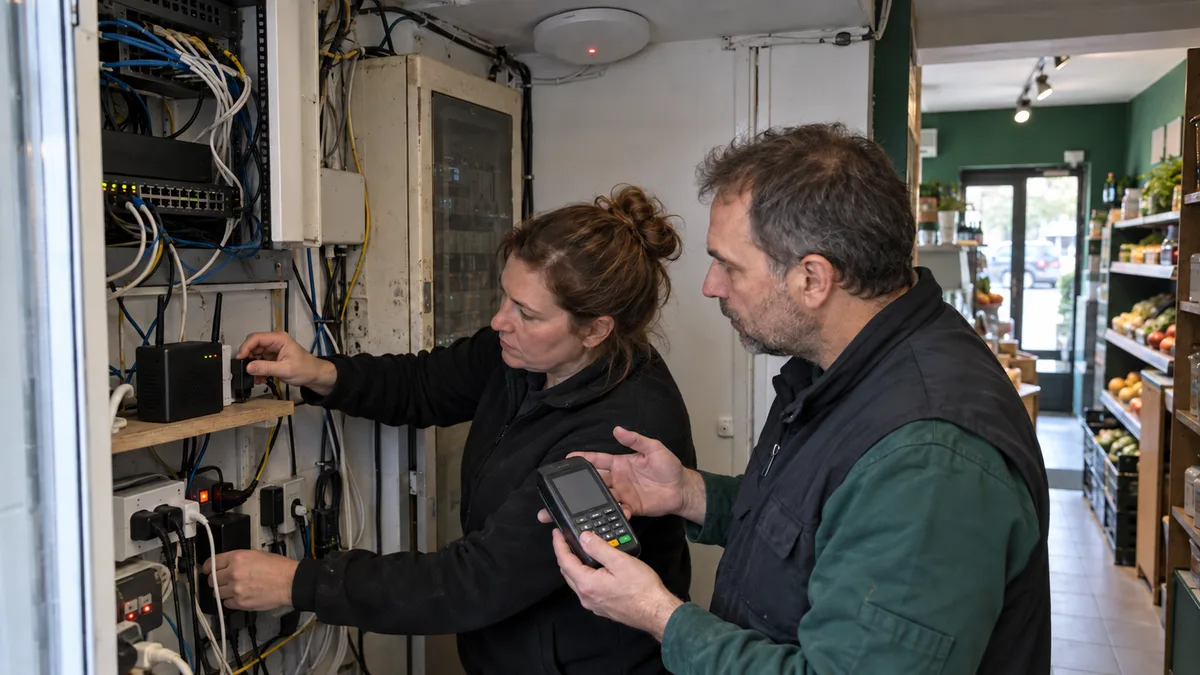
The short answer: IT infrastructure monitoring should cover workstations, servers, networks, backups, business services, and security events. Collecting green charts is not enough: every alert must state what has stopped working, who is affected, and who is responsible for responding.
Monitoring Should Answer Four Questions
Can employees use the tools they need for their work? Does the company have recoverable data? Is a capacity issue, unsupported device, or certificate expiry approaching? And who will take ownership of an alert when something goes wrong?
Practical monitoring should provide warnings when, for example:
- a backup has failed to run several times in a row;
- a system disk is filling up rapidly;
- antivirus or EDR software has stopped reporting its status;
- a NAS has a degraded disk array;
- a branch office loses its connection to headquarters;
- a website responds, but users cannot sign in to the application;
- a TLS certificate has not been renewed;
- a new account with administrator privileges has been created.
Before installing monitoring tools, a company needs to understand its devices, services, and their dependencies. An IT audit for a small business can help uncover gaps in the inventory. Without one, it is easy to monitor the server in the equipment room while leaving a critical database, cloud account, or backup storage system unmonitored.
What to Monitor on Workstations, Servers, and Networks
Every check should relate to actual operations. A brief spike in processor usage may not indicate a problem, and a successful ping does not prove that an application accepts logins or can write to its database.
| Area | What to monitor | What should trigger a response |
|---|---|---|
| Workstations and laptops | management agent availability, system version, updates, antivirus or EDR, encryption, and free space | disabled protection, a device that has stopped communicating for an extended period, failed updates, an unsupported system, or insufficient space |
| Servers | services, processor and memory usage over time, disk response times, capacity, logs, RAID, UPS, and virtual machines | a stopped service, increasing response times, a degraded array, an unexpected restart, or failed backup power |
| Network | internet connections, firewall, VPN, switches, access points, packet loss, port errors, and configuration changes | an unreachable branch, repeated VPN disconnections, a faulty link, a power outage, or an unplanned change |
| Business services | DNS, website, email, databases, accounting or ERP systems, and shared files | an incorrect response, failed login, rejected connection, halted processing, or read-only storage |
| Identities | synchronization status, multi-factor authentication, privileged accounts, and risky sign-ins | a synchronization error, a new administrator, disabled protection, or suspicious use of a privileged account |
A fixed alert based solely on an instantaneous value tends to be noisy. The duration of the problem, its development over time, and its operational context all matter. A brief load spike during an update should be assessed differently from load that rises every morning, slows down an application, and temporarily disappears after a restart.
Tools such as Zabbix, Checkmk, or PRTG can be used for monitoring. Uptime Kuma can also handle simpler HTTP and TCP checks and certificate expiry monitoring. Choosing a tool, however, is only the second step. First, the company must define which failures the system should detect and who will handle its alerts.
The Inventory Must Identify Unsupported Devices
Monitoring should record more than whether a computer is switched on. It must distinguish between a supported system, a device covered by an extended support programme, and a computer that no longer receives standard security updates.
Standard support for most editions of Windows 10 ended on 14 October 2025. Exceptions may include editions with a different lifecycle or devices enrolled in the Extended Security Updates programme. The specific edition, version, and management method are therefore decisive—not merely the label „Windows 10." Current dates are listed in Microsoft’s Windows release information.
The firmware of firewalls, NAS devices, switches, access points, and UPS units should be recorded in the same way. An available device can still pose an operational risk if its manufacturer no longer releases security updates or the company has no replacement procedure.
Disk Capacity: Do Not Wait Until the Disk Is Full
A full disk may do more than prevent a document from being saved. It can stop a database, updates, log writing, snapshot creation, or a backup job.
Monitoring should therefore track:
- current free capacity;
- the rate at which space is being consumed;
- the space required for updates, temporary files, and snapshots;
- unusually rapid growth in logs or databases;
- file systems that have switched to read-only mode;
- the status of the storage pool, volume, and RAID group.
Alerts should be configured according to how the storage is used. The same amount of free space represents a different situation on a database server’s system disk than on an archive volume that changes only slowly.
For Synology DSM and QNAP QTS, checking only whether the web administration interface is available is insufficient. Monitoring should distinguish the status of the storage pool, RAID group, volume, individual disks, SSD cache, snapshots, and connected UPS. A NAS may still respond over the network even when its array is degraded or a volume has entered a restricted mode.
Record the Exact Model and Serial Number of Every Drive
Labels such as „WD Red,„ „Seagate," or „eight-terabyte drive" are not specific enough for diagnostics. You need the exact model, serial number, firmware version, bay position, and replacement history.
This is necessary because drives can differ even within the same product line. A model number may distinguish the capacity, recording technology, firmware, and intended use of a drive. For example, the WD40EFAX and ST8000DM004 models use SMR recording. During prolonged random writes and array rebuilds, the internal reorganisation of overlapping tracks can significantly increase response times. The controller may then treat the slow drive as unresponsive and remove it from the array. The article on why an SMR drive may drop out of a NAS explains the issue in more detail.
SMART is a useful source of information, but it does not guarantee that a drive will not fail. You should also monitor trends in read errors, bad or pending sectors, interface errors, temperatures, SSD media health, and changes in response times. The meaning of individual SMART attributes also varies by manufacturer; normalised values cannot be compared mechanically across different drive families without context.
A sharp increase in interface errors may indicate a problem with the cable, backplane, or power supply, while a growing number of unstable sectors points towards the storage medium itself. A single overall „Good" status conceals these differences.
How to Tell Whether a Backup Really Works
A green backup job result confirms only that the software completed a scheduled step. It does not prove that the correct data was selected, that the copy remains intact, or that the company can restore it within the required time.
Backup monitoring should verify at least:
- the result of the latest scheduled run;
- the age of the latest successful copy;
- unusual changes in the volume of backed-up data;
- the availability and free capacity of the target storage;
- compliance with the retention policy;
- the status of an isolated or immutable copy;
- the result of the latest restore test.
A sudden decrease in backup size may indicate deleted data, a changed selection, or an unavailable source. A sharp increase may be caused by changed data, a deduplication error, an expanded backup scope, or mass file rewrites. The alert should not determine the cause automatically, but it must present the change to a person with sufficient context.
An automated check will detect a backup that did not run. Only a restore can reliably identify a backup that cannot be recovered. In addition to daily monitoring, the company must therefore schedule a documented backup restore test.
Monitor Websites and Services from Outside as Well
A monitor located in the same office as the router it monitors has a blind spot. During a power or internet outage, it may go silent at the same time as the entire branch. At least some checks should therefore originate from an independent network.
A ping is not enough for a website. Depending on the importance of the service, the check should verify:
- DNS resolution;
- successful TLS connection establishment;
- the correct certificate name and a trusted certificate chain;
- the expected response code;
- the presence of specific content;
- where appropriate, a login or a response from a selected API.
A test account should have only the permissions required for the relevant check. Its credentials must not be stored in a public script or an ordinary plain-text configuration file.
From 15 March 2026, newly issued publicly trusted TLS certificates may have a maximum validity period of 200 days. The approved CA/Browser Forum schedule provides for further reductions, so a manual calendar reminder is not a viable long-term solution. Monitoring should check not only the expiry date, but also whether automated renewal has actually deployed the new certificate. The dates are specified in Ballot SC-081v3 CA/Browser Forum.
Security Events That Require a Response
Collecting every available log without evaluation rules creates noise and expense. For a small business, the most valuable events are those that can be linked to a specific device, user, and procedure:
- antivirus or EDR being disabled;
- prolonged disconnection of a security agent;
- creation or elevation of an administrator account;
- changes to firewall, VPN, or backup configuration;
- repeated failed sign-in attempts;
- unusual use of a privileged account;
- mass renaming, modification, or deletion of files;
- log collection stopping;
- an isolated backup being disabled or its retention being changed.
Sources may include Microsoft Defender for Business, Wazuh, a central syslog server, or tools supplied by the firewall and backup system vendors. Each of them, however, can see only the devices and services that are properly connected. A personal laptop, a new cloud application, or a device with an uninstalled agent may remain outside the monitoring scope.
Monitoring does not replace multi-factor authentication, updates, network segmentation, or isolated backups. For encrypted traffic, it also often monitors connections and metadata rather than the content of communications. The scope of data collection, access to records, and retention periods must be documented.
A Monitoring Map Based on Actual Operations
The number of employees does not determine complexity on its own. A small design office with a local server, large datasets, and remote access may require broader monitoring than a larger company that works almost exclusively with a handful of cloud services.
| Environment type | Minimum monitoring map |
|---|---|
| Predominantly cloud-based company | workstations, management agents, identities, multi-factor authentication, firewall, Wi-Fi, internet connection, cloud data backups, website, domain, and TLS certificates |
| Company with a NAS or local server | the preceding scope plus storage pools, RAID, volumes, disks, UPS, virtual machines, databases, DNS, DHCP, and backup storage |
| Multiple branches | the preceding scope plus individual connections, VPN, VLANs, switches, access points, dependencies between locations, and separate escalation contacts |
| Operation with a critical application | the preceding scope plus application checks, login tests, database connections, job queues, integrations, and the availability of dependent services |
For each item, record:
- the owner of the device or service;
- its operational importance;
- the source of the monitoring data;
- the threshold for a warning and an incident;
- the hours during which alerts are handled;
- the person or team responsible for responding;
- the first diagnostic step;
- the escalation procedure.
The map should also include dependencies. If a branch office’s internet connection fails, the monitoring service should not overwhelm the administrator with separate incidents for every unreachable switch, NAS, and access point. The root-cause alert should group or temporarily suppress related events.
An Alert Without a Recipient Is Not Monitoring
Continuous measurement is not the same as continuous support. A tool may check a service at all times, while a person may handle alerts only during agreed hours.
For every event type, it must therefore be clear:
- who receives the alert;
- how receipt is acknowledged;
- when it is escalated to another person;
- what can be done automatically;
- what requires approval;
- how response time and resolution time are distinguished;
- how maintenance windows work.
A maintenance window should suppress expected notifications during planned work, not conceal the outcome. After an update, the system must verify again that the service is running, accepting connections, and performing its intended function.
If a company does not have someone who can take responsibility for the inventory, monitoring, and responses, we handle them as part of monthly business IT management. The agreement must, however, specify the exact scope and response arrangements; installing a monitoring server alone does not solve the problem.
How to Recognise High-Quality Monitoring
When evaluating an offer, do not ask only for a list of monitored devices. You should also find out:
- whether the system checks the service’s actual function or only its availability;
- who evaluates alerts and under what service arrangements;
- how false alarms are eliminated;
- who owns the configuration, documentation, and event history;
- how exceptions and unmonitored devices are recorded;
- whether the report identifies unresolved risks;
- how often the monitoring map is compared with the actual environment;
- whether the monitoring system itself is monitored.
The price depends on the number and variety of devices, licences, integration methods, alert-handling arrangements, and agreed response. The proposal should separate the initial inventory and configuration, ongoing monitoring, and work performed during an intervention.
A monthly report should support decision-making. It should show unresolved risks, the status of backups and restore tests, unsupported devices, capacity trends, significant incidents, and prioritised recommended actions. A list of thousands of successful checks does not fulfil this purpose.
The Most Common Monitoring Implementation Mistakes
- Only servers are monitored, while identities, backups, and network devices are ignored.
- Availability is mistaken for correct application operation.
- Alerts are sent to an inbox that no one checks regularly.
- Every brief spike creates an incident.
- Maintenance windows and dependencies between systems are not taken into account.
- The company cannot identify devices with disconnected agents.
- The backup status is green, but no one has performed a restore.
- A certificate is renewed on disk, but the website continues to use the old one.
- The monitoring system has administrator privileges that it does not need to read status information.
- The monitoring map is not updated after infrastructure changes.
FAQ
Does a Company Without Its Own Server Still Need Monitoring?
Yes. Workstations, internet connections, firewalls, Wi-Fi, cloud identities, backups, domains, certificates, and critical SaaS services should all be monitored. The cloud transfers part of the infrastructure to a provider, but it does not transfer responsibility for accounts, configuration, data, and dependencies between services.
Is Continuous Monitoring the Same as 24/7 Support?
No. A system may measure continuously while a person responds only during agreed hours. Monitoring, alert acknowledgement, and intervention arrangements must be described separately.
How Often Should Checks Run?
It depends on the impact and how quickly a problem can develop. The availability of a critical service requires more frequent checks than a long-term capacity trend. A backup result should be evaluated after its scheduled run, not at the same interval as a website.
Can Monitoring Prevent Ransomware?
Not by itself. It can warn about disabled protection, unusual sign-ins, mass file changes, or backup failures. Protection requires a combination of prevention, restricted permissions, multi-factor authentication, segmentation, EDR, and recoverable backups.
What Should a Company Receive in Its Monthly Report?
Above all, an overview of unresolved risks, the status of backups and restore tests, unsupported devices, capacity trends, significant incidents, and prioritised recommended actions. The report should support decisions, not demonstrate the volume of collected data.
Where to find us
ITHOPE is a company based in Brno, Czechia: we do data recovery from disks, RAID and NAS, PC and laptop service and IT for business, all in our own lab at Viniční 3587/216, 615 00 Brno.
Phone +420 775 556 063 (24/7 line). You can bring the device in person, or send it by courier (Zásilkovna, PPL).