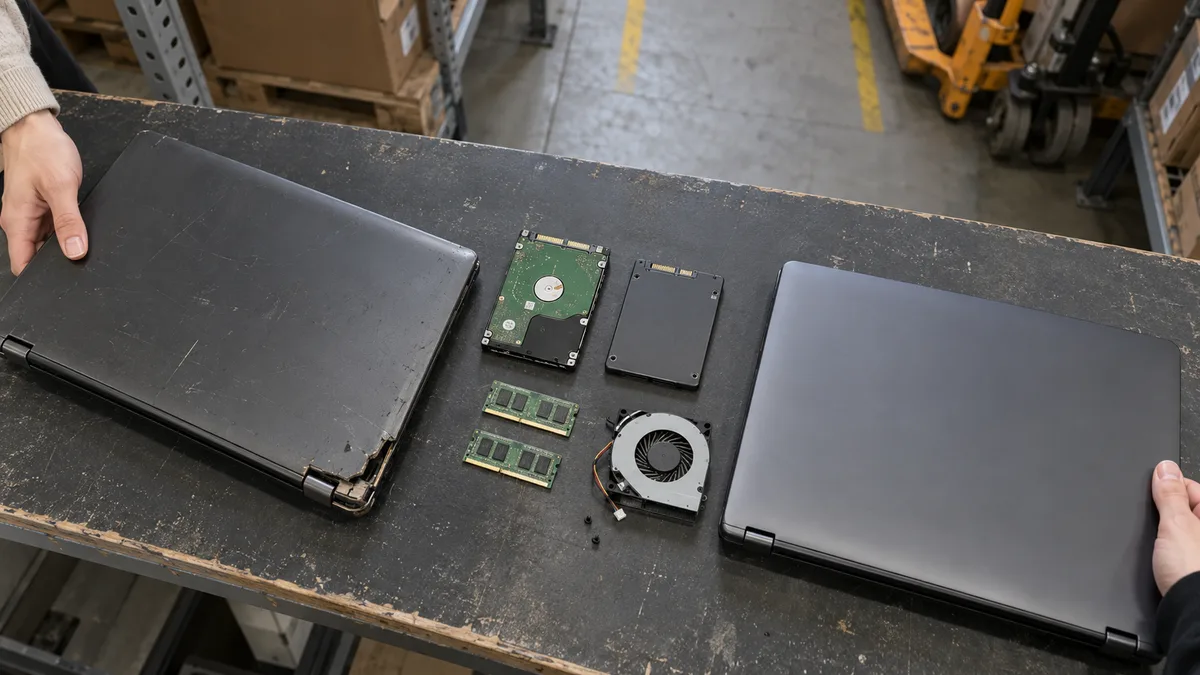
The short answer: Refurbishing your current laptop makes sense if it is being held back by a slow HDD, insufficient upgradeable RAM, a clogged cooling system, or a damaged Windows installation. However, servicing and installing an SSD will not fix an old processor, soldered memory, or a cracking chassis. If several such limitations occur together, buying a different, properly inspected refurbished laptop is usually the more sensible choice.
Refurbishing your own laptop is not the same as buying a refurbished one
The term laptop refurbishment commonly refers to two different things.
When refurbishing your own laptop, a repair shop looks for the specific cause of slow, noisy, or unreliable operation. It may clean the cooling system, replace a faulty fan or battery, replace the HDD with an SSD, expand the memory, or reinstall Windows. The aim is not to turn an old machine into a new model, but to remove the limitations that can genuinely be resolved.
A refurbished laptop, by contrast, is a different, previously used computer prepared for continued use. These are often business models such as the Lenovo ThinkPad, Dell Latitude, or HP EliteBook. However, the word „refurbished" alone does not confirm the condition of the battery, display, hinges, or SSD. What matters is the inspection performed, the actual configuration, and the individual seller’s terms.
If you are deciding between repairing and replacing your laptop, this overview of when laptop repair is worthwhile and when to buy a new one may also help.
When not to try it yourself and what we do instead
Avoid taking the laptop apart at home, especially in the following situations:
- A swollen battery is lifting the touchpad or bottom cover. Do not continue charging the laptop, squeeze or puncture the battery, or try to prise it off with a metal tool.
- The system drive is encrypted with BitLocker and you do not have the recovery key. Replacing or cloning the drive, or changing UEFI settings, may trigger a request for the recovery key. First check where to find your BitLocker key.
- The slim chassis contains an adhesive-mounted battery, hidden screws, or rigid plastic clips. Incorrect prying can tear the touchpad cable, break mounting points, or damage the battery.
When refurbishing a laptop in Brno, we follow three steps:
- We take in the laptop, its power adapter, and a description of both the problem and the desired outcome.
- We check the storage, cooling system, battery, memory, and upgrade options of the specific configuration.
- Before starting work, we specify the proposed scope and price. We replace components or modify the system only after receiving your approval.
What refurbishment can genuinely improve
The most effective intervention is one that removes the main bottleneck. Automatically replacing several components without first diagnosing the problem may cost money without solving the original issue.
| Intervention | What it can improve | What it will not change |
|---|---|---|
| Replacing an HDD with an SSD | System startup, opening applications, updates, and file operations | Processor performance and RAM capacity |
| Expanding the RAM | Working with multiple applications, larger documents, and many browser tabs | The speed of a weak processor or faulty drive |
| Cleaning the cooling system | Airflow, noise levels, and performance limited by high temperatures | A faulty fan bearing, damaged heat pipe, or motherboard fault |
| Reinstalling Windows | Software conflicts, leftover applications, and faulty drivers | Defective hardware, a weak battery, or cracked hinges |
| Replacing the battery | Runtime without the power adapter | A fault in the charging circuit or connector |
| Replacing the fan | Noise caused by the bearing and insufficient airflow | Overheating caused by another fault |
Upgrading a laptop from a mechanical HDD to an SSD usually produces a noticeable improvement because there is no longer any wait for the mechanical movement of the drive heads. However, an SSD will not accelerate calculations limited by the processor or compensate for insufficient RAM.
Indicative service prices are listed in our service price list: laptop cleaning, including replacement of the thermal paste, starts at CZK 900; installing an SSD, reinstalling Windows, and transferring data starts at CZK 1,500 plus the price of the drive. All prices include VAT. Diagnostics are not charged separately when the repair is carried out; the CZK 1,000 fee applies only if the repair ultimately does not proceed.
Before ordering a drive, the interface and available space inside the laptop must be checked. The M.2 designation describes the connector’s form factor; it does not automatically mean that NVMe is supported. Some laptops accept M.2 SATA drives, others support NVMe PCIe, and some only have space for a 2.5-inch SATA drive. The documentation and installed configuration of the specific model are decisive.
Memory configurations also vary. A laptop may have two replaceable modules, one module combined with soldered memory, or all of its RAM soldered to the motherboard. Even identical product-family names therefore do not necessarily offer the same upgrade options.
When cleaning the cooling system helps
Cleaning makes sense when dust is blocking the heatsink fins or restricting the fan. While disassembling the laptop, the repair shop should also check the condition of the fan, the mounting pressure of the heatsink, and the thermal interface material.
Replacing the thermal compound alone is not a universal cure. If the fan bearing rattles, the heat pipe fails to transfer heat, or a malfunctioning process is overloading the processor, new thermal paste will not remove the cause. Nor is it normal for a laptop to continue shutting down during ordinary use after cleaning. Other possible causes are covered in Laptop overheating and shutting down.
When checking the cooling system, it is useful to distinguish between three symptoms:
- the fan runs quickly, but very little air comes out of the exhaust vent;
- the laptop is noisy even without any significant workload;
- performance drops after the laptop heats up, or the computer shuts down.
Each symptom may have a different cause. Temperature readings are therefore meaningful only when considered alongside the workload, fan speed, and physical condition of the cooling system.
A clean installation or cloning the original drive
When replacing an HDD with an SSD, you can either clone the existing system or reinstall Windows.
Cloning preserves applications, settings, and the user environment. It is suitable when the original drive is healthy and the operating system installation works correctly. However, it also transfers unnecessary applications, faulty drivers, and other problems from the original installation.
A clean installation starts with a fresh system. Beforehand, you need to determine which applications must be restored, where their licences are stored, and which data has not been backed up. Business accounting software, certificates, VPNs, and local email archives cannot be considered restored simply because the Documents folder was successfully copied.
If the original drive reports errors, disappears from the system, or becomes significantly slower, repeated cloning is not a routine upgrade method. The condition of the storage medium and the value of the data must be assessed first.
When refurbishment is no longer worthwhile
Start looking for another laptop when several expensive or unresolvable limitations occur together:
- the processor or graphics hardware is insufficient for the applications you use;
- the laptop does not meet the requirements of a supported operating system;
- the required RAM capacity is soldered and cannot be expanded;
- the chassis is cracking around the hinges or the threaded mounting points are being pulled out;
- the battery, storage, and cooling system are all reaching the end of their useful lives;
- the laptop lacks the required ports, display outputs, or docking-station support;
- the display, keyboard, and other parts are so worn that repairing them would involve replacing most of the device.
Do not assess Windows 11 compatibility solely by the Core i5 or Ryzen 5 label. The exact processor model, TPM 2.0, Secure Boot support, and other Microsoft requirements are what matter. Different processor generations may be sold within the same model family. You should therefore check the result with the PC Health Check application and verify the exact configuration. For Intel Core processors, Microsoft’s list of supported processors starts with the 8th generation. The 7th generation is not included, so replacing the drive or memory will not turn such a laptop into a supported device.
The current status of Windows 10 and the available next steps are discussed in Windows 10 after the end of support. For a business laptop, long-term use of an unsupported system is not merely a matter of convenience; it also affects updates, application compatibility, and the company’s security requirements.
If refurbishment is unlikely to be sufficient, compare new, display, and refurbished laptops according to their warranty, battery, and actual condition. The differences are explained in new, display, or refurbished laptop. The refurbished laptop catalogue on XJO.cz shows the configurations available among refurbished business models. XJO is currently an ITHOPE test catalogue; a displayed listing does not confirm availability or the ability to place an order.
How to inspect a refurbished laptop before buying
When considering a refurbished laptop, knowing only the manufacturer and display size is not enough. Ask for the exact model designation and configuration.
Check the following in particular:
- the exact processor model, not merely the Core i5 or Ryzen family;
- the amount of RAM, the number of occupied slots, and any soldered memory;
- the type, capacity, and condition of the SSD;
- the display resolution, backlight condition, and any defective pixels;
- wear on the hinges, chassis corners, connectors, and keyboard;
- the battery’s remaining capacity relative to its original design capacity;
- the presence of a suitable power adapter;
- the operation of USB, USB-C, the network connector, Wi-Fi, and display outputs;
- Windows activation and the status of any BIOS or UEFI password.
The phrase „battery tested" is not the same as a capacity reading. In Windows, a system battery report can compare the design capacity with the full-charge capacity. This figure does not guarantee an exact runtime, but it tells you more than a simple claim that the laptop runs on battery power.
For a business laptop, also check compatibility with the docking station, monitors, accounting software, VPN, and security tools you use. A cheaper refurbished machine without the right ports may require additional adapters or replacement accessories.
What to prepare before handing over your laptop
- A verified backup. Seeing files in a backup application is not enough; try opening several important documents to confirm that they can actually be restored.
- The BitLocker recovery key. Your Windows sign-in PIN is not a substitute.
- The power adapter. The fault may be related to its power rating, cable, or the laptop’s power connector.
- A precise description of the problem. State when the laptop slows down, becomes noisy, shuts down, or stops charging.
- A list of required applications and devices. This includes accounting software, printers, VPNs, docking stations, and external monitors.
- The desired outcome. Faster startup, quiet operation, and preparing the computer for a new user each require a different scope of work.
This information makes it possible to determine whether one targeted intervention will help or whether refurbishment would merely postpone the purchase of a more suitable laptop.
FAQ
What does refurbishing your own laptop involve?
Depending on its condition, refurbishment may include diagnostics, cleaning the cooling system, replacing the fan or battery, installing an SSD, expanding the RAM, and reinstalling Windows. The scope depends on the laptop’s specific design and the cause of the problem.
Is replacing an HDD with an SSD worthwhile?
Yes, if the mechanical drive is the main bottleneck and the processor, RAM, display, and chassis still meet your needs. An SSD speeds up storage-dependent operations, but it does not change processor performance or the capacity of soldered memory.
Can the RAM be expanded in every laptop?
No. Some laptops use replaceable modules, others combine a module with soldered memory, and some have all their RAM soldered to the motherboard. The exact configuration is what matters.
Is it better to clone the system or reinstall it?
Cloning preserves applications and settings, but it also retains any software problems. A clean installation creates a fresh environment but requires preparation of the data, licences, drivers, and applications you use.
What is the difference between refurbishing and repairing a laptop?
A repair resolves a specific fault, such as a defective fan or power connector. Refurbishment combines a condition assessment, maintenance, and any necessary upgrades so that the laptop once again suits the agreed way in which it will be used.
When is it better to buy a refurbished laptop?
It is usually better when your current laptop has several problems at once or is limited by a non-replaceable processor, soldered RAM, or a damaged chassis. For the replacement machine, check the exact configuration, battery, display, hinges, SSD, and support for the operating system you intend to use.
Where to find us
ITHOPE is a company based in Brno, Czechia: we do data recovery from disks, RAID and NAS, PC and laptop service and IT for business, all in our own lab at Viniční 3587/216, 615 00 Brno.
Phone +420 775 556 063 (24/7 line). You can bring the device in person, or send it by courier (Zásilkovna, PPL).